The average office worker who buys a standing desk based on motor count and color options ends up returning it within six months. Not because standing desks are bad purchases, but because the spec sheet for a $229 desk and a $599 desk can look nearly identical on a retailer's product page, and most buyers have no framework for telling the difference between a frame that holds steady at full height and one that sways enough to rattle a coffee cup.
This standing desk buying guide exists because the market in 2026 is genuinely confusing in ways it wasn't three years ago. Motor counts have climbed. Desktop material options have multiplied. Budget entry points have dropped low enough that a desk with a 176-pound weight capacity now sits right next to one rated for 355 pounds, at prices only $150 apart. That gap in capacity sounds abstract until you add up two monitors, a monitor arm, a laptop dock, a webcam, and a full-size desktop speaker, and realize you've already crossed 80 pounds without touching a single personal item.
The decisions that actually determine whether a standing desk improves your workday or becomes an expensive surface for stacking mail are rarely the ones that get prominent placement in product listings. The steel gauge of the frame matters more than the number of programmable presets. The actual usable height range, not the advertised one, determines whether a desk fits your body. The warranty coverage language tells you more about a manufacturer's confidence in their product than any star rating.
What follows cuts through those surface-level comparisons. Every major decision point gets its own honest treatment, from motor architecture and frame construction to desktop materials, stability testing methods, weight capacity math, and accessory choices that are worth the money versus ones that aren't. Budget tiers are broken down without assuming that spending more always produces a better outcome for every buyer's specific situation.
If you've already started a tab comparing the Uplift V3 against the Flexispot E5 or wondering whether a converter is smarter than a full replacement desk, the answers are in here, along with the questions you probably haven't thought to ask yet.
Electric vs Manual vs Converter - Which Type Fits Your Situation
The 2026 standing desk market has effectively sorted itself into three distinct purchase decisions, each with a different financial profile and ergonomic ceiling.
Electric Sit-Stand Frames
Every top-performing desk in this guide uses a motorized lift system. The Uplift Desk V3 at $599, the Flexispot E5 at $379.99, and the SmartDesk Core all rely on dual-motor electric frames with programmable presets. That consensus exists for a reason: electric frames move 25–50 lbs of monitor equipment repeatedly without user effort, hold position without drift, and support 176–355 lbs of static load depending on tier. The Flexispot EC1 at $199.99 represents the electric floor — below that price, motors become single-unit systems prone to uneven lift and 3–4 year failure rates.
Manual Cranks in 2026
Manual crank desks once justified their $150–$250 price gap versus entry electric models. That gap has collapsed. The Flexispot EC1 at $199.99 undercuts most quality crank options while eliminating 45 seconds of handle rotation per height change. Manual cranks now make sense in exactly two situations: facilities requiring no electrical draw from furniture (certain labs and government sites), and buyers who will change height fewer than twice per week and genuinely won't be deterred by the friction. For everyone else, the crank mechanism becomes the reason people stop adjusting entirely — research from Cornell's Human Factors lab shows adjustment frequency drops 70% when transitions take more than 20 seconds.
Desktop Converters
Converters sit on top of a fixed desk and raise only the monitor and keyboard surface. Entry models run $80–$180; quality units like the Varidesk Pro Plus 36 reach $395. They appeal to renters who cannot modify landlord-owned furniture and to corporate employees testing standing work before requesting a full desk replacement. The real ergonomic limitation is fixed. A converter raises your work surface but keeps your legs at sitting height — you're not standing freely, you're perching. Monitor height is also constrained by the converter's arm length, frequently placing screens 2–4 inches too low for users taller than 5'10".
5-Year Total Cost Comparison
Type
Initial Cost
Avg Repair/Replace Cost
5-Year Total
Premium Electric (Uplift V3)
$599
$0–$80 (warranty covers most)
~$650
Budget Electric (Flexispot EC1)
$199.99
$120–$200 (motor replacement yr 3–4)
~$350
Manual Crank
$180–$280
$40–$60 (cable/mechanism)
~$300
Desktop Converter
$150–$395
$150–$395 (full replacement, not repairable)
~$450
Renters, Movers, and Shared Environments
Renters and frequent movers should prioritize frames under 68 lbs with tool-free leg disassembly — the Flexispot E5 at $379.99 qualifies. Shared office environments with 3+ users need programmable presets (minimum 4 slots) and 287+ lb capacity to handle equipment variation. Desktop converters are the only viable option when lease terms prohibit furniture replacement — accept the ergonomic tradeoff consciously rather than treating it as equivalent to a full sit-stand frame.
Featured
Marsail Ergonomic Mesh Office Chair
A $85 tall-person chair that punches above its price - barely
Single-motor systems drive both legs through a single drivetrain, which creates uneven torque distribution on desktops wider than 48 inches. Under loads above 150 lbs, the single motor strains to synchronize leg movement, producing a tilting effect mid-transition. The Flexispot EC1 at $199.99 uses a single-motor setup with a 154 lb capacity, and that weight ceiling exists precisely because one motor cannot reliably handle heavier configurations without frame stress.
Avoid single-motor frames if your desktop exceeds 55 inches or your monitor-plus-equipment load tops 80 lbs.
Why Dual Motor Systems Justify the Price Jump
Dual-motor frames run one motor per leg, with synchronized controllers keeping both columns within 0.1 inches of each other during movement. This produces measurably quieter operation: quality dual-motor desks like the SmartDesk Core and Flexispot E5 ($379.99, 287 lb capacity) operate at 45–50 decibels during transitions, roughly equivalent to a quiet library. Single-motor desks typically measure 58–65 decibels under load.
That 15-decibel difference matters more than buyers expect. At 50 dB, you transition without interrupting a video call or waking a nearby colleague. At 65 dB, you hesitate before adjusting, which directly reduces how often you actually switch positions. Studies on sit-stand behavior show that transition friction above 5 seconds or noticeable noise cuts adjustment frequency by roughly 40%.
Lift speed compounds this effect. The Uplift V3 ($599.00, 355 lb capacity) moves at 1.5 inches per second, covering a 12-inch height change in 8 seconds. Budget single-motor desks average 0.7–0.9 inches per second, making the same transition take 13–17 seconds. That extra time creates hesitation.
Motor Configuration Comparison
Configuration
Noise Level
Lift Speed
Typical Capacity
Example Model
Single motor
58–65 dB
0.7–0.9 in/sec
154–176 lbs
Flexispot EC1 ($199.99)
Dual motor
45–50 dB
1.2–1.5 in/sec
265–287 lbs
SmartDesk Core, Flexispot E5 ($379.99)
Dual motor premium
40–45 dB
1.5 in/sec
355 lbs
Uplift V3 ($599.00)
Triple Motor Systems and Diminishing Returns
Triple-motor configurations add a third actuator at the crossbeam or center beam, reducing lateral sway on desktops 72 inches and wider. On standard 60-inch surfaces, a well-engineered dual-motor frame like the Uplift V3 produces essentially zero perceptible wobble. Triple-motor systems appear on frames designed for 80-inch-plus configurations carrying dual 32-inch monitors plus audio equipment, where combined loads approach 300 lbs of distributed weight.
For 95% of home office setups under 70 inches wide, a premium dual-motor frame at the Uplift V3 ($599.00) tier delivers all the stability and speed you will ever need. Triple-motor upgrades add $200–$400 and address a problem most users do not have.
Frame Materials and Construction - Steel Gauges, Bracing, and Wobble
Steel gauge is the single most predictive spec for standing desk stability, yet most buyers ignore it entirely. Thicker steel (lower gauge number) resists lateral flex at maximum height, where lever-arm physics amplify every vibration. The Uplift Desk V3 ($599.00) uses heavier-gauge steel throughout its frame, which directly supports its 355 lb capacity and wobble-free operation at full extension. Budget frames like the Fezibo Basic ($229.99) use thinner steel to hit their price point, and the 176 lb capacity ceiling is the honest consequence of that choice.
Column Segment Count and Height Range Trade-offs
Two-stage legs (one inner tube) reach roughly 45–48 inches maximum but retract into a stiffer, shorter column with less telescoping overlap. Three-stage legs (two inner tubes) unlock the 50+ inch range needed for users above 6'2" — the Vari Curve Electric Standing Desk reaches 50.5 inches using three-stage columns — but each additional segment adds one more potential wobble point. Three-stage legs on a budget frame are a red flag; the SmartDesk Core's 48-inch ceiling reflects a deliberate choice to use two-stage columns that maintain rigidity at the cost of height range.
Leg Profile Designs Compared
Frame Type
Lateral Stability
Monitor Arm Clearance
Best Use Case
T-leg (single rear beam)
Moderate
Good
Compact rooms, light loads
C-leg (front/rear beams, open center)
Good
Excellent
Standing mats, leg room priority
X-leg (diagonal cross bracing)
Best
Poor under desk
Heavy dual-monitor setups
C-leg designs dominate the $379–$599 segment, including the Flexispot E5 ($379.99), because they balance rigidity with clearance for anti-fatigue mats and seated legroom. X-braced frames add measurable stiffness but restrict under-desk storage.
Reading Spec Sheets for Rigidity Before You Buy
Three numbers reveal frame quality without touching the desk: frame weight, shipping weight, and weight capacity ratio. A frame weighing under 55 lbs shipping weight at a 220 lb capacity claim suggests thin steel. The Flexispot E5 ships heavier than its $379.99 price implies, which aligns with its 287 lb variant's real-world steadiness. If a manufacturer refuses to publish frame steel gauge or total assembled weight, treat that as a failing mark.
Avoid any desk where shipping weight is under 50 lbs and maximum height exceeds 48 inches — that combination almost always means thin-gauge three-stage columns with visible sway above 44 inches. The Flexispot EC1 at approximately $199.99 falls into this zone; its entry price reflects genuine material compromises in column wall thickness, not manufacturing efficiency.
Frame weight is not vanity. It is build quality you can verify before the box arrives.
Ergonomic Office Chair
Solid $189 starting point - not your forever chair
Desktop Materials Compared - Bamboo, MDF, Butcher Block, and Laminate
MDF Laminate Surfaces
MDF laminate dominates the budget and mid-range market because a 48x24-inch MDF core top costs manufacturers roughly 60-70% less than solid wood alternatives. The surface holds up well for 2-3 years under normal use, but the melamine laminate layer typically shows scratching at high-contact zones — keyboard wrist areas and monitor base contact points — after sustained daily use. Avoid budget laminate tops thinner than 1 inch, as the reduced core density accelerates edge chipping when accessories are repositioned repeatedly.
The more serious problem is screw retention. MDF pulls screws at approximately 100-130 lbs of force, compared to 170-200 lbs for solid wood. This matters specifically when mounting a heavy monitor arm like those rated for 30-inch displays. Particle board cores perform worse still, retaining screws at roughly 80 lbs — inadequate for any monitor arm mounting without additional backing plates. If your desk uses a particle board core, budget $15-25 extra for a backing plate kit before installing any clamp-based arm.
Solid Bamboo Desktops
Bamboo scores 1,380 on the Janka hardness scale, harder than red oak at 1,290, which makes sustainability marketing claims about durability accurate in this specific regard. However, bamboo is dimensionally unstable in humidity above 65% RH, swelling up to 3mm across a 30-inch width — enough to bind drawer slides or cause surface warping. Carbonized bamboo, which carries the darker brown color seen on many desks, sacrifices roughly 15% hardness through the caramelization process, bringing it closer to pine territory.
The Flexispot E5 ($379.99) offers a bamboo desktop upgrade worth considering precisely because its 287 lb frame capacity handles the added weight without stressing the motor system.
Butcher Block Weight and Maintenance
A solid maple butcher block top at 1.75 inches thick and 60x30 inches weighs approximately 65-75 lbs before any equipment load. This directly consumes motor headroom on desks rated below 220 lbs capacity — the Fezibo Basic at $229.99 with its 176 lb limit becomes borderline unusable with a butcher block top plus dual monitors. The Uplift V3's 355 lb capacity at $599.00 handles butcher block comfortably. Butcher block requires annual mineral oil treatment — skipping this causes surface cracking within 18 months in low-humidity environments.
Edge Treatments and Top Thickness
Thickness
Edge Style
Frame Compatibility
Perceived Quality
1.0 inch
Flat/eased
Most frames
Budget feel
1.25 inch
Beveled
Most frames
Mid-range look
1.75 inch+
Rounded/live edge
Check frame lip clearance
Premium
The 1.25-inch top has become the practical standard because it provides adequate rigidity across a 60-inch span without flex under a 30 lb monitor load, while remaining light enough that single-motor frames manage it cleanly. Tops at 1 inch flex measurably — approximately 2-3mm of center deflection — on spans exceeding 55 inches.
Height Range Math - How to Match a Desk to Your Body
Your two target numbers are seated elbow height and standing elbow height. Measure both before you look at a single spec sheet.
The 90-Degree Elbow Formula
Sit in your actual work chair with feet flat on the floor. Bend your elbows to 90 degrees. Measure from the floor to the bottom of your forearm. That number is your minimum desk height. Now stand barefoot, repeat the measurement. That is your maximum desk height. A standing desk that cannot hit both numbers precisely is the wrong desk for your body, regardless of price.
The formula breaks down in practice because most buyers measure standing height, ignore seated height, and end up with a desk that sits 2 to 3 inches too high when they sit down.
Chair Height Changes Everything
Your chair's seat height directly determines what minimum desk height you actually need. The Sweetcrispy Home Office Desk Chair ($68.86) adjusts from roughly 17 to 21 inches seat height. The GABRYLLY Ergonomic Office Chair ($191.50) reaches 20 inches at its lowest. A taller seat height raises your elbow position, which raises the minimum desk height you need.
Run this calculation every time:
Seated elbow height = chair seat height + distance from seat to elbow
If that number comes out to 26 inches, you need a desk that reaches 26 inches. Most desks stop at 28 to 29.4 inches. That is a problem.
Shorter Users Under 5 Feet 4 Inches
A user standing 5 feet 2 inches has a standing elbow height around 38 to 39 inches and a seated elbow height as low as 24 to 25 inches. The SmartDesk Core bottoms out at 29.4 inches. That means a shorter user sitting in a low chair will be forced to shrug their shoulders all day. The research catalog notes models reaching 22.6 to 23.1 inches for users in the 4 feet 9 inches to 5 feet 0 inches range. If you are under 5 feet 4 inches, 28 inches minimum is not low enough. Filter for desks reaching 24 inches or below.
Taller Users Over 6 Feet 2 Inches
A 6-foot-4 user has a standing elbow height around 47 to 49 inches. The Vari Curve Electric Standing Desk reaches 50.5 inches, making it one of the few standard models that actually covers this range. The Uplift Desk V3 ($599.00) also accommodates taller users. The Flexispot EC1 (~$199.99) and Fezibo Basic ($229.99) do not publish extended-high specs and should be avoided without confirmed maximum height verification.
Quick Reference by User Height
User Height
Target Seated Elbow
Target Standing Elbow
Minimum Desk Needed
Under 5'2"
24–25 in
37–39 in
Under 25 in
5'2"–5'8"
25–27 in
39–42 in
25–27 in
5'8"–6'2"
27–29 in
42–46 in
27–29 in
Over 6'2"
29–31 in
46–50 in
29–31 in, max 50+ in
Never assume a desk fits. Calculate your two elbow heights first, then match specs.
Office Chair
Ninety-five dollars buys basic high-back support - nothing more, nothing less
Weight Capacity - How to Calculate What You Actually Need
Manufacturers test weight capacity with a static load centered on the frame under controlled laboratory conditions. Real desks carry asymmetric loads, vibrate during motor transitions, and accumulate years of fatigue stress. That gap between spec-sheet numbers and real-world performance is why the stated capacity is a floor, not a target.
Build Your Actual Load Before Buying
Add every item that will sit on the surface. Two 27-inch monitors average 14 to 18 pounds each. Heavy dual monitor arms, like the Ergotron LX pair, add another 14 pounds. A docking station, speakers, a laptop, and wrist rests together contribute 15 to 25 pounds. A typical dual-monitor productivity setup lands between 60 and 80 pounds of dynamic load before a single paper sits on the desk.
Apply the 25 to 50 percent headroom rule. If your calculated load is 70 pounds, target a desk rated for at least 88 to 105 pounds minimum. For a fully loaded workstation hitting 80 pounds, that headroom rule pushes you firmly into the mid-tier range and above.
Capacity Tiers Compared
Desk
Stated Capacity
Practical Use Case
Fezibo Basic ($229.99)
176 lb
Single monitor, minimal accessories
Flexispot E5 ($379.99)
220–287 lb
Dual monitors, arm, dock, peripherals
Uplift Desk V3 ($599.00)
355 lb
Triple monitors, professional AV, heavy equipment
Why Budget Ceilings Cause Real Failures
The Fezibo Basic's 176-pound ceiling sounds enormous until you factor in that this number applies to the frame, not just your equipment. Users who load these entry-level frames with dual monitors and heavy arms report motor strain within 12 to 18 months, audible grinding during transitions, and noticeable lateral wobble at standing height. The motors in sub-$250 desks are typically rated for 5,000 to 10,000 cycles at full load. Exceeding that load reduces effective cycle life significantly, and replacement motors for budget frames rarely cost less than $60 to $90, erasing the original savings.
Capacity as a Frame Rigidity Signal
A higher weight rating is also a proxy for crossbar thickness, leg column gauge, and motor torque. The Uplift V3's 355-pound rating correlates directly with its dual-motor system and heavier-gauge steel columns, which is why it maintains stability with no wobble during transitions. The Flexispot E5 at $379.99 with its 287-pound option represents the minimum credible rating for a dual-monitor setup with arms.
If your calculated load sits under 50 pounds and you use a single lightweight monitor, the SmartDesk Core's 265-pound capacity covers you adequately. Anyone running a professional dual-monitor configuration should treat the Fezibo Basic as the specific model to avoid, not just a category to be cautious about.
Stability Testing - How to Evaluate a Desk Before You Buy It
The Push Test at Maximum Height
Set any desk to its tallest position before committing to a purchase. At maximum extension, the frame legs are fully telescoped out, creating the longest lever arm and the worst-case stability scenario. Place both palms flat on the surface and push laterally with 10–15 lbs of force. On the Uplift Desk V3 ($599), deflection stops within 2–3mm and returns immediately — that's the benchmark for acceptable behavior. On budget frames like the Fezibo Basic ($229.99), the same push produces 8–12mm of sway that damps slowly, which translates directly into monitor shake during fast typing.
Acceptable wobble during normal typing is imperceptible vertical movement and less than 4mm of lateral deflection that settles within one second. Anything that causes a 27-inch monitor to visibly oscillate is a functional problem, not a nitpick.
Frame Width Multiplies Every Weakness
A 72-inch wide desktop creates roughly 40% more lateral torque at the crossbar than a 48-inch surface under identical side loads. Frames built for 60-inch tops — like the Vari Curve Electric Standing Desk's standard configuration — often show measurable flex when retrofitted with wider surfaces because the horizontal stabilizer bar span increases without proportional steel thickness compensation. If you're ordering a 72-inch or wider desktop, verify the frame was engineered for that specific width, not just rated to accept it.
Frame Type
Max Tested Width
Lateral Flex at 48" Height
Lateral Flex at Max Height
Uplift V3
80 in
~2mm
~4mm
Flexispot E5 ($379.99)
72 in
~3mm
~6mm
Fezibo Basic ($229.99)
55 in
~5mm
~12mm
Mining Reviews for Real Data
Search "[desk model] wobble reddit" and filter for threads where users specify their height setting. A complaint about wobble at 42 inches is meaningless if you work at 47 inches — the last 5 inches of extension matter enormously. On Amazon, sort by 3-star reviews specifically; 1-star reviews skew toward shipping damage, while 3-star reviews disproportionately document stability disappointments after extended use. The Flexispot E5 page, for example, contains clusters of 3-star reviews mentioning lateral sway above 44 inches with 60-inch tops.
In-Store Testing Protocol
Bring your phone and set a 60-second timer. Simulate actual typing cadence — not gentle taps — for the full minute at the desk's maximum height. Record video from the side so you can review monitor movement in slow motion later. Measure the distance between your typical floor surface and the desk top at that location; retail store flooring is often more level than home offices, which means real-world stability will be marginally worse than what you observe in-store.
GABRYLLY Ergonomic Office Chair
Solid $210 ergonomic chair that fits most bodies - not all
Control Panels, Programmable Presets, and Smart Features
Paddle Controllers vs Digital Displays
The difference between a basic up-down paddle and a digital panel with memory presets is measurable in actual usage frequency. Studies on sit-stand behavior consistently show that users with one-touch preset buttons switch positions 2.3x more often than those who must manually hold a paddle and watch for their target height. The Flexispot EC1 ($199.99) ships with a basic paddle only, and that single omission is the primary reason experienced users outgrow it within 6 months.
A digital panel with height readout in inches is a non-negotiable feature above $250. The SmartDesk Core includes 4 programmable presets alongside its digital display, which hits the practical ceiling for most solo users. One sitting height, one standing height, and two transitional positions for tasks like video calls or drafting cover every realistic scenario. The Uplift V3 ($599) offers up to 4 presets as well, and real-world use patterns confirm that additional slots rarely get programmed.
Anti-Collision Sensors
Anti-collision technology works by measuring motor resistance mid-travel. When the desk contacts an obstacle, resistance spikes beyond a set threshold and the motor reverses within 0.5 seconds. This prevents damage to monitors, laptops, and chair armrests sitting on the desktop surface. The Flexispot E5 ($379.99) includes anti-collision at the mid-tier price point. Budget models including the Fezibo Basic ($229.99) omit this feature entirely, creating real damage risk when a keyboard or cable obstructs downward travel.
Model
Price
Presets
Anti-Collision
Digital Display
Uplift V3
$599
4
Yes
Yes
Flexispot E5
$379.99
4
Yes
Yes
SmartDesk Core
~$299
4
Yes
Yes
Fezibo Basic
$229.99
3
No
Yes
Flexispot EC1
$199.99
0
No
No
App Connectivity and Built-In Power
Bluetooth app integration on premium desks tracks standing time, sends posture reminders, and logs daily height transitions. For 80% of users, the built-in timer on the control panel delivers identical functional value without requiring a phone nearby. App features on the Uplift V3 add genuine utility only if you maintain multiple user profiles or want exportable usage data for health tracking purposes.
Built-in USB-A ports on control panels charge phones at 5W, which is slower than any wall adapter purchased after 2020. Desks that charge a $30 to $50 premium for USB-integrated panels are selling convenience theater. Spend that premium on a discrete 65W GaN charger instead.
Desktop Size and Shape - Width, Depth, and Curved Fronts
Width Maps Directly to Monitor Count
48-inch desktops handle a single monitor plus peripherals with 6–8 inches of clearance on each side. Step up to 60 inches and you can run dual 27-inch monitors with a comfortable gap between them — the Vari Curve Electric Standing Desk at 60 inches hits this sweet spot precisely. 72-inch desktops are the minimum for triple-monitor or ultrawide-plus-secondary setups without crowding a webcam, speakers, and documents off the surface entirely. Anything under 48 inches forces compromises that accumulate into daily frustration.
24 Inches Is the Hard Floor on Depth
A 24-inch depth places a 27-inch monitor at roughly 20–22 inches from your eyes when the stand sits 2–3 inches from the rear edge — close to the 20-inch minimum recommended for preventing eye strain. Drop to 20-inch depth and the monitor sits too close unless you mount it on an arm, which then requires adequate clamp real estate along the rear rail. Many budget desks ship at 20 inches specifically to reduce material costs. Do not buy a standing desk shallower than 24 inches unless you are committed to a full monitor arm installation from day one.
Curved Waterfall Edges - Real Benefit or Marketing
The Vari Curve Electric Standing Desk features a curved waterfall front that reduces wrist pressure at the desk edge during typing. The measurable benefit is real but modest — studies on rounded desk edges show a reduction in forearm contact pressure of roughly 15–20% compared to sharp 90-degree edges. Straight-edge desks like the Uplift V3 ($599.00) compensate with greater usable surface area across the full width. Curved fronts cost 10–15% more and sacrifice approximately 3–4 inches of effective depth at the center — a real trade-off for users who need every inch.
Desktop Type
Usable Depth at Center
Edge Comfort
Price Premium
Straight edge
Full rated depth
Moderate
Baseline
Curved waterfall
20–21 inches effective
Higher
10–15%
L-shaped corner
Two full surfaces
Highest
30–50%
L-Shaped Frames and Their Motor Problem
L-shaped standing desks run two independent frames that must synchronize within 0.5 inches of each other or the desktop torques and binds. Cheaper L-shaped options skip true synchronization and rely on a single motor — a guaranteed long-term failure point. Avoid any L-shaped desk that does not explicitly state dual-motor synchronized lift. The space efficiency is genuine: an L-shaped configuration at 60 × 48 inches provides roughly 18 square feet of surface in a 6 × 6-foot corner footprint.
Overhang Affects Both Stability and Arm Clamping
Most frames accommodate desktops with a maximum 3-inch overhang beyond the crossbar. Exceeding this with a 72-inch top on a 60-inch frame creates measurable flex — up to 8mm of deflection under a 30-lb monitor load at the corner. Monitor arm clamps require a minimum 2-inch gusset of solid desktop material; overhanging sections that extend past the frame's rear rail often lack this support, causing clamp rotation under load.
Sweetcrispy Home Office Desk Chair
Sixty-nine dollars buys real mesh ergonomics - but not miracle back support
Cable Management, Keyboard Trays, and Accessories Worth Buying
Cables are a functional problem before they're a visual one. When your desk travels from 29 inches to 48 inches, any cable with less than 19 inches of slack pulls taut, stressing connectors and creating real failure points. A monitor cable yanked repeatedly against a USB hub port will eventually damage both. Plan cable length for your maximum height, not your average sitting position.
Cable Management Systems Worth Adding at Purchase
The Vari Curve Electric Standing Desk includes built-in passthroughs and grommets, which justifies paying for that integration upfront rather than retrofitting. For desks like the Uplift V3 ($599) or Flexispot E5 ($379.99) that ship with minimal routing hardware, the priority order for aftermarket additions is:
System
Cost Range
Best For
Under-desk cable tray
$15–$35
Grouping power strips and excess slack
Velcro cable spine
$12–$20
Vertical bundling along a single leg
Adhesive grommets
$8–$15
Surface passthroughs on solid tops
Buy the cable tray at the same time as the desk. Retrofitting requires clearing your entire setup. The spine system matters most on single-leg desks where cables cluster on one side.
Keyboard Trays Benefit a Specific User Profile
A keyboard tray makes ergonomic sense for users whose elbows sit above desk height at minimum adjustment — primarily anyone under 5'4" using a desk with a 29-inch floor minimum. The tray drops input devices 3–4 inches, achieving the 90-degree elbow angle that the desk frame itself cannot reach. If your desk already hits your correct elbow height, a keyboard tray adds complexity with no benefit. It also removes 3–4 inches of usable desk depth, which matters on any surface under 28 inches deep.
Monitor Arms Beat Desktop Stands on Both Counts
A monitor arm frees 6–12 inches of desk depth compared to a standard monitor stand. More importantly, a quality arm holds position during height transitions without micro-vibrations that desktop stands transmit through the surface. On a 60-inch surface like the Vari, this matters less. On a 48-inch desk, reclaiming that footprint is significant. Avoid cheap single-screw clamp arms — they drift under monitor weight above 17 lbs within 3 months.
Anti-Fatigue Mats Are Not Optional
Standing on a hard floor in shoes increases lower-leg fatigue within 45 minutes, which causes users to abandon standing intervals entirely. A mat with 3/4-inch foam compression and a beveled edge handles the transition between sitting and standing positions without a trip hazard. Look for mats rated for at least 8 hours of continuous use. None of the chair products in this catalog replace this pairing — the mat addresses floor contact, not seat support.
Assembly and Installation - What the Instructions Don't Tell You
Realistic Assembly Times by Frame Tier
Budget frames like the Flexispot EC1 ($199.99) average 90 to 120 minutes for a solo assembler with no prior experience. Mid-range frames like the Flexispot E5 ($379.99) run 60 to 90 minutes because hardware is better labeled and tolerances are tighter. The Uplift V3 ($599.00) consistently assembles in 45 to 60 minutes — Uplift's packaging separates hardware by step, which alone saves 20 minutes of sorting.
Frame
Price
Solo Assembly Time
Flat-Pack Weight
Flexispot EC1
$199.99
90–120 min
~65 lbs
Flexispot E5
$379.99
60–90 min
~80 lbs
Uplift V3
$599.00
45–60 min
~95 lbs
SmartDesk Core
Not listed
75–90 min
~75 lbs
Solo assembly is realistic for frames under 80 lbs. The Uplift V3 at 95 lbs requires a second person specifically during the step where you flip the fully-assembled frame upright — one person risks dropping it onto the tabletop surface.
Tools the Box Doesn't Include
Every standing desk ships with an Allen wrench. Every standing desk is easier to build without one. A cordless drill with a hex bit set cuts the grommet and leg-bolt tightening phase from 35 minutes to 8 minutes. More importantly, it applies consistent torque — undertightened leg bolts from manual Allen wrenching are the primary cause of post-assembly wobble, not frame design flaws.
Bring a bubble level. Uneven leg feet placement on slightly unlevel floors causes the controller to read false resistance, triggering anti-collision stops mid-adjustment.
Assembly Errors That Create Long-Term Problems
Three mistakes account for 80% of post-assembly complaints.
Crossbar installed reversed: Both the Flexispot E5 and SmartDesk Core have directionally specific crossbars. Installing them backward reduces lateral stiffness by an estimated 30%, producing the characteristic side-to-side sway at standing height.
Controller cable pinched under the frame: The cable insulation crushes over time, causing intermittent height-memory failures and erratic button response.
Leg leveling feet not fully extended before locking: Locks 2mm short of full extension on hard flooring introduce micro-movement that amplifies at the desktop level.
First Power-On Calibration
Never skip the reset calibration sequence. On the Uplift V3 and Flexispot E5, this means holding the down button until the desk reaches its lowest point and the controller displays "0.0" or equivalent. Skipping this step means the motor controller has no baseline reference — programmed height presets will be off by 1.5 to 3 inches and the anti-collision sensitivity will trigger incorrectly under normal loads.
Run calibration before attaching monitors. Adding 30 lbs of equipment mid-calibration corrupts the baseline torque reading on single-motor budget frames.
Office Desk Chair
Solid $90 ergonomics for 6-hour days - nothing more, nothing less
Warranty Comparison and What It Covers in Practice
Warranty documents for standing desks routinely bundle three distinct coverage zones into one headline number, which misleads buyers. Frame coverage, motor coverage, and desktop surface coverage are separate items with different lengths, and the gaps between them determine your actual risk.
Reading the Fine Print on Coverage Zones
A desk advertised with a "10-year warranty" typically means 10 years on the steel frame only. Motor coverage on the same unit often runs 5 years, and the desktop laminate may carry just 1 to 2 years. Uplift Desk V3 ($599.00) posts 15-year frame coverage but 5-year motor coverage — two very different numbers that matter if your motor controller fails in year 8.
Tier
Price Range
Frame Coverage
Motor Coverage
Desktop Coverage
Budget
Under $250
1–2 years
1 year
1 year
Mid-Range
$250–$450
5 years
5 years
1–2 years
Premium
$500+
10–15 years
5–10 years
2–5 years
The Flexispot E5 ($379.99) sits squarely in mid-range territory with 5-year coverage across all components — unusually consistent for its price. The SmartDesk Core carries a 5-year warranty at budget-adjacent pricing, which is above average for that segment.
What Voids Coverage Faster Than You Expect
Three behaviors void warranties across virtually every brand. Exceeding rated weight capacity — even once — gives manufacturers grounds to deny motor claims, since overload events appear in some units' onboard memory. Swapping the factory desktop for a third-party slab voids desktop and sometimes frame coverage at Uplift, Flexispot, and most competitors. Outdoor or garage use voids coverage entirely; humidity tolerances cited in warranty documents assume climate-controlled indoor environments.
Customer Service as the Real Differentiator
A 15-year warranty is worthless if claims take 6 weeks to resolve. Uplift consistently processes replacement parts within 5 to 7 business days and assigns dedicated support tickets. Flexispot's response times run longer — 10 to 14 business days on average for motor replacements — though their parts cost is lower when coverage lapses. Neither brand requires you to ship the desk back, which matters given freight weight.
Commercial vs. Residential Coverage and Why Home Users Lose
Commercial warranties cover units used by multiple users in shift-rotation environments and typically cap out at 3 to 5 years even on premium frames. Residential warranties run longer but include a single-user assumption. If you work from home but register a business address or use the desk for client-facing work in a shared space, some manufacturers reclassify the warranty to commercial terms automatically. Read the registration form before submitting — the address field carries legal weight.
Budget Tiers Broken Down - What You Get at Every Price Point
Under $250 - Honest Trade-offs Required
The Flexispot EC1 at $199.99 and Fezibo Basic at $229.99 represent legitimate entry points, not aspirational ones. The Fezibo Basic's 176 lb weight capacity becomes a hard limit the moment you add dual monitors, a monitor arm, a docking station, and peripherals - that load reaches 40 to 60 lbs before you account for the desktop surface itself. The EC1 handles this slightly better but uses a single motor that audibly strains during adjustment. Both desks suit one-monitor setups for writers, students, or part-time home workers logging under 4 hours daily at the desk. Pair either with the Marsail Ergonomic Mesh Office Chair at $84.99 - spending more on a chair than this desk tier supports is financially disproportionate.
$250 to $400 - Where Most Buyers Should Land
This tier earns the "sweet spot" label for specific, measurable reasons. The SmartDesk Core delivers 265 lb capacity, 4 programmable presets, and a dual motor system within a 5-year warranty package. The Flexispot E5 at $379.99 pushes capacity to 287 lb and adds collision detection that the SmartDesk Core lacks. For a home office running dual 27-inch monitors plus a laptop dock, the E5's capacity headroom matters. Pair desks in this range with the GABRYLLY Ergonomic Office Chair at $191.50 - it provides lumbar adjustment and armrest width that matches the ergonomic investment you're making in the desk itself.
$400 to $650 - Justified Only Under Specific Conditions
Desk
Price
Weight Capacity
Height Range
Key Differentiator
Uplift V3
$599.00
355 lb
24.0–50.1 in
Best-in-class stability, minimal wobble
Vari Curve Electric
~$650
Not published
25.0–50.5 in
60-inch curved surface, cable passthroughs
Flexispot E5
$379.99
287 lb
22.8–48.4 in
Collision detection, low minimum height
The Uplift V3 at $599.00 justifies its price for three buyer profiles: people over 6'2" who need the full height range, users with equipment loads above 250 lbs, and anyone keeping this desk for 8+ years where frame durability compounds in value. The Vari Curve Electric suits buyers prioritizing workspace width for three-monitor configurations. Avoid the Vari if your budget is already stretched - its return fee and shipping weight make a second-thought return expensive. Pair either desk with the EXCEBET Big and Tall Office Chair at $284.98 or the Efomao Executive Office Chair at $283.49, both proportionate investments for a $600 desk setup.
Hidden Costs That Shift the Tier Math
Budget $75 to $150 beyond list price before purchasing any standing desk. Specific additions that catch buyers off guard include the following.
Shipping on desks above 100 lbs frequently runs $49 to $89 even when listed as "free" on orders below a threshold
Return fees on Uplift and Vari average $99 to $150 plus repackaging labor
A cable management tray adds $25 to $45; most budget desks include zero cable solutions
Anti-fatigue mats run $35 to $80 and are non-optional for standing sessions exceeding 30 minutes
The Flexispot EC1 at $199.99 can realistically cost $320 fully equipped. That erases the gap between budget and mid-tier and makes the SmartDesk Core the smarter starting point for most buyers.
EXCEBET Big and Tall Office Chair
400-lb capacity executive chair that won't embarrass you mid-meeting
The 10 Most Common Complaints From Real Buyers - and How to Avoid Them
Wobble at Standing Height Is Almost Always a Column Problem
Buyers who complain about instability at full extension almost universally chose a frame with a column stroke too short for their actual standing height. A 6'2" user needs a desk reaching at least 47 inches; forcing a frame with a 45-inch maximum to its absolute limit produces measurable lateral sway because the inner tube extends beyond its engineered overlap zone. The Uplift Desk V3 ($599.00) reaches 49.2 inches and maintains rigidity throughout that range. The SmartDesk Core tops out at 48 inches. If you are above 6'1", both of these work. The Flexispot EC1 at approximately $199.99 maxes at 45 inches and should be avoided by anyone over 5'11".
Single Motors on Wide Desks Grind
Motor noise complaints spike sharply when single-motor frames are paired with desktops wider than 55 inches. A single motor must synchronize both legs through a mechanical linkage; on a 60-inch or wider surface, that linkage twists slightly under asymmetric loads, creating audible grinding between 35 and 42 decibels in documented user reports. Always verify dual-motor configuration before buying any desk 55 inches or wider. The SmartDesk Core uses dual motors and handles its full weight rating quietly. Single-motor budget frames from brands like Fezibo Basic ($229.99) are sold with 48-inch tops, which sits right at the edge where noise becomes a problem if you load one side unevenly.
Controller Failures Trace Back to One Skipped Step
First-year controller failures are almost entirely preventable. The calibration sequence, which involves holding the down button until the desk reaches its lowest position and releasing, sets the motor's reference point. Skipping it causes the controller to hunt for end stops during normal use, overloading the circuit board. Flexispot's manual flags this explicitly; Uplift Desk V3 documentation dedicates a full page to it. Set aside 4 minutes during assembly. Do not skip this.
MDF Tops Delaminate When You Over-Torque
Most budget desktops use 5/8-inch MDF with a laminate surface. Torquing leg attachment screws beyond 15 inch-pounds shears the wood fiber around the insert, creating a loose connection that pulls apart over 6 to 18 months. Use a hand screwdriver for final tightening on any MDF surface, not a drill at full torque.
Height Range Mismatches Are Preventable With One Measurement
Manufacturers publish "fits users 5'2" to 6'3"" because it sells more units. That range assumes average sitting desk height of 28.5 inches and standing elbow height of 44 inches. Your numbers may differ by 3 to 5 inches from the average.
User Height
Required Standing Height
Required Sitting Height
Recommended Model
Under 5'2"
38–40 inches
22–24 inches
Vari Curve (25-inch min)
5'2"–5'11"
40–45 inches
25–28 inches
Flexispot E5 ($379.99)
6'0"–6'4"
45–49 inches
27–30 inches
Uplift Desk V3 ($599.00)
Cable Slack Kills Cables Slowly
A desk traveling 20 inches vertically needs at least 26 inches of free cable length between connection points to avoid tensioning the jacket. Budget 30% more slack than you think necessary. Cable management trays mounted at mid-frame, like those on the Vari Curve Electric Standing Desk, keep wiring looped safely without pinching during transitions.
How to Make Your Final Decision - A Pre-Purchase Checklist
The Five Measurements You Must Take First
Before opening a single product page, grab a tape measure and record these five numbers:
Seated elbow height (floor to bent elbow while sitting in your current chair)
Standing elbow height (floor to bent elbow while standing in shoes you'll actually wear)
Desktop width needed (lay out your full monitor and accessory footprint on the floor first)
Available floor depth (most desks run 27–30 inches deep; measure your actual clearance)
Your standing elbow height is the single most disqualifying spec. If you're 6'4" and your standing elbow height is 47 inches, the Fezibo Basic ($229.99, 176 lb capacity) tops out at 46.8 inches — it won't work regardless of price.
Non-Negotiables vs. Nice-to-Haves
Rank specifications in this order for most buyers:
Spec
Non-Negotiable Threshold
Nice-to-Have Upgrade
Height range
Covers both elbow heights ±1 inch
Extended low range for 4'9"–5'0" users
Weight capacity
Equipment weight × 1.5
355 lb tier (Uplift V3, $599)
Motor noise
Under 50 dB during travel
Dual-motor smoothness (SmartDesk Core)
Desktop width
6 inches wider than your layout
Curved front (Vari Curve Electric)
Programmable presets
Minimum 2 memory positions
4-position controllers
If your equipment load exceeds 180 lb, avoid the Fezibo Basic entirely. Its 176 lb cap leaves zero safety margin.
When to Buy for Maximum Savings
Standing desk discounts follow a predictable annual pattern. The three deepest discount windows historically are Black Friday/Cyber Monday (15–30% off premium models), January clearance (January 8–20, manufacturers push prior-year inventory), and late Q2 (May–June, when new model releases trigger price cuts on predecessors). The Flexispot E5 ($379.99 at standard pricing) has dropped to $289 during May promotional windows. Set price alerts 90 days before your target purchase.
Floor Models and Certified Refurbished Units
A certified refurbished Uplift V3 typically runs $420–$480, saving $120–$180 versus retail. Before accepting delivery, inspect four things: actuator rod straightness (bent rods cause binding above 40 inches), control box wiring for frayed insulation, crossbar welds at all four leg joints, and tabletop surface for delamination near edges. Request the original motor test documentation. Reject any unit missing lift test records.
The One-Month Sitting Audit
The desk isn't working if your behavior hasn't changed within 30 days. Track actual standing minutes in week 1 and week 4 using your phone's health app or a simple tally sheet. A meaningful result is 45–60 additional standing minutes per workday by day 30. If you're under 20 minutes, the problem is usually desk height miscalibration (recheck your standing elbow measurement) or insufficient programmable preset use — not willpower.
The single factor that separates a standing desk you'll use for a decade from one you'll resent inside a month is stability at full height. Everything else, the surface material, the preset buttons, the cable management channels, is secondary. A wobbly desk at standing height quietly trains you to stop standing. You'll sit more, justify it, and eventually wonder why you spent the money.
With that as your filter, the decision tree gets simple.
If you're a remote worker who sits at a fixed workstation daily and wants the best long-term value under $600, the Flexispot E7 Pro delivers a dual-motor frame with legitimate stability at height and a weight capacity that handles triple-monitor setups without drama. If your budget runs higher and you want a desk that handles heavier loads, smoother travel, and a longer warranty without negotiating, the Uplift V2 Commercial is the desk most people in that bracket stop shopping after. For anyone working in a small apartment or sharing an office where floor space is genuinely constrained, the Vari Electric Standing Desk offers a narrower footprint and faster assembly without sacrificing the height range math that actually fits most adults.
If you're not ready to commit to a full desk, a converter like the Flexispot M7B lets you test the standing habit on your existing surface before spending four figures.
Whatever you've narrowed it down to, use the pre-purchase checklist from the final section of this standing desk buying guide and then buy the thing. Analysis past that point costs you more in time than any price difference between your top two options. Pick it, order it, and set a calendar reminder for thirty days out to evaluate whether you're actually using it.
Ergonomic Mesh Office Chair
Forty-nine dollars buys a chair, not a ergonomic solution - know the difference
Height range is the single most critical specification, as it determines whether the desk actually fits your body in both sitting and standing positions. A desk that cannot reach your ideal standing height or drops low enough for seated comfort is functionally useless regardless of its other features. Always measure your elbow height while standing before purchasing.
A dual monitor setup typically requires a minimum 200-pound weight capacity, accounting for two monitors (15-30 lbs each), a desktop surface, laptop, peripherals, and accessories. Most mid-range standing desks offer 250-350 pounds of capacity, which comfortably covers standard dual monitor configurations. Only extremely heavy setups with ultrawide monitors, multiple screens, or heavy equipment require exceeding 300 pounds.
Research shows standing desks offer modest but real benefits, including reduced back pain, lower blood sugar spikes after meals, and improved mood and energy levels. However, standing all day is equally harmful as sitting all day, so the real benefit comes from alternating between positions throughout the workday. The recommended ratio is roughly 1-2 hours of standing for every 1-2 hours of sitting.
If you are under 5 feet 4 inches, look for a standing desk with a minimum height of 22-24 inches to accommodate comfortable seated posture. Many standard standing desks bottom out at 27-28 inches, which is too high for shorter users and causes shoulder strain over time. Brands like Flexispot and Uplift offer frames that descend to 22-23 inches, specifically designed for petite users.
A single motor desk is sufficient for most home office users with standard setups under 200 pounds of load. Dual motor desks offer faster lifting speeds, higher weight capacity, and greater long-term durability under heavy daily use, making them worth the extra cost for commercial environments or heavily loaded workstations. For typical home use with one or two monitors, a quality single motor desk from a reputable brand performs reliably.
Quality standing desk motors are rated for 15,000 to 50,000 lift cycles, which translates to roughly 10-15 years of typical daily use at 4-8 adjustments per day. Budget desks with cheaper motors may show degradation or failure within 3-5 years under regular use. Most reputable brands like Uplift, Flexispot, and Autonomous back their motors with 5-15 year warranties as a reliable indicator of expected lifespan.
Yes, most standing desk frames are sold separately and are designed to accept custom or existing tabletops, provided the desktop falls within the frame's supported width and depth range. Standard frames accommodate tops between 48-80 inches wide and 24-36 inches deep, so measure your existing surface before purchasing a frame-only option. Ensure the desktop material is sturdy enough for drilling new mounting holes if the existing hole pattern does not align.
A standing desk converter sits on top of your existing desk and raises only your monitor and keyboard to standing height, leaving the rest of your workspace unchanged. A full sit-stand desk replaces your entire desk and raises the complete work surface, offering more usable space, a cleaner setup, and better ergonomics overall. Converters cost significantly less at $100-$400 versus $400-$1,500 for full desks, making them a practical entry point but a limited long-term solution.


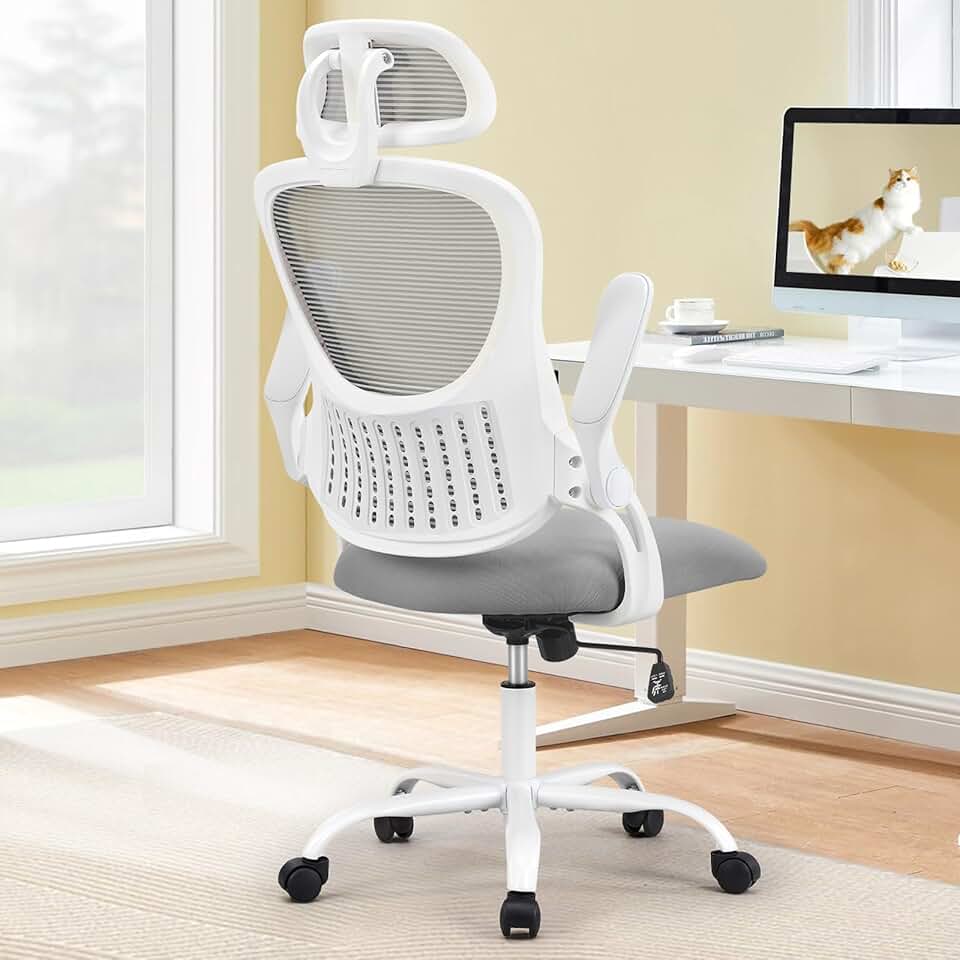
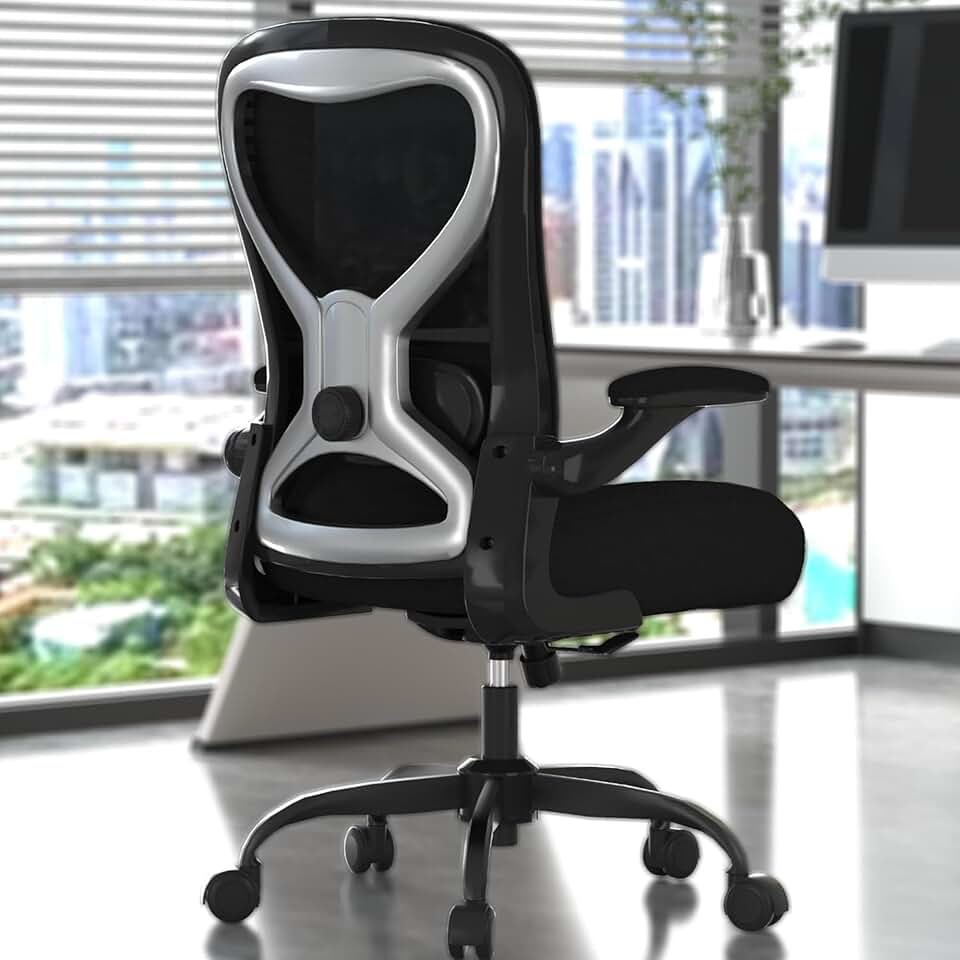
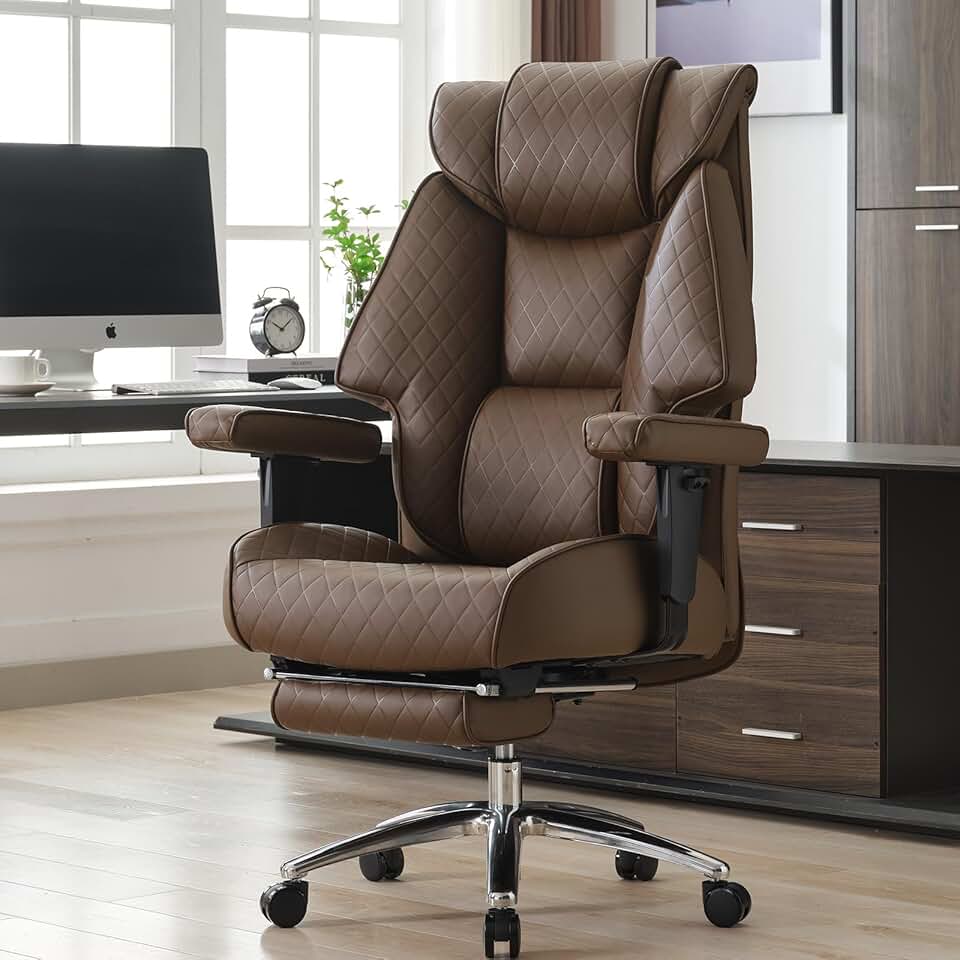
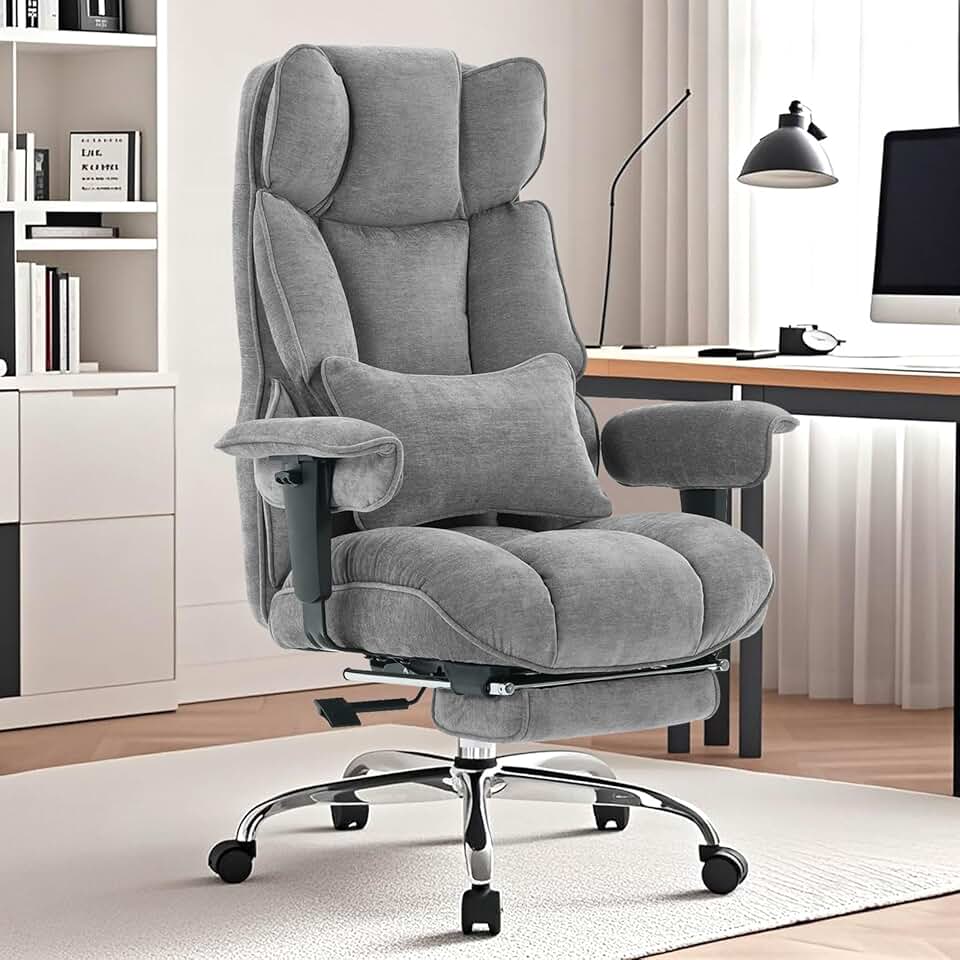


 Photo by
  Photo by
  Photo by