



Best Standing Desk Converters for Home Office - The Complete 2026 Buying Guide
So you've decided to stop sitting all day - smart move. But now you're staring at a wall of options online and wondering which standing desk converter is actually worth your money. This guide cuts through the noise and gives you exactly what you need to make a confident purchase, whether you're spending $150 or $600.
The good news is that the best desk converter for your home office doesn't have to cost a fortune. The better news is that a sit stand converter is one of the most reversible, low-commitment upgrades you can make to your workspace. Unlike buying a full standing desk, you're not replacing your existing furniture - you're enhancing it. Let's get into it.
What Actually Makes a Great Standing Desk Converter?
Before you look at a single product, you need to understand what separates a genuinely useful desk riser from an expensive wobble machine that ends up in your garage. The market is full of products that look identical in product photos but perform completely differently in real life.
The most important factor most buyers ignore is height range. A converter that doesn't reach your standing elbow height is useless for your posture, and one that doesn't go low enough will leave you hunching while seated. For most people, you need a total adjustment range of at least 11 to 21 inches, with the sweet spot for standing landing between 42 and 48 inches from the floor. The Uplift E7 tops out at 21 inches of travel, making it one of the most flexible options available. The Ergotron WorkFit-S covers a generous 13 to 25 inches of adjustment, which is why it scores 83 out of 100 in independent testing.
Stability is non-negotiable, especially with dual monitors. A converter loaded with two 24-inch monitors and a laptop is carrying real weight, and at maximum height that weight becomes a leverage problem. Look for X-shaped or double Z-frame designs - the VariDesk Pro Plus 36 and VertDesk Converter both use wide-base engineering that keeps things rock-solid even fully loaded. Narrow-footprint budget models tend to wobble noticeably at max height, which is both annoying and genuinely risky for your equipment.
Weight capacity tells you what the converter was really designed for. Compact single-monitor converters typically handle 20 to 30 lbs, which is fine for one monitor and a keyboard. Mid-size models cover 30 to 35 lbs. If you're running a dual-monitor setup with a large display and accessories, look for converters rated at 35 lbs or higher - the Uplift E7 goes all the way to 110 lbs, making it the choice for serious multi-monitor command centers.
Key Factors to Evaluate Before You Buy
Lift Mechanism - Pneumatic vs. Manual vs. Electric
This is the decision that shapes your daily experience more than almost anything else.
Pneumatic (gas spring) converters use compressed gas cylinders to assist the lift. You press a lever or handle, and the platform rises or descends with minimal effort. The Vivo K-Series is a popular example of this design done well. Pneumatic converters offer infinite height adjustment within their range, operate quietly, and lift in a straight vertical path rather than an arc - which matters a lot if you have a monitor arm or tight overhead clearance. The tradeoff is cost: expect to pay more than for a basic manual model.
Manual converters (like the Ergotron WorkFit-T) use spring tension or crank mechanisms. They're more affordable and mechanically simple, which means fewer things can go wrong. The downside is that adjustments require more effort and often more time. If you're switching height frequently throughout the day, this gets old quickly.
Electric converters like the FlexiSpot EM7 AlcoveRiser use a motor to do all the work. You press a button and the platform moves. These are ideal for heavy loads or for users with limited hand strength. The EM7 handles impressively heavy configurations with no manual effort. The tradeoffs are higher price, increased weight of the unit itself, and a power cable requirement.
Pro tip: If you plan to change heights more than twice a day, invest in pneumatic or electric. If you mostly want the option to stand occasionally, a quality manual converter can absolutely work.
How to Measure Your Desk Before You Buy
Getting the sizing right is where a lot of buyers go wrong. Here's exactly what to measure before ordering:
- Desk depth (front to back): Most converters need 24 to 30 inches of depth to sit stably on your desk surface
- Desk width: Match your converter to your needs - 32 to 36 inches covers single to dual monitor setups
- Edge thickness: If the converter clamps to the desk edge, confirm your desk edge is between 0.5 and 2.5 inches thick (most are, but glass desks and some IKEA tops fall outside this range)
- Available height from desk to ceiling: Add the converter's maximum rise to your current desk height and make sure you're not hitting the ceiling or a low shelf
- Current seated elbow height: Measure from the floor to your bent elbow while seated - this is your baseline for setting the converter's lowest position
Price Tier Breakdown - What You Get at Each Level
Budget Tier - Under $200 - The Essentials
At this price point, expect manual or basic spring-assisted mechanisms, single-tier designs, and weight capacities in the 20 to 30 lb range. These converters work, but you'll notice the compromises in daily use. Lift resistance can feel uneven, and stability at maximum height is often the weak point.
Best for: Occasional standing, light single-monitor setups, rental apartments where you just want to try standing work before committing more money.
What to look for: A wide base (not a single center post), at least 11 inches of height adjustment, and a keyboard tray that holds your keyboard and mouse comfortably without feeling cramped.
Mid-Range Tier - $200 to $400 - The Sweet Spot
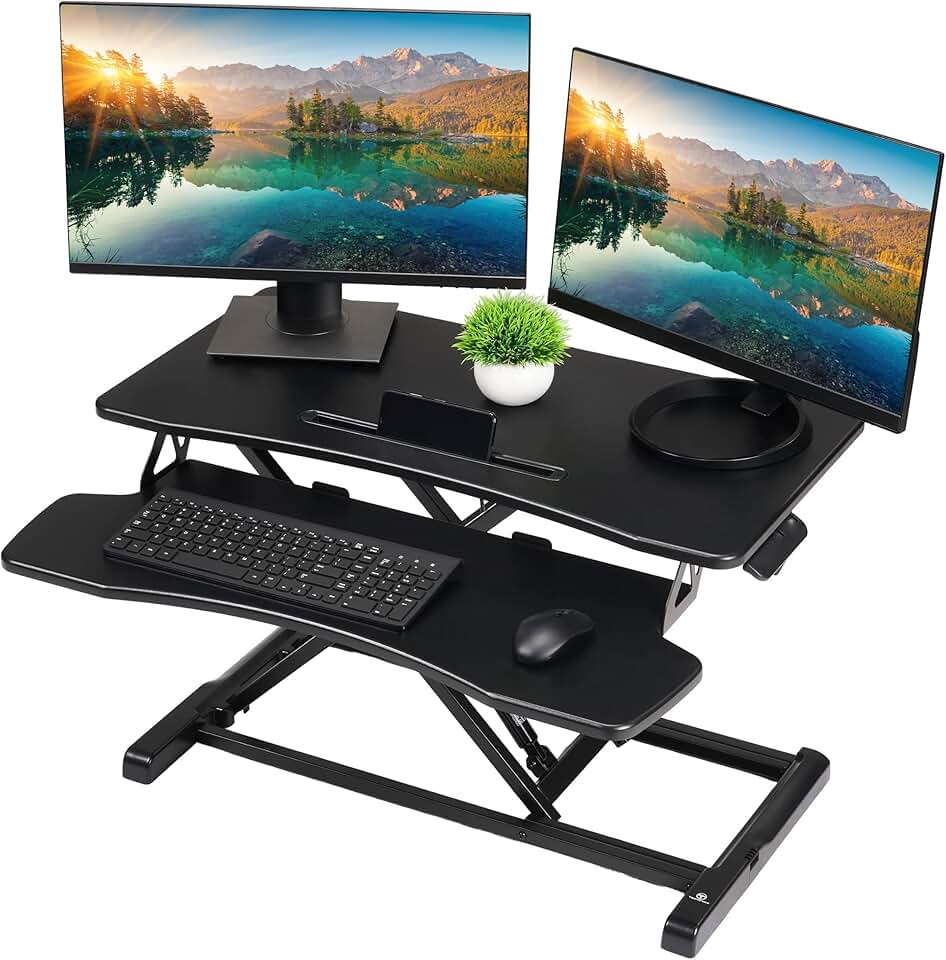
This is where most home office users should be shopping. At this price, you get genuine pneumatic lift assistance, better build quality, two-tier designs with dedicated keyboard trays, and weight capacities that comfortably handle dual monitors.
The FlexiSpot H7 Plus lands in this range and offers a premium lightweight design that feels modern on any desk. It's praised specifically for being easier to move if you share a workspace or travel between offices. The Vivo K-Series converters also live in this tier and deliver that smooth pneumatic one-handed adjustment that makes switching positions feel effortless.
Best for: Daily standing desk users, people with existing dual-monitor setups, anyone who wants to use their converter multiple times per day.
Premium Tier - $400 to $600 - Top-of-the-Range Performance
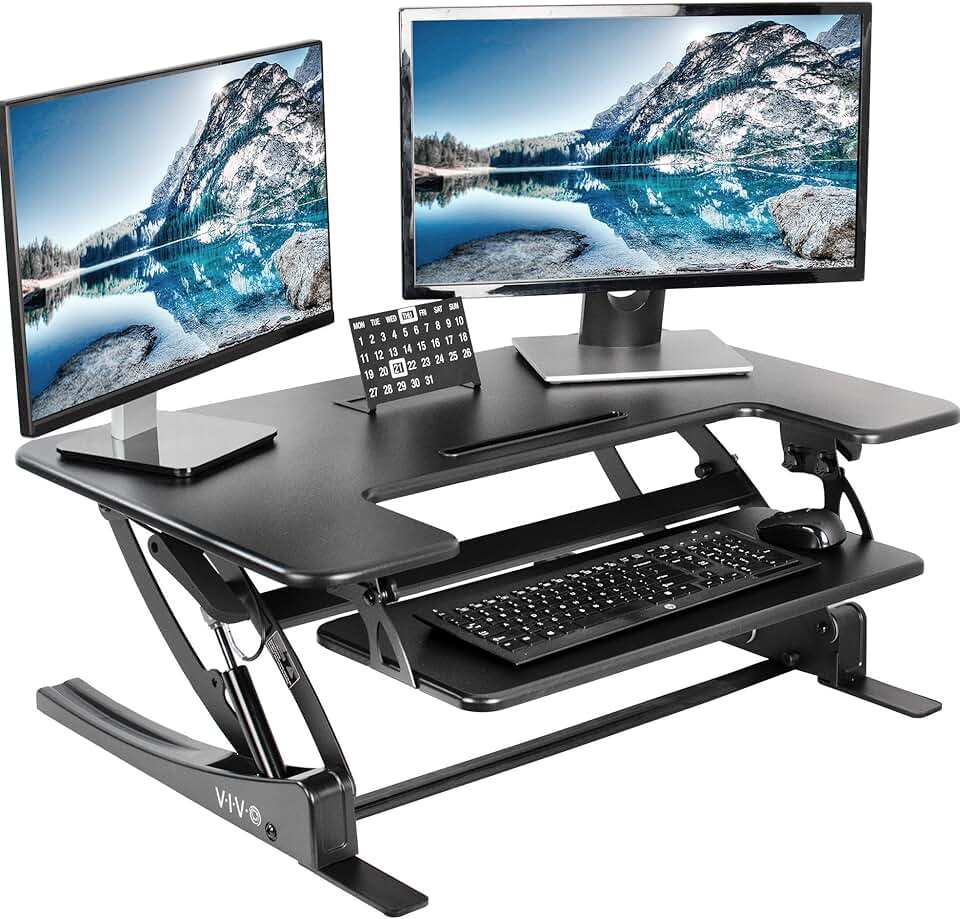
The VariDesk Pro Plus 36 is the flagship of this tier, typically priced around $395 to $450, and it justifies every dollar with its exceptional stability, zero-assembly setup (it arrives fully built), and two-tier design that handles dual monitors without any wobble. It's the best overall standing desk converter for most home office users in 2026, full stop.
The Ergotron WorkFit-S earned its 83/100 rating through genuine engineering quality - its tilting column design keeps monitors secure even during transitions, and the adjustment feel is smoother than most competitors. Expect to pay around $350 to $500 depending on the monitor arm configuration you choose.
Best for: Power users, people who stand for extended periods, anyone with a high-value dual-monitor setup who can't risk equipment damage from a wobbly base.
Electric Premium - $500 and Above
The FlexiSpot EM7 AlcoveRiser and Uplift E7 represent the electric category. The Uplift E7 with its 110 lb weight capacity is in a class by itself for heavy-duty setups - triple monitors, large ultrawide displays, or workstations with lots of accessories are all fair game. Electric converters add convenience and are genuinely useful for users who switch positions frequently throughout the workday.
Best for: Heavy monitor setups, users with limited hand or wrist strength, people who want the most friction-free height switching possible.
Converter vs. Full Standing Desk - Which Should You Actually Buy?
This question comes up constantly, and the honest answer depends on your situation more than any spec sheet.
| Aspect | Standing Desk Converter | Full Standing Desk |
|---|---|---|
| Cost | Lower, typically $150-$600 | Higher, typically $400-$1,500+ |
| Setup | Easy, works on existing desk | Assembly required, replaces desk |
| Portability | Fully portable | Fixed installation |
| Weight Capacity | 20-110 lbs, varies by model | Typically 100+ lbs standard |
| Height Range | 11-25 inches of travel | Full floor-to-standing height |
| Best For | Small spaces, renters, trials | Permanent home offices |
| Cable Management | Minimal/none | Often integrated channels |
Choose a desk converter if you rent your home, have limited floor space, want to keep your current desk, or simply want to try standing work before committing to a full desk replacement. Converters are also the obvious choice if you need portability - you can take a VariDesk Pro Plus 36 to an office, a coworking space, or a second home.
Choose a full standing desk if you're building a permanent home office, need the full floor-to-standing height adjustment (which gives you more ergonomic precision), or want clean cable management built into your workspace from the start.
Common Mistakes That Waste Your Money
Buying Based on Photos Alone
Standing desk converters look almost identical in product photography. The differences - base width, keyboard tray size, lift resistance quality - only show up in use. Always check video reviews that show the converter loaded with actual monitors at maximum height. Wobble that's invisible in photos becomes very obvious in motion.
Ignoring the Two-Tier Design
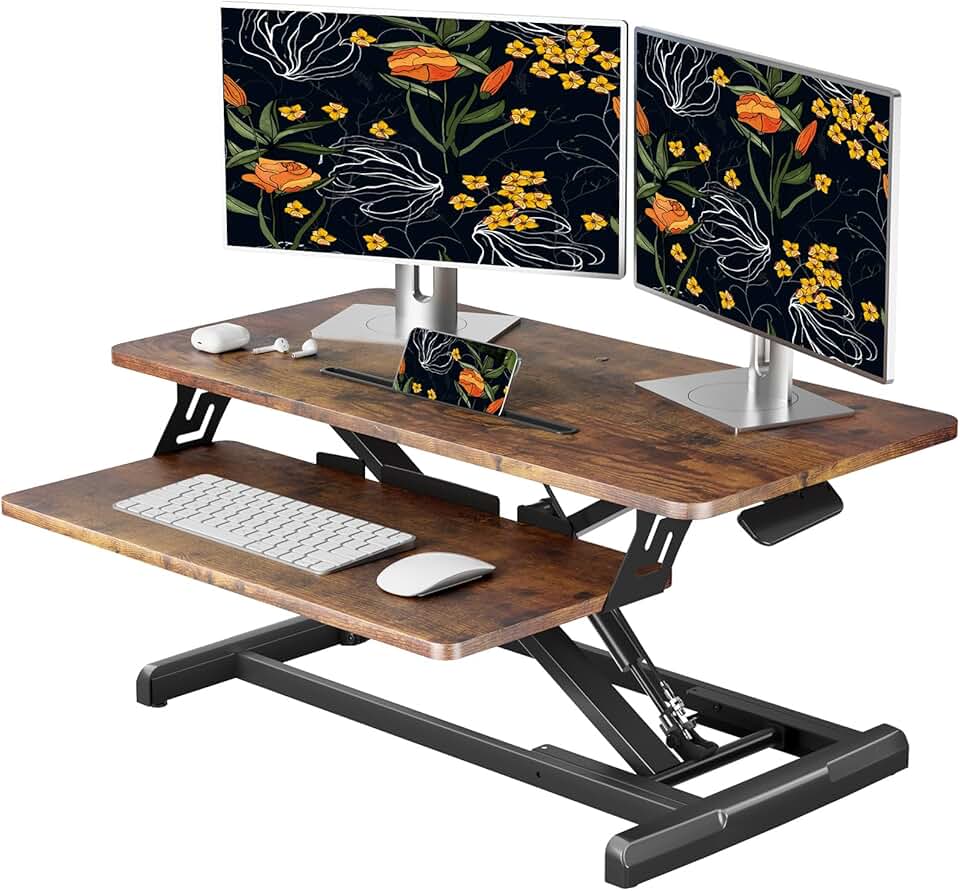
Single-tier converters put your keyboard at the same height as your monitors. This forces you to either position your monitors too low (causing neck strain) or your keyboard too high (causing wrist strain). Two-tier designs with a separate keyboard tray are worth the extra cost because they let you align your monitor at eye level and your keyboard at elbow height independently. The VariDesk Pro Plus 36 does this exceptionally well.
Underestimating How Often You'll Adjust
Many buyers think they'll just move to standing position in the morning and stay there. In reality, the research supports switching positions every 30 to 60 minutes. If your converter is a manual unit that requires significant effort to adjust, you'll stop doing it. This means the ease of height adjustment directly determines whether you actually use the health benefits you paid for.
Not Checking Your Existing Desk's Dimensions
Ordering a 36-inch wide converter for a 30-inch deep desk creates immediate problems. The converter either overhangs the desk dangerously or doesn't fit at all. Measure your desk first - it takes two minutes and saves a return shipping headache.
Buying for Your Dream Setup Instead of Your Real Setup
A 110 lb capacity electric converter is amazing if you have three 27-inch monitors. If you have one 24-inch monitor and a laptop, you're paying for capacity you'll never use. Match the converter to what you actually have on your desk today, not the theoretical setup you might build someday.
Specific Use Case Recommendations
For Tall People (6'1" and Above)
Height range is your primary concern. The Ergotron WorkFit-S with its 13 to 25 inches of adjustment gives tall users the most standing headroom. Pair this with a desk that's already on the higher end of standard heights (29-30 inches) to ensure you can actually reach a comfortable standing position without running out of adjustment range.
For People with Back Pain
Smooth, effortless height transitions are essential - because if switching is annoying, you won't do it, and static standing is just as bad as static sitting. The FlexiSpot EM7 electric model is ideal here because button-press height changes remove all friction from the transition. Also look for converters with wide keyboard trays that allow natural elbow positioning, which reduces compensatory tension in the back and shoulders.
For Long Hours (6+ Hours at Desk Daily)
Invest in the premium tier. If you're at your desk for six or more hours daily, the quality of your converter directly impacts your health. The VariDesk Pro Plus 36 for pneumatic users or the Uplift E7 for electric users are the two top recommendations. At these hours, you also need the best ergonomic positioning possible - make sure your converter's two-tier design lets you achieve true monitor-at-eye-level placement.
For Small Home Office Spaces
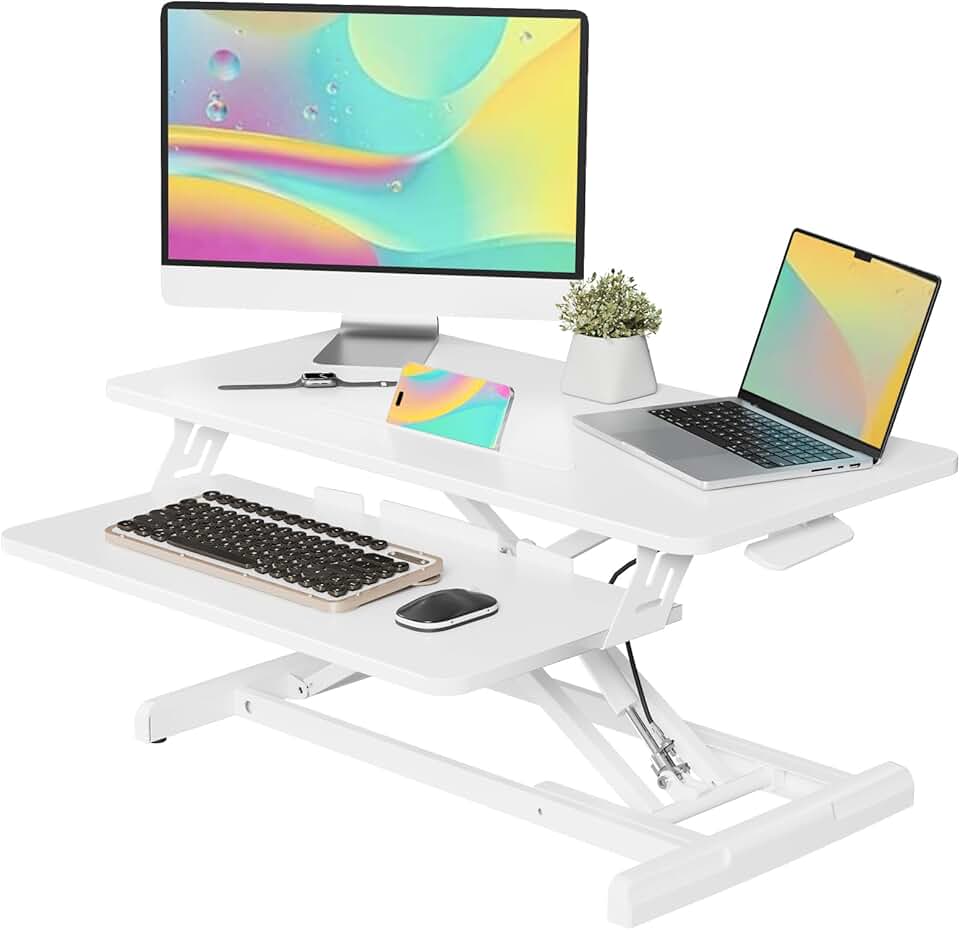
Look for converters with a compact footprint that doesn't overwhelm a smaller desk. The FlexiSpot H7 Plus is specifically praised for its lightweight, modern design that doesn't dominate a workspace. Its narrower profile works well on desks in the 48 to 55 inch wide range, which is common in apartment home offices.
For Dual Monitor Power Users
This is the VariDesk Pro Plus 36 category without question. Its wide two-tier design was built specifically for dual monitor setups, it arrives fully assembled (no setup headaches), and its stability with two loaded monitors at maximum height is consistently rated among the best in the category. If you have two monitors and you want rock-solid performance, this is your converter.
For Budget-Conscious Buyers Who Still Want Quality
The mid-range Vivo K-Series pneumatic converters deliver a genuinely smooth adjustment experience at a price point that makes the step up from pure budget models worthwhile. You're getting the infinite adjustment and one-handed operation of the pneumatic mechanism at a price that doesn't require clearing a full month's discretionary budget.
Quick Decision Helper - Just Tell Me What to Buy
Short on time? Here's the fast version:
- Best overall for most people: VariDesk Pro Plus 36 - stable, no assembly, handles dual monitors, premium build quality
- Best for smooth daily adjustments: Ergotron WorkFit-S - highest-rated versatility and adjustment experience
- Best electric option: FlexiSpot EM7 AlcoveRiser - motorized, handles heavy loads, button-press convenience
- Best for heavy/multi-monitor setups: Uplift E7 - 110 lb capacity, widest height range, best-in-class for power users
- Best lightweight modern option: FlexiSpot H7 Plus - premium feel, portable, great for smaller home offices
- Best value pneumatic: Vivo K-Series - smooth adjustments, fair price, solid everyday performer
The most important thing? Buy something. Research shows that people who set up their standing converter actually use it. The perfect converter you keep researching is less valuable than the good converter sitting on your desk right now. Pick the tier that matches your budget, confirm it fits your desk dimensions, and make the purchase. Your back will thank you within the first week.