





Best Office Chairs for Home Office - Your Complete 2026 Buying Guide
Shopping for the best office chair for your home office might feel overwhelming right now. There are hundreds of options, prices ranging from $50 to $2,000, and enough ergonomic jargon to make your head spin before you've even sat down. But here's the good news: once you know what actually matters (and what's just marketing fluff), the right choice becomes pretty clear. This guide breaks down everything you need to know, from the features worth paying for to the specific chairs that deliver real value at every price point.
What Makes the Best Ergonomic Office Chair for a Home Office?
The most important thing to understand upfront is that a great office chair is not the same as a comfortable one. Comfort and support are related, but a chair that feels wonderfully plush for the first 30 minutes can leave you hunched and achy after four hours. The best desk chair for a home office has to support your body actively, not just cradle it passively.
Ergonomics is the foundation. This means the chair adapts to your body and your posture throughout the day, rather than forcing your body into one static position. Look for chairs with adjustable lumbar support, customizable armrests, and seat depth adjustment as baseline requirements, not premium extras.
The second thing to understand is that "home office" use is different from occasional use. If you're spending 6 to 10+ hours per day at your desk, the investment calculus changes completely. A $150 chair that causes back pain or requires you to stop working after two hours is infinitely more expensive than a $600 chair that keeps you comfortable and productive all day.
Finally, your home environment matters more than people think. Noisy casters, a bulky footprint, or a chair that radiates heat can be deal-breakers in a shared living space or a warm room without great air conditioning. We'll cover all of this below.
Key Factors to Evaluate Before You Buy
Lumbar Support - The Non-Negotiable Feature
Your lower back bears the brunt of long sitting sessions, and lumbar support is the single most important feature in any ergonomic office chair. There are three main types, and the difference in real-world comfort is significant.
Fixed lumbar pads are the most basic type, found in budget chairs like the BestOffice Ergonomic Office Chair (around $60-$80). They stay in one place, which means they may or may not line up with your specific spine curve. Fine for occasional use, not ideal for long days.
Manually adjustable lumbar lets you slide the support up, down, and sometimes in or out. This is the standard in mid-range chairs like the Branch Ergonomic Chair ($329) and Ticova Ergonomic Chair ($260). You set it once to your preference and it stays there.
Dynamic or auto-tracking lumbar is the gold standard. Chairs like the Newtral NT002 and Herman Miller Aeron have lumbar mechanisms that flex and respond as you shift position. When you lean back, the support moves with you. For 8+ hour sessions, this is a meaningful upgrade that genuinely reduces fatigue.
Pro tip: When testing lumbar support, sit all the way back in the chair and notice whether the lumbar pad meets your lower back naturally. You should feel gentle pressure, not a hard push. If you have to slump to feel it, the support is positioned too low.
Armrests - Why 4D Adjustment Matters
Most people set their armrests once and forget them, which is exactly why bad armrests cause so much shoulder and neck pain. The best office chairs offer 4D armrests, meaning they adjust in four directions: height, width (side to side), depth (forward and back), and pivot angle.
Why does this matter? Because your ideal arm position changes depending on whether you're typing, mousing, reading, or on a video call. Chairs like the Steelcase Gesture and Newtral NT002 have 4D arms that let you fine-tune support for every task. Budget chairs like the SIHOO M18 and Sweetcrispy Ergonomic Mesh Chair typically offer 2D adjustability (just height and sometimes width), which works fine but limits customization.
Width adjustment is particularly underrated for home office users who have wide desks or use a laptop to the side. If your arms can't position directly over your input devices, your shoulders will creep upward all day long.
Seat Depth Adjustment - The Feature You Didn't Know You Needed
Seat depth adjustment might be the most overlooked feature in office chair shopping. The ideal seat depth leaves 2 to 3 inches of clearance between the edge of the seat and the back of your knees. Too long and the edge cuts into your thighs; too short and you lose thigh support.
The problem is that chairs are made for an "average" body that many people don't have. If you're shorter than 5'5" or taller than 6'2", a fixed seat is likely going to fit you poorly. Chairs with seat depth adjustment include the Newtral NT002 ($450), Elvara, and the Steelcase Leap V2 ($1,200 new, often available refurbished around $400-$600). The adjustment range is typically 2 to 3 inches, which sounds small but makes an enormous difference in long-term comfort.
Breathability and Materials
If you work in a warm home office, or your home doesn't have great airflow, mesh back chairs will change your life. Full mesh chairs like the Herman Miller Aeron and Boulies EP200 allow airflow directly through the back, preventing the sweaty-back feeling that plagues foam and leather chairs after an hour or two.
Hybrid designs like the Newtral NT002 use mesh on the back panel with a foam seat cushion, which balances breathability with cushioned seat comfort. For cooler climates or people who prefer cushioning, fabric and foam chairs like the Branch Ergonomic Chair Pro can also work well.
PU leather chairs (like the Furmax Office Executive Chair or Amazon Basics Classic PU Chair) look professional and wipe clean easily, but they trap heat and can crack after a year or two of daily use. They're fine for a few hours of use but fall short for full work days.
Recline and Tilt Mechanisms
A good recline mechanism lets you shift your weight and reduce spinal compression throughout the day. The key spec here is synchro-tilt, which moves the backrest and seat in a coordinated ratio (usually 2:1) so you recline without sliding forward. Budget chairs often have a basic tilt that just pushes the back away, which can be uncomfortable.
Tilt lock lets you lock the chair at a specific recline angle, which is useful for reading or video calls. Tilt tension adjustment controls how much resistance you feel when leaning back - important for lighter users who find most chairs too stiff to recline naturally.
Premium chairs like the Steelcase Gesture and Herman Miller Embody go beyond standard recline with full-body movement systems. The Gesture, in particular, is famous for supporting the arm positions required by modern technology use, whether you're typing, using a tablet, or leaning forward to read.
Office Chair Price Tiers - What You Get at Every Budget
Budget Tier ($50-$300) - Good Starting Points for Lighter Use
Chairs in this range can absolutely do the job if you're working 4 to 6 hours per day and you're not dealing with existing back issues. The key is knowing their limitations.
| Chair | Price | Best For |
|---|---|---|
| BestOffice Ergonomic Office Chair | ~$60-80 | Occasional/part-time use |
| Sweetcrispy Ergonomic Mesh Chair | ~$100-130 | Budget mesh, small spaces |
| SIHOO M18 Ergonomic Chair | ~$150-200 | Step-up ergonomics on a budget |
| NEO CHAIR Ergonomic Mesh | ~$120-160 | Mid-back mesh comfort |
| Hbada Office Task Chair | ~$130-180 | Lightweight, breathable option |
| Amazon Basics Mid-Back Office Chair | ~$80-110 | Short-term or guest desk use |
The SIHOO M18 is one of the better value picks in this range, offering a headrest, adjustable lumbar support, and breathable mesh for under $200. It won't compete with mid-range ergonomic chairs on adjustability, but it's a significant step up from basic task chairs.
The Amazon Basics PU Chair (around $80-100) is serviceable for occasional use, but the PU leather limits breathability and durability. Treat it as a temporary solution while you save for something better.
Budget buyer tip: If you're in this price range, prioritize mesh over PU leather and look for adjustable lumbar over fixed. These two features will extend your comfortable sitting time by hours.
Mid-Range Tier ($300-$700) - Where Most Home Office Workers Should Land
This is where the ergonomic office chair market really opens up. Chairs in this range offer the adjustability features - seat depth, 4D arms, dynamic lumbar - that make a genuine difference for full work days.
| Chair | Price | Best For |
|---|---|---|
| Branch Ergonomic Chair | ~$329 | Excellent value, great adjustability |
| Branch Ergonomic Chair Pro | ~$499 | Upgraded cushioning and build quality |
| Autonomous ErgoChair Pro | ~$350-450 | Full ergonomic adjustments on a budget |
| Ticova Ergonomic Chair | ~$260-300 | Solid entry to mid-range |
| Newtral NT002 | ~$450 | Dynamic lumbar, top mid-range pick |
| COMHOMA Big and Tall Chair | ~$280-350 | Heavier users up to 400 lbs |
| Humanscale Freedom Chair | ~$600-700 (refurbished) | Self-adjusting recline mechanism |
The Branch Ergonomic Chair at $329 is consistently one of the best value recommendations in 2026. It includes adjustable lumbar support, 3D armrests, seat depth adjustment, and a five-year warranty. The build quality is noticeably better than budget options and it holds up well for 8-hour days.
The Newtral NT002 at around $450 is a standout for anyone who wants dynamic lumbar without going into premium territory. Its self-adjusting lumbar mechanism tracks with your movement, and the 4D arms offer the full range of customization. It's a strong recommendation for remote workers and freelancers who are at their desk all day.
For users over 250 to 300 lbs, the COMHOMA Big and Tall Office Chair offers a higher weight capacity and reinforced base at a reasonable price point. Most standard chairs are rated for 250 to 275 lbs, so check weight capacity carefully if this applies to you.
Premium Tier ($700-$2,000) - For Serious Investment in Your Health and Productivity
Premium chairs represent a fundamentally different engineering approach. These chairs are designed to last 10 to 15 years, often come with generous warranties (Herman Miller offers 12 years, Steelcase offers 12 years on most components), and have adjustability systems refined over decades of ergonomic research.
| Chair | Price | Best For |
|---|---|---|
| Steelcase Leap V2 | ~$1,200 new / ~$400-600 refurbished | All-day intensive work, best-in-class lumbar |
| Steelcase Gesture | ~$1,400 new / ~$500-700 refurbished | Tech workers, multi-device users |
| Herman Miller Aeron | ~$1,400-1,700 | Breathability, premium all-day comfort |
| Herman Miller Embody | ~$1,800-2,000 | Health-focused, advanced back support |
| Herman Miller Sayl | ~$700-900 | Design-forward, smaller footprint |
| Haworth Fern | ~$1,600-2,000 | Innovative flex back, passive lumbar |
| Humanscale Freedom Chair | ~$900-1,100 new | Self-adjusting, minimalist design |
The Steelcase Leap V2 is the recommendation most ergonomics professionals make for intensive daily use. Its Lower Back Firmness control lets you adjust the actual firmness of lumbar support independently from the chair's recline, a feature that sounds minor until you sit in it for eight hours and realize how much it matters. The Leap's "LiveBack" technology actively changes shape to match your spine as you move.
The Herman Miller Aeron is the most recognizable premium office chair for good reason. The PostureFit SL sacral-lumbar support system maintains the natural curve of both the lumbar and sacral regions simultaneously, which is notably different from lumbar-only support. The pellicle mesh suspension distributes weight evenly and allows remarkable airflow, making it one of the best choices for warm climates or users who run hot.
Refurbished tip: Steelcase and Herman Miller chairs hold their value because they're built to last decades. Certified refurbished models from reputable dealers often come with warranties and cost 40 to 60% less than new. For premium tier buyers, this is absolutely worth investigating before paying full retail.
Common Mistakes Most Office Chair Buyers Make
Ignoring Adjustability in Favor of Comfort Out of the Box
The most expensive mistake in office chair shopping is buying a chair that feels great for a 10-minute showroom test and terrible after two weeks. Chairs that feel immediately plush often lack the adjustability to maintain proper support as your posture naturally shifts throughout the day. Always prioritize adjustability - lumbar adjustment, seat depth, arm height - over immediate cushion comfort.
Choosing Based on Looks Alone
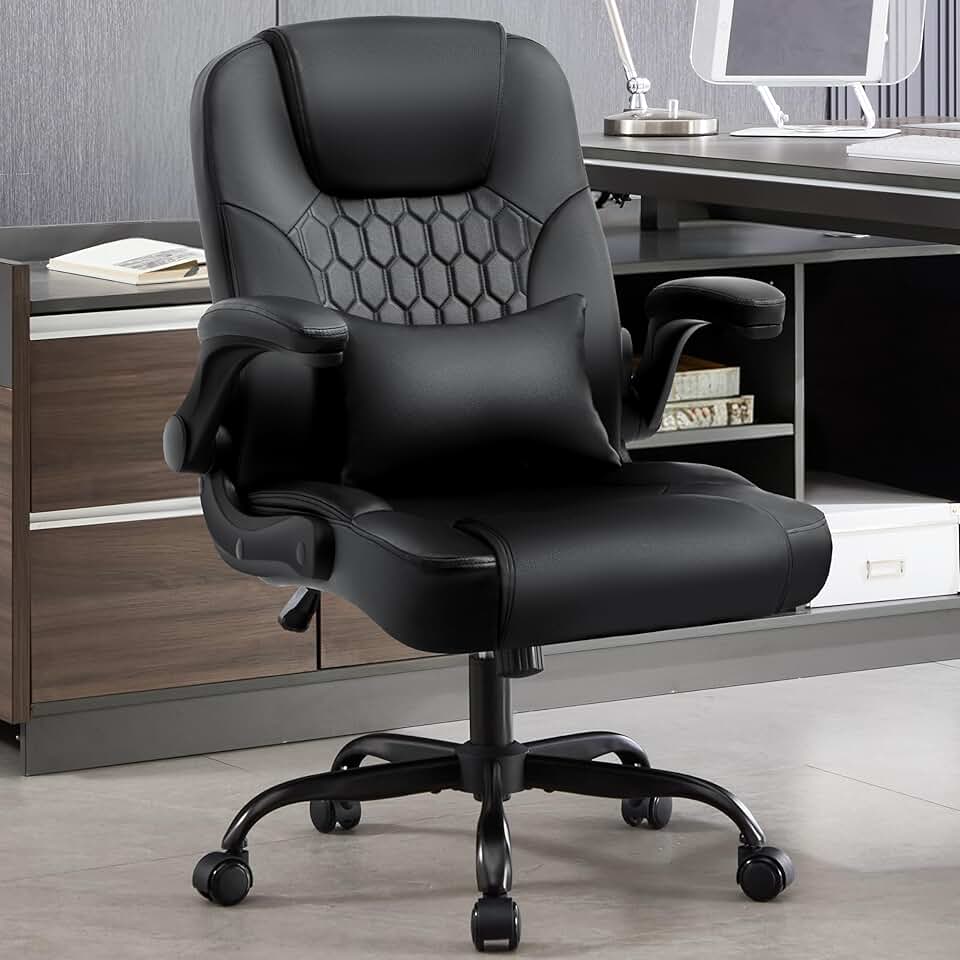
Home offices have encouraged a wave of "executive style" chairs that look authoritative and sleek but are ergonomically mediocre. High-back PU leather chairs, like several popular Amazon options, look impressive in a video call background but often lack meaningful lumbar support, have fixed armrests, and trap heat. Your back doesn't care what your chair looks like on a Zoom call.
Underestimating Weight Capacity
Most standard chairs support 250 to 275 lbs. If you're close to or over this threshold, exceeding the weight rating is a safety issue and will dramatically shorten the life of the chair. Look specifically for chairs rated at 300 lbs or higher, such as the TRALT Office Chair 330 LBS or the COMHOMA Big and Tall Chair, which are explicitly designed for heavier use.
Buying for Price, Not for Hours Per Day
A $100 chair for someone who sits 2 hours a day is a perfectly reasonable choice. The same chair for someone sitting 9 hours a day is a recipe for back pain and lost productivity within months. As a rough guide: under 4 hours per day, the budget tier is fine; 4 to 8 hours, invest in mid-range; 8+ hours, treat the chair like a professional tool and budget accordingly.
Forgetting Floor and Caster Compatibility
Most office chairs come with hard-floor or carpet casters, and using the wrong type can scratch hardwood floors or make rolling difficult. If you have hardwood, tile, or LVP flooring, check whether the chair includes soft casters or whether you'll need to purchase a chair mat. This $20 to $50 detail is frequently overlooked until after delivery.
Best Office Chair Recommendations by Use Case
Best for Long Hours (8-10+ Hours Daily)
For marathon work sessions, you need maximum adjustability and dynamic support. The Steelcase Leap V2 ($1,200 new) and Steelcase Gesture ($1,400 new) are the top recommendations. Both support the full range of seated postures you naturally cycle through during a long day. If budget is a constraint, the Newtral NT002 (~$450) is the best mid-range option for extended daily use.
Best Office Chair for Back Pain
Back pain sufferers should prioritize dynamic lumbar support over any other feature. The Herman Miller Aeron with PostureFit SL provides dual-zone support for both the lumbar and sacral spine. The Steelcase Leap V2's independently adjustable lumbar firmness is also highly regarded by physical therapists. In the mid-range, the Branch Ergonomic Chair Pro (~$499) offers a stepped-up lumbar system that many users with mild to moderate back pain find genuinely helpful.
Best for Tall Users (6'2" and Above)
Tall users need adequate seat height range (typically 18 to 21+ inches), a taller back panel that supports upper back and neck, and seat depth adjustment to accommodate longer legs. The Steelcase Gesture handles tall users well, as does the Raynor Ergohuman GEN2 and the COMHOMA Big and Tall Chair for a more budget-friendly option. The Herman Miller Aeron comes in three sizes (A, B, C) specifically to address different body sizes - tall users should look at the Size C Aeron.
Best for Shorter Users (Under 5'4")
Shorter users often struggle with chairs where their feet don't reach the floor and the seat depth is too long. The Herman Miller Aeron Size A is built for smaller frames. The Colamy Kirin Chair and Branch Ergonomic Chair both offer lower seat height ranges that work better for petite users. If you're on the shorter end of the spectrum, always check the minimum seat height (aim for under 16 inches) and confirm seat depth is adjustable.
Best Budget Chair for Students and Shared Spaces
For students or shared home office situations where multiple people use the chair, easy adjustability and durability matter most. The Newtral Magic H002 offers self-adjusting lumbar that works without manual setup - great when multiple people share the chair. The Autonomous ErgoChair Pro (~$350-450) is another solid pick that offers more adjustability than most chairs in its price range.
Best for Warm Climates and Breathability
If you run hot or your office doesn't have great airflow, full mesh is non-negotiable. The Herman Miller Aeron's pellicle mesh is the benchmark for breathability in premium chairs. At mid-range, the Newtral NT002's mesh back and the Boulies EP200 offer substantial airflow improvements over foam or leather alternatives. Even in the budget range, prioritize mesh-back options like the SIHOO M18 over PU leather for daily warm-weather use.
Best for Small Home Offices
Compact footprint and lighter weight matter if you're working in a smaller room or need to move the chair frequently. The Herman Miller Sayl (~$700-900) has a distinctive open-back design that takes up less visual space and has a relatively compact frame. The Colamy Ergonomic Chair Atlas and FelixKing Office Chair are smaller footprint options in the budget and mid ranges.
Best Gaming-to-Office Crossover Chair
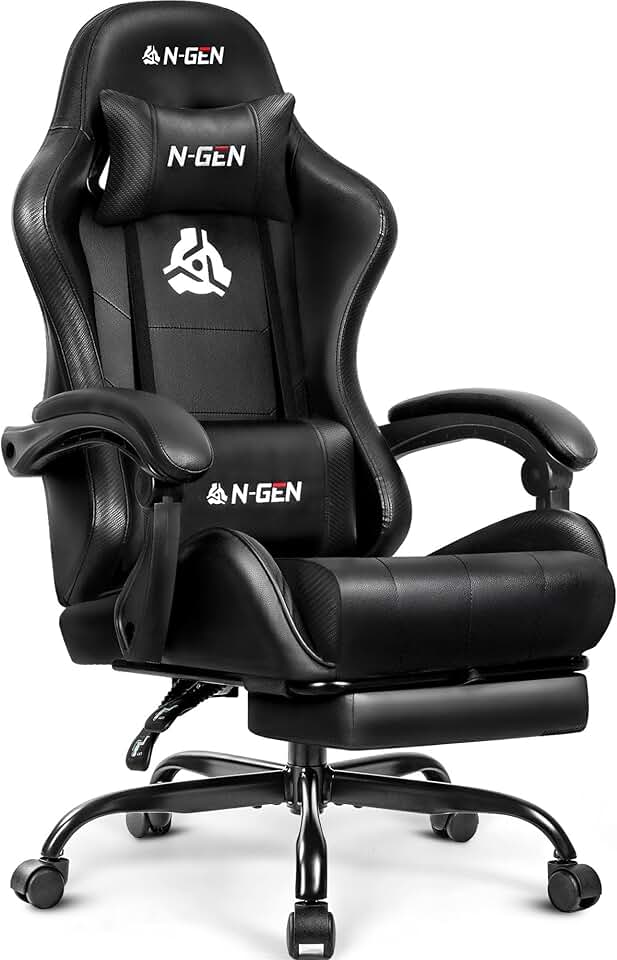
If you need a chair that transitions between work and gaming, the Secretlab Titan Evo 2026 is the most refined gaming chair with genuine ergonomic credentials. It includes a memory foam lumbar pillow, 4D armrests, and multi-way tilt adjustment - features that make it legitimately competitive with dedicated ergonomic chairs for 6 to 8 hour sessions. It's a better choice than most "gaming chairs" that prioritize aesthetics over support.
Quick Comparison Table - Top Picks by Category
| Use Case | Chair | Price | Key Feature |
|---|---|---|---|
| Best overall | Steelcase Leap V2 | ~$1,200 / ~$400-600 refurb | LiveBack, dynamic lumbar |
| Best for all-day breathability | Herman Miller Aeron | ~$1,400-1,700 | Pellicle mesh, PostureFit SL |
| Best mid-range value | Branch Ergonomic Chair | ~$329 | Full adjustability, 5-year warranty |
| Best dynamic lumbar (mid-range) | Newtral NT002 | ~$450 | Auto-tracking lumbar, 4D arms |
| Best budget pick | SIHOO M18 | ~$150-200 | Adjustable lumbar, breathable mesh |
| Best for tall users | Steelcase Gesture | ~$1,400 | Wide height range, 4D arms |
| Best gaming-office hybrid | Secretlab Titan Evo 2026 | ~$550-600 | 4D arms, memory foam lumbar |
| Best big and tall | COMHOMA Big and Tall | ~$280-350 | High weight capacity, reinforced base |
Quick Decision Helper - Which Chair Should You Buy Right Now?
If you're in a hurry and just need a confident recommendation based on your situation, here's the short version:
-
You sit 8+ hours daily and care about your back long-term: Get the Steelcase Leap V2 (refurbished is fine and saves you hundreds). This is the most respected recommendation among ergonomics professionals and will still be a great chair in 2036.
-
You want premium breathability and brand reliability: The Herman Miller Aeron is worth every dollar. Size it correctly (A for petite, B for medium, C for tall/larger frames).
-
You want the best value for full-time home office work without going premium: The Newtral NT002 at ~$450 or the Branch Ergonomic Chair at ~$329 deliver features that genuinely rival chairs costing twice as much.
-
You're part-time, a student, or testing the waters: The SIHOO M18 at ~$150-200 is the best budget option with real ergonomic adjustability. Don't go cheaper unless you're using it very occasionally.
-
You're tall, heavy, or have specific fit challenges: Call out your specific measurements when researching. The Steelcase Gesture handles the widest range of body types at the premium level; the COMHOMA Big and Tall handles higher weight capacities at mid-range prices.
Whatever you choose, buy from a retailer with a 30-day return window or test in person if possible. Your ideal chair is one that fits your specific body - and no buying guide can fully replace 30 days of actual sitting at your desk to confirm that fit. With the right information and the right return policy in your corner, you can buy with real confidence.