






















Best Standing Desks for Home Office 2026 - The Complete Buying Guide
So you've decided to stop sitting all day and actually do something about it - smart move. But standing desks have become a crowded, confusing market filled with technical jargon, wildly varying prices, and promises that don't always hold up in real-world use. This guide cuts through all of that and gives you honest, specific advice so you can buy with confidence and actually enjoy the desk you end up with.
Whether you're eyeing the FlexiSpot E7 at around $450-600, wondering if the Fully Jarvis Bamboo is worth the premium, or just trying to figure out what height range actually matters for your body - we've got you covered.
What Makes the Best Standing Desk for Home Office Use?
The short answer: stability, height range, motor quality, and value. But those words get thrown around constantly, so let's talk about what they actually mean when you're standing at your desk trying to type on a wobbly surface with three monitors in front of you.
A standing desk for home office use needs to handle your specific setup - not just a theoretical load in a lab test. That means you need to think about your monitor configuration, your own height, how often you'll actually switch between sitting and standing, and whether other people in your household might also use the desk.
The good news: the electric standing desk category has matured enormously. The best models now offer dual-motor systems, 4 programmable memory presets, anti-collision technology, and weight capacities that can handle even the heaviest multi-monitor workstations. The bad news: there are still plenty of budget options that look fine in product photos but turn into wobble machines the moment you load them up.
Expert tip: Before you buy, measure your current seated desk height and compare it to your elbow height when sitting. That number is your ideal sitting position, and your new desk needs to reach it. For most people between 5'4" and 6'0", that's somewhere between 26 and 30 inches.
Key Factors to Consider Before You Buy a Sit Stand Desk
Height Range - The Most Overlooked Spec
Most people look at maximum height. Almost nobody checks the minimum height. That's a mistake, especially if you're on the shorter side.
Here's how it breaks down by user height:
- Shorter users under 5'4": You need a minimum height of under 24 inches. The FlexiSpot E7 Pro hits 22.8 inches minimum, which is exceptional and accommodates users down to around 5'0". The Fully Jarvis Bamboo starts at 25.5 inches, which can leave shorter users hunching uncomfortably.
- Average users between 5'4" and 6'0": Most desks work fine, but you still want a maximum height of at least 46 inches for proper standing ergonomics.
- Taller users over 6'2": You need a maximum of 48 inches or higher. Both the FlexiSpot E7 (tops out at 50.6 inches) and the Fully Jarvis (reaches 51 inches) handle tall users well.
Motor Configuration and What It Means for Stability
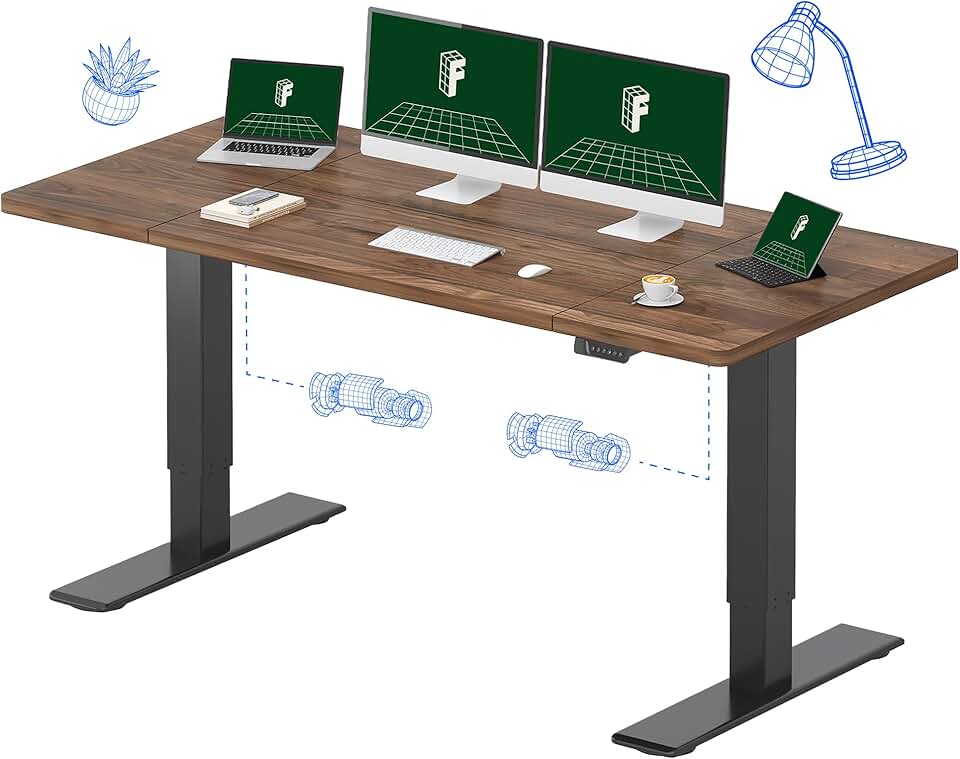
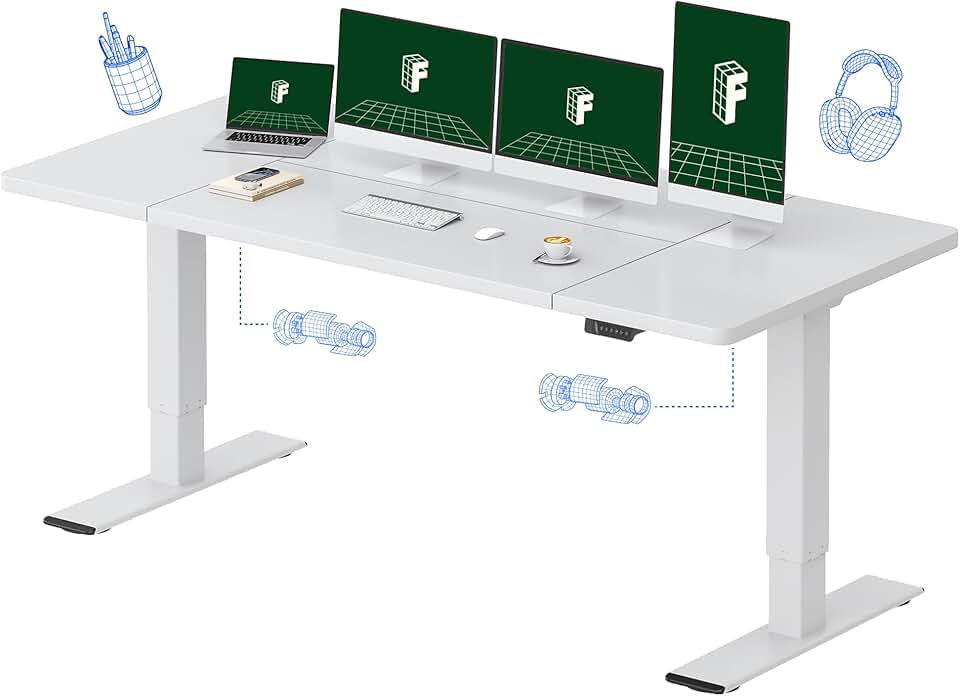
The difference between a single-motor and dual-motor desk is not subtle. Dual-motor desks move both sides of the frame simultaneously, which means the desktop stays level throughout the adjustment and handles uneven weight distribution without tilting. This matters enormously if you have monitors positioned more to one side, or if your desk has heavy equipment that isn't perfectly centered.
All three of the top-recommended desks - the FlexiSpot E7, Fully Jarvis, and Vari Electric - use dual-motor systems. If you're browsing budget options like the SHW Electric Height Adjustable Desk or the VIVO Electric Standing Desk, check whether they use single motors, because that's often where corners get cut at lower price points.
Weight Capacity - Don't Just Look at the Number, Think About Your Setup
A typical home office setup with a single 27-inch monitor, laptop, and accessories weighs around 30-50 lbs. Add a second monitor and you're looking at 60-80 lbs. Throw in an ultrawide, a heavy monitor arm, external drives, a docking station, and a desktop PC tower - now you're potentially at 100+ lbs.
| Setup Type | Estimated Load | Recommended Minimum Capacity |
|---|---|---|
| Laptop only | 10-20 lbs | 150 lbs |
| Single monitor + accessories | 30-50 lbs | 200 lbs |
| Dual monitor setup | 60-90 lbs | 250 lbs |
| Full workstation (3+ monitors, tower PC) | 100-150 lbs | 300+ lbs |
| Heavy-duty / studio setup | 150-200+ lbs | 355+ lbs |
The FlexiSpot E7 Pro leads the pack here with a capacity between 355 and 440 lbs depending on configuration. That's not just impressive on paper - in real-world testing, it handles heavy loads at maximum height with minimal wobble. The Fully Jarvis manages 350 lbs but shows more noticeable sway at standing heights around 43 inches under load.
Memory Presets - Small Feature, Big Daily Impact
If you have to manually nudge your desk to the right height every time you want to stand up, you'll stop doing it within a week. That's not a prediction, it's just human nature. 4 programmable memory presets are standard on the top picks and they make the difference between a desk you actually use in both positions versus a very expensive fixed-height desk.
Set preset 1 to your sitting height, preset 2 to your standing height, and you're done. One button press, the desk moves, you keep working. Both the FlexiSpot E7 and Fully Jarvis include 4 presets on their control panels, and the FlexiSpot's panel also includes USB charging ports - a genuinely useful addition.
Anti-Collision Technology
This is worth paying attention to if you have children, pets, or - let's be honest - if you've ever accidentally left something under your desk while pressing the height adjustment. Anti-collision sensors detect resistance mid-movement and automatically reverse the motor. The FlexiSpot E7 includes this as standard. It's one of those features that feels unnecessary until the one time it isn't.
Electric Standing Desk Price Tiers - What You Get at Each Level
Budget Tier - Under $300
At this price point you'll find options like the Marsail Electric Standing Desk, the SHW Electric Height Adjustable Desk, the Sweetcrispy Standing Desk, the FEZIBO Electric Standing Desk 48x24, and the BANTI Electric Standing Desk. These are perfectly functional for light use - a laptop, a single small monitor, basic accessories.
What you're giving up: stability at higher heights, weight capacity above 150-200 lbs, build quality in the frame joints (you'll feel the wobble over time), and warranty coverage that gives you any real peace of mind. The FEZIBO 48x24 is a reasonable pick in this tier if your setup is genuinely minimal, but don't expect it to feel solid under a full workstation.
The IKEA BEKANT Sit/Stand Desk also falls in this general category at around $500 but offers Ikea's ecosystem of accessories and a reputation for decent longevity. However, it lacks the stability and weight capacity of purpose-built standing desk brands and the electric mechanism isn't as smooth as the dedicated options.
Mid-Range Tier - $300-$600
This is where things get genuinely good. The FlexiSpot E5 Standing Desk sits at the lower end of this range and offers a solid dual-motor setup with a 220 lb capacity and a height range of 28.9-47.6 inches - adequate for most users but not quite as versatile as the E7 for shorter or taller folks.
The Autonomous SmartDesk Pro competes in this space at around $499 and offers decent stability and aesthetics, making it a reasonable choice if you're attracted to the cleaner design language. However, it doesn't match the FlexiSpot E7 in third-party stability testing.
The star of this tier - and honestly of the entire guide - is the FlexiSpot E7 Standing Desk at $450-600. You get the full dual-motor system, 355 lb capacity, the industry-best 22.8-50.6 inch height range, 4 memory presets, anti-collision, USB ports on the controller, and a warranty of up to 15 years depending on components. For the money, nothing else touches it. If your budget lands here, this is almost certainly your answer.
Premium Tier - $600-$900+
The Fully Jarvis Bamboo Standing Desk (now under Herman Miller's umbrella) comes in at under $900 and brings genuinely beautiful materials to the table - the bamboo surface is sustainably sourced, looks stunning, and holds up well to daily use. It offers 4 presets, 350 lb capacity, a height range of 25.5-51 inches, and a 7-year warranty.
In direct comparisons, the Jarvis shows more lateral sway than the FlexiSpot E7 at standing heights with heavy loads - noticeable if you're typing quickly or have a lot on the desk. But if aesthetics are a priority and you don't have an extremely heavy setup, the Jarvis is a legitimately excellent desk that you'll genuinely enjoy looking at every day.
The Vari Electric Standing Desk 60x30 starts at $695 and is particularly popular for corporate home office setups. The 60-inch top gives you generous workspace, and the included cable tray is a practical touch that saves you the hassle of buying one separately. Vari's dual-motor system is described as robust by reviewers, though third-party stability data is less detailed than what's available for the FlexiSpot and Jarvis.
| Desk | Price | Capacity | Height Range | Warranty | Best For |
|---|---|---|---|---|---|
| FlexiSpot E7 | $450-600 | 355+ lbs | 22.8-50.6" | 5-15 years | Best overall value |
| FlexiSpot E7 Pro | $550-600 | 440 lbs | 22.8-50.6" | 5-15 years | Heavy-duty setups |
| Fully Jarvis Bamboo | Under $900 | 350 lbs | 25.5-51" | 7 years | Aesthetics + quality |
| Vari Electric 60x30 | $695+ | Robust | Not specified | Not specified | Large workspace |
| Autonomous SmartDesk Pro | $499 | Adequate | Varies | 5 years | Design-focused buyers |
| FlexiSpot E5 | $300-400 | 220 lbs | 28.9-47.6" | 5 years | Budget-conscious |
Common Mistakes Most Buyers Make When Choosing a Best Standing Desk
Mistake 1 - Buying Based on Maximum Height and Ignoring Minimum Height
Covered above, but it bears repeating. The minimum height determines whether you can sit comfortably. The Fully Jarvis's 25.5-inch minimum locks out users under about 5'5" from an ergonomic sitting position. Check both numbers before you buy.
Mistake 2 - Underestimating Their Future Setup Weight
People often weigh their current setup and buy accordingly, then add a second monitor six months later and discover their desk wobbles. Buy for where you're going, not where you are. Getting the FlexiSpot E7 at 355 lb capacity when your current setup weighs 40 lbs isn't overkill - it's just smart buying that protects your investment.
Mistake 3 - Skipping Cable Management Planning
A standing desk that moves up and down twice a day will absolutely destroy a badly managed cable setup. You need cables with enough slack to accommodate the full height range - that's typically 28+ inches of movement. Plan your cable management before the desk arrives. Consider a cable raceway, velcro ties, and a cable tray as part of your total budget. The Vari Electric includes a built-in cable tray; other desks often need aftermarket solutions.
Mistake 4 - Not Accounting for Floor Type
Standing desks on hardwood or tile floors can shift, and that slight movement amplifies perceived wobble significantly. Anti-slip feet or a desk mat under the frame can dramatically improve how stable an already-stable desk feels. This is a $20-30 fix that should be in every buyer's plan.
Mistake 5 - Expecting to Stand for Hours Immediately
This isn't a purchasing mistake, but it's worth flagging: most people who buy a sit stand desk and then force themselves to stand for three hours on day one end up with sore feet and a bad attitude toward the whole concept. Start with 20-30 minutes of standing per hour and build from there. An anti-fatigue mat is not optional if you're serious about making standing work long-term - budget $50-100 for a quality one like the Topo by Ergodriven or the ComfiLife Anti-Fatigue Mat.
Best Standing Desk Recommendations by Specific Use Case
Best Electric Standing Desk for Tall Users (Over 6'2")
Go with the FlexiSpot E7 Standing Desk or Fully Jarvis Bamboo. Both reach above 50 inches, which puts your standing elbow height at the right position for users up to around 6'5". The FlexiSpot edges ahead because its frame is more stable at those heights under load - if you have a heavy setup, you'll feel the difference.
Best Standing Desk for Short Users (Under 5'4")
The FlexiSpot E7 is the clear answer here. Its 22.8-inch minimum is the lowest of any widely available standing desk in this category and the only option that reliably works for users closer to 5'0". The Fully Jarvis's 25.5-inch minimum simply doesn't cut it for this user group.
Best Standing Desk for Back Pain Relief
Any desk in this guide will help, but what matters most for back pain is actually using the height adjustment consistently - which means you need the smoothest, most effortless transition possible. The FlexiSpot E7's quiet dual-motor system and one-button memory presets make it as frictionless as possible to switch positions frequently throughout the day. Pair it with a lumbar support chair and an anti-fatigue mat for standing, and you've built a genuinely ergonomic home office setup.
Best Standing Desk for Long Hours (8+ Hours of Daily Use)
For full workday use, stability and adjustability are paramount. The FlexiSpot E7 Pro at around $550-600 is the recommendation here - the extra motor capacity and improved frame rigidity means that after eight hours of small movements, typing, and occasional leaning, the desk hasn't shifted or developed any new creaks. The Fully Jarvis Bamboo is a close second and some users will prefer its surface finish for extended contact.
Best Standing Desk for Heavy Multi-Monitor Setups
The FlexiSpot E7 Pro with its 440 lb weight capacity is the only sensible choice if you're running three or more monitors, a desktop tower, and a full array of peripherals. Nothing else in this guide reliably handles that kind of load with minimal wobble at standing height. Factor in a monitor arm to consolidate weight and reduce leverage on the frame.
Best Standing Desk for Renters or Those Who Move Frequently
Look at assembly time and component weight. The FlexiSpot E7 assembles in roughly 30-60 minutes with included tools and breaks down reasonably well for moving. The Vari Electric also earns high marks for being user-friendly during setup. Avoid custom-configured frames with add-on tabletops if you move often - the extra parts increase the chance of damage in transit.
Quick Decision Helper - If You're in a Hurry, Here's Exactly What to Get
Not everyone has time to read every section. Here are the fast answers:
- Best overall standing desk for home office: FlexiSpot E7 Standing Desk - $450-600. Best stability, widest height range, most weight capacity, longest warranty. Buy this and don't second-guess it.
- Best premium standing desk with beautiful aesthetics: Fully Jarvis Bamboo Standing Desk - under $900. Stunning bamboo surface, Herman Miller backing, great build quality. Worth the premium if the look matters to you.
- Best for large desktops and extra workspace: Vari Electric Standing Desk 60x30 - $695+. Lots of surface area, built-in cable tray, easy setup, good for corporate-style home offices.
- Best budget pick if you're just getting started: FlexiSpot E5 - $300-400. Dual motors, decent capacity, good warranty. Not the E7, but a genuinely solid entry point.
- Best for the heaviest setups: FlexiSpot E7 Pro - $550-600. Up to 440 lbs capacity, maximum stability at full height, everything the E7 offers plus reinforced legs.
Whatever you choose, add an anti-fatigue mat, a cable management solution, and an ergonomic monitor arm to your cart at the same time. A great standing desk paired with a poor monitor position or concrete-hard floor still won't deliver the comfort and health benefits you're investing in. The desk is the foundation - build the rest of your setup around it thoughtfully, and you'll feel the difference within the first week.