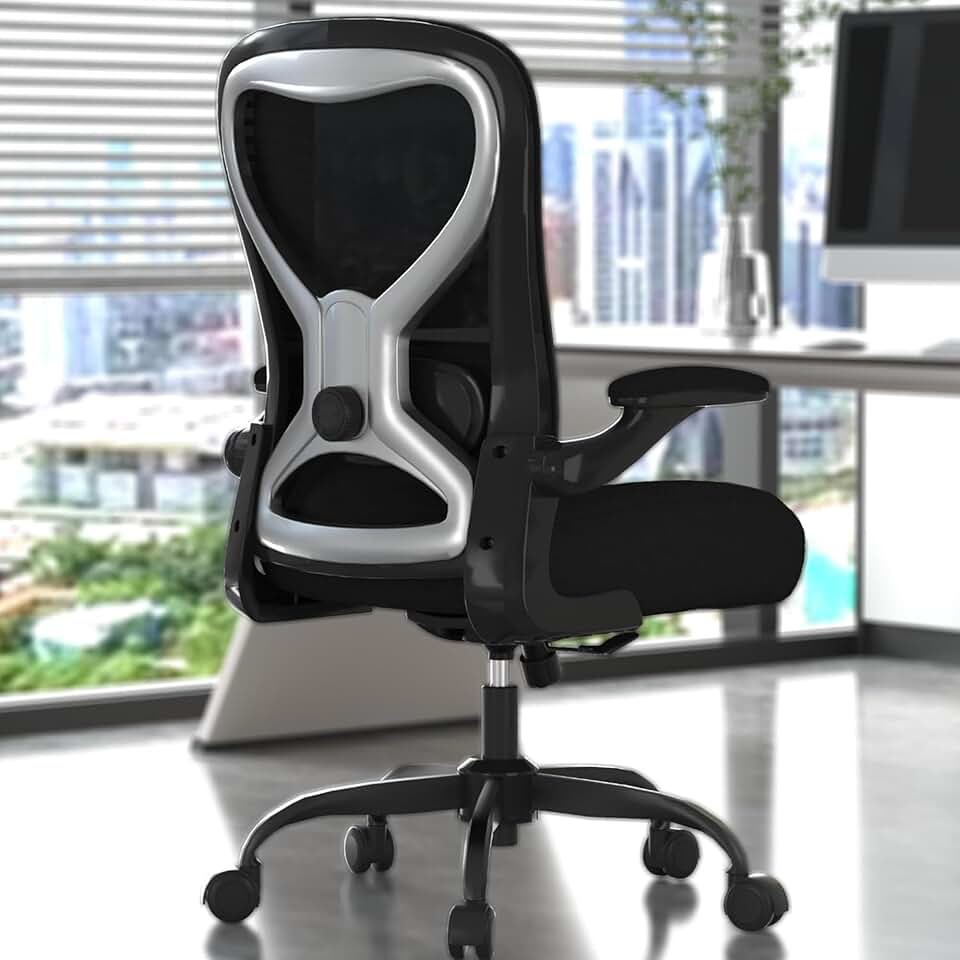
Best Chair for Programmers in 2026 - Top Picks for Long Coding Sessions
If you write code for a living, your chair is arguably the most important piece of equipment at your desk - more important than your monitor, your keyboard, and maybe even your CPU. Programmers routinely sit for 10 to 14 hours during crunch periods, often hunched toward dual monitors, cycling between furious typing and leaning back to think through logic. That specific combination of postures destroys a basic office chair within months and destroys your back even faster.
This guide is built specifically for developers. We looked at mesh breathability, arm adjustability for keyboard and monitor work, dynamic lumbar tracking, and recline systems that let you think without losing your typing position. Here is what we found for 2026.
Why Programmers Need a Different Chair
Before diving into the picks, it is worth understanding why a standard office chair - even a decent one - often fails developers specifically.
A general office worker doing administrative tasks spends most of their time upright, typing occasionally, and moving between meetings. They need basic height adjustment and a padded seat. A programmer, by contrast, cycles through several very distinct postures throughout the day:
- Focused typing mode - Leaning slightly forward, arms extended, eyes fixed on code
- Debugging lean - Closer to the screen, neck forward, arms resting on armrests
- Thinking recline - Leaning back 100 to 115 degrees, legs often crossed or stretched
- Dual monitor reach - Rotating the torso to check a second screen, arm extended outward
Each of those positions puts different demands on a chair. Armrests that only go up and down are functionally useless during dual monitor work. Lumbar support that sits in one fixed position will push into the wrong part of your spine the moment you recline to think. And a fabric or foam back will trap heat during a four-hour debug sprint in a way that mesh simply does not.
Expert tip - When testing a chair as a programmer, simulate your actual workflow. Sit at your keyboard for 20 minutes, then lean back and cross your legs for 10. If either position feels restricted or the lumbar suddenly jabs you, that chair is not built for developer postures.
For more on setting up your full workspace, see our guide on the best ergonomic office chairs and how to configure a dual monitor desk setup.
What to Look for in a Programming Chair
Here are the specific features that matter most for developers, ranked by importance:
Arm Adjustability - The Most Underrated Feature
Standard chairs offer height-only armrests. For programmers, that is barely useful. Look for:
- 3D armrests - Height, width, and pivot
- 4D armrests - All of the above plus forward and backward depth
- 360-degree pivot arms - The gold standard for multi-device setups
When you reach for a second monitor or slide over to a keyboard tray, your armrests need to follow that motion. Otherwise you are either floating your arms unsupported or perching awkwardly on the edge.
Lumbar Support That Moves With You
Static lumbar pads are designed for one posture. Programmers need lumbar support that either adjusts in height and firmness, or - better yet - tracks the natural movement of your spine as you shift positions. The Steelcase Leap and Herman Miller Aeron both do this exceptionally well.
Mesh Back for Heat Management
This is non-negotiable for 10-plus hour sessions. Foam and fabric backs trap body heat. After two or three hours, that becomes genuinely uncomfortable and subtly affects focus. A quality mesh back like the one on the Staples Hyken or the woven suspension of the Aeron keeps airflow moving continuously.
Recline With Tilt Lock
Being able to lock your recline at a specific angle - say 105 degrees - means you can lean back to think without drifting further and losing your position relative to the keyboard. The Herman Miller Aeron offers three fixed recline lock positions. The Steelcase Leap uses a system that feels almost sticky in a good way, holding your recline angle while keeping your feet planted for quick return to typing.
Seat Depth Adjustment
Developers come in all heights. A seat that is too deep forces you to either push your lower back away from the lumbar support or slide forward and lose it entirely. Look for adjustable seat depth with a range of at least two inches.
Our Top Picks - Detailed Reviews
Best Budget Pick - Staples Hyken at $139
The Staples Hyken is the single most recommended budget chair in the developer community, and the pricing at $139 makes it genuinely accessible. For a sub-$200 chair, the feature set is remarkable. The full mesh back provides real breathability, not the partial mesh panels you see on cheaper alternatives. The lumbar is height-adjustable, the armrests adjust for height, and the synchro-tilt mechanism keeps your seat and back moving in coordination rather than just tipping you backward.
Is it a Herman Miller? Obviously not. The build quality will not last 12 years of daily abuse. The armrests do not pivot, which becomes noticeable during dual monitor work. But for a programmer on a student budget, a freelancer just starting out, or someone furnishing a home office without corporate expense accounts, the Hyken delivers about 70 percent of the ergonomic value of chairs costing five times more.
Key specs:
- Price - $139
- Breathable full mesh back
- Height-adjustable lumbar
- Synchro-tilt with lock
- Fits standard keyboard tray setups well
Expert tip - If you buy the Hyken, add a separate lumbar cushion like the Everlasting Comfort seat cushion for around $30. That combination at $169 total competes seriously with chairs in the $300 to $400 range for everyday comfort.
Best Premium Chair - Herman Miller Aeron at $1,930+
The Herman Miller Aeron is the chair that shows up in the background of more developer YouTube channels and coding streams than any other. It has been ergonomically refined across multiple generations, and the current version for 2026 remains a benchmark that competitors measure themselves against.
The 3D PostureFit SL lumbar system is what separates the Aeron from everything else at a technical level. Rather than pushing into a single point on your lower back, it supports both the sacrum and the lumbar vertebrae independently, which means it adapts as you move through developer postures without ever digging into the wrong spot.
The 3D armrests - adjustable in height, width, and pivot - handle dual monitor reaches naturally. The mesh suspension distributes weight across the entire back and seat rather than creating pressure points, which matters enormously after hour eight of a coding sprint. The three-position recline lock at 90, 100, and 115 degrees gives you discrete thinking angles to return to reliably.
The price is real, and it is high. At $1,930 and up depending on size and configuration, this is a chair you need to justify. The way most experienced developers justify it - the Aeron lasts 10 to 15 years under heavy use, comes with a 12-year warranty, and has a robust certified refurbished market where you can find excellent condition units for $600 to $900.
Key specs:
- Price - $1,930+ new, $600-$900 certified refurbished
- 3D armrests with height, width, and pivot
- PostureFit SL dual-zone lumbar
- Three-position recline lock at 90, 100, and 115 degrees
- Full mesh suspension back and seat
- Available in sizes A, B, and C
- 12-year warranty
Expert tip - Size matters significantly with the Aeron. Size B fits most people up to about 5-foot-11 and 200 pounds. Size C is for taller or heavier users. Getting the wrong size is the most common reason people try an Aeron and do not click with it.
Best for Multi-Device Setups - Steelcase Gesture at $1,532
If your workstation involves two or more monitors, a separate keyboard tray, and a tablet or drawing surface, the Steelcase Gesture at $1,532 was essentially designed for you. The armrests pivot a full 360 degrees and can be positioned independently of each other, meaning your left arm can stay in keyboard position while your right swings out to tap a secondary screen. No other chair in this price range matches that specific capability.
The LiveBack system mimics the movement of the human spine by flexing in multiple directions simultaneously. When you twist to look at a second monitor, the back flexes with that rotation rather than fighting against it. For programmers who work across wide desk setups with multiple displays, this eliminates the chronic tension that builds up in the mid-back during lateral reaches.
The seat cushion is notably comfortable for long periods compared to the Aeron's mesh seat, which some programmers find too firm under the sit bones after many hours. If you run warm, choose the mesh back option. The fabric version looks better on camera for streaming setups but traps more heat.
Key specs:
- Price - $1,532
- 360-degree pivoting independent armrests
- LiveBack spinal flex technology
- Available in fabric and mesh back
- Free-float or multi-angle recline lock
- 12-year warranty
Best for Back Pain - Steelcase Leap V2 at $1,200 to $1,500
Programmers who have already developed lower back issues consistently report better results with the Steelcase Leap V2 than any other chair, including the Aeron. The adjustable lumbar on the Leap lets you dial in both the height and the firmness of support, which is critical when your back is already compromised and the wrong pressure point makes everything worse.
The recline mechanism is described by long-term users as feeling grounded rather than floating. When you lean back, your feet stay planted naturally, which means you can push off the floor and return to typing position without readjusting. For programmers who cycle frequently between leaning back to think and snapping forward to type, this specific mechanic is genuinely different from every other chair on the market.
The Leap also accommodates a wide range of body types well, reportedly fitting users from 5-foot-3 to over 6-foot-2 without requiring unusual configurations.
Key specs:
- Price - $1,200 to $1,500 depending on configuration
- Adjustable lumbar firmness and height
- Variable force recline
- 4D armrests
- Fits wide height range including users over 6-foot-2
- 12-year warranty
Best Mid-Range Option - Steelcase Series 2 at $600 to $850
Not every programmer needs or can justify $1,500 on a chair. The Steelcase Series 2 at $600 to $850 represents a genuinely good middle ground. The Air LiveBack system provides some of the dynamic spinal support that makes the Leap and Gesture special, at roughly half the price. Adjustments are smooth and intuitive. The mesh option keeps things breathable.
You will notice the compromise in armrest adjustability - the Series 2 does not offer the multi-directional pivot of the Gesture. But for a programmer working with a single primary monitor who wants a significant step up from budget chairs without going full premium, this is a well-validated choice.
Key specs:
- Price - $600 to $850
- Air LiveBack dynamic support
- Mesh back option available
- Smooth height and tilt adjustments
- Good entry point into Steelcase quality
Best Mid-Budget Pick - X-Chair X2 at $449
The X-Chair X2 at $449 fills a gap that the market genuinely needed. The Dynamic Variable Lumbar system is more sophisticated than what you find in most sub-$500 chairs, actively responding to your movement rather than sitting static. The 4D armrests at this price point are unusual and genuinely useful for developer workflows.
The X2 is not as refined as Steelcase or Herman Miller products - the plastic components feel lighter and the mechanisms are less precise - but the core ergonomic functionality punches well above its price. For a programmer who cannot justify $1,500 but finds the Hyken insufficient after long days, the X2 is the most logical upgrade path.
Key specs:
- Price - $449
- Dynamic Variable Lumbar
- 4D armrests
- Mesh back
- Multi-angle recline with lock
Developer-Specific Setup Tips
The chair is only part of the equation. Here is how to configure your workstation to work with your chair rather than against it.
Desk height and armrest alignment - Your forearms should rest parallel to the floor when typing, with your shoulders relaxed and not raised. Most programmers set their armrests too low, which causes shoulder rolling. Raise them until your elbows sit naturally at desk height.
Monitor distance for dual screen setups - Your primary monitor should be roughly arm's length away. With dual monitors, the secondary screen should be positioned so the lateral turn required is 30 degrees or less. More than that and your chair's arm flexibility starts to matter a great deal. See our full dual monitor desk setup guide for exact measurements.
Recline and keyboard position - When you recline to think, your keyboard should ideally be on a negative-tilt keyboard tray so your wrists remain neutral even when your torso is angled backward. If you do not have a tray, locking your recline at 100 to 105 degrees rather than full recline keeps your reach to the keyboard shorter.
Lumbar positioning - The lumbar support should contact the curve of your lower back, typically around the belt-line area. If you feel it in the middle of your back or not at all, adjust the height first before adjusting firmness.
Expert tip - Set a timer for 45 minutes while coding. When it goes off, stand up, take five steps, and sit back down. Research consistently shows that brief interruptions to sustained sitting reduce cumulative strain more effectively than any single chair upgrade. The best chair for programmers is one you occasionally get out of.
Final Verdict
For most programmers, the answer depends on hours and budget more than anything else.
If you code as a side project or work four to six hour days, the Staples Hyken at $139 is an honest recommendation with no asterisks. It breathes well, adjusts reasonably, and will not cause problems.
If you are a full-time developer doing eight-plus hour days and you can afford one quality investment in your workspace, the Herman Miller Aeron starting at $1,930 new or $600 to $900 certified refurbished is the pick with the best long-term track record. The 12-year warranty alone changes the cost calculation significantly.
If your workflow involves multiple monitors, tablets, or frequent device switching, the Steelcase Gesture at $1,532 and its 360-degree arms are worth the premium over the Aeron.
If lower back pain is already a factor, start with the Steelcase Leap V2 at $1,200 to $1,500 and its uniquely configurable lumbar before anything else.
For more ergonomic guidance tailored to developer setups, visit our full ergonomic chair guide.