Office Chair Ergonomics - The Complete 2026 Guide to Sitting Without Wrecking Your Body
Most people spend 6-10 hours a day in their office chair, then wonder why their lower back, neck, and shoulders are constantly sore. The chair is rarely the only problem - but it's often the starting point. Get the ergonomics wrong and no amount of stretching or standing-desk time fully compensates.
This guide covers what ergonomics research actually says about chair design, the five features that matter most, how to fit a chair to your specific body measurements, and which products are worth buying at each price point in 2026.
Why Chair Ergonomics Actually Matters - What the Research Shows
This isn't soft advice. A systematic review published in Applied Ergonomics (Amick et al., 2009) found that highly adjustable chairs combined with ergonomic training produced significant reductions in end-of-day musculoskeletal pain - with the largest improvements in neck and shoulder pain, followed by upper and lower back. All five studies in that review reported reduced self-reported pain after intervention.
A follow-up study by Robertson et al. (the same journal, same year) found that ergonomic chair adjustments combined with training reduced musculoskeletal disorders by up to 42% in the neck specifically, with measurable posture improvements in the back, thighs, knees, and feet.
More recently, Bolzan et al. (2021, International Journal of Occupational Safety and Ergonomics) confirmed that workstation adjustments matching furniture to individual body measurements decreased pain intensity in the upper back and wrist/hand - the mechanism being improved thoracic spine support and reduced ulnar deviation during typing.
EMG studies (Groenesteijn et al., 2012, Applied Ergonomics) add a physiological layer: height-adjustable chairs with backrests and armrests measurably reduce neck, shoulder, and back muscle activity, and lower intervertebral disc pressure compared to non-adjustable seating.
The bottom line: a properly adjusted, genuinely ergonomic chair reduces musculoskeletal pain. A poorly fitted or non-adjustable chair compounds it.
The Cornell University Ergonomics Lab specifically identifies improper seat height - where feet aren't flat on the floor and thighs aren't roughly parallel to the ground - as one of the top contributors to sitting discomfort. That single adjustment costs nothing if your chair supports it.
Featured
GABRYLLY Ergonomic High Back Mesh Chair
A $188 mesh chair that handles 400 lbs without the Herman Miller invoice
The 5 Features That Define a Truly Ergonomic Chair
1. Lumbar Support - Adjustable, Not Just Present
Every chair marketed as ergonomic claims lumbar support. Most deliver a fixed foam bump that may or may not align with your lumbar curve. That's not enough.
Adjustable lumbar support - meaning you can change both its height and depth - maintains the natural inward curve of your lower spine. Without it, most people slump into a C-shape after 20-30 minutes, increasing pressure on lumbar discs and straining the surrounding muscles.
The best chairs in 2026 go further. The Steelcase Gesture uses LiveBack technology, where the backrest flexes in two planes to follow your spine as you shift positions. The Herman Miller Aeron's PostureFit SL supports both the sacrum and lumbar simultaneously - a meaningful distinction because the sacrum anchor prevents the pelvis from rotating backward, which is the root cause of lumbar slumping.
What to look for: Lumbar support with at least height adjustment. Depth adjustment is better. Dynamic/flexible backrests are best for all-day sitting.
Dealbreaker: Fixed lumbar with no adjustment. If the bump doesn't hit your L3-L5 region specifically, it's useless or actively uncomfortable.
2. Seat Height and Depth - The Foundation of Everything
Seat height dictates whether your feet sit flat, your thighs are parallel to the floor, and your knees are at roughly 90 degrees. Too high and your thighs angle upward, restricting blood flow. Too low and you compress the underside of your thighs against the seat edge.
The typical adjustable range is 16-21 inches from the floor. If you're under 5'4" or over 6'2", verify the specific range before buying - many budget chairs top out at 19 inches, which leaves taller users with knees above hip level.
Seat depth - the front-to-back measurement of the seat pan - determines whether the chair fits your leg length. The target: 2-4 fingers of clearance between the front edge of the seat and the back of your knees. Too deep and the edge cuts into your popliteal area, compressing the peroneal nerve and reducing circulation. Too shallow and you're not getting full thigh support.
What to look for: Pneumatic height adjustment (verify it doesn't drift down over time - a common complaint in budget chairs), and an adjustable seat depth slider if your legs are shorter or longer than average.
Dealbreaker: Cylinders that slowly sink during the day. Sit in the chair and let your weight settle for 5 minutes before buying if possible, or check user reviews specifically mentioning pneumatic cylinder reliability.
3. Armrests - 3D Minimum, 4D Preferred
Armrests sound like a comfort feature. They're actually a shoulder and neck feature. Properly positioned armrests reduce trapezius muscle activation by supporting the weight of your arms - roughly 10% of your body weight each. Without support, your trapezius and neck muscles work continuously to hold your arms up while you type.
The difference between armrest types:
1D: Height only. Barely functional for ergonomics.
2D: Height + width. Minimal acceptable standard.
3D: Height + width + pivot. Allows the pad to angle inward for a more natural wrist position.
4D: Height + width + pivot + depth (fore-aft). Gets your elbows directly under your shoulders regardless of desk depth.
5D: Adds lateral tilt. Most useful for people who frequently switch between keyboard and pointing device.
The wrist alignment benefit is well-supported. Keeping wrists in neutral (not deviated ulnarly or radially) reduces carpal tunnel risk - and 4D armrests are the minimum needed to achieve this reliably across different desk configurations.
What to look for: 4D armrests for most users. 5D if you use a wide desk with multiple input devices or frequently prop your arms at angles.
Dealbreaker: Fixed-height armrests that are either too high (causing shoulder elevation/shrugging) or too low (providing no support at all).
4. Backrest Recline - Active Sitting vs. Static Posture
The old ergonomic advice was "sit at 90 degrees." That's outdated. Research now supports that varying your posture throughout the day - alternating between upright and slightly reclined positions - reduces cumulative disc pressure more effectively than holding any single "correct" posture.
A recline range of 95-135 degrees covers the positions most people need. The key is tension control: you should be able to set the resistance so the chair follows your movement rather than snapping back aggressively or being so loose it collapses under you.
Forward tilt - where the seat front drops slightly to open the hip angle - is a less-discussed but valuable feature. The Aeron's forward tilt capability encourages an active upright posture without posterior pelvic tilt, which suits people who lean into their work.
What to look for: Adjustable recline tension, lockable positions, and ideally a seat that tilts synchronously with the backrest (synchro-tilt mechanism) rather than just the back moving independently.
Dealbreaker: Recline with no tension adjustment. Either it won't recline under your weight, or it reclines at the slightest lean.
5. Seat Material and Cushioning - The Heat and Pressure Problem
Dense foam seats feel great for 20 minutes and become instruments of discomfort by hour four. Foam compresses under sustained load, reducing its cushioning effect and trapping heat. Mesh seat pans (used in the Aeron and some mid-range chairs) allow airflow and maintain consistent pressure distribution across longer sessions.
The Libernovo Omni's elastomer seat is a 2026 innovation worth noting - elastomer distributes pressure more evenly than foam and handles thermal regulation better, though the $800-$1,200 price reflects that.
For foam-seated chairs, seat cushion thickness of 3-4 inches of quality foam is the minimum. Anything thinner bottoms out under normal body weight within months.
What to look for: Breathable mesh or high-density foam (minimum 1.8 lb/ft³ density). Waterfall seat edge (rounded front edge) reduces pressure on the back of the thighs.
Dealbreaker: Thin, low-density foam that compresses flat. Non-breathable padded seats in warm environments guarantee heat buildup and discomfort.
How to Fit a Chair to Your Body - A Measurement-Based Checklist
Buying an ergonomic chair without knowing your measurements is guesswork. Take these before shopping:
Measurement
How to Take It
What It Determines
Seated height (floor to back of knee)
Sit on a firm surface, measure floor to popliteal fold
Minimum seat height needed
Seated depth (back of knee to base of spine)
Sit fully back, measure knee to lumbar
Required seat depth
Hip width
Widest point across hips when seated
Minimum seat width
Seated elbow height
Floor to elbow when seated, arms relaxed
Armrest and desk height range
Shoulder width
Across shoulders
Backrest width compatibility
Weight
Scale
Weight capacity requirement
Quick fitting checklist once seated in the chair:
Feet flat on the floor (or footrest) - no dangling, no tip-toeing
2-4 finger gaps between front seat edge and back of knees
Lower back making contact with lumbar support
Thighs roughly parallel to the floor (within 5-10 degrees)
Elbows at desk height, forearms parallel to floor or slightly angled down
Head balanced over shoulders, not jutting forward
Shoulders relaxed, not elevated toward ears
If your chair doesn't allow you to achieve all seven of these simultaneously, it's either the wrong size or lacks the adjustability range your body needs. No amount of "breaking it in" fixes a chair that structurally doesn't fit.
TRALT Ergonomic Mesh Office Chair
330-lb capacity, lifetime warranty, $113.99 - but is the mesh built to last?
The [TRALT Ergonomic Mesh Office Chair Black](/chairs/tralt-ergonomic-mesh-office-chair-black) is another reasonable pick at this tier, offering high-back mesh design with lumbar adjustment.
For taller or heavier users, the BestOffice Big Tall Mesh Chair ($124.99) supports more weight and offers a wider seat - important if standard chairs feel narrow across the hips.
The honest caveat: Under $200, you get functional ergonomics but not dynamic ones. The lumbar is typically fixed-depth, the seat depth is non-adjustable, and the recline tension rarely feels right. These chairs work, but they require more conscious posture management from the user.
The Serta Fairbanks Big and Tall Executive Office Chair ($229.99) is worth considering for users over 200 lbs who want a padded seat with higher weight ratings and better long-term durability than thin-frame budget mesh chairs.
$400-$800 - Upper Mid Range
The La-Z-Boy Delano Big and Tall Executive Office Chair ($614.99) represents a legitimate step up - padded comfort, better build quality, brand warranty support, and enough adjustability for most users. It won't match the dynamic lumbar of a Steelcase, but it's a solid all-day chair for people who prefer foam over mesh.
$1,000+ - Premium
The Steelcase Gesture ($1,200-$1,800) and Herman Miller Aeron (similar range) are the benchmark. The Aeron's PostureFit SL and breathable mesh seat remain unmatched for all-day breathability. The Gesture's 4D arm system and LiveBack technology earn it the top spot for people who move around a lot while working - switching between keyboard, phone, and side tasks.
The Libernovo Omni ($800-$1,200) is the 2026 newcomer worth watching. Its sensor-driven auto-adjusting lumbar is a genuine innovation, though early users report app connectivity glitches. If you're an early adopter comfortable with occasional tech hiccups, it's compelling. If you want proven reliability, stick with Steelcase or Herman Miller.
The PayLessHere Office Computer Chair Ergonomic Cheap Desk Chair at $19.99 is a product that uses ergonomic language to sell a chair that delivers none of the underlying features. At this price point, you're getting a chair with no meaningful lumbar adjustment, a seat that compresses flat within weeks, fixed armrests (if any), and a pneumatic cylinder of questionable longevity.
The research is clear: ergonomic benefits require adjustable features that can be fitted to the individual. A $20 chair with a fixed lumbar bump positioned for a hypothetical average body is not ergonomic - it's a marketing label. Spending $20 more on the GABRYLLY Ergonomic Office Chair at $191.50 delivers actual adjustability.
The broader category to avoid: any chair under $60 claiming "full ergonomic support." Budget mesh task chairs under $60 uniformly lack the adjustment range, structural integrity, and seat foam quality to provide genuine ergonomic benefit beyond 2-3 hours of use.
Use this decision framework before spending a dollar:
Step 1 - Define your daily hours. Under 4 hours? A solid mid-range chair works fine. 6-8 hours? You need adjustable lumbar and 4D arms at minimum. Over 8 hours? Premium dynamic support is worth the investment - the ROI on avoiding a single cortisone injection or physio course pays for a Steelcase.
Step 2 - Know your body measurements. Use the table above. If you're under 5'4", verify minimum seat height. Over 220 lbs or 6'2"? Check weight capacity and seat dimensions explicitly.
Step 3 - Identify your primary pain point. Lower back? Prioritize lumbar quality and backrest dynamics. Neck and shoulders? Armrests are your first fix. Numbness in legs? Seat depth adjustment is critical.
Step 4 - Set a realistic budget. The jump in ergonomic quality from $150 to $400 is significant. From $400 to $800 is moderate. From $800 to $1,500 delivers refinement and dynamic support that matters primarily for 8+ hour daily users. Don't spend $1,500 if you work 4 hours a day.
Step 5 - Check the warranty. Steelcase and Herman Miller offer 12-year warranties on their main chairs. Budget chairs typically offer 1-2 years. Factor longevity into cost-per-year calculations.
TRALT Ergonomic Mesh Office Chair Black
Solid $140 mesh chair for everyday ergonomics - not a pregnancy specialist
Myth: More padding means more comfort. Thick foam seats feel better in a showroom. Dense foam that compresses quickly is worse for long sessions than a properly tensioned mesh seat that maintains consistent support throughout the day.
Myth: Expensive chairs automatically fit you. A $1,500 Aeron in the wrong size - Herman Miller offers A, B, and C sizes - fits worse than a properly sized $300 chair. Size and adjustment setup matter more than price tag alone.
Myth: Gaming chairs are ergonomic. Most gaming chairs are styled after car bucket seats, which are designed for short-duration use with side bolsters for lateral support during cornering. That design is counterproductive for office work. The high fixed headrests push your chin forward. The bolstered sides restrict natural movement. Several chairs in our catalog are labeled as gaming chairs - they are fine for casual use but should not be your primary work chair if you sit 6+ hours a day.
Myth: A standing desk eliminates the need for a good chair. Van Niekerk et al. (2024) found sit-stand desks reduce sitting time and some low-back discomfort, but show only small-to-moderate reductions in musculoskeletal disorders overall. They complement a good chair - they don't replace it. You still spend the majority of your working hours seated.
Accessories Worth Adding to Any Setup
If your chair lacks adequate lumbar support or you can't replace it yet, a quality lumbar pillow bridges the gap. The Niceeday Lumbar Support Pillow ($26.99) and Samsonite Memory Foam Lumbar Support Pillow ($22.95) both offer meaningful lower-back support for chairs that lack built-in adjustment.
For seat comfort on harder chairs, the CushZone Seat Cushion ($16.99) or Memory Foam Seat Chair Cushion ($20.89) add pressure relief without requiring a new chair - a reasonable stopgap while saving for a proper upgrade.
If your desk height is the real problem (preventing correct chair adjustment), a sit-stand converter like the VIVO DESK-V000S Desk Converter ($99.99) can correct monitor and keyboard height without replacing your entire desk setup.
Ergonomic Office Chair
Solid $189 starting point - not your forever chair
Adjustable lumbar support, seat height, seat depth, armrests (4D minimum), and backrest recline with tension control are the five features that have the most direct impact on musculoskeletal comfort. Research published in Applied Ergonomics confirms that chairs with these adjustable features significantly reduce neck, shoulder, and lower back pain compared to non-adjustable seating. A chair missing any of these - especially adjustable lumbar - will require you to compensate through posture, which most people can't sustain across a full workday.
Start with seat height - your feet should be flat on the floor with thighs roughly parallel to the ground and knees at about 90 degrees. Then adjust lumbar support height so it contacts the natural inward curve of your lower back (around L3-L5). Set armrests so your shoulders are relaxed and elbows are at approximately 90 degrees when typing. Finally, check seat depth - you should have 2-4 fingers of clearance between the front edge of the seat and the back of your knees. Cornell University's Ergonomics Lab identifies improper seat height as one of the top causes of sitting discomfort, so get that setting right before anything else.
For people sitting 8 or more hours per day, yes - the premium features at that price point (dynamic lumbar support, 4D armrests, quality mesh or elastomer seating, long warranties) deliver meaningful ergonomic benefits that mid-range chairs can't match. The Steelcase Gesture and Herman Miller Aeron, both in the $1,200-$1,800 range, offer 12-year warranties and dynamic support systems backed by spine research. If you sit 4 hours or less daily, a well-adjusted $200-$400 chair with proper setup will serve most users adequately. Factor in cost-per-year and compare that against potential physio or medical costs.
Generally, no. Most gaming chairs are modeled after car bucket seats designed for short-duration lateral support, not 6-8 hours of forward-facing desk work. The high fixed headrests on gaming chairs typically push the chin forward, increasing neck strain rather than reducing it. The side bolsters restrict natural postural shifting, which research shows is important for reducing disc pressure. If you're considering a gaming chair for full-time office use, compare its specific adjustment features (lumbar adjustability, armrest dimensions, recline tension) against dedicated ergonomic task chairs at the same price - task chairs win on those metrics at nearly every price point.
The correct seat depth leaves 2-4 fingers of clearance between the front edge of the seat pan and the back of your knees when you're sitting fully back against the lumbar support. If the seat is too deep, the front edge compresses the back of your thighs, restricting circulation and putting pressure on the peroneal nerve - a common cause of leg numbness. If the seat is too shallow, you lose thigh support and end up perching on the edge. Seat depth adjustment (a sliding seat pan) is a feature worth prioritizing, especially if you're shorter than 5'6" or have shorter-than-average legs relative to your height.
A lumbar pillow is a useful stopgap but not a full substitute. If your chair has no lumbar support or fixed, non-adjustable lumbar, a pillow like the Niceeday Lumbar Support Pillow ($26.99) or Samsonite Memory Foam Lumbar Support Pillow ($22.95) can meaningfully reduce lower back strain by restoring the natural lumbar curve. However, a pillow doesn't fix a seat that's the wrong height, armrests that are too low, or a seat depth that cuts into your thighs. Address all five ergonomic features together - a pillow solves one of five problems.
Quality ergonomic chairs from brands like Steelcase and Herman Miller are warranted for 12 years and typically last longer with normal use. Budget chairs under $200 typically degrade meaningfully within 2-4 years - the foam compresses, the pneumatic cylinder may start drifting, and the lumbar adjustment loosens. A practical test: if your seat has lost noticeable cushioning depth, your cylinder drops during the day, or you can no longer achieve proper lumbar contact because the adjustment mechanism has worn out, it's time to replace. Don't wait until you're in pain.
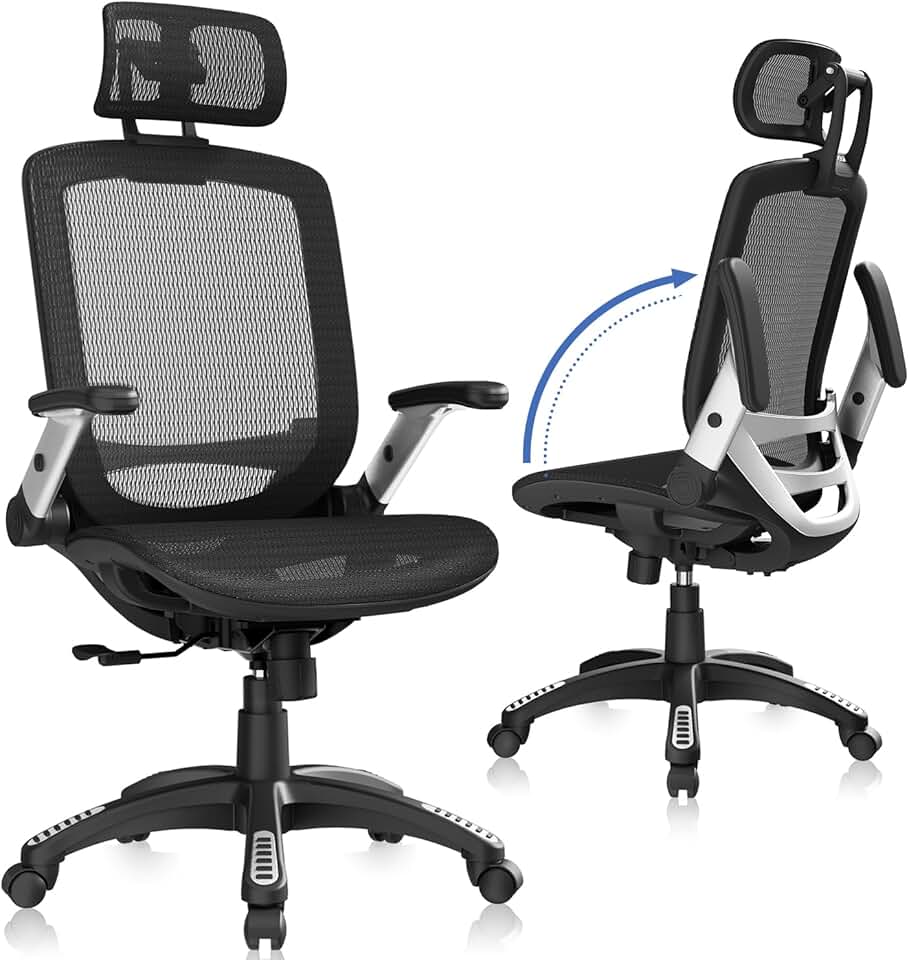
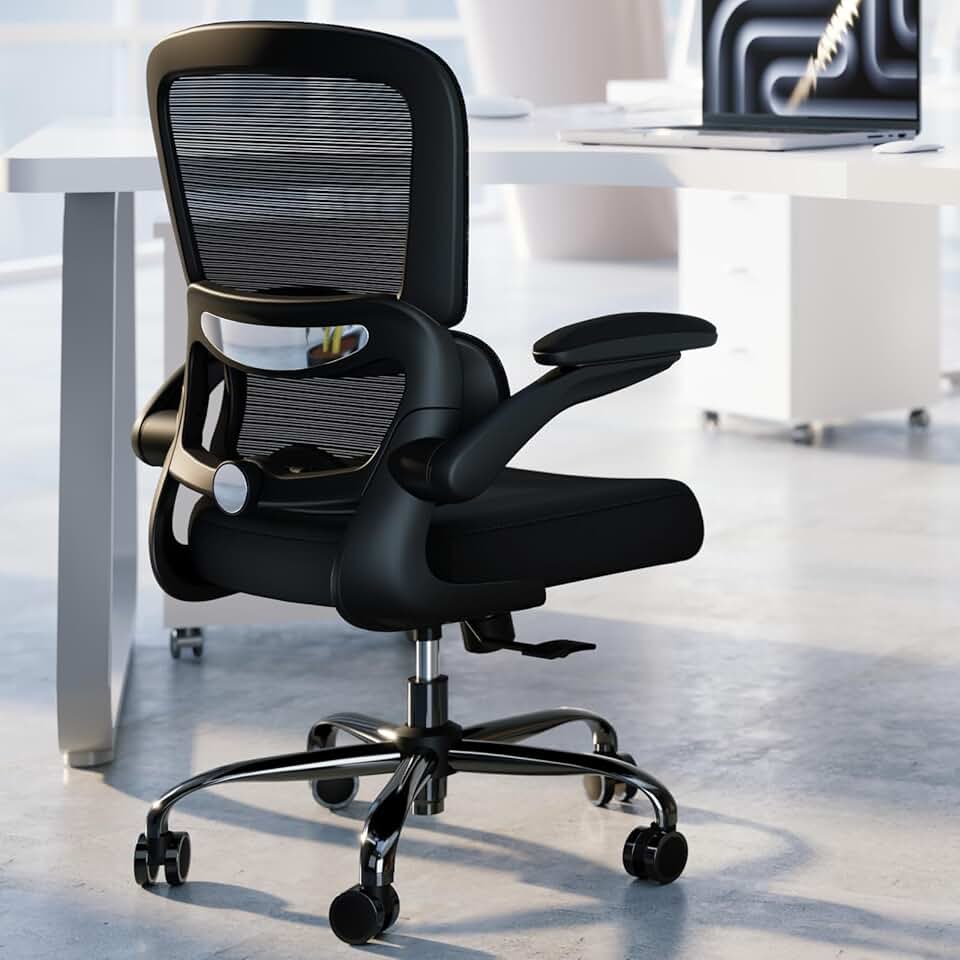


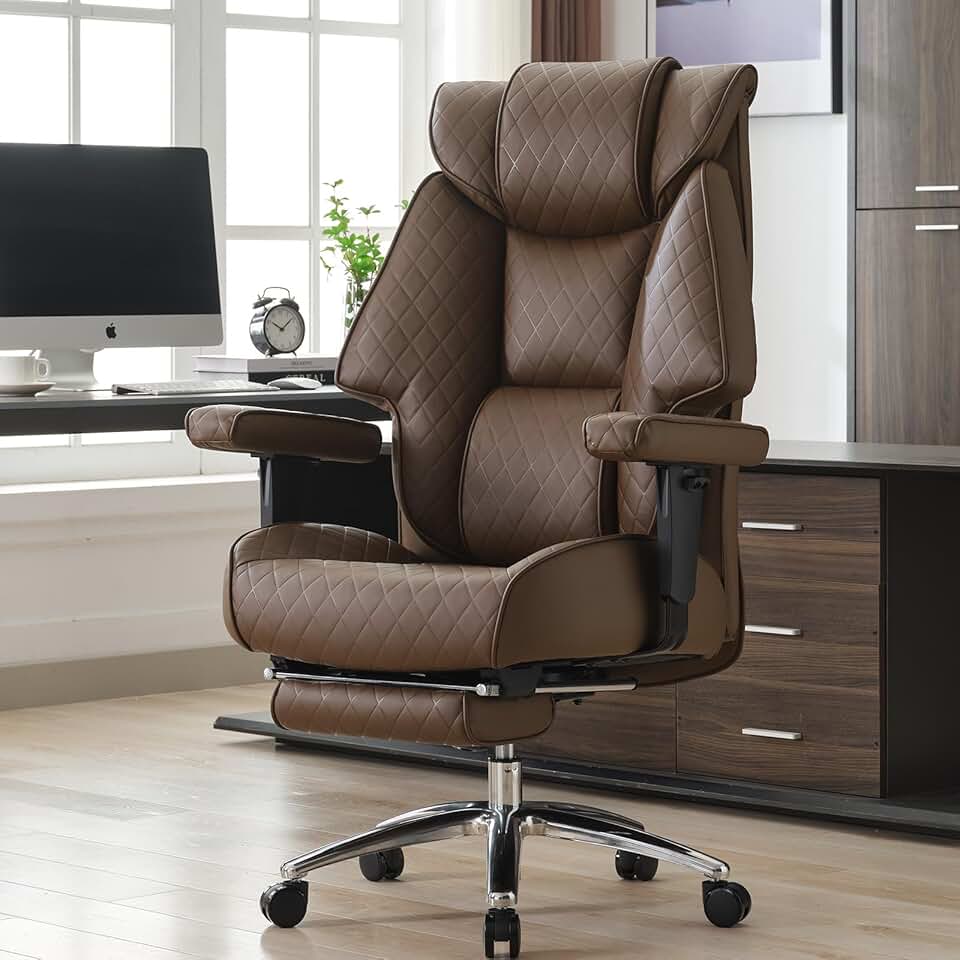
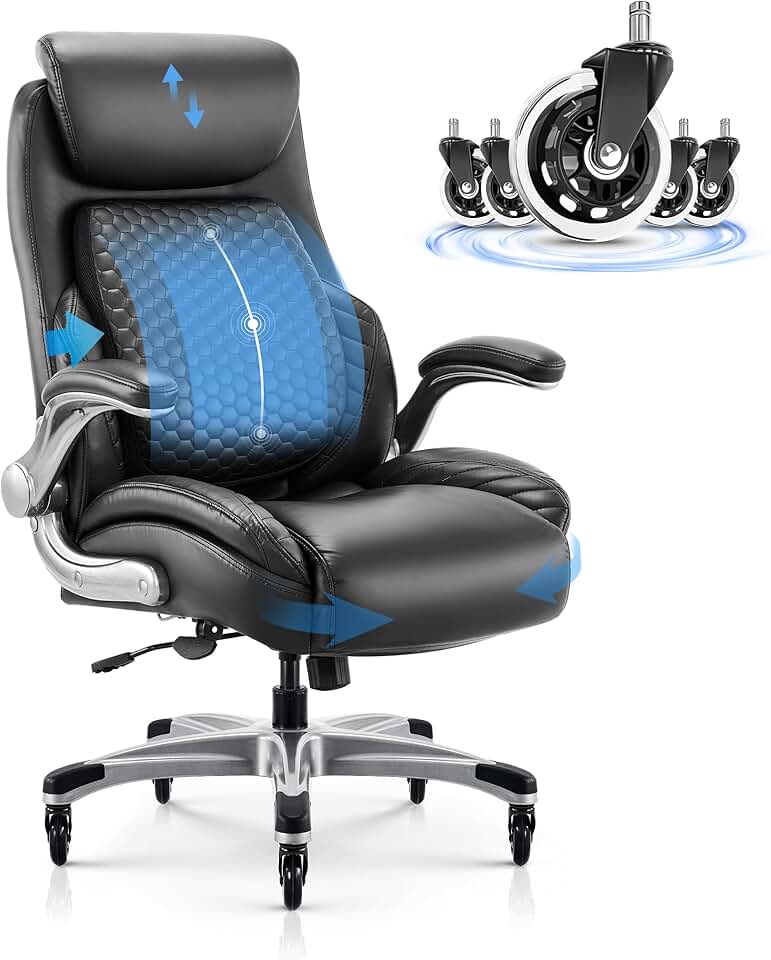


 Photo by
  Photo by