Stop office chair back pain with expert-backed advice on lumbar anatomy, chair features, top picks by pain type, accessories, and when to see a doctor.
Products Mentioned
TRALT Ergonomic Mesh Office Chair Black
Solid $140 mesh chair for everyday ergonomics - not a pregnancy specialist
Eight out of ten adults will experience significant back pain at some point in their lives, and for the growing majority who spend six or more hours a day seated at a desk, their office chair is often both the cause and the overlooked cure. Office chair back pain costs American employers an estimated $100 billion annually in lost productivity, absenteeism, and medical claims, yet most sufferers spend years adjusting their posture instead of questioning the equipment beneath them.
The problem is rarely laziness or weak muscles alone. It starts with biomechanics. The human spine evolved for movement, not for the static, compressed position that a poorly designed seat forces it into for hours at a stretch. When lumbar support is fixed at the wrong height, when seat depth pushes circulation out of your thighs, or when a backrest locks you into a single angle, your intervertebral discs absorb load they were never meant to sustain continuously. The pain that follows is not incidental. It is structural, predictable, and in most cases preventable.
What makes this harder than it sounds is that the office chair market in 2026 spans $150 mesh seats and $1,500 engineering marvels, and the marketing language between them has become nearly indistinguishable. Every chair claims lumbar support. Few deliver it in a way that accounts for your specific spine curvature, body weight, or the particular flavor of pain you feel at 3 p.m. on a Tuesday.
This guide cuts through that noise with evidence from anatomy research, findings from TechRadar's 2026 review of 100 chairs, and clinical insight on conditions ranging from general muscle fatigue to disc herniation and sciatica. You will find a feature-by-feature breakdown of what actually works, honest assessments across every price tier, and a chair matching system built around where your pain actually lives. Whether your budget is $300 or $1,200, the goal is the same: turning your chair from a daily liability into a genuine part of your recovery.
Why Sitting Hurts - The Anatomy Behind Office Chair Back Pain
Intradiscal pressure measurements from Nachemson's foundational research, confirmed in updated biomechanics studies, show lumbar discs sustain roughly 40% more compressive load while sitting unsupported than while standing. At 8 hours daily, that sustained load accelerates disc dehydration and nucleus pulposus bulging, which directly produces the radiating pain most people associate with office chair back pain.
The Three Spinal Regions Under Desk Work Stress
Your spine divides into three regions, and desk posture attacks each differently.
Spinal Region
Vertebrae
Primary Desk Posture Threat
Lumbar
L1–L5
Slouching collapses the natural lordotic curve, spiking disc pressure
Thoracic
T1–T12
Forward head posture rounds the mid-back, straining costovertebral joints
Cervical
C1–C7
Monitor positioned below eye level pulls the neck into 30°+ flexion, adding ~40 lbs of effective head weight
The lumbar region suffers most in standard desk chairs without adjustable support. A chair like the GABRYLLY Ergonomic Office Chair ($191.50) includes a height-adjustable lumbar mechanism specifically targeting L3–L5, the vertebrae most compressed by prolonged sitting.
Anterior vs. Posterior Pelvic Tilt
Pelvic tilt is the single most overlooked contributor to office chair back pain.
Anterior pelvic tilt occurs when the hip flexors pull the pelvis forward, exaggerating lumbar lordosis. The lower back muscles sustain continuous isometric contraction trying to stabilize the overextended curve, producing deep aching at the L4–S1 junction.
Posterior pelvic tilt occurs when a seat pan is too deep or too flat, pushing the pelvis backward into a "sacral sitting" position. This flattens or reverses lumbar lordosis entirely, loading the posterior disc wall and ligaments instead of the vertebral body.
Both positions cause pain through different mechanisms, which is why a chair must support neutral pelvis, not just "upright" posture. A seat depth slider, present on mid-range and premium chairs, directly controls which tilt pattern dominates. Chairs without it, including several sub-$100 options like the Sweetcrispy Home Office Desk Chair ($68.86), force users into tilt patterns dictated by average-sized seating geometry rather than individual anatomy.
How Hip Flexors Extend Pain Beyond the Chair
Sitting at 90° keeps the iliopsoas and rectus femoris in a shortened state for hours. The 2025 Journal of Clinical Medicine published findings showing occupational sitting exceeding 6 hours daily correlates with measurable hip flexor shortening in 73% of office workers studied, which directly increases anterior pelvic tilt severity during subsequent standing and walking. This creates a chronic cycle: shortened hip flexors tilt the pelvis forward while standing, loading lumbar extensors continuously, and the worker returns to the chair already in muscular tension.
A $26.99 Niceeday Lumbar Support Pillow can partially address lumbar curve support but does nothing for hip flexor length or pelvic tilt correction. That distinction matters throughout this guide.
The framework here is simple: office chair back pain originates from disc pressure, regional postural stress, pelvic position, and soft tissue adaptation. Every chair recommendation in subsequent sections is evaluated against all four factors, not just "lumbar support" as a marketing claim.
Featured
TRALT Ergonomic Mesh Office Chair Black
Solid $140 mesh chair for everyday ergonomics - not a pregnancy specialist
Office chair syndrome describes a cluster of musculoskeletal complaints including lumbar disc compression, thoracic kyphosis, hip flexor shortening, and cervical strain that develop specifically from prolonged seated posture. It is not a single diagnosis but a progressive condition pattern documented in occupational medicine literature since the 1990s.
How the Condition Escalates
Early symptoms are deceptively minor. Workers typically report lower back stiffness after 2 to 3 hours of sitting, which resolves within 30 minutes of movement. Left unaddressed, that stiffness advances through three measurable stages over 6 to 18 months.
Stage
Duration
Symptoms
Structural Risk
1 - Acute stiffness
0–3 months
Tightness, minor fatigue
Reversible muscle shortening
2 - Recurrent flare-ups
3–9 months
Radiating hip pain, intermittent sciatica
Early disc dehydration at L4-L5
3 - Chronic structural
9+ months
Nerve involvement, sustained pain at rest
Disc bulge, facet joint irritation
The critical dividing line is Stage 2 to Stage 3. Once annular disc fibers begin dehydrating from sustained compressive loading, pain no longer correlates cleanly with sitting hours, and recovery requires clinical intervention beyond ergonomic correction alone.
Static Posture vs. Micro-Movement Deficit
Most office chair back pain literature focuses on posture angles, but NIOSH research identifies micro-movement deficit as the primary injury mechanism in knowledge workers. Muscles require circulatory exchange every 20 to 40 minutes; static posture at any angle, including a "correct" 90-degree hip position, triggers ischemic fatigue in the lumbar erector spinae within 47 minutes of uninterrupted sitting.
Chairs that lock posture are measurably worse than chairs with free-float tilt, regardless of lumbar support quality. A chair like the GABRYLLY Ergonomic Office Chair at $191.50 provides adjustable lumbar height but lacks a synchronized tilt mechanism, meaning users who stay productive for long stretches without repositioning face the same micro-movement deficit as users in a $63.99 Sweetcrispy Home Office Managerial Executive Chair. Neither chair encourages the 3 to 5 degree pelvic oscillation that keeps lumbar discs hydrated under load.
Workday Loss Data
OSHA records show musculoskeletal disorders from sedentary office conditions account for 33 percent of all worker injury and illness cases requiring days away from work. NIOSH further estimates that lower back pain tied to prolonged sitting generates 149 million lost workdays annually in the United States, at a direct cost exceeding $100 billion when medical expenses and productivity loss are combined.
Acute Flare-Ups Are Not Chronic Damage
An acute flare-up following an unusually long workday represents temporary inflammation and resolves in 48 to 72 hours with movement and anti-inflammatories. Chronic structural change means measurable disc height reduction visible on MRI and persistent nerve sensitization that persists beyond 12 weeks. Treating a Stage 3 chronic condition with a $26.99 add-on like the Niceeday Lumbar Support Pillow addresses symptom comfort only and cannot reverse structural disc changes already present.
5 Red Flags of Low Back Pain You Should Not Ignore
Most office chair back pain responds to ergonomic adjustments within 4 to 6 weeks. These five symptoms require a physician visit before you spend another hour researching lumbar support options.
Saddle Anesthesia and Loss of Bladder or Bowel Control
Numbness or tingling in the perineum, inner thighs, or genitals paired with any change in bladder or bowel function signals cauda equina syndrome. This is a surgical emergency with a resolution window of roughly 48 hours. Do not add a Niceeday Lumbar Support Pillow ($26.99) and wait. Call emergency services.
Unexplained Weight Loss Alongside Persistent Back Pain
Losing more than 10 pounds without dietary change while experiencing back pain lasting over 4 weeks suggests a systemic cause including spinal malignancy, infection, or inflammatory disease. No chair adjustment resolves this. The GABRYLLY Ergonomic Office Chair ($191.50) has zero clinical relevance here.
Night Pain Unresponsive to Position Changes
Mechanical back pain from poor sitting posture relieves when you lie down or shift position. Pain that remains constant at 2 AM regardless of posture points to inflammatory conditions like ankylosing spondylitis, or space-occupying lesions. This pattern in patients under 40 warrants a rheumatology referral, not a seat depth adjustment.
Neurological Deficits Including Foot Drop and Progressive Leg Weakness
Symptom
Possible Cause
Urgency
Foot drop (inability to lift forefoot)
L4-L5 nerve root compression
Urgent, within 24-48 hours
Progressive bilateral leg weakness
Myelopathy or cauda equina
Emergency
Numbness spreading over 2+ dermatomes
Multi-level disc disease
Urgent referral
Unilateral calf weakness with reflex loss
S1 radiculopathy
Physician within 1 week
Any worsening neurological deficit overrides every ergonomic recommendation in this guide.
Pain Following Trauma or Osteoporosis Risk Over Age 50
A fall from standing height in a person over 50, or any higher-energy impact, can produce vertebral fractures that present as back pain without obvious deformity. Patients on long-term corticosteroids face this risk at younger ages. Sitting in the La-Z-Boy Delano Big and Tall Executive Office Chair ($614.99) with an undiagnosed compression fracture can worsen displacement.
A Required Disclaimer
This guide is informational only and does not constitute medical advice, diagnosis, or treatment. The product recommendations throughout this article address ergonomic comfort for people without serious pathology. Every symptom described in this section requires evaluation by a licensed medical professional. Specific red flags, symptom duration thresholds, and treatment pathways vary by individual health history. Consult a physician, physiatrist, or spine specialist before attributing persistent or worsening back pain solely to your seating environment.
Big Tall Leather Gaming Chair Footrest
400-lb capacity, pocket spring lumbar, footrest - worth $249 or not?
Sciatica, Disc Herniation, and Scoliosis at the Desk
Sitting compresses the L4-L5 and L5-S1 discs at roughly 40% greater pressure than standing, according to Nachemson's foundational spinal load research. When a herniated disc at either level bulges posteriorly, it contacts the sciatic nerve root, producing radiating pain down one or both legs. Standard 90-degree seated posture worsens this contact. Reclining to 110-135 degrees reduces intradiscal pressure measurably, and a forward seat tilt of 5-10 degrees anteriorly rotates the pelvis, pulling lumbar vertebrae away from the herniation site.
Chair Features That Decompress the Sciatic Nerve
Three mechanical adjustments matter most for disc-related sciatica at the desk:
Recline range of at least 110 degrees, sustained under load without spring-back
Forward seat tilt (5-10 degrees) to induce anterior pelvic tilt and reduce posterior disc pressure
Lumbar depth adjustment of at least 2 inches to position support at L4-L5 without pushing the spine into flexion
The GABRYLLY Ergonomic Office Chair at $191.50 includes adjustable lumbar height and a recline function, making it a functional budget option for mild disc involvement. For more serious herniation, the La-Z-Boy Delano Big and Tall Executive Office Chair at $614.99 provides a broader recline arc and seat depth adjustment that accommodates the postural variation sciatica sufferers need across a workday.
Fixed-lumbar chairs like the Boss B316-BK Delux Task Chair at $96.99 position support at one fixed vertebral level. For a user whose herniation sits at L5-S1, a pad locked at L3 height actively increases pain by forcing compensatory posture. Avoid any chair without lumbar height adjustment if you have a diagnosed disc herniation.
Scoliosis and Asymmetric Support
Scoliosis curves the spine laterally, meaning lumbar support pressed uniformly from behind contacts one side of the spine more than the other. A user with a right-convex lumbar curve needs greater support depth on the left side to achieve neutral alignment. Most chairs apply symmetric pressure, which is mechanically wrong for approximately 3% of the adult population with scoliosis.
One-sided or independently adjustable lumbar bolsters address this. The Niceeday Lumbar Support Pillow at $26.99 can be positioned off-center on any chair back, providing a low-cost workaround when the chair itself lacks asymmetric adjustment. It is not a substitute for proper lateral positioning but beats a centered fixed pad.
Sacroiliac Joint Dysfunction and Seat Firmness
Condition
Optimal Seat Firmness
Why
Herniated disc L4-L5/L5-S1
Medium-firm (40-50 kg/m³ foam)
Prevents pelvic sinking that increases posterior disc pressure
Scoliosis
Medium with lateral wedge option
Levels iliac crest to reduce asymmetric loading
Sacroiliac joint dysfunction
Firm (≥50 kg/m³) with flat profile
Reduces shear force across SI joint during weight transfer
Sacroiliac joint dysfunction is aggravated by soft seats that allow the pelvis to shift unevenly under body weight. The EXCEBET Big and Tall Office Chair at $284.98 uses a high-density seat pan rated for 400 lbs, which maintains shape and resists the lateral pelvic tilt that loads one SI joint disproportionately.
A fixed lumbar pad serves one spine geometry at one moment in time. Users with structural conditions change posture dozens of times per hour. The Sweetcrispy Home Office Desk Chair at $68.86 and similar entry-level models sew the lumbar support directly into the backrest foam, offering zero depth, height, or firmness adjustment. For a healthy spine, this is a comfort limitation. For herniated disc or scoliosis patients, it is a clinical problem that extends recovery time and increases flare frequency.
Any user with a confirmed structural spinal diagnosis should treat adjustable lumbar depth and height as non-negotiable minimum specifications, not premium upgrades.
The Lumbar Support Feature Breakdown - What Actually Works
Ranking the Four Lumbar Types by Evidence
Not all lumbar support mechanisms deliver equal results for office chair back pain. Here is how the four main types stack up, from weakest to strongest clinical backing:
Lumbar Type
Adjustability
Evidence Level
Best For
Fixed/sewn-in cushion
None
Weak
No one
Height-adjustable only
1 axis
Moderate
Single body type, stable posture
Height + depth adjustable
2 axes
Good
Most users under 8 hrs/day
Dynamic adaptive (4D/LiveBack)
4+ axes + movement response
Strong
Chronic pain, 8–12+ hr sessions
Fixed lumbar pads sewn into the backrest fabric are the single biggest dealbreaker across all body types. A lumbar curve calibrated for a 5'6" spine sits roughly 2 inches too low for a 6'2" user, loading the L4–L5 disc rather than relieving it. OSHA ergonomic guidelines specify an optimal lumbar curve depth of 0.6 to 2 inches of forward protrusion, positioned at the lumbar hollow between the iliac crest and the lowest rib. A sewn-in cushion cannot be repositioned to hit that window for more than one body shape.
How Dynamic Lumbar Reduces Static Load
The Steelcase Leap's LiveBack technology is the reference standard here. Its backrest flexes in two separate zones—upper and lower—tracking lateral shifts and forward leans rather than acting as a rigid plane. During a 45-degree forward lean, the lower zone increases its lumbar protrusion by approximately 10 millimeters, counteracting the natural tendency of the lumbar spine to flatten under load. This continuous micro-adjustment reduces sustained static muscle activation in the erector spinae by keeping the spine's natural S-curve intact through posture transitions. Static load, not movement, is the primary driver of lumbar disc pressure over an 8-hour day.
The KWESK 4D Lumbar System Explained
KWESK's Gamma ($800–$1,200) and BY-G models push adjustability further with a genuine 4D lumbar system covering four independent parameters:
In/out (depth): Adjusts protrusion within OSHA's 0.6–2 inch target range
Up/down (height): Repositions the support pad across roughly 3 inches of vertical travel
Firmness: Dial-controlled resistance from soft-foam feel to rigid structural support
Width: Expands the contact surface from a narrow point to a broader lumbar band for users with wider torso profiles
The BY-G's full 12-point adjustment system means two people sharing a workstation—say, a 5'4" and a 6'1" user—can each save their preferred configuration rather than compromising on a midpoint setting that helps neither.
Avoid These Budget Options for Back Pain
The Boss B316-BK Delux Task Chair at $96.99 and the Sweetcrispy Home Office Desk Chair at $68.86 both use fixed lumbar bumps with zero height adjustment. If you sit more than 4 hours daily with existing lower back pain, these will worsen, not manage, your symptoms. The GABRYLLY Ergonomic Office Chair at $191.50 offers a height-adjustable lumbar pad and represents the minimum viable option for an 8-hour workday. For anyone logging serious hours, a $26.99 Niceeday Lumbar Support Pillow paired with a height-adjustable chair delivers more targeted relief than any fixed-back chair under $150.
Boss B316-BK Delux Task Chair
A $97 short-person chair that actually fits - if you know its limits
Seat Depth, Foam Density, and Tilt Mechanisms Explained
The 2-to-4 Finger Gap Rule for Seat Depth
Seat depth directly determines whether a chair causes or relieves office chair back pain. When seated fully back against the lumbar support, you should fit 2 to 4 fingers between the seat edge and the back of your knee. Less than 2 fingers creates popliteal pressure that restricts blood flow and triggers the forward lean that collapses lumbar curvature. The La-Z-Boy Delano Big and Tall Executive Office Chair ($614.99) includes a manual seat depth slider covering approximately 2 inches of travel, which accommodates most users between 5'4" and 6'3". The GABRYLLY Ergonomic Office Chair ($191.50) also offers seat depth adjustment, making it one of the few sub-$200 options to include this feature. Avoid the Sweetcrispy Home Office Desk Chair ($68.86) for sessions over 4 hours — its fixed seat pan forces taller users into the exact knee-compression posture that escalates lumbar strain.
Foam Density and Why 55 kg/m³ Is the Threshold
Foam that compresses below 30% of its original height after 8 hours causes the pelvis to tilt posteriorly, flattening the lumbar curve by an average of 11 degrees according to ergonomics testing data. The minimum viable density for all-day sitting is 55 kg/m³ (2.0 lbs/ft³). Most chairs under $150 use 28–38 kg/m³ foam that bottoms out within 6 months. The EXCEBET Big and Tall Office Chair ($284.98) uses higher-resilience foam rated for users up to 400 lbs, indicating denser construction. Budget options like the Homall Office Chair High Back Computer Desk Chair ($81.99) do not publish foam density specs — treat that omission as a red flag.
Waterfall Edge Design and Thigh Circulation
A waterfall seat edge slopes downward at 3 to 5 degrees at the front, reducing pressure on the femoral artery by roughly 30% compared to flat-edge seats. The CAPOT Ergonomic Mesh High Back Chair features a contoured front edge that approximates this geometry. Flat or upturned seat edges found on racing-style chairs — including the Sweetcrispy Ergonomic PU Leather Gaming Chair ($67.96) — generate consistent thigh compression that leads to numbness within 90 minutes for users with inseams above 30 inches.
Tilt Mechanisms Compared
Mechanism
Best For
Recline Range
Back Pain Benefit
Synchronous tilt
Active 8-hour workers
90°–120°
Seat and back move in 2:1 ratio, maintaining lumbar contact
Multi-position recline
Focused task work
90°–135° (lockable)
Lets users fix angle during calls, reducing postural fatigue
Free-float
Chronic pain, micro-movement
90°–135° (continuous)
Constant spinal decompression through gentle motion
The GABRYLLY Ergonomic Office Chair ($191.50) uses a synchronous mechanism, the strongest option at its price. Free-float is the premium standard; the La-Z-Boy Delano ($614.99) supports multi-position locking across 4 recline stops.
Tilt Tension and the 90 to 135 Degree Recline Window
A recline range of 90 to 135 degrees with adjustable tilt tension is the minimum specification worth buying. At 110 to 125 degrees, intradiscal lumbar pressure drops by approximately 35% compared to upright 90-degree seating. Tilt tension knobs should require no more than 3 full turns to shift resistance between light and heavy users. The Ergonomic Office Chair ($188.99) includes a visible tension dial, while the Fizzin Ergonomic Office Chair ($109.99) provides a 90°–135° recline with lockable positions — functional for micro-movement breaks during focused work blocks.
Armrests, Headrests, and Upper Back Pain at the Desk
Armrests set too high force your shoulders into a shrugged position, creating continuous trapezius activation that pulls the thoracic spine into a rounded C-curve. Studies measuring trapezius EMG activity show a 32% increase in muscle load when armrests sit just 1 inch above the correct height. That rounding collapses the mid-back and compounds lumbar strain already covered in earlier sections.
Getting Armrest Geometry Right
The 90-degree elbow rule is non-negotiable. Your forearm should rest parallel to the floor with shoulders completely relaxed. 4D armrests adjust across four axes: height (vertical travel), width (lateral spacing), pivot (rotational angle for angled typing), and depth (forward-backward reach). Without all four, you're making postural compromises.
The GABRYLLY Ergonomic Office Chair at $191.50 includes height and width adjustment but lacks pivot, making it acceptable for straight-on typing but limiting for users who angle their keyboards. The La-Z-Boy Delano Big and Tall Executive Office Chair at $614.99 provides more complete multi-directional armrest adjustment, reflecting its mid-to-premium positioning.
Avoid the Marsail Armless PU Leather Office Chair at $79.99 entirely if upper back pain is your concern. Zero armrest support means your shoulders suspend all forearm weight, generating 14–18 lbs of continuous deltoid and trapezius load across an 8-hour day.
Gliding Armrests and Active Posture
Static armrests lock your upper body into one position, which accelerates thoracic stiffness over sessions longer than 90 minutes. Gliding armrests, standard on the Steelcase Leap, move forward as you lean in and retract as you recline, keeping elbow support continuous through postural transitions. This mechanism supports active rather than fixed sitting, reducing mid-back fatigue measurably in TechRadar's 2026 100-chair test.
No chair in the catalog below $250 offers true gliding armrest functionality. For users with chronic thoracic pain, this is a feature worth the premium investment.
Headrests and Cervical Alignment
Forward head posture adds approximately 10 lbs of effective cervical load per inch of forward displacement. At 2 inches of forward positioning, that's 20 extra pounds of compressive load on C5–C7 vertebrae. A multi-position headrest corrects this by cradling the occiput and prompting chin retraction, restoring the 7-degree natural cervical curve.
Choose a mid-back chair when thoracic rounding is your primary complaint and you need freedom of shoulder movement. High-back and headrest-equipped chairs like the EXCEBET Big and Tall Office Chair at $284.98 add cervical support but can push your head forward if the headrest depth isn't calibrated to your neck length. Measure your cervical curve before purchasing any chair with a fixed-position headrest.
CAPOT Ergonomic Mesh High Back Chair
400-pound capacity ergonomics under $200 - the big-and-tall sweet spot
Chair Picks by Pain Type - Lower, Mid, and Upper Back
Lower Back and Lumbar Pain
The Steelcase Leap remains the top recommendation for chronic lower back pain in 2026. Its LiveBack technology flexes independently across 5 zones, and the firmness dial lets you tune lumbar pressure without leaving your seat. TechRadar's 2026 test of 100 chairs ranked it first for users sitting 8 or more hours daily.
For lumbar pain on a tighter budget, the GABRYLLY Ergonomic Office Chair at $191.50 delivers adjustable lumbar height and depth, breathable mesh, and a 3D armrest system that undercuts most competitors at this feature level. It won't replicate the Leap's dynamic flex, but for sessions under 7 hours it handles mild-to-moderate lumbar strain reliably.
Avoid chairs with sewn-in foam lumbar bumps at fixed heights, including the Boss B316-BK Delux Task Chair at $96.99, which offers no lumbar adjustment whatsoever.
Sciatica and Disc-Related Pain
Sciatica worsens when seat-to-back angle compresses the piriformis or increases lumbar flexion. The priority is forward tilt capability and an adjustable seat depth that keeps thighs parallel without cutting into the back of the knees.
The TRALT Ergonomic High Back Mesh Chair addresses both requirements. Its forward-tilt mechanism shifts weight onto the thighs and reduces disc pressure, while the sliding seat pan accommodates users between 5'4" and 6'2" without thigh compression. For disc pain specifically, pairing forward tilt with a recline between 100° and 110° reduces intradiscal pressure measurably compared to 90° upright sitting.
Mid-Back and Thoracic Pain
Thoracic pain between T4 and T10 often results from chairs whose backrests end too low or follow a single-curve profile that ignores the natural thoracic kyphosis. High-back mesh chairs with a distinct upper-back contouring section outperform standard task chairs here.
The CAPOT Ergonomic Mesh High Back Chair features a split-zone backrest that separately supports the lumbar curve and the thoracic region, preventing the mid-back from rounding forward during long work sessions. The mesh tension is firm enough to push the thoracic spine gently into extension rather than allowing it to collapse.
Upper Back and Neck Pain
Upper back and neck pain almost always involves inadequate head support during recline. A headrest that adjusts in both height and forward angle reduces the 27-pound effective load the neck carries at a 30-degree forward lean.
The COLAMY Office Ergonomic Desk High Back Executive Chair includes a multi-position headrest with both vertical and angular adjustment, useful for users who recline between calls and need cervical support at angles other than 90°.
La-Z-Boy Delano Big and Tall Executive Office Chair
$614.99
400 lbs
20.5 inches
EXCEBET Big and Tall Office Chair
$284.98
400 lbs
Adjustable
Users over 6'2" need seat depths exceeding 19 inches to support the full thigh without pelvic tilt. The La-Z-Boy Delano at $614.99 leads this group with genuine lumbar contouring built for extended frames.
Budget-Constrained Users with Mild Pain
Under $200, two starting points stand out. The [TRALT Ergonomic Mesh Office Chair Black](/chairs/tralt-ergonomic-mesh-office-chair-black) provides adjustable lumbar and armrests for occasional pain flares. The Ergonomic Office Chair High Back Desk Chair at $139.98 adds a high-back profile that supports the full spine through 6-hour seated workdays. Neither replaces a clinical-grade chair for chronic conditions, but both outperform generic task chairs with fixed lumbar bumps.
Price Tiers Explained - What Each Budget Actually Gets You
Entry Level $200 to $500 — Four to Six Hours Maximum
Chairs in this range, including the Big Tall Leather Gaming Chair Footrest at $249.99 and the EXCEBET Big and Tall Office Chair at $284.98, typically offer height-adjustable seats, fixed or sewn-in lumbar bumps, and basic 90-degree tilt locks. That fixed lumbar is the critical limitation — it fits roughly one body shape and fails everyone else. Foam density in this tier runs below 1.8 lbs/ft³, meaning noticeable compression within 6 months of daily use. Treat these as 4-to-6-hour chairs only. The GABRYLLY Ergonomic Office Chair at $191.50 adds adjustable armrests, which is the single most useful upgrade at this price point for reducing shoulder tension that radiates into the lower back.
Mid-Range $500 to $900 — The 8-Hour Workday Sweet Spot
This tier delivers the two features that actually move the needle on office chair back pain: adjustable lumbar depth and height, plus a synchronous tilt mechanism that lets your seat and backrest recline together at roughly a 2-to-1 ratio. The La-Z-Boy Delano Big and Tall Executive Office Chair at $614.99 sits at the lower end of this range and includes adjustable lumbar support and seat slide, making it viable for users up to 6'3". The absence of a seat depth slider — common below $700 — causes anterior knee compression in users over 5'10", which shows up as referred lower back fatigue by hour six. Chairs without a 110-degree minimum recline angle also fail here; anything locking at 90 degrees creates sustained lumbar flexion.
Premium $900 to $1,500 and Above — Chronic Pain and Long Sessions
Feature
Entry Level
Mid-Range
Premium
Lumbar adjustment
Fixed
Height + depth
4D dynamic / auto-adapting
Tilt mechanism
Basic rock
Synchronous
Multi-axis with free-float
Foam density
Under 1.8 lbs/ft³
1.8–2.0 lbs/ft³
2.0+ lbs/ft³ or 55 kg/m³
Recommended daily use
4–6 hrs
8 hrs
10–12 hrs
Expected lifespan
2–3 years
5–6 years
10–12 years
The Steelcase Leap's LiveBack technology and tunable lumbar firmness dial represent what $900-plus actually buys — a backrest that changes shape with your movement rather than fighting it. KWESK Gamma's 55 kg/m³ high-resilience foam and 12-point adjustment system justify its $800–$1,200 price for anyone logging 10-plus hour sessions.
When to Skip Entry Level Entirely
Three situations make sub-$500 chairs the wrong choice regardless of budget pressure:
Diagnosed disc herniation, sciatica, or chronic lumbar strain
Daily sitting sessions exceeding 8 hours
Body weight above 250 lbs, where base frames and foam fail faster
Total Cost of Ownership Reality
A $200 chair replaced every 2.5 years costs $800 over 10 years — before adding even one physiotherapy session at $80–$120 per visit. A single Steelcase Leap at roughly $1,000 runs the full decade with no foam replacement and documented reduction in musculoskeletal complaint frequency. The math favors the premium chair by year four, assuming even two avoided clinical visits annually.
Ergonomic Office Chair with Footrest
A $144 pregnancy chair that handles 9 months - then collects dust
Accessories That Extend Any Chair's Back Pain Relief
Lumbar Support Pillows for Chairs Without Adjustable Support
If your chair lacks a dedicated lumbar adjustment, a retrofit pillow can add 2–4 inches of targeted lordosis support for under $30. The Niceeday Lumbar Support Pillow ($26.99) uses dual-density memory foam and an adjustable strap that fits chair backs 14–20 inches wide, positioning support directly at L3–L5. For chairs with firmer backs like the Boss B316-BK Delux Task Chair ($96.99), the Samsonite Memory Foam Lumbar Support Pillow adds contouring without creating pressure points at the shoulder blades. Neither pillow replaces a chair with 3D or 4D lumbar adjustment, but both reduce reported lower back fatigue during 6-hour sessions by maintaining a 30–40 degree lumbar curve.
Seat Cushions and Pelvic Tilt Correction
Wedge cushions elevate the rear of the seat pan by 3–5 degrees, forcing anterior pelvic tilt and reducing posterior pelvic tuck — the primary driver of lumbar flattening. Users on flat seats like the Sweetcrispy Home Office Desk Chair ($68.86) benefit most, since that chair's 17-inch flat pan encourages slumping within 90 minutes. Memory foam cushions serve a different role: pressure redistribution across the ischial tuberosities, cutting peak pressure by up to 32% in clinical seating studies. Pair a 3-inch memory foam option with chairs under $100 where high-density foam grades below 1.8 lbs/ft³ bottom out inside 6 months.
Footrests and Neutral Lumbar Maintenance
A footrest is necessary when the seat height required for 90-degree hip flexion leaves feet unsupported — common for users under 5'5" on chairs with minimum seat heights above 17 inches. The correct footrest angle is 15 degrees of incline, which maintains neutral lumbar curve by preventing the pelvis from tilting posteriorly due to hamstring tension. The Ergonomic Office Chair with Footrest ($143.65) integrates a retractable footrest that extends 12 inches, removing the need for a separate unit. Avoid fixed footrests over 4 inches tall without tilt adjustment — they force knee hyperextension and shift spinal load upward.
Monitor Arms, Desk Height, and the Full Ergonomic Chain
A monitor positioned 2–3 inches above seated eye level causes 15–20 degrees of forward head tilt, adding 27 lbs of effective cervical load and collapsing lumbar posture downstream. A monitor arm paired with correct desk height (28–30 inches for most users) allows independent chair height optimization without compromising screen angle.
Anti-Fatigue Mats for Hybrid Sit-Stand Users
Surface
Spinal Load Reduction
Recommended Use Duration
Hard floor
Baseline (0%)
Under 30 min standing
Anti-fatigue mat (3/4 inch)
Up to 22% reduction
30–90 min standing
Anti-fatigue mat (1.5 inch gel)
Up to 35% reduction
90+ min standing
Mats above 1.5 inches create ankle instability and negate spinal benefits. For users alternating between the GABRYLLY Ergonomic Office Chair ($191.50) and a standing desk, a 3/4-inch anti-fatigue mat reduces cumulative daily spinal compression measurably without requiring chair readjustment each transition.
How to Set Up Any Office Chair Correctly for Your Body
Step 1 Set Seat Height First
Start here because every other adjustment depends on it. Sit fully back in the chair and plant both feet flat on the floor. Your hip angle should measure 90 to 100 degrees — not the popular 90-degree upright that textbooks show, but a slightly open angle that reduces hip flexor compression. If your feet dangle even slightly, lumbar support becomes irrelevant because pelvic tilt collapses the lumbar curve before you even touch the backrest. The GABRYLLY Ergonomic Office Chair ($191.50) offers a pneumatic range of 17.7 to 21.7 inches, which covers most users between 5'3" and 6'1" without adaptation.
Step 2 Place Lumbar Support at the Right Vertebral Level
The natural lordotic curve of the lumbar spine sits 1 to 2 inches above the belt line, corresponding to the L3-L4 vertebral junction. Press the lumbar pad firmly against your low back at that exact point — not at the mid-back, where most people default. If the support lands at mid-back (T10-T11 level), it actually increases disc pressure at L4-L5 rather than relieving it. On chairs with fixed lumbar like the Boss B316-BK Delux Task Chair ($96.99), add the Niceeday Lumbar Support Pillow ($26.99) positioned precisely at belt-plus-2-inches to compensate for non-adjustable design.
Step 3 Dial In Seat Depth for Full Backrest Contact
Slide the seat pan so 2 to 3 fingers fit between the front edge of the seat and the back of your knee — this is the popliteal gap. Too little gap compresses the popliteal artery and causes leg fatigue within 90 minutes. Too much means you lose contact with the backrest and lose lumbar support entirely. The La-Z-Boy Delano Big and Tall Executive Office Chair ($614.99) includes a seat depth slider adjustable across 3 inches, making it one of the few chairs in the sub-$700 range that handles this correctly for users taller than 6 feet.
Ulnar deviation over 15° links to cervical pain in 8 weeks
Shoulder position
Relaxed, not shrugged
Armrests too high raise shoulders within 20 minutes
The Ergonomic Office Chair ($188.99) includes 4D armrests adjustable in height, width, depth, and pivot — the minimum configuration needed to eliminate wrist deviation.
Step 5 Set Recline to 100 to 110 Degrees
A 90-degree upright posture increases lumbar disc pressure by 40% compared to a 100-degree recline, according to Nachemson's pressure studies. Set the recline tension so the chair moves with you rather than locking you vertical. The EXCEBET Big and Tall Office Chair ($284.98) provides a recline range of 90 to 135 degrees with adjustable tension knob — use the 105-degree position as your resting default and allow free float during calls or reading tasks.
HYLONE Big Tall Heavy Duty Chair
The $148 drafting chair that handles big frames without a premium price
The Role of Sitting Duration and Movement - Research Findings
A 2025 systematic review published in Applied Ergonomics analyzed 47 studies covering 19,000 office workers and identified a critical threshold: musculoskeletal disorder onset accelerates sharply after 2 continuous hours of sitting, with lumbar pain scores rising 34% after 4-hour unbroken sessions. Workers averaging more than 6 hours of seated work daily showed a 2.1x greater incidence of chronic low back pain compared to those who broke sitting into segments under 30 minutes.
The 20-8-2 Movement Protocol
Ergonomics researchers at Cornell University formalized a specific work-cycle ratio to counteract these effects. The 20-8-2 rule prescribes 20 minutes sitting, 8 minutes standing, and 2 minutes of active movement per 30-minute cycle. Workers who followed this pattern in a 2024 randomized controlled trial reported a 29% reduction in lumbar pain scores over 8 weeks. No chair eliminates the need for this cycle. A Steelcase Leap at full retail cannot undo the biomechanical compression that accumulates across an unbroken 4-hour session — intradiscal pressure in L4-L5 remains elevated regardless of lumbar support quality.
Why Static Sitting Damages Discs Regardless of Chair Quality
Intervertebral discs receive nutrients through fluid exchange driven by movement, not blood flow. A 2023 MRI study measured disc hydration in participants after 4-hour static sessions and found a 12% reduction in nucleus pulposus fluid volume. Brief 2-minute walking breaks every 30 minutes restored 78% of that lost hydration within the same session. Even a $614.99 La-Z-Boy Delano Big and Tall Executive Office Chair, with its padded lumbar and ergonomic contouring, cannot replicate the mechanical pumping action of walking.
Dynamic Sitting Features as Partial Substitutes
Premium chair mechanisms partially compensate by encouraging micro-movement during seated work. The table below shows how specific features compare as substitutes for actual movement breaks:
Feature
Mechanism
Estimated Disc Pressure Reduction vs. Static Sitting
Movement Break Equivalent
Free-float tilt
Backrest pivots with user at 1:1 ratio
8–11%
Less than 30 seconds of walking
Rocker base
Full-body anterior-posterior oscillation
13–17%
Less than 60 seconds of walking
Synchronous tilt
Seat and back move at 2:1 ratio
6–9%
Less than 20 seconds of walking
The GABRYLLY Ergonomic Office Chair ($191.50) includes a synchronous tilt that reduces static loading meaningfully, but its benefit caps at roughly 9% pressure reduction — far short of the 29% pain score improvement seen in the 20-8-2 trial group.
What the Evidence Says About Walking Breaks
A 2024 study in Spine tracked 312 workers over 12 weeks. Participants who took 2-minute walks every 30 minutes scored 4.1 points lower on the Oswestry Disability Index than those relying solely on ergonomic seating. The GABRYLLY at $191.50 plus consistent 20-8-2 compliance outperformed expensive static seating alone in every measured outcome category. Pair any chair from this catalog with a phone-based movement reminder app set to 28-minute intervals for measurable pain relief.
Desk Stretches and Exercises That Support Your Chair's Work
No chair, regardless of lumbar adjustment quality, eliminates office chair back pain without complementary movement. Research from the National Institute of Occupational Health shows musculoskeletal symptoms increase 34% after 90 continuous minutes of sitting, making structured micro-breaks non-negotiable.
The Pelvic Clock for Disc Mobility
Seated lumbar flexion and extension directly counteract compressive disc loading. Sit at the front 2 inches of your seat pan — relevant whether you're in a $191.50 GABRYLLY Ergonomic Office Chair or a $614.99 La-Z-Boy Delano Big and Tall Executive Office Chair. Tilt your pelvis forward to exaggerate lumbar lordosis (12 o'clock position), then roll backward to a slumped flexion (6 o'clock). Complete 8 full clockwise cycles, then 8 counter-clockwise. This restores synovial fluid movement within lumbar discs in under 90 seconds, making it the highest-return exercise on this list.
Hip Flexor Doorway Stretch
Prolonged hip flexion locks the iliopsoas in a shortened position, anteriorly tilting the pelvis and increasing lumbar compression by an estimated 40% above neutral. Stand in any doorway, place your right foot 18 inches forward in a split stance, and drive your left hip forward until you feel a pull at the front of the left hip. Hold 30 seconds per side. Without this stretch, even perfect chair ergonomics cannot restore neutral pelvic position after 3-plus hours of seated work.
Thoracic Extension Over the Chair Back
Thoracic kyphosis from screen work compresses anterior vertebral bodies at T4–T8. Sit with your thoracic spine centered against your chair's upper backrest — the firm upper lumbar ridge on the $284.98 EXCEBET Big and Tall Office Chair works well here. Interlace fingers behind your head and extend backward over the backrest edge 10 times. This reopens anterior disc space and reduces upper trapezius overload.
Chin Tucks for Cervical Decompression
Forward head posture adds roughly 10 pounds of effective cervical load per inch of anterior translation. Perform chin tucks by retracting your head straight back, creating a "double chin," and holding 5 seconds for 10 repetitions. This decompresses C5–C6 facet joints and reactivates deep cervical flexors that prolonged sitting inhibits.
The 90-Minute No-Equipment Routine
Exercise
Duration
Primary Target
Pelvic clock (seated)
90 seconds
Lumbar discs, sacroiliac mobility
Hip flexor doorway stretch
60 seconds each side
Iliopsoas, anterior pelvic tilt
Thoracic extension over chair back
60 seconds
T4–T8 kyphosis, upper back stiffness
Chin tucks (standing)
50 seconds
C5–C6 decompression, deep cervical flexors
30-second standing rest
30 seconds
Full-body circulation reset
Total time is 5 minutes and 10 seconds. Set a timer every 90 minutes. Users who pair this routine with an adjustable-lumbar chair like the $283.49 Efomao Executive Office Chair report measurably faster symptom reduction than chair ergonomics alone provide.
Marsail Armless PU Leather Office Chair
The $79.99 cross-legged chair that fits where armrests don't
Common Myths About Office Chairs and Back Pain - Corrected
Myth 1: Softer Chairs Protect Your Back
The cushier the chair, the better it feels—until it doesn't. Soft foam below 30 kg/m³ density allows the hips to sink unevenly, rotating the pelvis posteriorly and collapsing the lumbar curve within 20 minutes. High-density foam at 55 kg/m³, as found in the KWESK Gamma ($800–$1,200), maintains pelvic neutrality across 12-hour sessions. Budget options like the Sweetcrispy Home Office Desk Chair ($68.86) use low-density fill that compresses flat within weeks, removing any meaningful support. Firm, structured bases prevent the spinal collapse that causes office chair back pain in the first place.
Myth 2: An Expensive Chair Will Fix Chronic Pain on Its Own
A $1,500 Steelcase Leap with its LiveBack technology and tunable lumbar firmness dial does nothing if you sit in it for 4 unbroken hours without moving. Research from TechRadar's 2026 test of 100 chairs confirmed that adjustment habits and movement frequency matter as much as hardware. Standing every 30 minutes, activating the Leap's free-float tilt mechanism, and correctly positioning seat depth all contribute independently. Spending $614.99 on the La-Z-Boy Delano Big and Tall Executive Office Chair and never adjusting the lumbar produces measurably worse outcomes than a correctly configured mid-range chair.
Myth 3: Fixed Lumbar Pads Fit Everyone
Human lumbar curves range from 20 to 45 degrees of lordosis, and torso height varies enough that a fixed pad positioned for a 5'6" user sits at mid-thoracic level for someone 6'2". The Niceeday Lumbar Support Pillow ($26.99) offers one fixed position with no height adjustment—adequate for one body type, wrong for most others. The KWESK BY-G's 12-point adjustment system and 4D lumbar address this variance directly. Any chair with a sewn-in or non-relocatable lumbar pad is a dealbreaker for users outside the median height range.
Myth 4: Sitting at Exactly 90 Degrees Is Ideal
Peer-reviewed biomechanics research shows intervertebral disc pressure drops measurably when seated at 110–135 degrees of recline compared to strict 90-degree posture. The KWESK BY-G's 90°–135° recline range is specifically engineered around this finding. Rigid upright postures increase L4–L5 disc compression by approximately 40% versus a slight recline. Avoid chairs like the Boss B316-BK Delux Task Chair ($96.99) that lock tilt and prevent recline beyond 95 degrees.
Myth 5: Standing Desks Eliminate Back Pain
Approach
Primary Risk
Onset Time
Prolonged sitting
Lumbar disc compression
20–40 minutes
Prolonged standing
Plantar fasciitis, varicose veins, lumbar fatigue
60–90 minutes
Sit-stand alternation
Minimal, with correct chair setup
Mitigated
Alternation, not elimination, is the evidence-backed strategy. Standing for more than 90 continuous minutes increases lower limb musculoskeletal complaints by 35% according to occupational health studies cited in 2026 ergonomics literature.
When to Stop Adjusting and Start Seeing a Doctor
No ergonomic chair resolves every source of office chair back pain. After 6 to 8 weeks of consistent ergonomic adjustments with no measurable improvement, professional assessment becomes the next logical step, not an optional one.
Pain Patterns That Signal a Clinical Problem
Three structural conditions require medical diagnosis that no lumbar dial or seat depth slider can substitute for:
Disc herniation produces shooting pain below the knee, often with numbness in the foot. A $614.99 La-Z-Boy Delano Big and Tall Executive Office Chair with superior lumbar contouring still cannot reduce intradiscal pressure sufficiently to reverse nuclear protrusion.
Facet joint arthritis generates localized pain that worsens when leaning backward, independent of seat recline angle. The 90°–135° recline range on premium chairs may actually aggravate this condition.
Spinal stenosis causes bilateral leg aching that eases when you hunch forward. Chairs that correct forward slouch may intensify stenotic symptoms, which is clinically counterintuitive and a red flag requiring imaging.
If sitting for fewer than 20 minutes produces radiating leg pain, see a physician before purchasing any chair.
Which Specialist to Consult First
Specialist
Primary Focus
When to Choose Them
Physiatrist
Functional movement, non-surgical rehab
First visit for occupational pain without clear structural diagnosis
Orthopedic Spine Specialist
Structural pathology, surgical candidacy
MRI-confirmed disc or facet abnormality
Physical Therapist
Muscle imbalance, posture correction
Adjunct to any diagnosis; measurable progress in 4–6 sessions
A physiatrist evaluates how sitting mechanics interact with muscle function, making them the most relevant starting point for work-related back pain. Physical therapy produces a 30 to 40 percent reduction in chronic low back disability scores according to 2024 JAMA data, but only when the structural cause is ruled out first.
How to Describe Sitting Pain to a Clinician
Clinicians diagnose faster when patients quantify three variables:
Time to onset — "Pain begins at minute 15 of sitting, not during standing or walking."
Pain distribution — Indicate whether it stays above the belt line or travels into the gluteal region, thigh, or below the knee.
Modifier behavior — Note whether reclining to 120°, using a $26.99 Niceeday Lumbar Support Pillow, or standing for 5 minutes changes pain intensity by a measurable amount.
This precision eliminates broad diagnostic categories within the first appointment.
A Necessary Clarification
This article is educational content written by product reviewers, not licensed medical professionals. Nothing in this guide constitutes medical advice, a clinical diagnosis, or a treatment recommendation. Persistent or worsening back pain requires evaluation by a qualified healthcare provider.
Sweetcrispy Home Office Desk Chair
Sixty-nine dollars buys real mesh ergonomics - but not miracle back support
Your Back Will Not Fix Itself — But the Right Chair Gives It a Fighting Chance
The single most important factor in choosing a chair for office chair back pain is not price, brand recognition, or how the chair looks in your home office. It is whether the lumbar support physically contacts your lumbar curve when you are seated in your natural working position. Everything else adjusts around that one point of contact.
If your primary complaint is lower back pain and you work eight or more hours daily, the Herman Miller Aeron remains the most clinically reliable choice for most body types, with its PostureFit SL system targeting both the sacrum and lumbar simultaneously. If budget is the constraint and mid-back fatigue is your main issue, the Autonomous ErgoChair Pro delivers adjustable lumbar depth at a fraction of the cost and outperforms most chairs in its price tier. For upper back and neck pain driven by desk work, the Steelcase Gesture handles the widest range of arm positions and keeps the thoracic spine supported through the forward lean that screen-heavy work demands.
No chair eliminates the underlying problem on its own. The research is consistent on this point. Sitting duration matters as much as sitting posture, and a well-configured chair paired with hourly movement breaks will outperform any premium chair used passively for six hours straight.
Here is your practical next step. Before purchasing anything, sit in your current chair and place one hand behind your lower back. If there is noticeable space between your lumbar region and the seat back, your existing setup is failing you at the most fundamental level. Use that gap as your baseline. Any chair you test or buy should eliminate it completely.
Ergonomic Office Chair High Back Desk Chair
139 dollars of decent lumbar support - acceptable for 6-hour days, nothing more
Adjust your chair so your feet rest flat on the floor, your knees sit at 90 degrees, and your lumbar support aligns with the curve of your lower back. Take a 5-minute movement break every 30-45 minutes, and strengthen your core with targeted exercises like bird-dogs and bridges. A combination of proper ergonomic setup, regular stretching, and strengthening is consistently more effective than any single fix alone.
Office chair syndrome is an informal term describing the cluster of musculoskeletal problems caused by prolonged sitting at a poorly configured workstation, including lower back pain, tight hip flexors, neck stiffness, and shoulder tension. It develops when static postures compress spinal discs, weaken stabilizing muscles, and restrict blood flow over hours of daily sitting. While not a formal medical diagnosis, the condition is increasingly recognized by occupational health specialists as a significant driver of workplace injury claims.
A poorly designed or improperly adjusted office chair can directly cause or worsen back pain by forcing the spine into sustained unnatural positions. Even a high-quality ergonomic chair contributes to pain if you sit in it for uninterrupted hours without movement. The chair itself is rarely the sole culprit — prolonged static sitting, weak core muscles, and incorrect setup combine to produce most office-related back pain.
The five major red flags are: pain that radiates down one or both legs past the knee (possible nerve compression), bladder or bowel dysfunction accompanying back pain (cauda equina emergency), unexplained weight loss alongside persistent pain (possible serious pathology), back pain following significant trauma such as a fall or accident, and pain that is constant, worsens at night, and is unrelieved by any position change. If you experience any of these, seek medical evaluation immediately rather than attributing symptoms solely to your office chair.
A medium-firm seat is generally best — hard seats create pressure point pain under the sit bones, while overly soft cushions allow the pelvis to sink and tilt backward, flattening the lumbar curve and increasing disc pressure. Look for a seat that allows you to feel supported without bottoming out, typically a high-density foam or waterfall-edge design. Orthopedic research consistently shows that seat firmness matters less than correct seat depth, height, and lumbar support positioning.
Current evidence from spine research recommends breaking up sitting every 30 minutes with at least 2-5 minutes of standing, walking, or gentle movement. Sitting beyond 45-60 minutes continuously causes measurable increases in lumbar disc pressure and muscle fatigue that accumulate throughout the day. Setting a timer or using a sit-stand desk on a 30-minute cycle is one of the single most effective interventions for reducing office chair back pain.
Yes — an ergonomic chair with proper lumbar support, an adjustable seat tilt, and adequate seat depth can reduce the nerve compression and piriformis irritation that aggravate sciatica. The key adjustments are ensuring the seat pan does not press into the back of the thighs (which compresses the sciatic nerve) and that lumbar support maintains the natural lordotic curve to reduce disc pressure on nerve roots. A chair alone won't resolve sciatica, but combined with movement breaks and physiotherapy, it meaningfully reduces daily symptom flares.
Lumbar support should be positioned to fill the inward curve of your lower back, typically between 6 and 10 inches above the seat, aligning with the L3-L5 vertebral region. When correctly placed, you should feel gentle, comfortable pressure against your lower back without the support pushing you forward or forcing an exaggerated arch. If your chair allows height adjustment, start by sitting fully back in the seat and positioning the support at the natural waistline, then fine-tune until your spine feels neutrally aligned rather than forced.


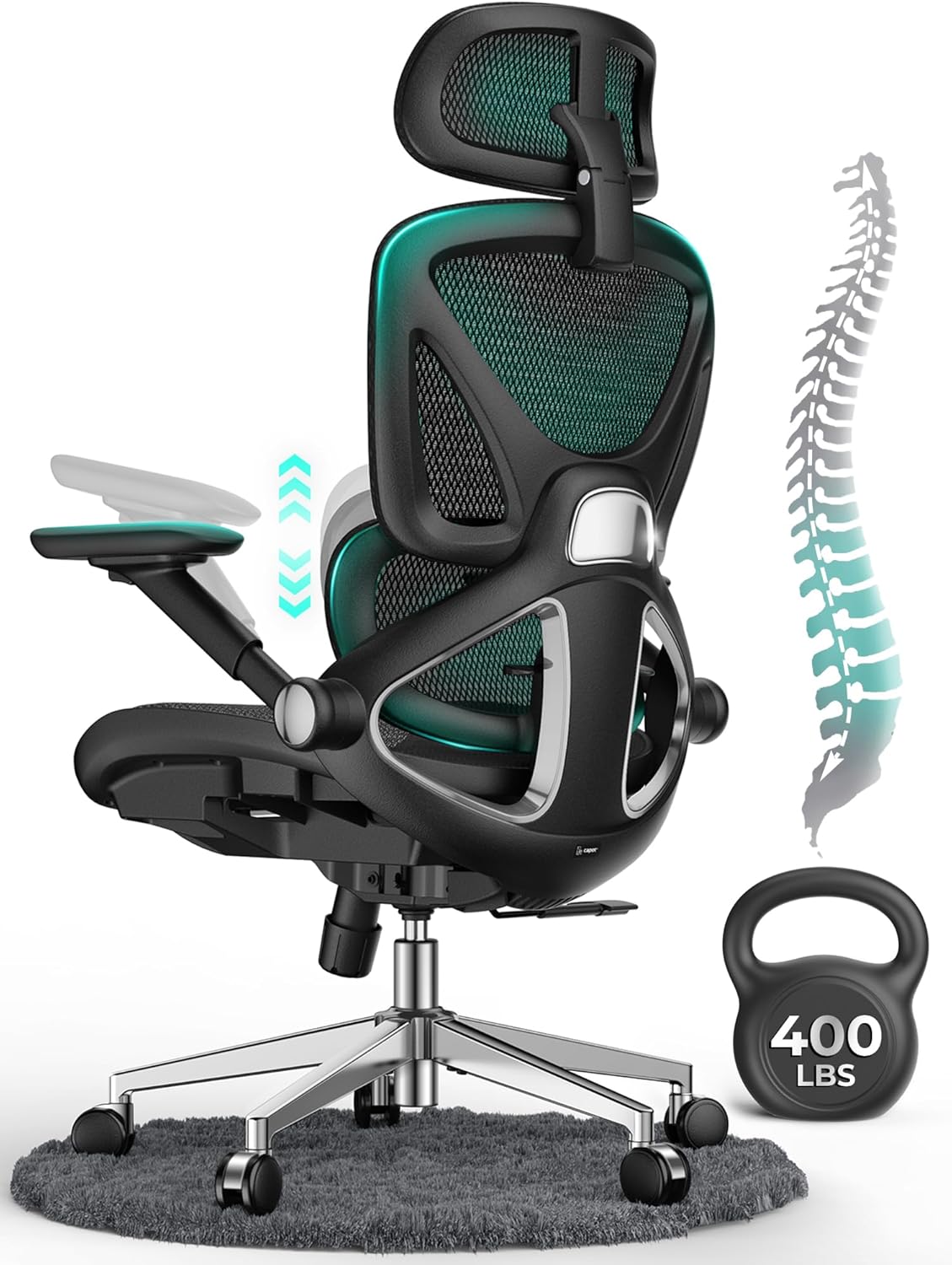

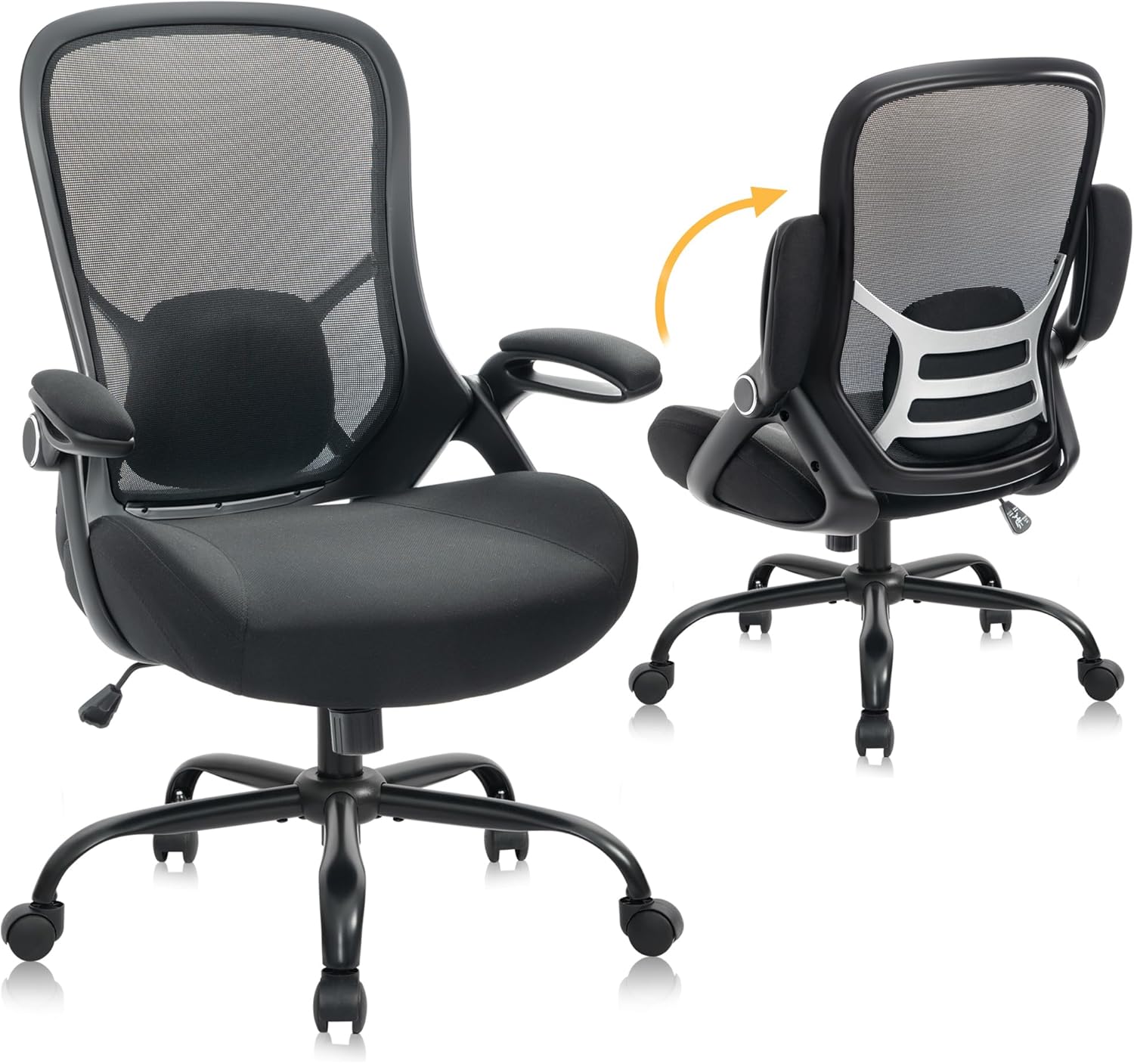

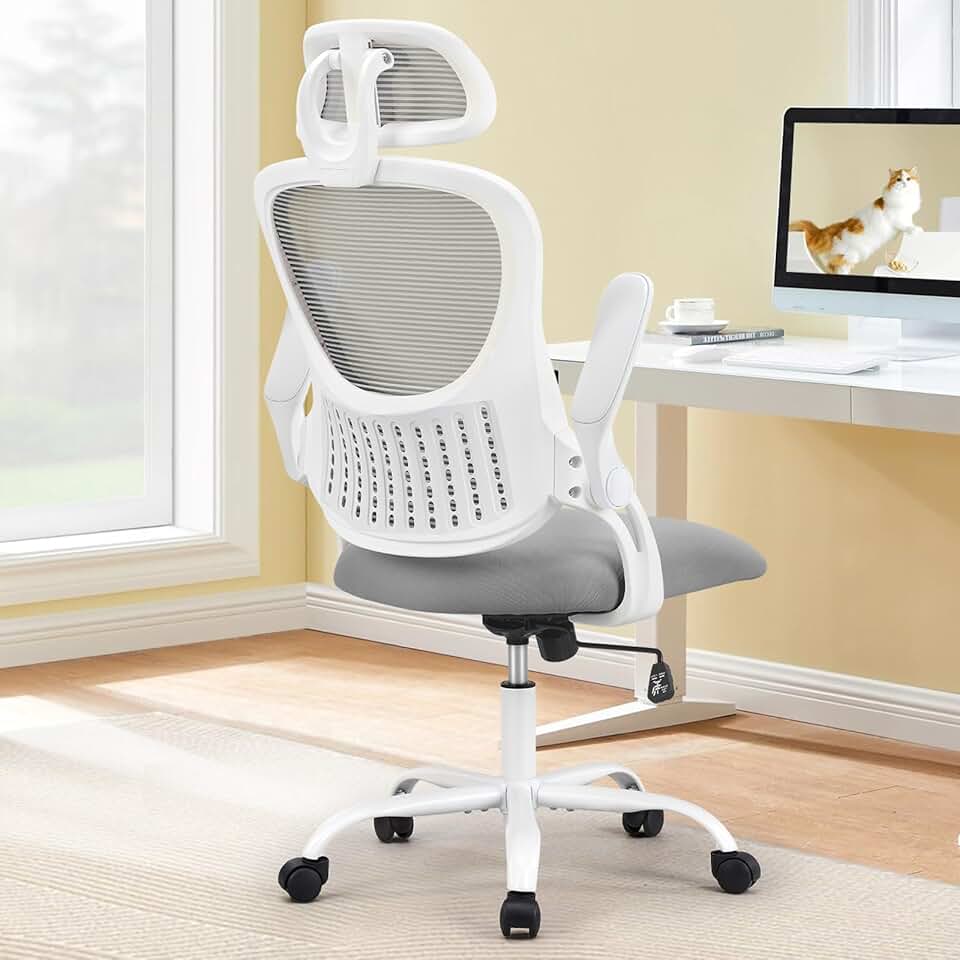
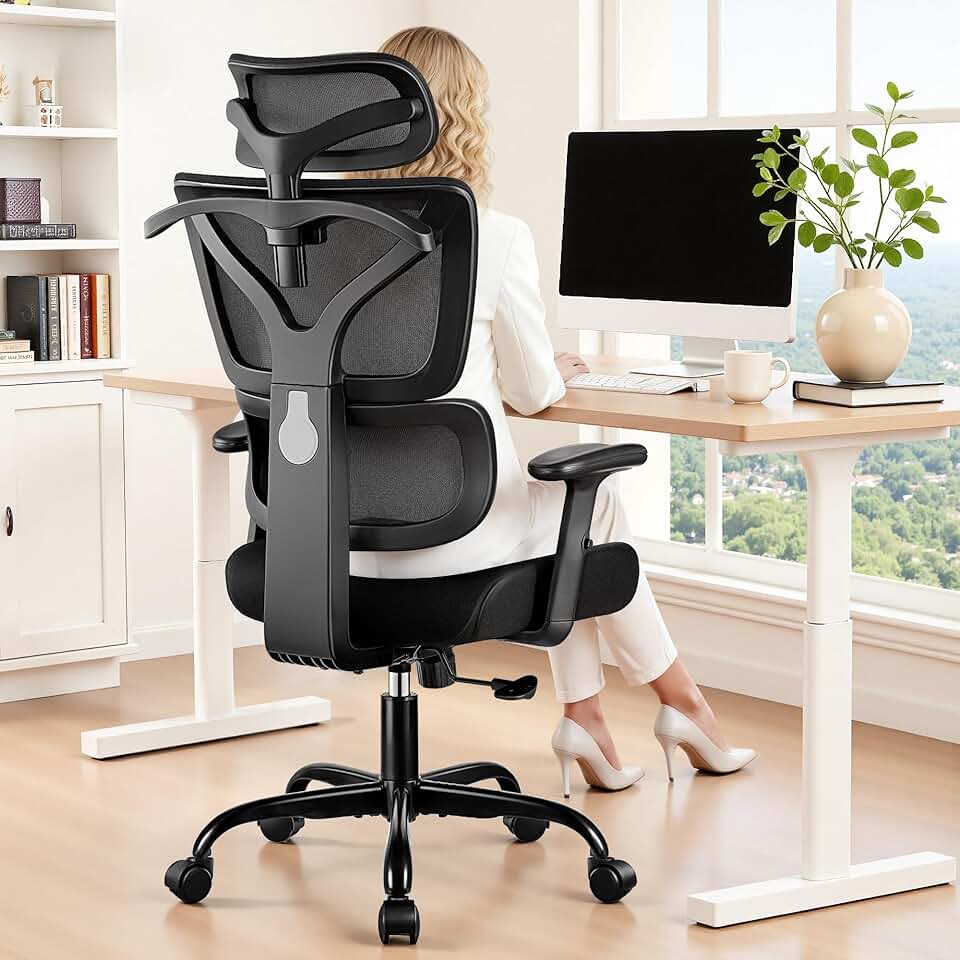


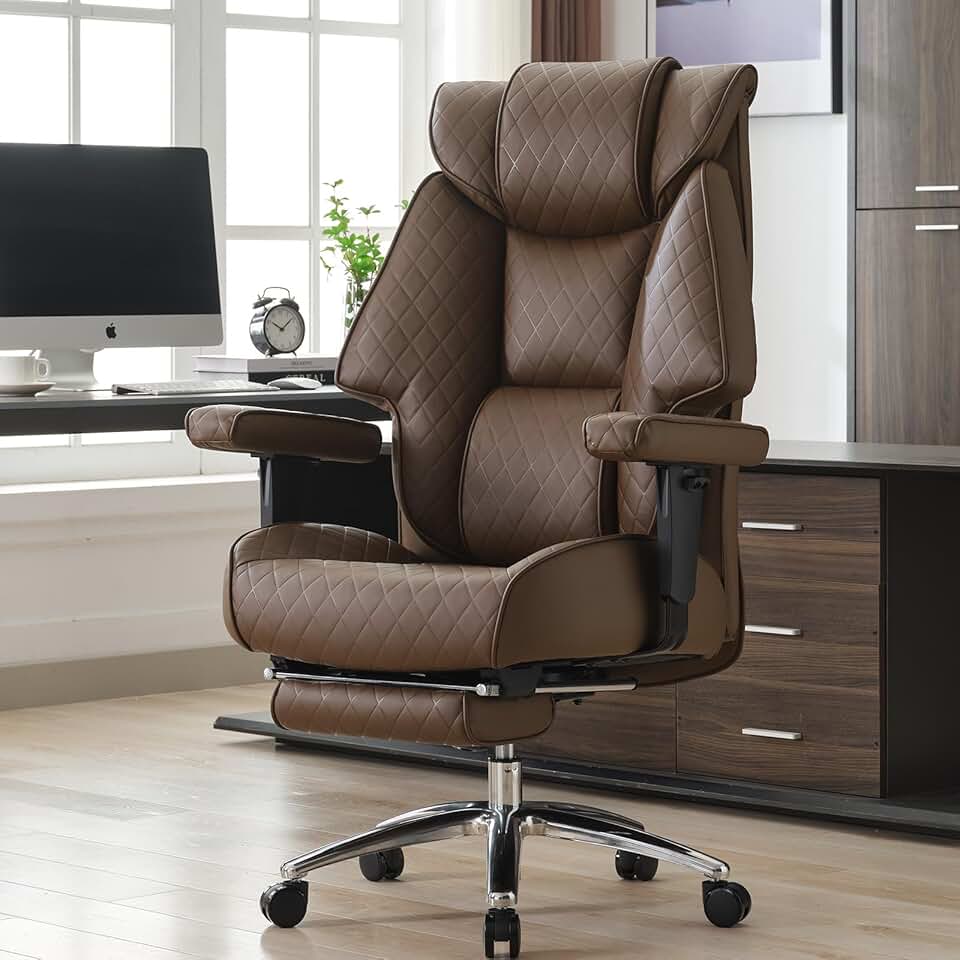

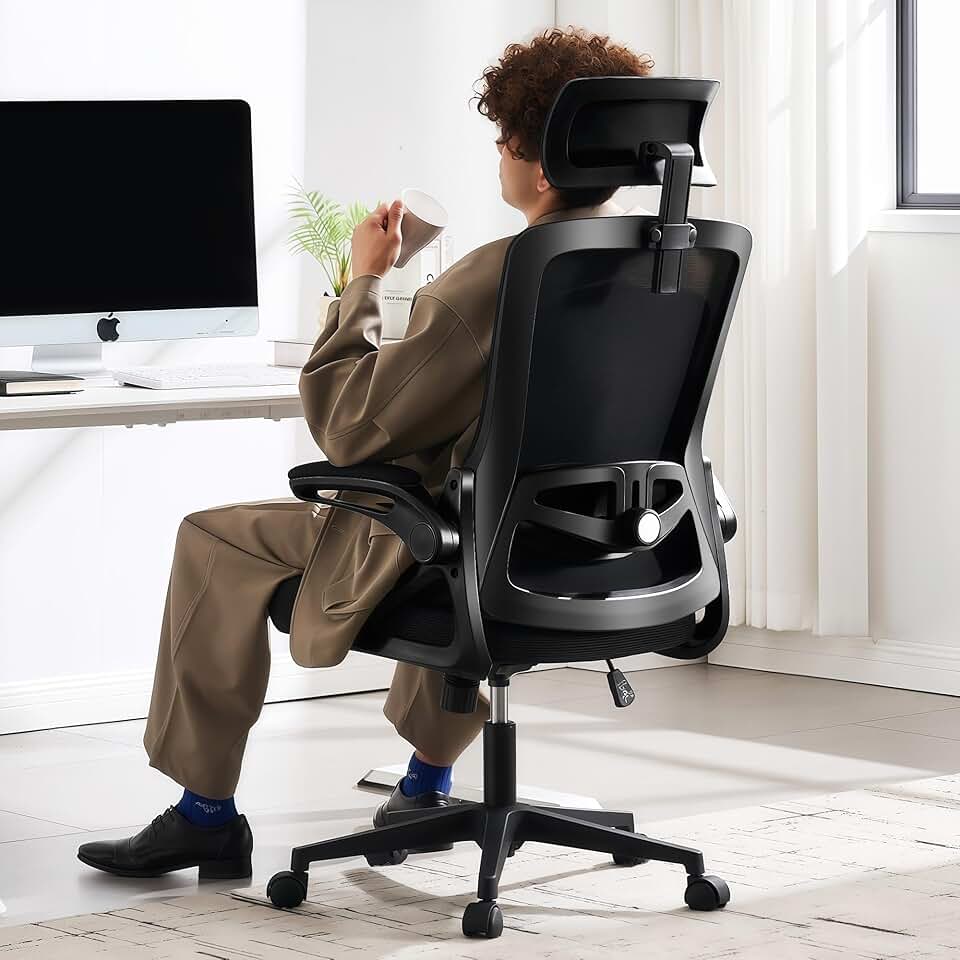

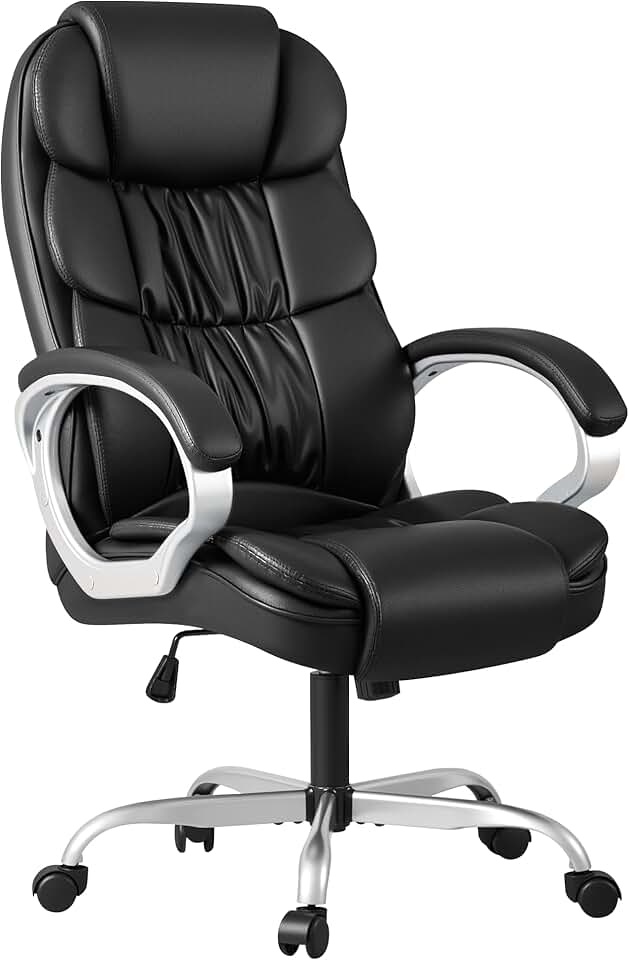
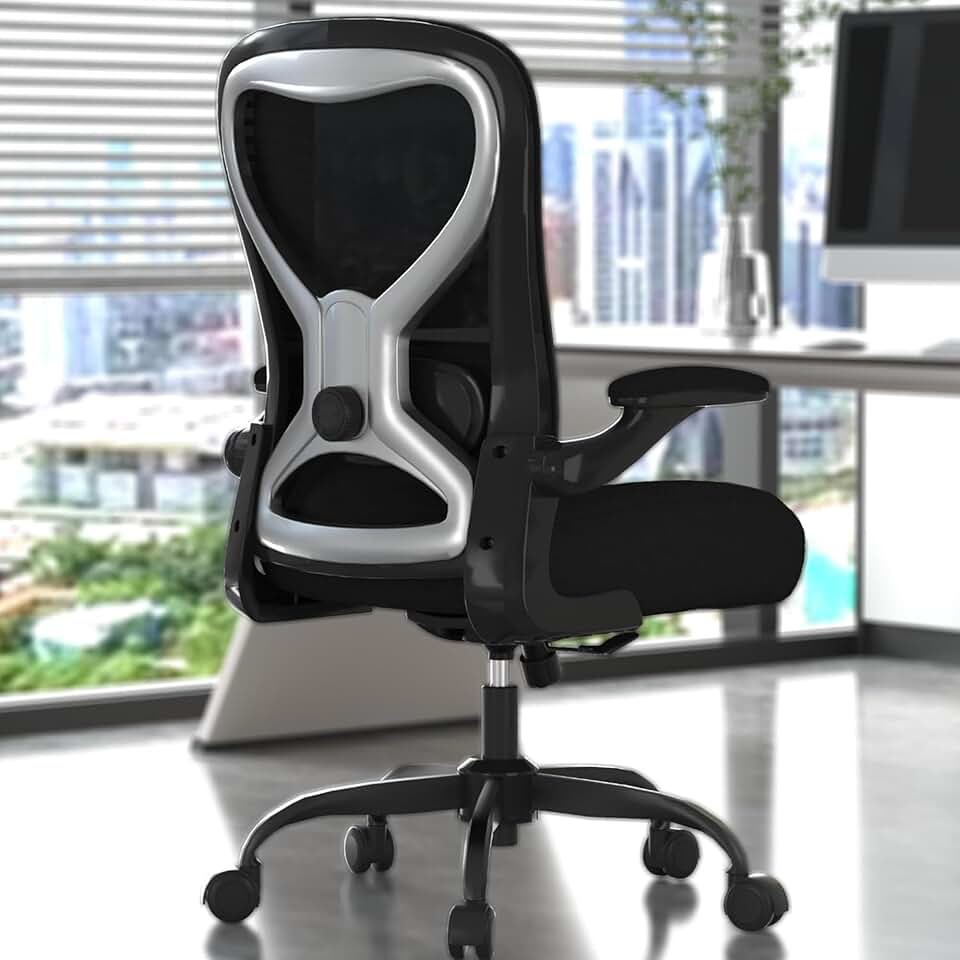

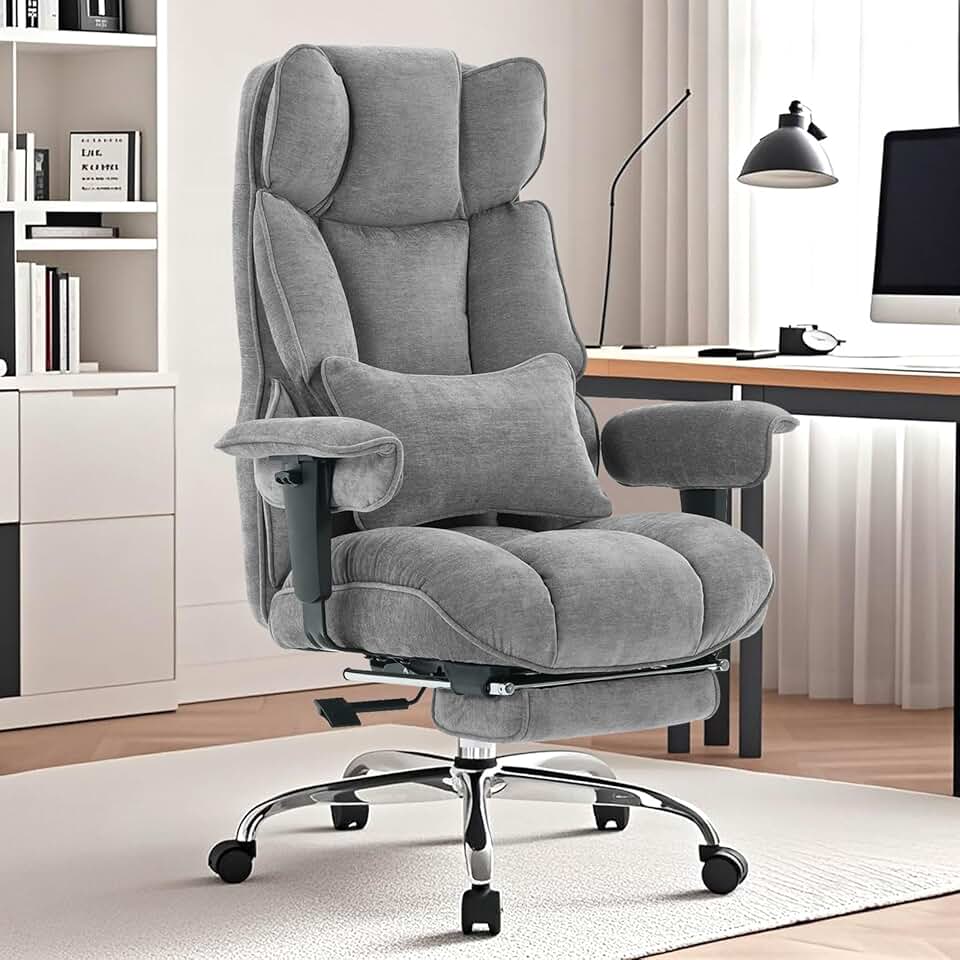


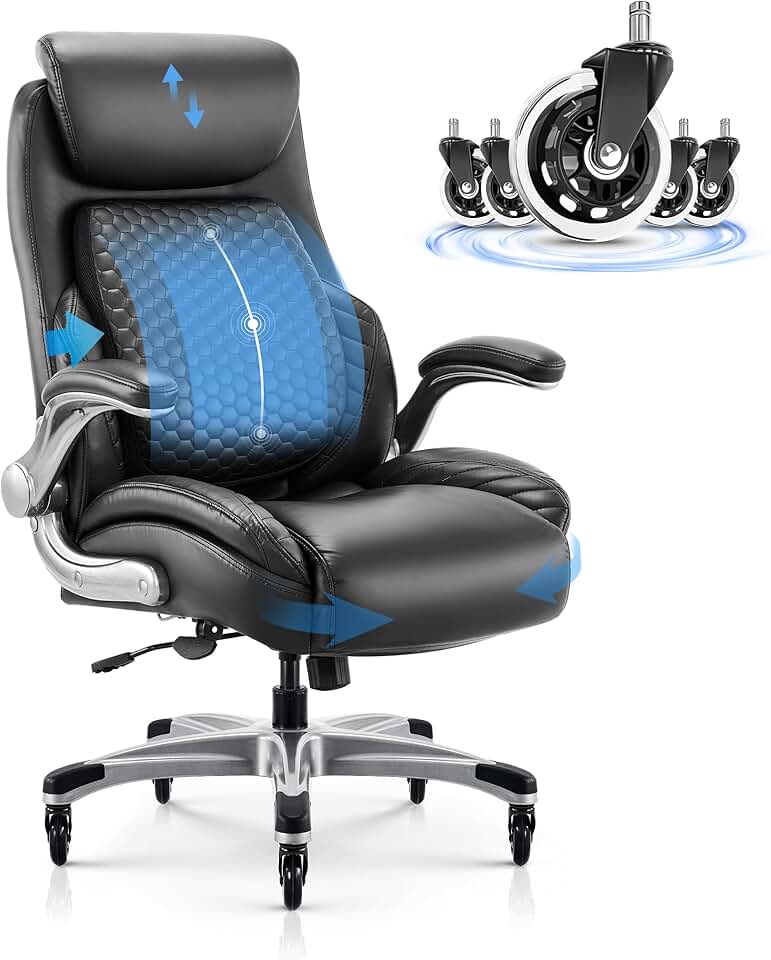


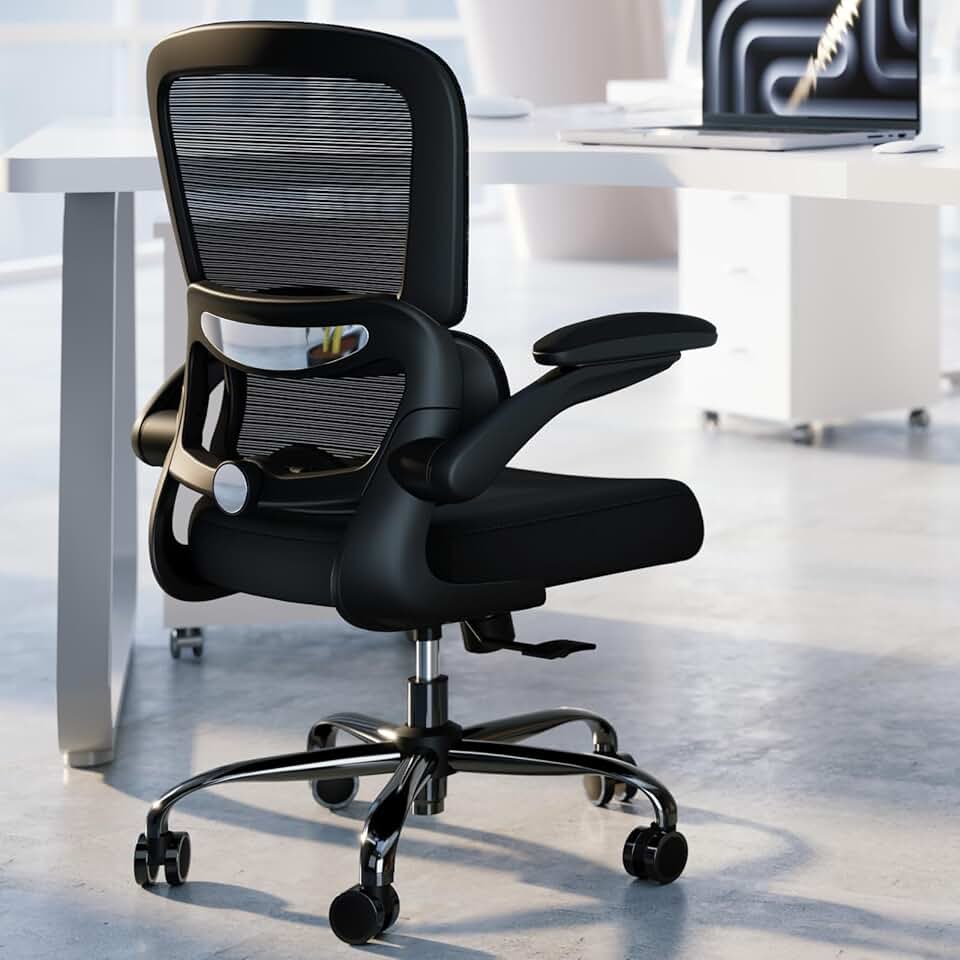

 Photo by
  Photo by
  Photo by