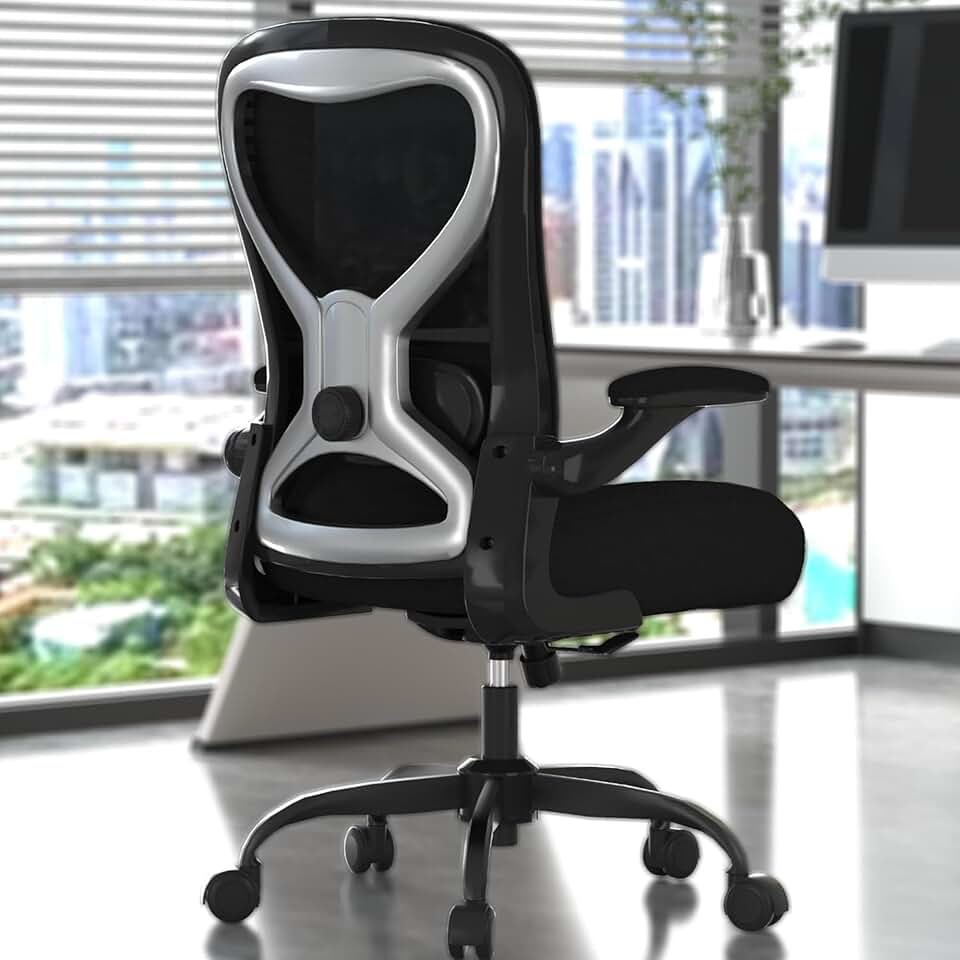
Find the best office chair for back pain in 2026. Real specs, honest verdicts, and picks from $200 to $1,500 - including one chair we'd skip entirely.
Our Top Pick
Office Desk Chair
Sitting in the wrong chair doesn't just cause discomfort - it creates compensatory posture habits that can compound into real structural problems over months and years. The good news: the right chai
As an Amazon Associate, we earn from qualifying purchases.
The Office Chair That Actually Fixes Your Back Pain (2026 Buyer's Guide)
Medical disclaimer: This article provides general product information and ergonomic guidance. It is not a substitute for medical advice. If you have chronic or severe back pain, consult a physician or physical therapist before making equipment changes.
Sitting in the wrong chair doesn't just cause discomfort - it creates compensatory posture habits that can compound into real structural problems over months and years. The good news: the right chair makes a measurable difference, and you don't have to spend $1,500 to get one.
This guide covers seven specific chairs, priced from $200 to $1,990, with honest takes on who each one actually suits - and one chair we'd actively steer you away from.
Quick Verdicts
Your Situation
Pick This
Price
Persistent lower back pain, want targeted control
Ergohuman GEN2
$911.99
Best all-rounder for any body type
Steelcase Gesture
~$1,200 - $1,500
Tight budget, solid support
Eurotech Vera
$469.99
You hate fiddling with knobs
Steelcase Karman
~$800 - $1,000
Primarily recline, thoracic focus
Humanscale Diffrient Smart
$1,545.99
True budget pick
Branch Ergonomic Chair Pro
~$300 - $400
Skip it
Herman Miller Cosm
$1,990
Featured
Office Desk Chair
Solid $90 ergonomics for 6-hour days - nothing more, nothing less
Not all back pain is the same, and the wrong chair for your specific issue can make things worse - not better.
Lower Back (Lumbar) Pain
The lumbar spine covers L1 - L5, the curve just above your pelvis. This is the most common source of chair-related back pain. It's caused by prolonged sitting that flattens the natural lumbar curve, overloading the discs and surrounding muscles. You need a chair with adjustable lumbar support that maintains contact with your lower back whether you're sitting upright or leaning forward.
Upper Back (Thoracic) Pain
The thoracic spine is the middle-to-upper back (T1 - T12). Pain here is often tied to forward head posture and shoulder rounding - common in people who spend hours looking at screens. A taller backrest and proper headrest positioning help more than lumbar adjustment alone.
Sciatica
Sciatica is nerve pain radiating from the lower back through the hip and down the leg, usually caused by disc compression or piriformis tension. Chair selection matters here, but seat pan depth, seat edge softness, and proper height adjustment are often more critical than lumbar support. For a dedicated guide, see our best office chair for sciatica breakdown.
What to Look for in an Office Chair for Back Pain
Before touching a single product recommendation, understand what specs actually matter.
Lumbar Support Type and Range
There are three main types:
Fixed contoured: Built into the backrest shape. Cheaper, works if it fits your anatomy, won't work if it doesn't.
Height-adjustable: You slide the lumbar pad up or down to hit your L4 - L5 region. Much more reliable across body types.
Depth + height adjustable (or dynamic): The Ergohuman GEN2's approach - the lumbar follows you forward when you lean toward your desk. This is the gold standard for active sitters.
Seat Depth Adjustment
Underestimated and critical. Your seat should leave 2 - 3 fingers of clearance between the edge and the back of your knees. Wrong depth = pressure on the sciatic nerve or a habit of scooting forward and losing backrest contact entirely.
Armrest Adjustability
Arms that are too high raise your shoulders; too low and you'll slump to reach them. 4D armrests (height, width, depth, pivot) are ideal. At minimum, get height adjustable.
Recline Tension and Lock
Being able to recline reduces lumbar disc pressure significantly - studies show reclining to ~110 - 135 degrees reduces disc load compared to upright 90-degree sitting. A chair that lets you lock at multiple angles, or one with good passive recline tension, is worth prioritizing.
Weight Capacity and Size
Most standard chairs are built for 250 lbs and a 5'7" - 6'1" range. If you're outside that band, check specs explicitly. Several recommendations below have extended ranges or size variants.
Ergonomic Office Chair
Solid $189 starting point - not your forever chair
BTOD.com's 2026 #1 pick for targeted lower back relief, and it earns that rank. The standout feature is a lumbar system that doesn't just sit at a fixed height - it follows you forward when you lean toward your desk. That's rare at this price point, and it's the single biggest differentiator for people who work hunched toward a monitor.
Specs:
Mesh back with integrated lumbar dial (depth + height)
Multi-dimensional armrests (4D)
Pneumatic seat height adjustment
Seat depth slider
Weight capacity: 250 lbs
Back height: adjustable
Pros:
Best-in-class lumbar that tracks forward movement
Full adjustment suite - no compromises
Mesh back runs cooler than foam alternatives
Solid mid-range price for the feature set
Cons:
The lumbar depth can feel aggressive for people who prefer light, passive support
Assembly takes 30 - 45 minutes and isn't beginner-friendly
The mesh pattern is polarizing aesthetically
Best for: Anyone with chronic lower back pain who leans forward to work and needs lumbar contact maintained throughout the day.
2. Steelcase Gesture - Best for All Body Types
Price: ~$1,200 - $1,500
The Gesture earns its premium with the broadest accommodation range of any chair in this list. The 360-degree arm movement is specifically designed to support positions modern workers actually use - including hunching over a laptop or reaching sideways to a second screen. The backrest flexes to follow spinal movement rather than fighting it.
Specs:
Adaptive backrest with lumbar support
360-degree armrests (width, height, depth, pivot)
Weight-activated recline with tension adjustment
Seat depth adjustment
Weight capacity: 400 lbs
Available in multiple seat sizes
Pros:
Handles the widest range of postures and body types
Armrest system is genuinely best-in-class
Durable; Steelcase offers a 12-year warranty
Good resale value if you eventually upgrade or move
Cons:
Price varies significantly by retailer and configuration; always verify
Lumbar isn't as independently adjustable as the Ergohuman GEN2's dial system
Fabric options can feel warm in summer; mesh variants cost more
Best for: People who shift positions frequently, work across multiple devices, or need a chair that accommodates a wide range of body dimensions.
3. Eurotech Vera - Best Under $500
Price: $469.99
The Vera punches well above its price bracket. Instead of bolting on a separate lumbar pad (the budget approach that usually disappoints), Eurotech contours the entire backrest to provide medium-to-strong lower back support built into the structure. It's notably better for upright and slight-forward-lean postures than for deep recline.
Specs:
Contoured mesh backrest (no separate lumbar pad)
Forward-lean compatible design
Breathable mesh seat and back
Adjustable armrests (height)
Pneumatic seat height
Weight capacity: 250 lbs
Pros:
Best lumbar support under $500 without a clunky add-on pad
Mesh throughout keeps it breathable
Straightforward setup
Users upgrading from worn budget chairs (like aging Ignition models) notice an immediate improvement in lower back contact
Cons:
Not the right pick if you recline heavily - support drops off in full recline
Armrest adjustability is limited to height only
No seat depth adjustment at this price
Best for: Remote workers or students who sit primarily upright, want genuine back support, and can't justify spending $900+.
4. Steelcase Karman - Best for Minimal-Fuss Back Support
Price: ~$800 - $1,000
The Karman is the 2026 anti-chair: no lumbar knobs, no tension dials, no complex setup. It uses weight-activated tension and a very lightweight flexible mesh system that adapts to your body automatically. Creative Bloq named it best overall in early 2026, specifically praising its simplicity. That simplicity is both the feature and the limitation.
Specs:
FlexCell mesh back (weight-activated auto-tension)
Lightweight frame (~13 lbs)
Seat height and armrest height adjustment
Auto-adjusting recline
Weight capacity: 300 lbs
Pros:
Genuinely passive - it works without configuration
Exceptionally lightweight; good for standing desk setups where you pull the chair in and out frequently
Clean, modern aesthetic
Strong back support scores for a hands-off system
Cons:
If you're between tension ranges or have specific lumbar placement needs, there's no override
Adjustment-seekers will feel constrained
Mid-premium price for a chair that intentionally limits your control
Best for: People who want ergonomic back support without ever reading an instruction manual, or who've learned that they leave every adjustment at default anyway.
5. Herman Miller Aeron - Best for Recline-Based Relief
Price: $1,675
The Aeron is the most recognized name in ergonomic seating, and it earns a place here with caveats. The PostureFit SL system supports both the lumbar curve and the sacrum (the base of the spine), which gives it a different feel than pure lumbar support - more like the chair is holding your whole lower back. Its back support score of 79/100 (BTOD methodology) is solid but not the highest in this list.
Specs:
PostureFit SL sacral + lumbar support
8Z Pellicle mesh
Forward tilt option
Fluid tilt recline with multiple lock positions
Available in A (small), B (medium), C (large) sizes
12-year warranty
Pros:
Sacral support addresses pain origin points that pure lumbar chairs miss
Multiple size variants make it one of the better-fitting chairs for shorter or taller users when sized correctly
Forward tilt is genuinely useful for desk-forward work
Long track record of durability
Cons:
$1,675 is significant for support scores that the Ergohuman GEN2 at $911.99 approaches
Best for: People who already know ergonomic chairs work for them and want a proven, durable investment - particularly if they recline regularly during the workday.
6. Branch Ergonomic Chair Pro - Best True Budget Pick
Price: ~$300 - $400
If $470 for the Vera is still too steep, the Branch Ergonomic Chair Pro is the budget recommendation that doesn't embarrass itself. Creative Bloq called it the "gold standard for everyday back support" in early 2026 at its price tier. Adjustable lumbar, 4D armrests, and a seat slider at sub-$400 is legitimately unusual.
Specs:
Adjustable lumbar height
4D armrests
Seat depth adjustment
Recline with tension control
Weight capacity: 275 lbs
Pros:
Most adjustment options per dollar at this price tier
4D armrests at under $400 is rare
Seat depth adjustment included
Solid warranty for the category
Cons:
Foam and materials won't last as long as premium options - expect 4 - 6 years of heavy use
Lumbar adjustment range is narrower than mid-range chairs
Customer support experience is inconsistent
Best for: Anyone on a genuine budget who still wants adjustable lumbar and doesn't want to compromise entirely on ergonomics.
One Chair to Skip - Herman Miller Cosm ($1,990)
At $1,990, the Cosm is the most expensive chair in this guide. It uses a hammock-style flexible back with no separate lumbar adjustment - the theory being that a fully responsive back surface eliminates the need for manual adjustment.
The reality: it works for some body types and not others, with no way to correct for poor fit. It sits tall, making it problematic for users under 5'5". BTOD flags it directly for height issues. The "limited adjustments" problem is baked in by design - there's no fixing a bad fit.
The core problem: You're paying a $1,000+ premium over the Ergohuman GEN2 for less adjustability and less targeted back pain relief. The Cosm has a use case - people who want zero configuration and happen to fit its geometry - but for a back pain purchase specifically, this is not the chair to bet $1,990 on without an extended in-person trial.
ELABEST X100 Mesh Chair with Footrest
17-point adjustability and a footrest at $320 - finally a tall-person chair that delivers
How to Choose the Right Chair for Your Specific Back Pain
You have lower back pain that worsens when leaning forward
This is the most common profile. You need a chair where the lumbar support doesn't lose contact when you lean toward your desk. The Ergohuman GEN2's forward-tracking lumbar is purpose-built for this. The Gesture handles it too through backrest flex.
You have thoracic (upper/mid back) pain
Lumbar support matters less here than backrest height and headrest positioning. The Aeron's taller B and C sizes, or the Gesture's flexible upper back, are better fits. Recline also helps - thoracic pain often comes from sustained forward posture, and being able to recline to ~110 degrees during breaks offloads the thoracic extensors.
You have sciatica
Focus on seat pan depth (sciatic nerve pressure behind the knee), seat edge softness, and proper height so your feet are flat on the floor. Any of the chairs with seat depth adjustment (GEN2, Gesture, Aeron, Branch Pro) are candidates. Read our dedicated best office chair for sciatica guide for a full breakdown.
Your back pain is worse at the end of the day
This usually points to cumulative disc fatigue - you started with decent posture and it degraded. A chair with passive recline encouragement (Diffrient Smart, Karman) or one that rewards good posture throughout the day (GEN2, Gesture) helps interrupt that pattern.
You're buying for an office where multiple people use the chair
Get the chair with the highest adjustability range. That's the Gesture at $1,200 - $1,500 or the GEN2 at $911.99. A chair dialed in for someone 6'2" will actively hurt a 5'4" user.
Honest budget floor
Below $200, we can't make a strong recommendation for back pain specifically. Materials compress too fast, adjustment ranges are too narrow, and you'll be replacing it in 18 months. The Branch Ergonomic Pro at $300 - $400 is a reasonable floor for genuine ergonomic benefit.
Office Desk Chair
Sub-$100 seating for shorter frames - honest about its limits
Under $500 (Budget): Eurotech Vera ($469.99), Branch Ergonomic Chair Pro (~$300 - $400). The Vera gives better built-in support; the Branch gives more adjustment options for the money.
$500 - $1,000 (Mid-Range): Ergohuman GEN2 ($911.99), Steelcase Karman (~$800 - $1,000). The GEN2 is the better pick for active lower back pain; the Karman is for people who want support without configuration.
$1,000+ (Premium): Steelcase Gesture (~$1,200 - $1,500), Humanscale Diffrient Smart ($1,545.99), Herman Miller Aeron ($1,675). These make sense when you're sitting 8+ hours daily, need durability measured in decades, or require warranties that cover professional use.
Prices current as of early 2026. Premium chairs - particularly Steelcase and Herman Miller - can be found refurbished or certified pre-owned through authorized dealers at 30 - 50% off retail, often with partial warranty coverage. Worth checking before paying full price.
The Ergohuman GEN2 at $911.99 is the top pick for lower back pain in 2026, specifically because its lumbar system tracks forward when you lean toward your desk — most chairs lose contact at that point. For a lower budget, the Eurotech Vera at $469.99 delivers solid contoured lower back support for upright sitters.
Yes, but the type matters more than whether it exists. A fixed lumbar pad that doesn't hit your L4–L5 region does nothing useful — or actively causes discomfort. Height-adjustable and depth-adjustable lumbar support, like the Ergohuman GEN2's dial system, maintains the natural lumbar curve and reduces disc pressure during prolonged sitting. Without it, most people gradually flatten their lumbar curve and shift load to the posterior disc wall.
A better chair can reduce the compressive and postural forces that worsen chronic back pain, but it won't fix underlying structural issues on its own. Think of it as removing a recurring irritant rather than a treatment. If you have diagnosed disc herniation, spinal stenosis, or similar conditions, consult a physician or physical therapist alongside any chair purchase — they may also recommend specific ergonomic adjustments tailored to your condition.
Lumbar pain (lower back, L1–L5) is best addressed with chairs that have adjustable lumbar support maintaining spinal curve during seated work. Thoracic pain (mid-to-upper back, T1–T12) is more about backrest height, forward head posture correction, and recline — a taller backrest and the ability to recline to ~110 degrees during breaks matters more than lumbar adjustment alone. The two often co-exist, which is why a full-featured chair like the Steelcase Gesture covers both.
For genuine ergonomic benefit, $300–$400 is a realistic floor — the Branch Ergonomic Chair Pro is the best option at that level. Under $200, materials and adjustment ranges tend to be too limited for reliable back support. If you sit 7–9 hours daily, a mid-range investment of $500–$1,000 (the Ergohuman GEN2 is the best in this bracket) will last significantly longer and provide better support than cycling through cheap chairs every 18 months.
The Aeron is a solid chair with a unique PostureFit SL system that supports both the lumbar curve and the sacrum, and it earns its reputation for durability. However, at $1,675 it's harder to justify for back pain relief specifically — the Ergohuman GEN2 at $911.99 scores comparably on targeted lumbar support metrics and costs nearly $800 less. The Aeron makes more sense if you're prioritizing long-term durability, a specific size fit (it comes in A/B/C), or you already know you recline frequently.
Mesh backs are generally better for heat dissipation (less sweating, which reduces fidgeting and repositioning), and high-quality mesh maintains consistent tension over years without compressing like foam. However, the lumbar support system matters far more than the material — a foam chair with excellent adjustable lumbar beats a mesh chair with a fixed, poorly positioned pad. If both options offer similar support systems, mesh is the practical choice for all-day sitting.
The Herman Miller Aeron and Steelcase Leap V2 consistently top the list for lower back pain because both offer adjustable lumbar support that targets the L3-L5 region specifically. If budget is a concern, the Flexispot BS14 delivers solid adjustable lumbar support under $400. The key is finding a chair where the lumbar pad height adjusts to meet your natural spinal curve, not a fixed-position support that may sit in the wrong spot entirely.
Most chiropractors recommend chairs with adjustable lumbar support, seat depth adjustment, and recline tension control - the Steelcase Leap V2 and Herman Miller Aeron check all three boxes. Chiropractors generally prioritize dynamic seating, meaning a chair that allows subtle movement rather than locking you into one rigid posture for hours. Many also recommend pairing any chair with a sit-stand desk routine, since no chair fully compensates for unbroken sitting.
For long sitting sessions, a high-back ergonomic chair with adjustable lumbar support, recline capability, and a waterfall seat edge is the most protective option for your back. Mesh back models like the Aeron or Branch Ergonomic Chair allow airflow that reduces fatigue during multi-hour sessions, which matters more than most buyers expect. Avoid chairs without seat depth adjustment if you plan to sit more than 4-6 hours daily, since an ill-fitting seat depth puts direct pressure on the sciatic nerve.
The Steelcase Leap V2 is widely regarded as the best option for sitting long hours because its LiveBack technology flexes with your spine as you shift posture throughout the day. The Herman Miller Aeron is a close second, particularly in Size B for average builds, thanks to its PostureFit SL lumbar system that supports both the sacrum and lumbar spine simultaneously. For either chair, set the recline to allow 100-110 degrees of torso-to-thigh angle to reduce spinal disc pressure during extended use.