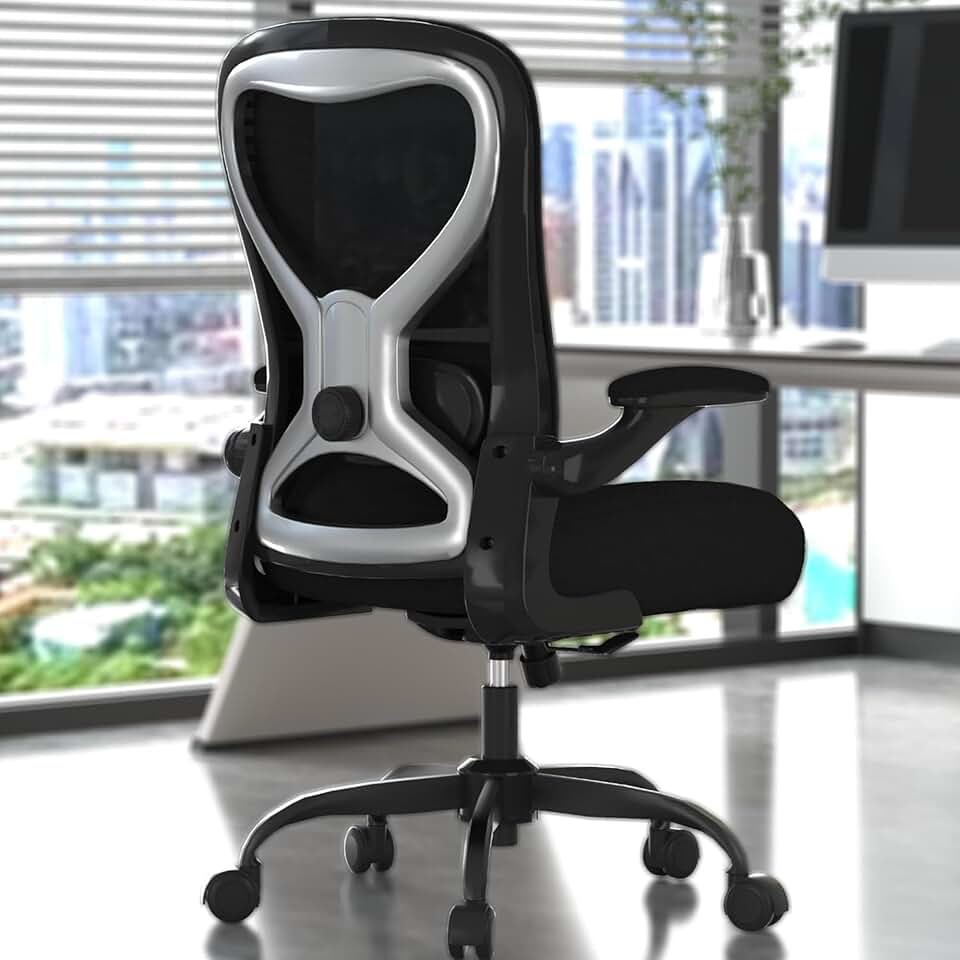
You spent real money on a quality office chair. Maybe it's one of the ergonomic picks we recommend, maybe it was a hand-me-down from the office, or maybe you grabbed something that looked comfortable in a showroom. Either way, there's a very good chance you've never actually dialed it in properly.
Most people sit down, pump it up or drop it a bit, and call it done. But a chair with five or six adjustment points that's only tuned at one is essentially a very expensive stool. Getting all the settings right takes about 10 minutes the first time, and the payoff is enormous - less lower back pain, fewer headaches from shoulder tension, and noticeably more energy at the end of the day.
This guide walks you through every major adjustment in the right order, explains what each one actually does for your body, and tells you exactly what to feel for so you know when you've nailed it.
Why the Order of Adjustment Matters
This is something almost nobody talks about. The adjustments interact with each other, so if you dial in your armrests before you set your seat height, you'll likely have to redo the armrests anyway. Here's the sequence that makes sense:
Seat height first
Seat depth second
Lumbar support third
Armrest height and width fourth
Tilt tension last
Each step builds on the previous one. Follow the order and you'll spend far less time fiddling.
Featured
Office Desk Chair
Solid $90 ergonomics for 6-hour days - nothing more, nothing less
Seat height is the foundation of every other adjustment. Get this wrong and nothing else falls into place.
How to Find the Height Lever
On the vast majority of chairs, the height lever sits on the right side underneath the seat. It usually has a small up or down arrow stamped into it. A few chairs, like the Herman Miller Aeron and some Steelcase models, have slightly different placement, but right side is the rule 95% of the time.
The Adjustment Process
Sit all the way back in the chair so your back is fully in contact with the backrest.
Plant both feet flat on the floor.
To lower the seat, stay seated and pull the lever up. Your body weight does the rest.
To raise the seat, stand up slightly while pulling the lever. The gas cylinder will extend.
Release the lever when you reach your target height.
What You're Aiming For
The ideal seat height puts your feet flat on the floor, your knees at roughly 90 degrees (or very slightly more open), and your thighs close to parallel with the ground. The highest point of the seat pan should land about 2 inches below your kneecap.
Here's the secondary check that most guides skip: once your feet are flat, let your arms hang naturally by your sides with elbows loosely bent. Your elbows should be at roughly the same height as your desk surface. If they're significantly lower, your desk might be too high, or you need to raise the chair and use a footrest. If they're way higher, the chair may need to come down.
Quick tip: If your feet dangle even at the chair's lowest setting, a quality footrest from our accessories picks solves this without compromising your posture.
Step 2 - Dialing In the Seat Depth
Seat depth is probably the most ignored adjustment on any chair. It controls how much of your thigh is supported, and it directly affects whether you end up slumping or sitting upright naturally.
Finding the Seat Depth Mechanism
The lever or button for seat depth is typically on the left side of the seat, or occasionally underneath toward the front. Some chairs label it clearly; others make you hunt a little.
The Adjustment Process
Sit fully back against the backrest with feet flat on the floor.
Locate the lever and pull it up to release the seat pan.
Slide the seat forward or backward while seated - pressing your lower back firmly into the backrest gives you the leverage to push the seat forward more easily.
Release the lever to lock in position.
What You're Aiming For
The goal is a gap of about 2 to 3 finger-widths between the front edge of the seat and the back of your knees. That's roughly 2 inches.
Seat Depth Problem
What It Feels Like
Fix
Too long
Pressure behind knees, tendency to slouch forward
Slide seat pan backward
Too short
Most of your thigh unsupported, unstable feeling
Slide seat pan forward
Just right
Full thigh support, no pressure behind knees
Leave it here
People with shorter legs almost always benefit from sliding the seat pan back. Taller people often need it fully extended forward. This one change alone can dramatically reduce the urge to slouch.
Ergonomic Office Chair
Solid $189 starting point - not your forever chair
The lumbar support is the section of the backrest designed to fill in the natural inward curve of your lower spine. When it's set correctly, it gently encourages your pelvis into a neutral position. When it's set wrong - especially too high - it can cause more discomfort than having no lumbar support at all.
Types of Lumbar Adjustment You'll Encounter
Different chairs handle this differently, and it's worth knowing which type you have before you start adjusting.
Ratchet-style backrest (common on mid-range ergonomic chairs): The entire backrest height adjusts by pulling upward in clicks.
Sliding lumbar pad (common on higher-end chairs): A separate pad moves independently up and down, sometimes in and out for depth too.
Fixed lumbar with knob (entry-level ergonomic chairs): A knob at the base of the backrest increases or decreases the firmness/protrusion of a fixed lumbar zone.
The Adjustment Process
For ratchet-style backrests:
Sit fully back in the chair.
Grasp the bottom of the backrest with both hands.
Pull upward one click at a time until the most protruding part of the lumbar section aligns with the curve of your lower back (roughly at waist level).
If you overshoot, pull the backrest all the way to the top to reset, then work down from scratch.
For sliding lumbar pads:
Sit fully back.
Slide the pad up or down until it sits comfortably at your waistline.
If the pad also adjusts in depth (in/out), add just enough pressure so you feel gentle support without being pushed forward.
For depth/firmness knobs:
Sit back fully.
Turn the knob slowly until you feel the lumbar pad make gentle contact with your lower back. Don't crank it so far that it forces you to arch aggressively.
What You're Aiming For
The lumbar support should feel like a gentle hand at your lower back, not a fist. You want your spine to form a gentle S-curve, not a straight line or an exaggerated arch. If you find yourself leaning forward to escape the pressure, the support is either too firm or positioned too high.
Step 4 - Adjusting Armrests for Real Comfort
Armrests get blamed for a lot of ergonomic problems they didn't actually cause - but poorly set armrests really can create shoulder tension, neck strain, and even contribute to wrist issues over time. The good news is that most chairs give you more armrest adjustability than people realize.
Sit upright with your arms hanging loosely at your sides, elbows bent at approximately 90 degrees.
Adjust height first: raise or lower until the arm pad barely grazes the underside of your elbow without lifting your shoulder. If your shoulder shrugs even slightly, lower the armrest.
Adjust width so your arms sit close to your torso naturally. You shouldn't have to reach outward to find them.
If your chair has depth adjustment, position the pads so your forearms rest on them comfortably when your hands are near the keyboard.
If pivot is available, rotate the pads very slightly inward to match the natural angle of your forearms.
A Note on Armrests and Desk Clearance
One of the most common armrest complaints is that they prevent you from rolling close enough to the desk. Adjust the width inward first, then check if you can slide under comfortably. If the armrests still hit the desk even at their lowest and narrowest setting, and removal is an option, removing them entirely is a legitimate ergonomic choice for some body types. Check our desk recommendations if you're realizing the desk height itself might be the bigger issue.
ELABEST X100 Mesh Chair with Footrest
17-point adjustability and a footrest at $320 - finally a tall-person chair that delivers
Tilt tension is the resistance you feel when you lean back in the chair. This adjustment is often either ignored entirely or cranked to maximum because someone sat in the chair and it flopped back unexpectedly. Neither extreme is ideal.
Finding the Tilt Tension Knob
Look for a round knob or paddle underneath the seat, usually toward the front center or slightly to the right. It's separate from the height lever. Turning it clockwise increases resistance (harder to recline), and counterclockwise decreases resistance (easier to recline).
The Adjustment Process
Sit in the chair at your normal working position.
Locate the tilt tension knob under the seat.
Start with low resistance (turn counterclockwise a few times) to find the baseline.
Slowly add resistance (clockwise) until leaning back feels controlled and comfortable - you can recline without the chair snapping back or requiring significant effort.
If your chair also has a tilt lock lever (usually on the right), you can lock the backrest at a fixed angle when you want to sit upright for focused work, or unlock it to allow free movement throughout the day.
Tilt Tension and Your Body Weight
Tilt tension is fundamentally a weight-dependent adjustment. A lighter person needs lower resistance; a heavier person needs more. If you've ever sat in a colleague's chair and found it impossible to recline, this is almost always why. As a rough starting point, set the tension so that a comfortable lean back to about 110-115 degrees takes moderate effort but doesn't require you to strain.
Sometimes you go through all five steps and something still feels off. A few honest notes on that:
If the seat is at its lowest and still too high for your height, the chair isn't right for your body. Look for chairs with a lower minimum seat height, or add a footrest from our accessories list as a bridge.
If the backrest doesn't have enough lumbar depth for your spine, an external lumbar cushion can bridge the gap on otherwise solid chairs.
If you're still experiencing discomfort after a week of correct adjustment, the chair itself may not match your body type. Our full ergonomic chair guide covers options across a wide range of body proportions and budgets.
And finally - no chair adjustment replaces movement. Even a perfectly dialed-in ergonomic chair benefits from you standing up, stretching, and walking around for a few minutes every hour. The best posture is always your next posture.
Ready to buy? Here are the products from this guide
The main checkpoints are: feet flat on the floor with knees at about 90 degrees, a 2-3 finger gap between the seat edge and the back of your knees, the lumbar pad sitting at your waistline, and armrests that barely touch your elbows without raising your shoulders. If all five of those are true, you're in very good shape. The secondary test is simply how you feel after a full workday - mild fatigue is normal, but sharp pain in your lower back, numbness behind the knees, or shoulder tension usually signals a specific adjustment needs attention.
It depends on the chair. Entry-level office chairs often only offer height adjustment, and that's simply all there is. Look under the seat pan for additional knobs or paddles, check the sides of the armrest posts for small buttons, and look at the bottom of the backrest for any protruding knob or lever. If you find nothing, the chair is likely height-only. Upgrading to a chair with seat depth and lumbar adjustment makes a significant ergonomic difference if you sit for more than four hours a day.
The right armrest height is one where your elbow rests on the pad without your shoulder lifting even slightly. Sit upright, let your arms hang naturally with elbows bent to 90 degrees, and bring the armrest up to meet your elbow rather than forcing your elbow down to meet the armrest. Many people set them too high, which creates constant low-level shoulder tension throughout the day. If the armrests can't go low enough to avoid raising your shoulders, removing them is a valid option.
Tilt tension controls how much resistance you feel when leaning back in the chair. It's the round knob usually found under the front of the seat. You should absolutely use it - sitting rigidly upright all day is actually worse for your spine than occasionally reclining. Set the tension so you can lean back to a slightly open angle (around 110 degrees) with comfortable resistance. Lighter people generally need lower tension settings; heavier people need more. A well-set tilt encourages natural movement throughout the day rather than static sitting.
This is very common, especially for people under about 5'4". The best solution is a footrest, which supports your feet at the correct angle without forcing you to lower the seat to a height that puts your elbows below the desk. A good footrest lets you keep the seat height optimized for your elbows and desk surface while still giving your feet proper ground contact. Check our accessories recommendations for footrest options that work well with standard desk heights.
Once you've done a thorough adjustment, most people don't need to revisit it unless something changes - a new desk, a different monitor setup, or a significant change in your work habits like switching to standing for part of the day. That said, it's worth doing a quick check every few months to make sure nothing has drifted, especially on ratchet-style lumbar supports that can shift with regular use. If multiple people use the same chair, a quick run through the height and lumbar settings each morning takes under a minute once you know what you're doing.
A well-adjusted budget chair will always outperform a poorly adjusted expensive one. That said, there are real differences in what budget chairs can do - many lack seat depth adjustment, have very basic lumbar support, and use lower-quality foam that compresses more quickly. For occasional use or workdays under four hours, a correctly adjusted budget chair can be perfectly fine. For full-time sitting, investing in a chair with proper adjustability from our ergonomic chair guide pays off in comfort and long-term health pretty quickly.
Start with seat height so your feet are flat on the floor and your knees sit at roughly 90 degrees, then adjust lumbar support to fill the inward curve of your lower back. Set armrests so your shoulders are relaxed and elbows bend at 90-100 degrees, and if your chair has seat depth adjustment, leave 2-3 fingers of clearance between the seat edge and the back of your knees. Work through adjustments in that order - height first, then support, then armrests - because each setting affects the one after it.
Chairs with adjustable lumbar support that targets the L4-L5 region are most beneficial for spondylolisthesis, as they reduce shear stress on the slipped vertebra by keeping the spine in a neutral curve. The Herman Miller Aeron and Steelcase Leap V2 both allow precise lumbar positioning and are commonly recommended by physical therapists for this condition. Avoid chairs with aggressive recline or no lumbar support, and consult your physician before making any seating changes if your case is severe.
Yes - a seat set too high leaves your feet dangling, which rotates the pelvis and compresses the hip flexors, while a seat too deep pushes the edge into the backs of your thighs and disrupts blood flow to the hip area. Poor lumbar support causes you to slouch, tilting the pelvis posteriorly and increasing tension in the hip joints over hours of sitting. Correcting seat height so your feet are flat on the floor and adjusting seat depth to the 2-3 finger rule behind the knee resolves most chair-related hip pain.
Chairs with independent left-right lumbar or back support adjustment are ideal for scoliosis because they can accommodate asymmetrical spinal curves - the Humanscale Freedom and HAG Capisco are frequently cited for this reason. A seat with a slight forward tilt option also helps reduce lateral loading on the spine by encouraging a more neutral pelvic position. Because scoliosis curves vary significantly between individuals, a trial period or showroom fitting is strongly advisable before purchasing.