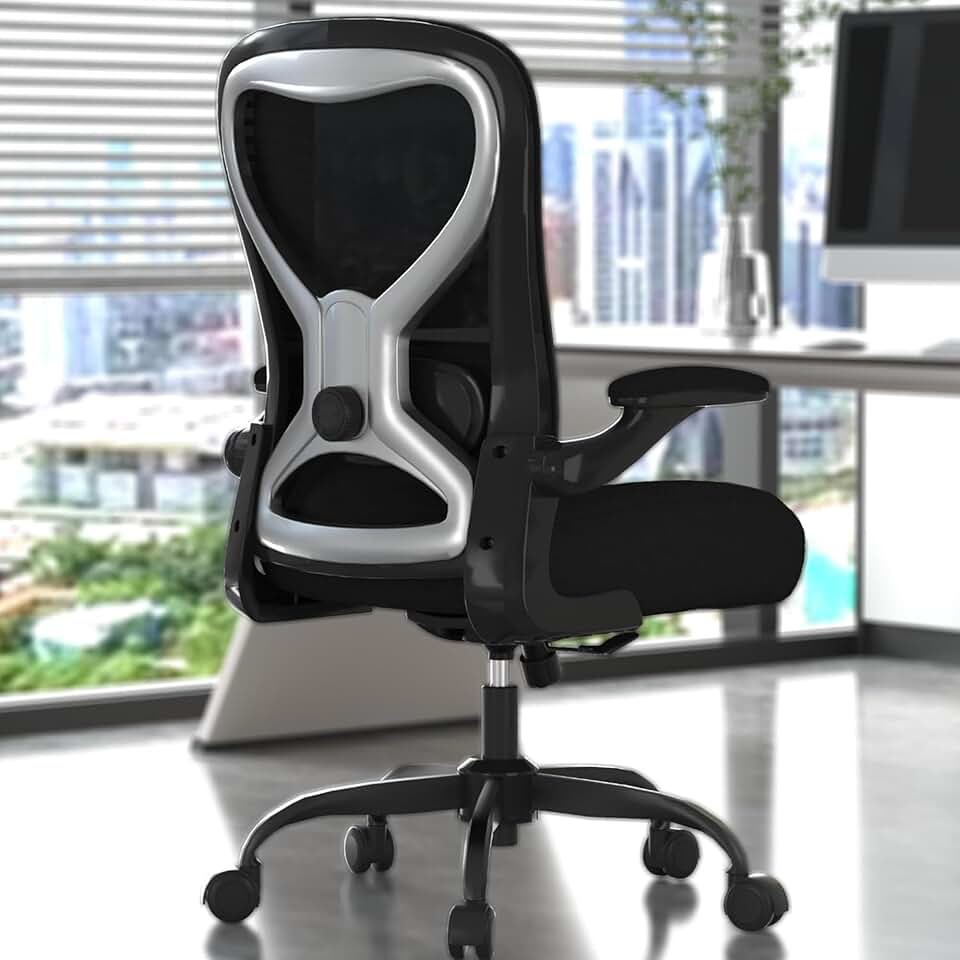
Best Office Chair for Scoliosis in 2026 - Top 5 Picks Reviewed
Sitting with scoliosis is genuinely hard. Your spine curves differently than a standard chair is designed to support, which means most seats create uneven pressure, pull you into a slouch on one side, and leave you aching by noon. The wrong chair can actually make things worse over a long workday.
The good news is that a handful of chairs in 2026 are specifically well-suited for asymmetric spinal curves - either through highly customizable lumbar support, adaptive backrests, or both. We tested and researched the field to bring you the five best options, whether you are working with a mild S-curve or a more pronounced thoracic or lumbar deviation.
Medical note - An office chair is a supportive tool, not a treatment. Always work with your physician, physical therapist, or orthopaedic specialist to manage scoliosis. Use this guide to find a chair that complements your care plan.
Most ergonomic chairs are engineered around a symmetrical spine. The lumbar support is centered, the seat is level, and the armrests sit at equal heights. For someone with scoliosis, that one-size-fits-all approach can actually reinforce poor compensation patterns - where your body twists or tilts to find comfort against a chair that was never built for your curve.
What scoliosis really demands is adjustability in multiple planes. You need to be able to move lumbar support not just up and down, but forward and back. You need a seat that can be fine-tuned for depth to correct hip asymmetry. And ideally, you want armrests that move independently so uneven shoulder height is accommodated rather than ignored.
Here is a quick summary of the features that matter most:
The Core Features to Prioritize
- Adjustable lumbar support - Height and depth adjustment is the baseline requirement. Without it, lumbar support presses unevenly on a curved spine.
- Seat depth adjustment - Allows you to shift the seat pan forward or back to level out uneven hip placement and reduce pressure on one side.
- Flexible or adaptive backrest - A rigid backrest fights your curve. A mesh or articulating back that contours to your shape is far better.
- Multi-directional armrests - 3D or 4D armrests let you raise one arm slightly higher to match unequal shoulder height.
- Tilt and recline mechanisms - A tilt-in-space range of 110 to 130 degrees redistributes disc pressure and encourages natural movement throughout the day.
- Breathable, pressure-distributing seat material - Firm mesh or quality foam prevents pressure hot spots on the side of the pelvis that bears more weight.
The 5 Best Office Chairs for Scoliosis in 2026
1 - Herman Miller Aeron - Best Overall for Scoliosis
The Herman Miller Aeron remains the gold standard for asymmetric spinal support in 2026, and for good reason. The PostureFit SL lumbar system is the key differentiator here - it supports both the sacrum and the lumbar simultaneously, anchoring the pelvis into a neutral position before anything else happens. For scoliosis users, this pelvic anchoring is enormously helpful because it reduces the tendency for one hip to hike upward and start pulling the spine into a compensation curve.
The 8Z Pellicle mesh distributes weight across the seat and back without creating localized pressure points, which matters a lot when one side of your body is bearing more load than the other. Available in three sizes - A, B, and C - the Aeron lets you match your frame more precisely than almost any other chair on the market.
Key specs for scoliosis users:
- PostureFit SL - dual sacral and lumbar support with two-zone adjustment
- 4D adjustable armrests - height, depth, width, and angle
- Seat height range 14.75 to 18.75 inches
- Forward tilt and recline with tension control
- Three size options (A, B, C) for precise body fit
Price - approximately $1,695 new, refurbished units available from $700 to $900
Expert tip - When setting up the Aeron for scoliosis, adjust the PostureFit SL so the lower sacral pad makes firm contact first. Then fine-tune the lumbar pad. This bottom-up approach helps establish pelvic neutrality before you address the lumbar curve.
Best for - Daily professional use, steady all-day alignment, users who want a proven, tested solution
Drawbacks - Premium price is a barrier, and the lumbar is less horizontally adjustable than some competitors. Try before you buy if possible.
2 - Steelcase Gesture - Best for Upper Spine and Shoulder Asymmetry
If your scoliosis affects your thoracic spine or creates noticeable shoulder height differences, the Steelcase Gesture at around $1,599 is arguably the strongest choice available. Steelcase designed this chair by studying how people actually move while working - reaching, twisting, leaning - and the result is a backrest and armrest system that is unusually adaptive.
The back of the Gesture moves with you rather than constraining you. It flexes and pivots as your posture shifts, which means it is not fighting your asymmetric curve - it is accommodating it. The 3D LiveBack technology adjusts to changes in posture in real time, a feature that scoliosis users report as genuinely noticeable after long sessions.
The armrests are the other standout. They move in nearly every direction and can be set asymmetrically - left at a slightly different height or angle than the right - which is rare and valuable for anyone with uneven shoulder positioning.
Key specs for scoliosis users:
- 3D LiveBack - continuous flex and pivot as posture shifts
- 360-degree armrests - fully independent left and right adjustment
- Seat height 15 to 20.5 inches
- Seat depth adjustment included
- Upper and lower back support zones
Price - approximately $1,599
Best for - Thoracic scoliosis, shoulder asymmetry, users who shift posture frequently throughout the day
Drawbacks - The lumbar support is less targeted than the Aeron's PostureFit SL system. Users with primarily lumbar curves may find the Aeron more precise.
3 - Autonomous ErgoChair Pro - Best Mid-Range Pick
For scoliosis support at a price that does not require a corporate expense account, the Autonomous ErgoChair Pro at around $499 delivers a level of lumbar adjustability that genuinely punches above its price class. The lumbar support adjusts both vertically and horizontally - meaning you can shift it slightly to one side to better target an asymmetric curve, which is a feature you typically only find on chairs costing twice as much.
The seat depth adjustment is another strong point. Moving the seat pan forward or back by a meaningful amount helps scoliosis users reduce uneven pressure on the hip that bears more weight. Combined with the multi-angle recline (the chair supports reclining between roughly 85 and 128 degrees), the ErgoChair Pro encourages movement throughout the day rather than locking you into one static position.
The backrest is made from a flexible mesh that bends slightly with posture shifts rather than remaining completely rigid. It is not as adaptive as the Steelcase Gesture's LiveBack, but at this price point it is impressive.
Key specs for scoliosis users:
- Lumbar support adjusts height and depth - plus slight lateral shift
- Seat depth adjustable
- Recline range 85 to 128 degrees with adjustable tension
- Armrests adjust in 4 directions
- Breathable mesh back
Price - approximately $499
Expert tip - When adjusting the ErgoChair Pro for scoliosis, spend time with the lumbar height before anything else. Move it up or down in small increments across several days of use. The right position for scoliosis often feels slightly different than the "standard" lumbar position described in the manual.
Best for - Budget-conscious buyers, home office users, mild to moderate lumbar scoliosis
Drawbacks - Build quality and durability do not match Herman Miller or Steelcase. Warranty is 2 years versus the industry-leading 12 years on the Aeron.
4 - Sihoo S100 - Best Budget-Friendly Daily Driver
The Sihoo S100 has emerged as a surprisingly capable option for scoliosis users who need solid everyday support without spending more than a few hundred dollars. Priced at around $299 to $349, it features a dynamic lumbar system that follows spinal movement rather than staying fixed - this reduces the risk of the lumbar pad pressing harder on one side of a curved spine as you shift throughout the day.
The 3D adjustable armrests are a genuine highlight at this price. They move in height, width, and pivot - giving you enough range to compensate for moderate shoulder asymmetry without the cost of a premium chair. The backrest reclines and has adjustable tension, and the overall build is sturdy enough for full workdays.
This is not a chair that will match a Herman Miller in refined adjustability or long-term durability. But for someone who needs a step up from a basic office chair without breaking the budget, the Sihoo S100 offers more scoliosis-relevant features per dollar than most competitors in its class.
Key specs for scoliosis users:
- Dynamic lumbar that adjusts with movement
- 3D armrests - height, width, and pivot
- Backrest recline with tension control
- Mesh back for breathability and light flex
- Seat height adjustable from 17 to 20 inches
Price - approximately $299 to $349
Best for - Budget-conscious buyers, secondary office setups, mild scoliosis curves, daily use up to 6 hours
Drawbacks - Lumbar depth adjustment is more limited than higher-tier chairs. Less suitable for severe or highly asymmetric curves.
5 - Herman Miller Mirra 2 - Best for Versatile Scoliosis Support
The Herman Miller Mirra 2 at around $1,445 is often overlooked in favour of the Aeron, but for scoliosis users it offers some genuinely useful advantages. The PostureFit lumbar system (single zone, compared to the Aeron's dual-zone SL) adjusts both height and depth independently, and the AireWeave 2 suspension seat creates a more flexible, pressure-distributing sit surface than a standard foam or rigid mesh seat.
The Mirra 2's backrest is designed to flex and tilt in multiple zones, accommodating posture shifts without fighting your natural curve. The harmonic tilt system keeps your center of gravity balanced as you recline, which helps scoliosis users avoid the sudden weight shift that can happen when standard tilt mechanisms tip back.
For users who find the Aeron's sizing difficult to get right, the Mirra 2 may be a better option - it tends to fit a wider mid-range of body types without requiring a specific size selection.
Key specs for scoliosis users:
- PostureFit lumbar - independent height and depth adjustment
- AireWeave 2 seat - flexible suspension for pressure distribution
- Multi-zone flexible backrest
- Harmonic tilt with forward tilt option
- 4D armrests on premium configuration
Price - approximately $1,445
Best for - Users who want Herman Miller quality with a more universally fitting frame, versatile scoliosis support
Drawbacks - The single-zone PostureFit is less targeted than the Aeron's dual-zone SL system. Best for moderate rather than severe asymmetric curves.
How to Set Up Any Chair for Scoliosis
Even the best chair will underperform if it is not set up correctly. Here is a practical setup sequence for scoliosis users:
Step 1 - Establish Seat Height First
Your feet should rest flat on the floor with your knees at roughly 90 degrees. Do not compromise this for any other adjustment. Uneven feet-to-floor contact will rotate your pelvis and worsen your curve.
Step 2 - Adjust Seat Depth for Hip Symmetry
Slide the seat pan so there is a two to three finger gap between the seat edge and the back of your knees. If one hip feels like it is sliding forward more than the other, try shifting the seat depth slightly backward to increase pelvic contact.
Step 3 - Set Lumbar Support to Your Curve
This is the most critical step for scoliosis. Adjust lumbar height so support makes contact with the natural inward curve of your lower back - not the base of your spine. For asymmetric lumbar curves, try shifting lumbar depth so it applies slightly less pressure on the side where your curve convexes outward.
Step 4 - Fine-Tune Armrests for Shoulder Height
Set armrests so your shoulders are level and relaxed - not shrugged or dropped. If one shoulder sits higher due to your scoliosis, raise that armrest slightly to meet it rather than forcing your shoulder down.
Step 5 - Use Tilt and Recline During the Day
Do not sit in one fixed position. Use the tilt mechanism to recline to around 110 to 120 degrees for 5 to 10 minutes every hour. This relieves disc pressure and gives the overloaded side of your spine a rest.
Expert tip - Take photos of your seated posture from the front and side on day one, then review them with your physical therapist. Small compensations that feel comfortable are often the ones doing the most long-term damage.
Severe Scoliosis - When to Consider Specialist Seating
For users with more pronounced curves, significant rotation, or post-surgical spines, standard ergonomic chairs may not provide enough targeted support. Specialist seating systems like the Lento Trio offer features like individually adjustable arm supports, deep tilt-in-space mechanisms, and custom lateral trunk supports that are simply not available in mainstream ergonomic chairs.
If you are experiencing regular pain, numbness, or fatigue despite trying multiple chairs, this is a conversation worth having with your occupational therapist or orthopaedic specialist. Custom seating assessments are available in most major cities and can dramatically change your comfort and function at work.
Final Thoughts
There is no single perfect office chair for scoliosis - because scoliosis itself presents differently in every person. The Herman Miller Aeron is our overall top pick for its proven pelvic anchoring and precise dual-zone lumbar adjustment. The Steelcase Gesture is the better call if your curve affects your upper back and shoulders. And if budget is a real constraint, the Autonomous ErgoChair Pro delivers surprising adjustability for under $500.
Whatever you choose, commit to the setup process and revisit your adjustments over the first two weeks. Scoliosis seating is not set-and-forget - it rewards attention and regular micro-adjustments as your body adapts.