Photo by EFFYDESK on Unsplash
The Complete Ergonomic Home Office Setup Guide for 2026
Sixty-one percent of people who work from home report musculoskeletal discomfort - neck pain, shoulder tension, lower back ache. That's not a coincidence. It's what happens when a dining chair and a laptop on a kitchen table become a full-time workstation. The research is unambiguous: workspace design directly causes or prevents these problems.
This guide covers everything you need to build a proper ergonomic home office in 2026, from the science behind the setup to specific gear recommendations at multiple price points. Whether your budget is $400 or $2,500, the principles are the same - and so are the consequences of ignoring them.
 Photo by Nubelson Fernandes on Unsplash
Why Your Current Setup Is Probably Hurting You
Before getting into solutions, it helps to understand the actual risk factors - because most people underestimate how quickly poor ergonomics compounds.
A peer-reviewed review covering studies from 2020-2024 found that laptop use poses roughly 2 to 3 times higher risk of neck, upper back, and lower back discomfort compared to a desktop monitor setup. The problem isn't just the screen size - it's the fixed relationship between the keyboard and display. To see the screen, you tilt your head down. Hold that position for six hours and you'll feel it.
Chair design is equally culpable. Homeworkers using chairs without backrests - or working from sofas - showed significantly higher predicted musculoskeletal risk scores in multiple studies. A 2024 study found that seat height adjustment and backrest support alone produced statistically significant reductions in shoulder complaints (p < 0.001 for left shoulder, p = 0.02 for right shoulder).
And location matters more than most people acknowledge. Research found that 51% of homeworkers in one study worked from living or dining areas, with 24.6% working from bedrooms. Kitchen tables, sofas, and beds as workstations are associated with measurably worse posture outcomes across the board.
The good news: these are fixable problems. None of them require a complete home renovation.
The Five Pillars of an Ergonomic Home Office
1. Desk Height and Surface
Desk height is foundational - everything else adjusts around it. The OSHA guideline puts your keyboard at or slightly below elbow height when your arms hang naturally at your sides. For most people, that's 28-30 inches from the floor. For taller users (over 6 feet), that number climbs to 31-33 inches.
A fixed-height desk can work, but height-adjustable (sit-stand) desks have become the 2026 standard for a reason. Research shows that alternating between sitting and standing throughout the workday reduces back pain by up to 32% and improves both circulation and energy levels. You don't need to stand all day - that creates its own fatigue. Thirty-minute intervals work well for most people.
For budget-conscious buyers, a desk converter is a legitimate option if you already own a desk you like.
Budget picks from our catalog:
For converters, the VIVO DESK-V000S Desk Converter ($99.99) is a practical choice if replacing your existing desk isn't on the table.
One thing to check on any standing desk: the weight capacity and stability at max height. Cheap frames wobble noticeably at standing height with a heavy monitor setup. If you're running a 32-inch monitor plus accessories, prioritize frame specs over surface size.
2. The Chair - Where Most People Under-Invest
Your chair is the single most important ergonomic purchase you'll make. You spend more time in contact with it than any other piece of equipment. Skimping here while spending on a nice monitor is a common mistake.
Key features that actually matter in 2026:
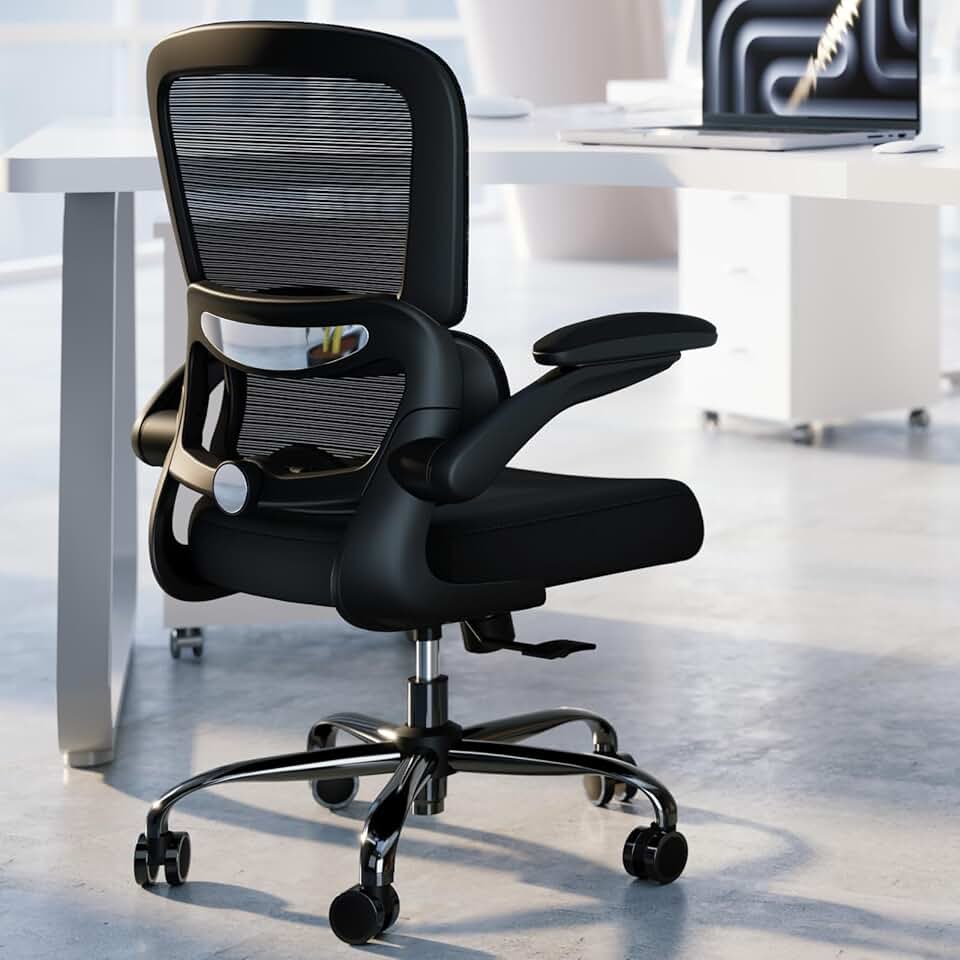
- Lumbar support - Should contact your lower back at the natural inward curve, roughly 3-4 inches above the seat pan. Adjustable lumbar depth is better than fixed.
- Seat height range - Feet should rest flat on the floor with thighs roughly parallel to the ground. Most chairs adjust between 17-21 inches; taller users need to verify this.
- Armrest height - Set so shoulders are relaxed and elbows are at roughly 90 degrees. Armrests that are too high force your shoulders up; too low and you hunch forward.
- Backrest recline - A slight recline (100-110 degrees) reduces lumbar disc pressure compared to sitting bolt upright. Look for chairs that allow this without the whole mechanism feeling loose.
- Mesh back - Better ventilation than foam, which matters for all-day use. Now the standard at most price points above $100.
What to buy at different budgets:
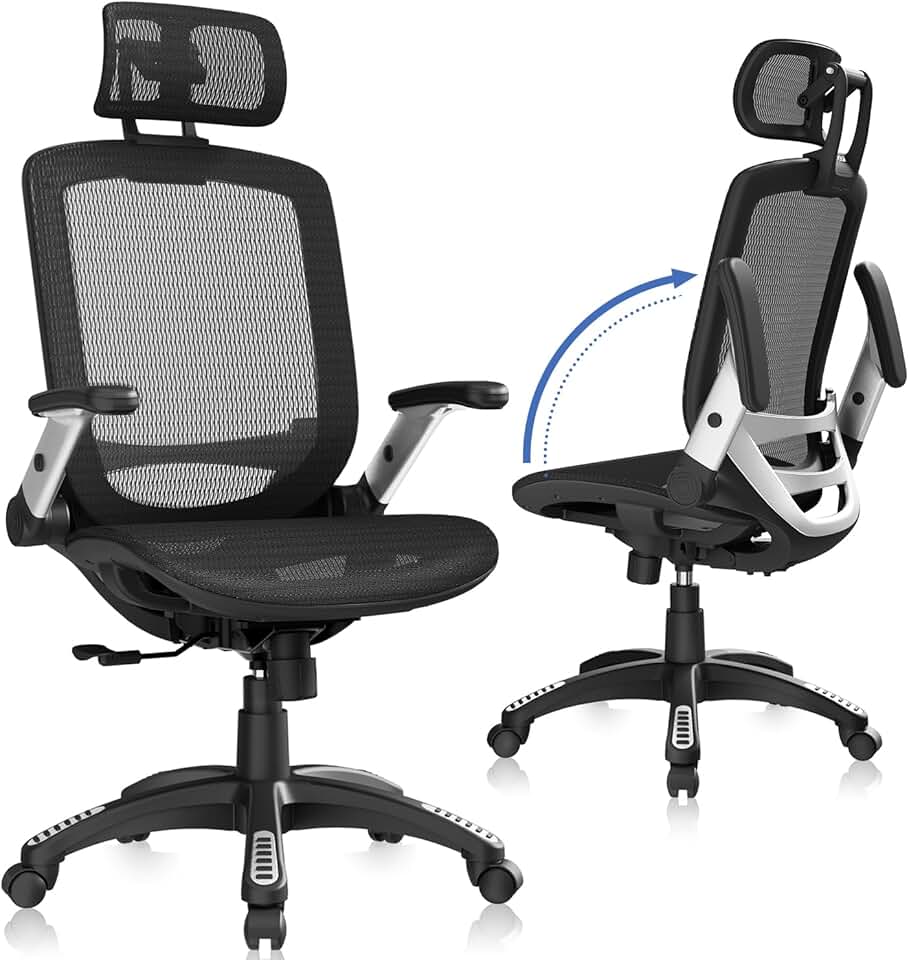
Under $100: The GABRYLLY Ergonomic High Back Mesh Chair ($192.50 - see mid-range) is the benchmark to compare against. At the genuine budget tier, the TRALT Ergonomic Mesh Office Chair ($113.99) offers mesh back and adjustable lumbar at a fair price. If you're truly constrained, Marsail Ergonomic Mesh Office Chair ($84.99) covers the basics without being embarrassing.
$130-$200 range: The SIHOO M18 Ergonomic Mesh Office Chair ($139.99) is one of the better-known ergonomic chairs at this price - adjustable lumbar, 3D armrests, mesh back. The GABRYLLY Ergonomic High Back Mesh Chair ($192.50) has earned consistent praise for lumbar support quality relative to its price.
$200+ range: The Serta Bryce Executive Office Chair ($230.17) is a solid step up with better cushioning for people who prefer a softer seat over a mesh one. The Big Tall Executive Chair with Footrest ($237.14) is worth considering if you're over 200 lbs - most budget chairs don't handle weight well long-term.
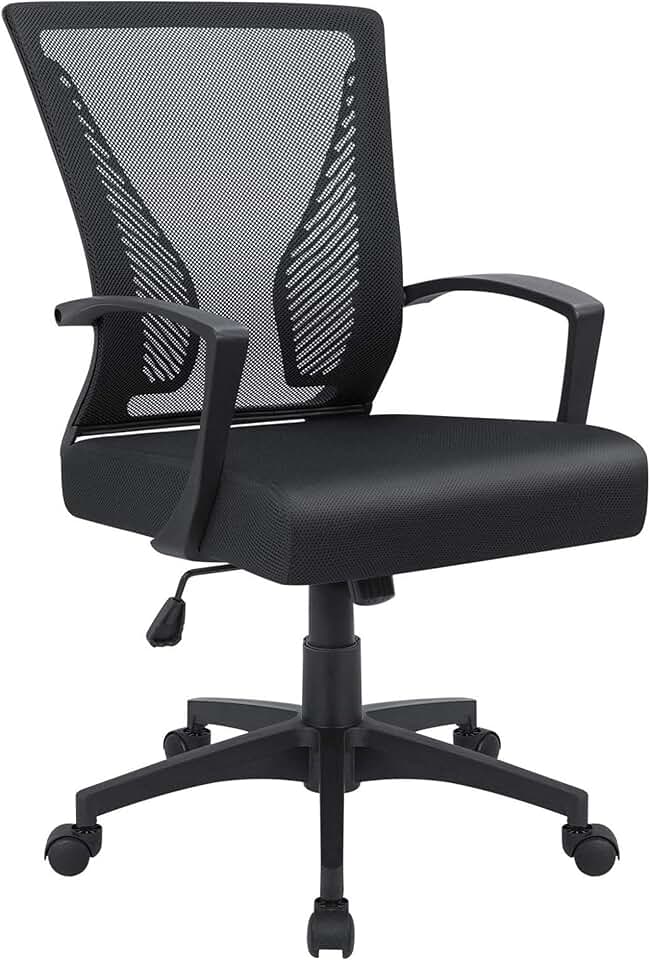
Chair to avoid: The Furmax Mid Back Mesh Office Chair ($39.98) is not an ergonomic chair in any meaningful sense. It has a mesh back, which is where the ergonomic story ends. No adjustable lumbar, minimal armrest range, and seat height adjustment that often becomes unreliable within months. Spending $39 and calling it "ergonomic" is how people end up with chronic neck pain. If money is genuinely tight, save longer and buy the Marsail at $84.99 instead.
 Photo by Tenebie George on Unsplash
3. Monitor Position and Arms
The monitor rule is straightforward: top of screen at or slightly below eye level, screen face 20-28 inches from your eyes. Most people position their monitors too low and too close.
For laptop users specifically - and this is important - a laptop on a desk is not a monitor. The combined keyboard-screen constraint forces a head-down position that peer-reviewed research now links to 2-3x higher neck and upper back MSD risk. The fix is a separate keyboard and mouse with the laptop elevated, or a proper external monitor. This is a $30 laptop stand plus a $25 keyboard - the cheapest ergonomic upgrade you can make.
Monitor arms are worth every dollar. A good arm replaces the monitor's stock stand, frees up 6-8 inches of desk depth, and lets you position the screen precisely rather than approximately. At the $100-$150 price range, you'll find arms that handle single monitors up to 32 inches without issue.
For dual-monitor setups: position the primary monitor centered, secondary monitor to the side at a slight angle. If you split usage 50/50, center them with a small gap.
The 20-20-20 rule applies here too: every 20 minutes, look at something 20 feet away for 20 seconds. It's a real intervention for digital eye strain, not just wellness advice.
4. Keyboard, Mouse, and Wrist Position
Your keyboard should sit so your elbows are at 90-100 degrees and your wrists are neutral - not bent up or down. If your desk is too high, this is impossible without raising your chair, which then puts your feet off the floor, which requires a footrest. Everything connects.
For mouse placement: keep it close to the keyboard so you're not reaching outward. Reaching for the mouse is one of the more underappreciated sources of shoulder tension in home office workers.
Split keyboards and vertical mice have real evidence behind them for reducing wrist and forearm strain. They're not mandatory, but if you have existing wrist issues, they're worth the learning curve.
Keyboard tilt: Most keyboards have fold-out feet that tilt the keys upward. For most people, this is the wrong direction - it increases wrist extension. Keep the keyboard flat or tilted slightly away from you (negative tilt) for neutral wrist positioning.
5. Lighting
Lighting affects both eye strain and posture. People unconsciously lean toward screens when lighting makes them harder to see - a simple positioning problem that becomes a sustained posture problem.
Two things matter most:
Avoid glare on your monitor. Position your desk perpendicular to windows, not facing them or with your back to them. A window directly behind you creates glare on screen; one in front puts you in silhouette and forces you to strain to see the screen.
Color temperature by time of day. Cooler, bluer light (5000-6500K) supports alertness during morning and midday work. Warmer light (2700-3000K) in the evening reduces the impact on sleep quality. A desk lamp with adjustable color temperature handles this without reconfiguring your room.
Lighting budget: $50-$100 covers a solid adjustable desk lamp. This is not where to overspend.
Space Planning Before You Buy Anything
The order of operations matters. Before purchasing equipment, assess your actual space constraints.
Minimum viable footprint for a single-monitor setup: 48 inches wide, 24 inches deep. A 55-inch desk is more comfortable. Under 48 inches and you're making real compromises.
Dedicated space vs. shared space: If you're working from a bedroom or living area, portable ergonomic accessories matter more - a laptop stand, a wireless keyboard, a compact chair that doesn't dominate the room. The research is clear that bedroom and living room workspaces correlate with worse ergonomic outcomes, but that doesn't mean you can't mitigate the risks with the right gear.
Cable management is not optional. A desk with cables running across it creates visual stress and practically guarantees you'll avoid adjusting your monitor position when needed. Route cables before you settle into your setup.
 Photo by Bedirhan Gül on Unsplash
How to Choose - Matching Setup to Situation
You're starting from scratch with $800 or less
Prioritize chair and desk - in that order. A Veken 55 Electric Standing Desk ($113.99) plus a GABRYLLY Ergonomic High Back Mesh Chair ($192.50) gets you the two most impactful pieces for $306. Add a $30 laptop stand and $25 Bluetooth keyboard and you've addressed the laptop posture problem. That's a functional ergonomic setup under $400, leaving budget for a monitor arm and better lighting over time.
You have an existing desk and just need a better chair
Sit in your current chair and identify the specific failure: Is your lower back unsupported? Armrests wrong height? Seat too firm? Match the problem to the feature. For lumbar support specifically, the SIHOO M18 Ergonomic Mesh Office Chair ($139.99) and GABRYLLY Ergonomic High Back Mesh Chair ($192.50) both deliver at their respective price points.
You're a larger build (over 6 feet or over 200 lbs)
Standard chairs fail larger frames faster and often don't adjust high enough. The Big Tall Executive Chair with Footrest ($237.14) is built for this. Pair it with the Veken Large Adjustable Electric Standing Desk ($209.99) which has a higher adjustment range and more stable frame under load.
You rent or move frequently
Invest in portable, adaptable pieces over fixed setups. A desk converter like the VIVO DESK-V000S ($99.99) turns any table into a sit-stand surface. A good chair travels with you.
You're dealing with existing back or neck pain
Don't self-diagnose with gear. See a physiotherapist first - they can identify whether your pain is lumbar, thoracic, or cervical in origin, and that changes what adjustments matter most. Ergonomic research consistently shows that physical exercise combined with workstation adjustments outperforms workstation adjustments alone. The chair and desk help; movement is what actually fixes it.
Common Setup Mistakes
Sitting too high. Raising your chair to get elbows at the right height while feet dangle is a trade-off that causes hip flexor tightness and reduced circulation. Fix it with a footrest, or lower your desk.
Monitor too low. This is epidemic in laptop-primary setups. If you're looking down at your screen, your neck is working. The top of your monitor should be at or just below eye level.
Armrests set too high. This is more common than too low. High armrests push your shoulders up into a shrug position, which compresses the neck. Drop them until your shoulders can fully relax.
Ignoring the standing mat. If you have a standing desk and your feet hurt after 20 minutes of standing, an anti-fatigue mat isn't a luxury - it's what makes the standing desk actually usable. Budget $40-$80 for a decent one.
Setting up once and never adjusting. Your body changes. Your tasks change. A setup that worked when you were doing mostly calls may not suit focused writing work. Revisit your setup every few months and make small adjustments.
What a Complete Setup Costs in 2026
Based on our catalog and current pricing:
| Tier |
Desk |
Chair |
Extras |
Total |
| Starter |
$99.99 (Claiks 48) |
$84.99 (Marsail Mesh) |
$80 (lamp, laptop stand, keyboard) |
~$265 |
| Mid-range |
$113.99 (Veken 55) |
$192.50 (GABRYLLY) |
$200 (monitor arm, mat, lamp) |
~$506 |
| Full build |
$209.99 (Veken Large) |
$230.17 (Serta Bryce) |
$400 (monitor arm, accessories, lighting) |
~$840 |
The broader market estimate of $1,000-$2,500 for a complete setup is accurate when you factor in an external monitor and premium accessories. If you already own a monitor, you can build a genuinely solid ergonomic setup for $500-$900.
The Minimum Viable Ergonomic Setup
If you can only do three things right now:
- Get your monitor at eye level. Laptop stand plus external keyboard: $55. Biggest single impact per dollar.
- Get a chair with a backrest that actually supports your lumbar curve. Sitting on a sofa or kitchen chair all day is a direct path to chronic pain - the research is clear on this.
- Stand up every 30 minutes. Set a timer. You don't need a standing desk to break up sitting time. Walk to get water. Take calls standing. Movement is the intervention.
Everything else - the premium desk, the monitor arm, the ergonomic accessories - improves on this foundation. But without these three, no amount of gear spending changes the outcome.