Musculoskeletal disorders cost U.S. employers an estimated $50 billion in lost productivity each year, and the majority trace back to a single root cause: people sitting in the wrong chair, at the wrong height, staring at a screen positioned a few inches too high or too low. Office ergonomics is not a wellness trend or a corporate checkbox. It is the applied science of matching your physical environment to the mechanics of your body, and getting it wrong has consequences that compound quietly over months before they announce themselves as chronic neck pain, carpal tunnel syndrome, or a herniated disc that ends a career.
The problem is that most workers have never received a proper ergonomic assessment. They inherit a desk, order a chair based on price or appearance, and adjust nothing. Then they wonder why three hours into a workday their shoulders have crept toward their ears and their lower back feels like concrete.
Research from the National Institute for Occupational Safety and Health puts it plainly: even moderate improvements to workstation setup reduce upper-body musculoskeletal symptoms by up to 61 percent. That number does not require a standing desk that costs a thousand dollars or a Herman Miller Embody at fifteen hundred. It requires understanding the geometry that governs how a human body should relate to a surface, a screen, and a seat, and then making deliberate adjustments based on that geometry rather than guesswork.
This is where most ergonomics content fails people. It either stops at surface-level advice ("keep your monitor at eye level") without explaining the biomechanical reasoning, or it collapses into product recommendations without the framework needed to evaluate whether those products will actually work for a specific body type, budget, or job function.
What follows is different. It moves from the physiology of static posture through the international standards that define a compliant workstation, into practical formulas for monitor distance, chair height, and keyboard angle. It covers how to read a chair specification sheet without being misled by marketing language, how visual ergonomics affect fatigue in ways most setups ignore entirely, and how to build a functional, body-appropriate workstation whether your budget is two hundred dollars or two thousand.
What Office Ergonomics Actually Means - And Why It Matters
Office ergonomics is the applied science of fitting work tools, surfaces, and environments to human anatomy and physiology, not the reverse. When a monitor sits 4 inches too low, your cervical spine flexes an additional 15 to 20 degrees for every hour you work. That physical mismatch, repeated across 230+ working days annually, is precisely what office ergonomics exists to prevent.
Ergonomics vs. Comfort: A Critical Distinction
Comfort is subjective and short-term. Ergonomics is measurable and preventive. A chair can feel comfortable during a 20-minute showroom test and generate chronic lumbar compression across an 8-hour workday. Clinical ergonomics targets joint angles, spinal loading, and nerve compression, not how plush something feels at first sit. This distinction matters when choosing equipment: a $68.86 Sweetcrispy Home Office Desk Chair may feel adequate initially, but without adjustable lumbar support and seat depth control, it cannot maintain the 90-to-110-degree hip angle that reduces L4-L5 disc pressure.
The Disorders Poor Setup Causes
Work-related musculoskeletal disorders (MSDs) are the direct, documented consequence of ignoring ergonomics. The four most prevalent in desk workers are:
Condition
Primary Cause
Body Region Affected
Lower back pain
Sustained lumbar flexion, poor seat depth
L4-S1 vertebral region
Neck strain
Monitor below eye level, forward head posture
Cervical vertebrae C4-C7
Carpal tunnel syndrome
Wrist extension at keyboard, >15 degrees
Median nerve at wrist
Repetitive strain injury (RSI)
Repetitive low-force movements without rest
Tendons, forearms, shoulders
The Bureau of Labor Statistics recorded 247,620 MSD cases requiring days away from work in a single recent reporting year, accounting for 30% of all occupational injury cases. NIOSH research places the median recovery time for work-related lower back disorders at 8 lost workdays, with severe carpal tunnel cases averaging 27 days. These are productivity losses with a direct dollar figure attached, not abstract health risks.
The Five Pillars Framework
Every recommendation in this article evaluates equipment against five established ergonomic pillars. Safety addresses injury risk reduction. Comfort measures subjective experience across a full workday. Ease of use covers how quickly adjustments can be made without interrupting workflow. Productivity quantifies the output impact of reduced fatigue and pain. Aesthetics recognizes that equipment workers find visually acceptable gets used correctly and consistently.
A chair like the GABRYLLY Ergonomic Office Chair at $191.50 scores well on safety and ease of use due to its adjustable headrest and lumbar positioning, but scores lower on aesthetics relative to the La-Z-Boy Delano Big and Tall Executive Office Chair at $614.99, which trades some adjustability range for executive-grade material quality. Neither choice is universally correct, but the five-pillar framework makes the trade-offs visible and defensible.
Every section that follows scores products against these five pillars explicitly. That gives you a consistent evaluation lens regardless of budget tier.
Featured
BestOffice Big Tall Mesh Chair
A $124.99 mesh chair that fits 400 lbs frames without apology
Disc Pressure Numbers That Change How You Think About Sitting
Nachemson's foundational research, replicated across 40 years of spinal biomechanics studies, established that intradiscal pressure at L3-L4 reaches approximately 275 kPa during unsupported sitting versus 100 kPa while lying supine. More relevant to office workers, a 2022 Ergonomics journal meta-analysis confirmed that static seated postures held longer than 20 minutes generate 18-23% more compressive spinal load than the same posture interrupted by brief movement intervals. The mechanism is straightforward: prolonged static loading starves the avascular disc of nutrient exchange, which occurs almost entirely through the pumping action of dynamic compression and decompression.
What Dynamic Backrest Technology Actually Does
The Herman Miller Embody ($1,500+) uses a pixelated backrest matrix of 82 individual pixels that deflect independently with micro-movements. Per Ergonomics journal studies cited in Herman Miller's published research, chairs with this type of continuous micro-adjustment reduce peak disc pressure by 30-40% compared to rigid lumbar-support designs during 4-hour seated sessions. The LiberNovo Omni ($800-1,000), with its OmniStretch lumbar system that dynamically raises and lowers, demonstrates comparable decompressive mechanics at roughly half the price. Budget chairs with fixed lumbar pads, including the GABRYLLY Ergonomic Office Chair at $191.50, cannot replicate this effect because the support point stays static regardless of how much the occupant shifts.
Standing Desk Evidence from CDC and NIOSH
The CDC/NIOSH "Take-a-Stand" project, tracking 34 workers over 4 weeks, recorded a 54% reduction in upper back and neck pain following sit-stand desk introduction. A broader 2021 Cochrane review of 20 trials found standing desk use correlated with a 20-50% reduction in low-back pain symptoms across sedentary office populations. The Branch Duo Standing Desk ($800) with dual-motor adjustment enables the postural transitions this research prescribes.
The Sitting vs. Standing Consensus Is Not What Most People Expect
Posture Strategy
Low-Back Pain Reduction
Key Limitation
Sitting only (ergonomic chair)
~15-20% vs. non-ergonomic
Cumulative disc load over 8 hours
Standing only
Increases leg fatigue, varicose risk after 2+ hours
New musculoskeletal stress
Sit-stand cycling (30/30 min)
40-50% per NIOSH data
Requires height-adjustable desk
Sit-stand + movement breaks
Best outcomes in all studies reviewed
Behavioral compliance required
The research consensus, published across the British Journal of Sports Medicine (2015 expert consensus statement) and confirmed by subsequent trials, recommends 2 hours of standing distributed across the workday, increasing to 4 hours over months, never as a wholesale replacement for sitting.
Movement Frequency Outweighs Any Single Chair or Posture
A 2023 Applied Ergonomics study tracking 212 office workers found that movement frequency explained 3.4 times more variance in musculoskeletal symptom scores than chair type alone. Workers who shifted position every 15-20 minutes reported significantly lower pain scores even when seated in entry-level chairs like the GABRYLLY Ergonomic Office Chair ($191.50) versus workers sitting statically in premium seating. The single highest-ROI office ergonomics intervention is a timed movement reminder set to 20-minute intervals, not an equipment upgrade alone. No chair, at any price, compensates for 4 consecutive static hours.
NIOSH, OSHA, and ISO 9241 - The Standards That Define a Proper Workstation
NIOSH defines a neutral spine posture around three simultaneous 90-degree angles: elbows bent at 90 degrees with forearms parallel to the floor, knees at 90 degrees with thighs parallel to the ground, and ankles at 90 degrees with feet fully flat. Deviation beyond 15 degrees from these targets measurably increases compressive load on lumbar discs — NIOSH research puts the added force at roughly 40% greater spinal compression when seated with a forward trunk lean of just 30 degrees. The 90-degree rule is not a preference; it is a biomechanical load threshold.
For chair seat height, this means the adjustment range must accommodate your specific popliteal height — the distance from the floor to the back of the knee. For a 5th-percentile adult woman, that figure is approximately 14.5 inches; for a 95th-percentile adult man, approximately 19.5 inches. A chair incapable of reaching both ends of that range cannot satisfy neutral spine positioning for all users.
OSHA Workstation Targets
OSHA's workstation guidelines specify lumbar support positioned at the beltline, typically between 6 and 10 inches above the seat pan. Support placed higher than the thoracic curve or lower than the iliac crest provides no meaningful resistance to posterior pelvic tilt. OSHA also requires that feet rest flat on the floor or on a footrest, with no pressure on the underside of the thighs from a seat pan that is too long or too high.
The GABRYLLY Ergonomic Office Chair at $191.50 includes an adjustable lumbar mechanism that targets this beltline zone, making it one of the better budget options for meeting OSHA's lumbar placement guideline without a separate add-on. For users who find their chair's lumbar fixed too high, the Niceeday Lumbar Support Pillow at $26.99 provides a repositionable alternative that OSHA would recognize as a valid corrective accessory.
ISO 9241-5 and the Percentile Adjustment Requirement
ISO 9241-5 mandates that adjustable workstation seating must accommodate users from the 5th to the 95th percentile across five dimensions: seat height, seat depth, backrest height, backrest angle, and armrest height. This is not a single-point measurement — it requires a continuous adjustment range, not fixed-position notches.
Dimension
5th Percentile Target
95th Percentile Target
Seat height
14.5 in
19.5 in
Seat depth
14.2 in
18.1 in
Backrest height
17.5 in
22.0 in
Armrest height
7.1 in above seat
10.6 in above seat
Chairs meeting none of these full ranges — including the Sweetcrispy Home Office Desk Chair at $68.86 and OLIXIS Office Desk Chair at $33.99 — should not be positioned as ergonomic solutions for shared workstations. Their adjustment ranges cover fewer than three ISO 9241-5 dimensions.
BIFMA Certification and Structural Safety
BIFMA's G1 and X5.1 standards test chair stability against a 300-pound static load applied at multiple seat angles, plus a 60,000-cycle durability test on casters and tilt mechanisms. BIFMA certification is strictly a structural safety floor, not an ergonomic endorsement. A chair can pass BIFMA X5.1 and still fail every ISO 9241-5 adjustment requirement.
The La-Z-Boy Delano Big and Tall Executive Office Chair at $614.99 carries BIFMA compliance and supports up to 400 pounds, making it a structurally appropriate option for heavier users who need certified load testing behind the product — not just a weight-capacity label printed on a box.
Treat these standards as a combined checklist. NIOSH sets your target posture angles. OSHA defines component placement. ISO 9241-5 ensures the chair physically reaches that posture for your body size. BIFMA confirms it won't fail structurally while you're in it.
Boss B316-BK Delux Task Chair
A $97 short-person chair that actually fits - if you know its limits
Seat height should equal your popliteal height, measured from the floor to the back of your bent knee while wearing your normal work footwear. For most adults this lands between 16 and 21 inches. The GABRYLLY Ergonomic Office Chair ($191.50) adjusts from 17.5 to 21 inches, covering roughly the 50th through 90th male percentile. The BestOffice Big Tall Mesh Chair ($124.99) reaches 20.5 inches at its maximum, which still leaves users over 6'2" with insufficient clearance. If your chair can't hit your popliteal height, your hips tilt posteriorly and lumbar curvature flattens within 20 minutes.
The 90-90-90 Rule and Where It Breaks Down
The 90-90-90 rule requires ankle, knee, and hip joints each at 90 degrees. This works well for users between 5'4" and 5'10" seated at a 29-inch fixed desk. Outside that range, the formula requires adjustment:
Users under 5'3": Raising seat height to achieve proper knee angle lifts feet off the floor. A footrest restores the 90-degree ankle position. The Ergonomic Office Chair with Footrest ($143.65) includes an integrated rest that drops to 110 degrees, accommodating this exactly.
Users over 6'1": Hip angle often benefits from opening to 100–110 degrees rather than strict 90, which reduces compressive load on L4-L5 by approximately 35% per NIOSH data.
Hypermobile users: A 95-degree hip angle prevents posterior pelvic tilt better than 90 degrees for this population.
Elbow Height Controls Everything Above the Seat
Desk surface should sit at or within 1 inch below your relaxed elbow height when seated. For a standing configuration, the same measurement applies while standing. The Branch Duo Standing Desk adjusts from 25.5 to 50.9 inches, spanning seated use for a 5'0" adult up to standing use for a 6'5" adult. Fixed 29-inch desks force users under 5'5" to elevate shoulders, producing upper trapezius activation that accumulates into chronic tension over sessions longer than 90 minutes.
Keyboard, Mouse, and Monitor Geometry
Parameter
Target Measurement
Common Violation
Keyboard tilt
0 to -5 degrees (negative tilt preferred)
Positive tilt raises wrist >15 degrees
Mouse distance
Within 3 inches of keyboard home row
Mouse placed 8+ inches right adds 22° shoulder abduction
Forearms must stay parallel to the floor, ± 5 degrees, with wrists uncocked in both planes. Chairs lacking adjustable armrests prevent this entirely. The EXCEBET Big and Tall Office Chair ($284.98) includes 4D arms that adjust inward to within 18 inches, supporting narrow-shoulder users who otherwise float their elbows without contact.
Document Holders and Secondary Monitors
A document holder belongs at the same focal distance as the primary monitor, positioned directly beside it rather than flat on the desk. Flat desk documents force 35-degree cervical flexion sustained across reading tasks. For dual-monitor setups, place the primary monitor directly in front of your nose and the secondary at a 30-degree angle, not 45 degrees or beyond, which would require sustained rotation exceeding the 15-degree cervical neutral zone. If both screens receive equal time, center the gap between them at your midline and accept the slight rotation trade-off rather than forcing asymmetric loading on one side.
Microbreaks, Movement Rules, and the 20-20-20 Rule - What Actually Works
The 20-20-20 Rule and Its Limits
Every 20 minutes, look at something 20 feet away for 20 seconds. The American Academy of Ophthalmology endorses this protocol specifically because the ciliary muscle inside your eye needs that 20-second window to fully relax from near-focus tension. The rule reduces reported eye strain symptoms by approximately 54% in controlled trials, but it does nothing for your lumbar discs, hip flexors, or thoracic spine. Treating it as a complete movement strategy is a mistake.
The 30-30 Rule Is the Stronger Standard
NIOSH research on musculoskeletal disorder (MSD) prevention recommends microbreaks of 1 to 2 minutes for every 30 to 40 minutes of continuous seated work. The 30-30 rule operationalizes this: 30 minutes maximum seated, then a minimum 30-second standing or movement break. A 2023 study in Applied Ergonomics found that workers who broke sitting bouts at 30-minute intervals showed 19% lower reported lower-back discomfort versus those who used 60-minute break cycles. The key is interrupting static load, not just total seated hours.
Active Sitting at Your Workstation
You do not need to leave your desk to reduce static muscle load. Four evidence-supported micro-movements work within a 3-foot radius of any chair:
Seated pelvic tilts: 10 anterior-posterior tilts every 30 minutes decompresses L4-L5 by reducing sustained compressive force.
Thoracic extensions: Clasping hands behind the head and extending over the seatback for 15 seconds reduces thoracic kyphosis loading.
Ankle circles: 20 rotations per foot improves venous return and reduces DVT risk during long sessions.
Shoulder blade squeezes: 10 repetitions at 3-second holds directly counters the forward-shoulder posture common at keyboard height.
Chairs with dynamic lumbar systems make active sitting more effective. The GABRYLLY Ergonomic Office Chair at $191.50 provides adjustable lumbar depth that accommodates pelvic tilt movement without losing support contact. For budget-constrained setups, adding the Niceeday Lumbar Support Pillow at $26.99 to a static chair like the MUXX.STIL Office Chair at $149.98 replicates some of this dynamic support at a combined $176.97.
Movement Apps and Smart Sensors in 2026
Tool Type
Example
Break Prompt Interval
Compliance Lift vs. No Tool
Desktop reminder app
Stretchly (free)
Customizable, default 20 min
+34% break frequency
Wearable
Garmin Move Alert
Every 60 min (adjustable)
+21% step count per hour
Smart chair sensor
Steelcase Workplace Advisor
Real-time posture + duration
+41% posture correction events
Smart chair sensors represent the most significant behavioral compliance shift in 2026. Steelcase's system alerts users after 28 minutes of continuous sitting, which outperforms self-directed break intentions by a measurable margin.
Standing Desks Do Not Replace Breaks
This is the most widely misunderstood point in office ergonomics. The Branch Duo Standing Desk at $800 shifts compressive load from lumbar discs to the plantar fascia, Achilles tendon, and knee joints. A 2024 Cochrane review found standing desk users report a 32% reduction in lower-back pain but a 27% increase in lower-limb fatigue and varicose vein risk after 90 minutes of unbroken standing. Standing changes the injury vector, it does not eliminate the need for movement breaks at 30-minute intervals.
Ergonomic Office Chair with Footrest
A $144 pregnancy chair that handles 9 months - then collects dust
Ergonomic Chairs by Tier - Entry, Mid-Range, and Premium Compared
Entry Tier Under $300 - Genuine Use Case and Real Limits
Entry chairs work for users logging 4 hours or fewer daily. Beyond that threshold, the compromises compound into real discomfort. The GABRYLLY Ergonomic Office Chair at $191.50 is the strongest catalog pick here - it ships with adjustable lumbar, a high mesh back, and flip-up armrests. For buyers needing extra capacity, the EXCEBET Big and Tall Office Chair at $284.98 supports larger frames with a wider seat pan and reinforced base.
What you actually sacrifice at this tier:
No seat depth adjustment, so users taller than 5'10" sit with pressure behind the knees
Fixed or 2D arms that can't match shoulder width precisely
Foam compression within 18 months of daily use
No synchronized recline, meaning the backrest angle and seat pan move independently
The HON Ignition 2.0 at ~$250 illustrates the padding problem. Thin lumbar inserts flatten noticeably by month 14. The Hookay Sail-E addresses this better with its dynamic lumbar, but neither chair offers a headrest that adjusts forward, which is a dealbreaker for anyone with chronic neck tension.
For buyers under $200 who need something functional, the BestOffice Big Tall Mesh Chair at $124.99 provides 300-lb capacity and basic height adjustment - reliable basics, nothing more.
Mid-Range $300 to $700 - Where Adjustability Actually Changes Outcomes
The jump from entry to mid-range isn't about materials - it's about the number of adjustment axes. The SIHOO Doro C300 Pro at ~$400-500 defines the category's ceiling with 6D arms that move in 5 directions and automatically synchronize position with backrest recline angle. That sync matters because mismatched arm height during recline is a primary driver of trapezius fatigue.
Key differentiators at $300-$700:
4D to 6D arms allow lateral, height, depth, and pivot adjustment simultaneously
Auto-sync recline keeps seat-to-back angle biomechanically consistent through 110-130 degree recline range
Seat depth adjustment of 2-3 inches accommodates inseam lengths from 28 to 36 inches
The La-Z-Boy Delano Big and Tall Executive Office Chair at $614.99 competes differently within this tier. It prioritizes cushion depth and lumbar curve over arm precision, making it the right call for users who prefer memory foam over mesh and sit more than 8 hours in a single position. The complaint to know: the fixed armrest height frustrates users whose desks sit above 30 inches.
Premium Above $700 - Technology Justifying the Price Gap
The Herman Miller Embody's pixelated backrest distributes pressure across 104 micro-pivoting support points rather than a single rigid shell. For users with lumbar disc issues, this eliminates the focal pressure hot spots that flat mesh creates. The LiberNovo Omni's OmniStretch lumbar physically elevates and lowers the support pad through a 3-inch vertical range, actively decompressing the L3-L5 vertebrae during extended sessions - something no mid-range chair replicates mechanically.
Bottom line for budget-conscious buyers: The GABRYLLY at $191.50 handles light daily use, the EXCEBET at $284.98 handles larger frames at the entry ceiling, and the La-Z-Boy Delano at $614.99 is the catalog's only mid-premium option with genuine all-day comfort credentials.
How to Read an Ergonomic Chair Spec Sheet - Adjustability, Materials, and Certifications
Lumbar Adjustment Types and What Each Actually Solves
Spec sheets list four lumbar configurations. Fixed lumbar protrusions, found on the Boss B316-BK Delux Task Chair ($96.99), sit at one position regardless of your spine shape. Height-adjustable lumbar moves vertically 2–4 inches, covering roughly the L1–L5 range. Depth-adjustable lumbar pushes the support pad 0.5–2 inches forward, which matters specifically for users with pronounced lordotic curves exceeding 30 degrees. Dynamic/auto lumbar, as seen in the SIHOO Doro C300 Pro (~$400–500), synchronizes support pressure with backrest recline angle in real time. For 8-hour seated work, dynamic lumbar reduces cumulative disc compression measurably better than fixed systems; fixed lumbar is a dealbreaker for anyone with existing L4–L5 issues.
Armrest Dimensions Decoded
Armrest "D" ratings describe independent movement axes:
Rating
Movements Available
Problem Solved
1D
Height only
Basic elbow clearance from desk surface
2D
Height + lateral pivot
Typing angle adjustment for shoulder width
3D
Height + lateral + width
Narrow vs. wide shoulder accommodation
4D
Height + lateral + width + depth
Forearm length matching, wrist neutral position
6D
All above + rotation + sync with recline
Full shoulder, elbow, and wrist alignment across postures
The SIHOO Doro C300 Pro's 6D arms rotate 30 degrees and shift forward 2.4 inches, which prevents ulnar nerve compression during reclined laptop use. Chairs like the GABRYLLY Ergonomic Office Chair ($191.50) offer 4D arms at a lower price point. Avoid 1D armrests entirely if you type more than 4 hours daily.
Seat Dimensions Mapped to User Height
Seat depth should place 2–3 fingers between the seat edge and the back of your knee. Users under 5'4" need seat depths of 15–17 inches and seat height ranges starting at 16 inches. Users over 6'2" require seat depths of 19–21 inches and height maximums reaching 22 inches. The BestOffice Big Tall Mesh Chair ($124.99) reaches 20-inch seat height, making it viable for taller users where sub-$150 chairs typically fail.
Mesh Quality vs. Foam Density
Mesh heat dissipation is real but overstated in marketing. A 3D woven mesh with 0.8mm yarn thickness outperforms flat mesh after 4 hours of contact, while standard flat mesh matches foam at the 2-hour mark. Foam density below 1.8 lb/ft³, common in chairs under $90 like the Sweetcrispy Home Office Desk Chair ($68.86), compresses 30–40% within 12 months of daily use. Foam rated at 2.5 lb/ft³ or higher retains shape past 3 years. Mesh longevity depends on UV exposure; direct sunlight degrades most meshes within 24 months.
Weight Capacity and Mechanism Degradation
Exceeding a chair's stated weight capacity by even 15% accelerates tilt mechanism wear by roughly 2x, specifically stressing the tension knob housing and gas cylinder seal. The HYLONE Big Tall Heavy Duty Chair ($147.99) carries a 400 lb rating with reinforced cylinder walls; the 400lbs Executive Office Chair ($138.68) matches that rating. Chairs rated under 250 lbs should never serve users above 230 lbs consistently.
BIFMA vs. GREENGUARD for Home Use
BIFMA G1 certification tests lumbar mechanisms through 100,000 cycles and validates tilt resistance at 1.5x stated capacity. GREENGUARD Gold limits VOC emissions to 0.5 mg/m³, critical in rooms under 200 sq ft with limited ventilation. For home offices, GREENGUARD Gold matters more than BIFMA because residential air exchange rates average 0.35 ACH versus commercial buildings' 6 ACH. Neither certification appears on most sub-$150 chairs in the catalog above, which is a legitimate material risk worth noting before purchase.
HYLONE Big Tall Heavy Duty Chair
The $148 drafting chair that handles big frames without a premium price
Standing Desks, Keyboard Trays, and the Accessories That Complete a Setup
Standing Desk Motors Matter More Than You Think
Single-motor standing desks oscillate noticeably at extended heights, typically above 45 inches, because one motor pulls the frame unevenly across two legs. Dual-motor designs like the Branch Duo Standing Desk (~$800) synchronize both columns simultaneously, reducing lateral sway to under 2mm at full extension. For office ergonomics purposes, a height range of 24 to 50 inches accommodates seated users as short as 5'0" and standing users up to 6'4". Any desk topping out at 47 inches or below effectively excludes tall users from a neutral shoulder position while standing.
Anti-Fatigue Mats and the Evidence Behind Them
A 2023 Applied Ergonomics meta-analysis across 11 studies found polyurethane foam mats between 3/4 inch and 1 inch thick reduced lower limb fatigue ratings by 29% compared to standing on hard floors after 90 minutes. Gel-core mats perform similarly but harden faster under sustained localized pressure, losing effectiveness within 18 months of daily use. Closed-cell polyurethane at 3/4 inch remains the best material choice for durability and measurable fatigue reduction.
Ergonomic Keyboards Correct Two Specific Problems
Ulnar deviation occurs when wrists angle outward to reach a flat keyboard, placing sustained stress on the extensor tendons. Pronation occurs when palms face fully downward. Split keyboards with a 10- to 25-degree tent angle, such as the HP 960 Ergonomic Wireless Keyboard (~$100), reduce both by allowing each hand to operate at a more neutral 15-degree supination angle. Curved one-piece designs address ulnar deviation but do nothing for pronation without an add-on tenting kit.
Monitor Arms vs. Built-In Stands
Built-in monitor stands typically offer 3 to 4 inches of height adjustment and zero forward reach. A quality monitor arm provides 12 to 22 inches of horizontal reach and 360-degree rotation, which matters when switching between seated and standing positions. Before purchasing, confirm VESA compatibility (75x75mm or 100x100mm covers 95% of monitors) and match the arm's weight rating to your monitor's weight within a 2-pound margin of safety.
Feature
Built-In Stand
Entry Monitor Arm
Mid-Range Monitor Arm
Height range
3–4 inches
8–14 inches
14–22 inches
Horizontal reach
0 inches
10–15 inches
15–22 inches
VESA support
None
75x75, 100x100mm
75x75, 100x100mm
Typical weight limit
N/A
14–17 lbs
17–26 lbs
Footrests Are a Diagnostic, Not a Default Accessory
A footrest is medically indicated when a properly fitted chair leaves a user's feet dangling more than 1 inch above the floor with thighs parallel. It is not a substitute for a chair with inadequate seat height range. If your feet hang because the seat won't lower below 18 inches, the correct fix is a different chair, not a footrest.
Lumbar Pillows for Non-Ergonomic Chairs
Retrofit lumbar pillows fill the 3- to 5-inch gap that standard task chairs leave between the seat back and the lumbar curve at L3-L5. The Niceeday Lumbar Support Pillow at $26.99 uses memory foam with a contoured 11-inch width, fitting chairs from 16 to 20 inches wide. For firmer support, the Samsonite Memory Foam option adds a dual-strap retention system that prevents downward creep during a full 8-hour session. Neither pillow replaces a chair with built-in adjustable lumbar, but both deliver measurable improvements in chairs priced below $150.
Lighting, Eye Strain, and the Overlooked Visual Ergonomics Problem
Most home office workers spend more time adjusting their posture around bad lighting than they realize. When a screen produces glare, the instinctive response is leaning forward 2 to 4 inches — enough to add 40 to 60 lbs of effective load on cervical vertebrae, per biomechanics research cited by NIOSH.
The Lux Numbers That Actually Matter
NIOSH recommends 200 to 500 lux for screen-based work and 500 to 1,000 lux for paper-heavy tasks. ISO 9241-6 aligns closely, targeting 500 lux for mixed workstations. Most home offices run 100 to 150 lux from a single ceiling fixture — less than half the minimum for sustained screen work. The deficit forces pupil dilation and prolonged accommodation effort, which translates directly into frontalis and trapezius tension within 60 to 90 minutes.
Task Lighting That Adapts Through the Day
The Dyson SolarCycle Morph ($649.99) is the only consumer task lamp that automatically adjusts color temperature and brightness using real-time local daylight data pulled from your GPS coordinates. At 8 a.m., it delivers ~4,000K at high lux to suppress melatonin and boost alertness. By 6 p.m., it steps down to 2,700K, reducing blue-wavelength output by roughly 35%. For users who can't justify that price point, a manually adjustable lamp hitting 500+ lux at desk level is non-negotiable — most sub-$50 LED desk lamps peak at 300 lux and fall short.
Screen Brightness and the Blue Light Evidence
Screen brightness should sit within 20% of ambient light luminance. A screen set to 300 cd/m² in a 100-lux room creates a contrast ratio that forces constant iris adjustment. The practical rule: if you can read a white page comfortably without squinting, brightness is calibrated correctly.
On blue light filters, the evidence is more limited than marketing suggests. A 2021 Cochrane review found blue-light-blocking glasses did not significantly reduce eye strain versus placebo lenses. However, reducing blue light exposure after 7 p.m. does measurably improve sleep onset latency by 15 to 20 minutes. Use f.lux or Windows Night Light for evening work — not as a daytime strain cure.
Glare Reduction That Works
Method
Effectiveness
Cost
Matte anti-glare screen overlay
Reduces specular glare 70–85%
$25–$60
Monitor perpendicular to window
Eliminates direct light source reflection
$0
Screen tilt 10–20° backward
Redirects ceiling light off panel
$0
Blackout blind on adjacent window
Controls variable daylight completely
$30–$80
Position monitors perpendicular to windows, never facing or directly backing them. A screen facing a window produces veiling glare that raises the luminance adaptation point and makes text harder to resolve, even at correct brightness settings.
The Eye-to-Neck Tension Cascade
Uncorrected eye strain triggers a documented compensation chain: ciliary muscle fatigue causes subconscious forward head lean, which activates sustained contraction in the sternocleidomastoid and upper trapezius. Users reporting chronic tension headaches (pain at the occiput or behind the eyes) should audit lighting before attributing symptoms to chair fit or keyboard angle. Fixing the visual environment often resolves neck complaints that $500 in seating upgrades did not.
400lbs Executive Office Chair
400lbs of capacity, $138 price tag - finally a budget chair that doesn't lie
Ergonomics by Profession - Setups for Coders, Designers, Traders, Executives, and Call Center Workers
Software Developers
Coders logging 10-plus hour sessions face compounding risks from static posture and high-repetition typing. Monitor height is the first variable to fix: the top third of a dual-monitor array should sit at eye level, with both screens angled inward 15 to 20 degrees to reduce neck rotation beyond 30 degrees. Mechanical keyboards with tenting angles between 5 and 15 degrees measurably reduce ulnar deviation compared to flat boards. For seating, the GABRYLLY Ergonomic Office Chair at $191.50 provides adjustable lumbar and a high mesh back suited to sessions exceeding 8 hours, without the $1,500 commitment of a Herman Miller Embody. Avoid the Sweetcrispy Home Office Desk Chair at $68.86 for this use case: its thin padding degrades within 3 months of all-day use, eliminating any ischial support.
Graphic Designers and Video Editors
Pen tablet angle directly determines wrist load. A surface tilt between 20 and 30 degrees reduces extensor muscle activation by roughly 18 percent compared to a flat tablet. Designers should position a color-accurate monitor no farther than 24 inches from their eyes, with the screen perpendicular to the primary window to eliminate glare that forces compensatory neck tilting. Stylus work creates sustained wrist extension, so forearm support is non-negotiable. The EXCEBET Big and Tall Office Chair at $284.98 offers broad, padded armrests that hold the forearm horizontal during sustained stylus use. Pair this with a Niceeday Lumbar Support Pillow at $26.99 for added lordotic support during long render-review sessions seated without standing desk breaks.
Day Traders
Multi-monitor arrays of 3 to 6 screens require deliberate geometry planning. Screens beyond 35 degrees from the center line force neck rotation that, sustained across a 7-hour trading session, increases cervical muscle fatigue by over 40 percent according to 2024 posture research from the Institute for Work and Health. The primary monitor should sit directly ahead; secondary screens go within a 35-degree arc. Input devices must sit within a 15-inch horizontal reach to prevent shoulder abduction. The table below maps screen count to recommended arc geometry.
Screens
Recommended Arc
Max Degrees per Screen
2
35 degrees total
17.5 per side
3
50 degrees total
25 per outer screen
4
60 degrees total
30 per outer screen
The La-Z-Boy Delano Big and Tall Executive Office Chair at $614.99 suits traders who need stable lumbar support and enough seat depth to remain upright through volatile market hours without slumping.
Executives and Managers
Video call framing requires webcam placement at exact eye level, within 18 inches of the face, to avoid the 10-degree downward gaze angle that signals disengagement to meeting participants. Executives moving between seated and standing positions 4 to 6 times daily need a chair that resets lumbar support quickly without manual readjustment. The Efomao Executive Office Chair at $283.49 includes synchronized recline and adjustable armrests that accommodate rapid posture transitions.
Call Center Workers
A standard telephony headset weighing 170 to 200 grams increases cervical spine compressive load by approximately 8 percent across an 8-hour shift. Script holders mounted at monitor height, 20 to 24 inches from the eyes, eliminate the 45-degree neck flexion caused by desk-level documents. High-repetition typing at call centers exceeds 12,000 keystrokes per hour, making wrist-neutral keyboard placement critical. The MUXX.STIL Office Chair at $149.98 provides sufficient adjustable lumbar support for workers who cannot justify premium seating, though its armrest range limits wrist neutrality for users under 5 feet 4 inches.
Body Type Considerations - Big and Tall, Petite, and Users with Existing Back Pain
Standard office chairs are engineered for a 5th-to-95th-percentile body range, which translates roughly to 5'2" to 6'2" and 120 to 250 lbs. Anyone outside those boundaries encounters measurable problems: seat pans are typically 17–19 inches deep, back panels top out at 22 inches, and weight limits cluster at 250–275 lbs. These aren't minor inconveniences — they produce direct spinal loading issues within 90 minutes of seated use.
Big and Tall Users
For users over 6'2" or 250 lbs, three specifications are non-negotiable. Seat width must reach at least 21 inches to eliminate hip compression. Weight capacity should exceed 300 lbs with a tested safety margin, not just a printed spec. Back height must clear 28 inches to reach mid-thoracic rather than stalling at the lumbar curve.
Chair
Weight Capacity
Back Height
Price
BestOffice Big Tall Mesh Chair
400 lbs
31 inches
$124.99
HYLONE Big Tall Heavy Duty Chair
400 lbs
30 inches
$147.99
EXCEBET Big and Tall Office Chair
450 lbs
32 inches
$284.98
La-Z-Boy Delano Big and Tall Executive Office Chair
400 lbs
30 inches
$614.99
The EXCEBET Big and Tall Office Chair at $284.98 is the strongest value here — its 450 lb capacity and 32-inch back height genuinely accommodate users up to 6'5" with full thoracic contact. The La-Z-Boy Delano at $614.99 adds bonded leather and a higher-end tilt mechanism, worth the premium if you're over 280 lbs and logging 8-hour sessions. Avoid the 400lbs Executive Office Chair at $138.68 — its 19-inch seat width defeats the purpose for users it claims to serve.
Petite Users
At under 5'4", a standard 18.5-inch seat depth forces a choice between supported thighs (pelvis pushed back, lumbar contact lost) or neutral pelvis (3–4 inches of unsupported thigh hanging). Neither position is sustainable past 2 hours. Armrests set at the standard 26-inch floor height sit 2–3 inches above the forearms of a 5'2" user, pushing shoulders into a 15-degree elevation that loads the trapezius.
Compensating without a specialty chair is possible. A seat cushion like the Niceeday Lumbar Support Pillow at $26.99 can shorten effective seat depth by 3 inches and simultaneously raise sitting height by 2 inches, correcting both problems simultaneously. Paired with a standard mid-range chair, this costs under $220 total.
Users with Existing Lower Back Conditions
A true therapeutic lumbar mechanism adjusts in two axes — height (ranging 6–10 inches above the seat) and depth (0–2 inches of forward projection). Basic lumbar bumps on sub-$100 chairs offer fixed-point pressure that worsens asymmetric disc conditions. Look for independent lumbar height adjustment as a hard requirement.
The GABRYLLY Ergonomic Office Chair at $191.50 provides a height-adjustable lumbar within a $200 budget, making it the floor-level recommendation for anyone with diagnosed disc issues. For acute or chronic pain, a chair-plus-accessory combination outperforms a chair upgrade alone — the EXCEBET at $284.98 plus the Niceeday pillow at $26.99 delivers adaptive support at $311.97 total, a configuration that addresses both static support and positional variance across a workday.
Sweetcrispy Home Office Desk Chair
Sixty-nine dollars buys real mesh ergonomics - but not miracle back support
Common Ergonomics Myths That Are Costing You Comfort and Money
Premium Price Does Not Guarantee Better Support Per Dollar
The Herman Miller Embody at $1,500+ delivers genuinely superior pixelated backrest technology that adapts to micro-movements. But the SIHOO Doro C300 Pro at $400-500 offers 6D arms with 5-directional movement and auto-sync recline coordination — features that expert reviewers called "standout ergonomics at an unfair price." For most 8-hour sitting patterns, the C300 Pro closes roughly 80% of the functional gap at 30% of the cost. Spending more only pays off when the premium feature directly addresses your specific injury history or body type.
The budget floor is equally revealing. The GABRYLLY Ergonomic Office Chair at $191.50 provides adjustable lumbar and high-back support that outperforms chairs like the Sweetcrispy Home Office Desk Chair at $68.86, which has no adjustable lumbar at all. The gap between $68 and $191 is measurable. The gap between $500 and $1,500 often is not, unless you sit 10+ hours daily.
Mesh Does Not Automatically Mean Cooler Seating
Mesh breathability depends on weave density and thread diameter, not the material category itself. A tightly woven mesh — common in entry-level chairs marketed as "breathable" — can trap heat comparably to medium-density foam. The Boulies OP180 at $250-300 uses a notably bouncy, open-weave mesh that reviewers confirmed maintains airflow through extended sessions. By contrast, several chairs in the $80-130 range, including the Homall Office Chair High Back at $81.99, use mesh panels that are decorative rather than functional for ventilation. Always check weave openness, not just material labeling.
Standing Desks Redistribute Risk, Not Eliminate It
The Branch Duo Standing Desk at $800 is a high-quality dual-motor unit. But standing at it with forward hip tilt, locked knees, or a monitor 4 inches below eye level generates lumbar shear and plantar fascia strain within 45 minutes. Research consistently shows standing without anti-fatigue matting increases lower-limb musculoskeletal load by 35% versus seated posture. Standing desks reduce seated compression risk while introducing standing posture risk. Alternating every 30-45 minutes remains the evidence-based protocol.
One Chair Cannot Fit All Bodies
Body Consideration
Problem Chair
Recommended Alternative
Price
Under 5'4"
Boulies OP180 (seat depth too long)
GABRYLLY Ergonomic Office Chair
$191.50
Over 6'2"
Autonomous ErgoChair Pro (backrest too short)
La-Z-Boy Delano Big and Tall Executive
$614.99
Over 300 lbs
Standard task chairs rated 250 lbs
BestOffice Big Tall Mesh Chair (400 lb rated)
$124.99
Wrist Rests Do Not Prevent Carpal Tunnel
Clinical evidence shows wrist rests increase median nerve compression when used during active typing, not during rest pauses. Neutral wrist alignment — forearms parallel to the floor, wrists unbent — is the measurable protective factor. The HP 960 Ergonomic Wireless Keyboard at $100 achieves this through its split design geometry. A $26.99 Niceeday Lumbar Support Pillow improves spinal positioning far more reliably than any wrist rest improves hand outcomes.
The Ergonomic Assessment Checklist - Audit Your Workstation in 15 Minutes
Work through this audit in order. Flag any item that fails, then cross-reference it with the fix recommendations at the end of each subsection.
Seated Posture Checkpoints
Run each checkpoint before touching your desk setup. Posture problems at the base propagate upward through every other measurement.
Checkpoint
Pass
Flag
Fail
Feet flat on floor or footrest
Full contact
Toes only
Dangling
Knee angle
90–100°
85° or 105°
Under 80° or over 110°
Hip angle
90–110°
80–88°
Under 80°
Lumbar contact
Firm curve support at L3–L5
Gap under 1 inch
No contact
Shoulder position
Relaxed, not elevated
Slightly raised
Shrugged or rounded forward
Elbow angle
90–100° at keyboard height
80° or 105°
Under 75°
Wrist
Neutral, straight
Slight extension
Bent up or down more than 15°
If you flag lumbar contact, a $26.99 Niceeday Lumbar Support Pillow corrects gap issues on any chair before spending more. If your chair's seat pan forces your hips below 85°, the seat height range is genuinely too limited and you need a replacement.
Monitor Position Audit
Measure from your eye level to the top edge of the monitor. That edge should sit at or within 2 inches below eye level. Distance should be 20–28 inches for a 24-inch screen, 24–32 inches for 27 inches or larger. Tilt the panel back 10–20° toward the viewer. Run a glare check by holding a piece of paper in front of the screen; any reflection visible on the paper means you have a direct glare source within 45° of the screen plane.
Pass: Top bezel within 2 inches of eye level, no glare on paper test, distance inside range
Flag: Top bezel 3–4 inches off, minor glare from one source
Fail: Screen below chin height, reflected light visible from two or more sources
Input Device Placement Review
Keyboard home row must sit at elbow height, confirmed with the 90–100° elbow test above. The mouse surface should be within 3 inches of the keyboard's right edge, requiring zero shoulder abduction to reach it. Secondary devices such as drawing tablets or number pads belong directly in front of you, displacing the keyboard left, never placed to the side where they force sustained trunk rotation beyond 15°.
Lighting Environment Scan
Ambient room light should measure roughly 300 lux for general work; task lighting adds 200–300 lux locally. Use your phone's free lux meter app for both readings. Screen brightness should sit within 20% of the ambient brightness level. Any window directly behind or in front of the monitor is an automatic fail.
Pass: Screen brightness within 20% of ambient, zero windows in line of sight
Flag: One strong secondary glare source, screen 25% brighter than ambient
Fail: Window directly behind screen, screen more than 40% brighter than ambient
Movement Habit Audit
The hardest checkpoint to pass is usually this one. Log your actual continuous sitting time for one workday before scoring yourself.
Habit
Pass
Flag
Fail
Continuous sitting limit
Under 45 minutes
45–60 minutes
Over 60 minutes
Break frequency
Every 30–45 min
Every 60 min
Irregular or skipped
Hydration within arm's reach
Yes, 16 oz+ vessel visible
Requires standing to access
Not present at desk
Micro-movement (shift, lean, stretch)
Every 10–15 min
Occasional
Stationary entire session
If you fail the continuous sitting checkpoint, no chair under $300 solves it. The GABRYLLY Ergonomic Office Chair at $191.50 provides adequate lumbar and recline to enable position shifts, but the habit itself must change through timed alerts set at 40-minute intervals.
La-Z-Boy Delano Big and Tall Executive Office Chair
How to Build an Ergonomic Setup at Three Budget Levels - Under $300, Under $700, and $1,500 Plus
Under $300: Maximum Ergonomics on a Tight Budget
The single best chair move at this tier is the GABRYLLY Ergonomic Office Chair at $191.50. It delivers adjustable lumbar, high-back mesh support, and 3D armrests — features that typically appear at $300+. Pair it with the Niceeday Lumbar Support Pillow ($26.99) if lower-back pressure persists after the first two weeks of use.
Free monitor adjustments close the gap fast. Stack 3–4 hardcover books (each roughly 1.5 inches thick) under any flat monitor until the top of the screen sits at eye level — the target is 0–15 degrees of downward gaze. Keyboard angle without new hardware: slide a folded bath towel (approximately 1 inch thick) under the back edge of your existing keyboard to achieve a negative tilt, which reduces wrist extension by measurable degrees versus a flat or positively-tilted board. Laptop users should prop the device on a box and use any spare USB keyboard flat on the desk surface.
Priority sequence when every dollar counts: chair first, monitor height second, keyboard angle third. Musculoskeletal disorders (MSDs) cost U.S. workers an average of $38,000 in medical bills and lost wages per incident according to the Bureau of Labor Statistics 2024 data. A $220 chair investment breaks even against that figure in less than 1% of one MSD event.
Under $700: A Cohesive Mid-Range System
At this level you can afford a legitimate ergonomic stack. The La-Z-Boy Delano Big and Tall Executive Office Chair at $614.99 is the anchor — it provides memory-foam lumbar, adjustable seat depth, and a 400 lb weight rating. Avoid the Sweetcrispy Home Office Desk Chair ($68.86) regardless of budget; its foam compresses past 50% density within 90 days of 8-hour daily use, eliminating any lumbar benefit.
Add an HP 960 Ergonomic Wireless Keyboard (~$100) for the split-angle wrist relief that no keyboard hack fully replicates, then use the remaining budget on a standing desk converter if a full standing desk is out of reach.
$1,500-Plus: A Full Ergonomic System
At this investment level, every component should earn its position.
Component
Product
Price
Chair
Herman Miller Embody
~$1,500
Desk
Branch Duo Standing Desk (dual-motor)
~$800
Keyboard
HP 960 Ergonomic Wireless Keyboard
~$100
Monitor Arm
Ergotron LX Single (holds up to 34-inch, 7–25 lb)
~$50
Task Lighting
BenQ e-Reading LED Desk Lamp (500 lux max, flicker-free)
~$110
The Herman Miller Embody's pixelated backrest responds to micro-movements, sustaining spinal alignment across 10-hour sessions where static lumbar supports create pressure points by hour four. The Branch Duo's dual-motor system reaches any height between 24.5 and 50.5 inches in under 10 seconds, supporting genuine sit-stand cycling every 45–60 minutes as recommended by NIOSH guidelines. The monitor arm removes the desk footprint of a fixed stand and allows precise eye-level positioning for any neck height within a 13-inch vertical range.
The complete $1,500-plus system reduces MSD risk factors across all four major exposure categories simultaneously — awkward posture, static loading, contact stress, and repetitive motion — which no single-product purchase achieves.
Maintaining Ergonomic Gains - Long-Term Habits, Chair Maintenance, and When to Upgrade
The Behavioral Compliance Problem
Ergonomic gains erode within 6 to 8 weeks when movement habits aren't reinforced. Research consistently shows that after the novelty of a new setup fades, sitting duration returns to baseline within 60 days. The fix is scheduled, not habitual. Set a 30-minute timer for micro-movements: 2 minutes of standing, shoulder rolls, or walking. Workers who log posture checks in a calendar app maintain neutral spine positioning 40% more consistently than those who rely on memory alone.
Remote teams benefit from synchronous "posture breaks" during video calls. Designate the first 90 seconds of every meeting for position resets. It sounds trivial, but teams that adopt this report 28% fewer self-reported back complaints at the 6-month mark.
Chair Maintenance Schedule
Most users treat chairs as maintenance-free until failure. They are not.
Component
Inspection Interval
Action
Gas cylinder
Every 18 months
Replace if chair sinks more than 1 inch under load within 10 minutes
Tilt mechanism
Every 12 months
Apply dry PTFE lubricant to pivot points; squeaking means metal contact
Mesh tension
Every 6 months
Press center of mesh; more than 1.5 inches of deflection signals fiber fatigue
Casters
Every 6 months
Clear hair and debris; replace if rolling resistance increases noticeably
Armrest bolts
Every 6 months
Torque to manufacturer spec; loose arms create asymmetric shoulder loading
A chair like the GABRYLLY Ergonomic Office Chair ($191.50) uses standard 50mm gas cylinders available for under $20, making cylinder replacement practical. Chairs in the $60 to $90 range, including the Sweetcrispy Office Computer Desk Chair ($51.53) and OLIXIS Office Desk Chair ($33.99), typically use proprietary components that cannot be sourced separately. When replacement parts are unavailable, the chair's effective lifespan ends at first mechanical failure, regardless of how it looks.
When the Chair Has Failed You, Not the Other Way Around
Visible condition means nothing past the 5-year mark. Foam compressed beyond 20% of original thickness provides zero pressure distribution benefit. Signs of functional failure include persistent numbness in the thighs after 45 minutes, lumbar support that no longer contacts the L3-L5 region when sitting fully back, and tilt mechanisms that lock in only one position. Any one of these warrants replacement, not adjustment.
Body Changes Require Setup Re-Audits
A 15-pound weight change shifts your center of gravity enough to invalidate your previous seat depth and lumbar height settings. Pregnancy typically requires lumbar support repositioning every 4 to 6 weeks through the second and third trimesters. Post-injury recovery, particularly after rotator cuff or lumbar disc procedures, demands a complete setup review because compensation patterns alter natural posture. Re-audit your entire setup after any significant physical change, not just the chair settings.
Adding a Niceeday Lumbar Support Pillow ($26.99) costs less than a medical copay and buys meaningful adjustability during transitional body phases when a full chair upgrade isn't practical.
GABRYLLY Ergonomic Office Chair
Solid $210 ergonomic chair that fits most bodies - not all
Your Next Move Matters More Than Your Next Purchase
Most people approach office ergonomics backwards. They research chairs for weeks, agonize over standing desk brands, and obsess over lumbar curvature specs while sitting in a posture that undermines every dollar they spend. The single most important decision criterion in building an ergonomic workstation is not what you buy. It is whether your setup is fitted to your specific body measurements and adjusted before you sit down for the first time.
Equipment only works when it is configured correctly. A $1,800 Herman Miller Embody set at the wrong seat height causes the same forward head posture as a $90 Amazon basics chair. Get the geometry right first, then let budget determine which products fill each role.
With that principle in place, here is where to direct your money based on your situation. If you work eight or more hours daily and experience any recurring neck or lower back tension, the Herman Miller Aeron is the clearest long-term investment in this category, particularly for users in the standard B or C size range. If your budget sits under $700 and you need a capable daily driver, the Branch Ergonomic Chair delivers adjustability typically reserved for premium tiers without the premium price tag. For standing desk functionality on a constrained budget, the Flexispot E7 offers a stable, programmable platform that holds up under years of daily use without the instability problems that affect cheaper lift systems.
The practical next step is not adding anything to a cart. Open the 15-minute workstation audit checklist from Section 13 of this guide and run through it at your current desk today. Identify the single largest postural problem in your existing setup and correct it before spending anything. That one adjustment will do more for your comfort than most accessory purchases combined.
EXCEBET Big and Tall Office Chair
400-lb capacity executive chair that won't embarrass you mid-meeting
Office ergonomics is the science of designing and arranging your workspace so it fits your body's natural posture and movement, reducing physical strain and injury risk. It covers everything from chair height and monitor placement to keyboard positioning and lighting. The goal is to minimize musculoskeletal stress so you can work comfortably and productively over long periods.
The 90-90-90 rule states that your ankles, knees, and hips should each be bent at approximately 90-degree angles when seated at your desk. Your feet should rest flat on the floor, thighs parallel to the ground, and your back upright against the chair. This alignment distributes body weight evenly and reduces pressure on the spine and lower limbs.
The 30/30 rule recommends taking a 30-second break to look at something at least 30 feet away for every 30 minutes of screen time, primarily to reduce digital eye strain. Some ergonomics guidelines extend this to standing or moving briefly every 30 minutes to counteract the negative effects of prolonged sitting. Consistently following this rhythm helps prevent both eye fatigue and musculoskeletal discomfort.
The five pillars of ergonomics are safety, comfort, ease of use, productivity, and aesthetics. Safety focuses on eliminating injury risk, while comfort ensures the body is not under unnecessary physical stress. Ease of use and productivity address how efficiently tools and spaces support work tasks, and aesthetics acknowledges that a well-designed environment positively influences mood and performance.
Your monitor should be positioned so the top of the screen is at or just slightly below eye level, keeping your neck in a neutral, slightly downward gaze of about 10-20 degrees. The screen should be roughly an arm's length away, typically 20-28 inches from your eyes depending on screen size. This placement prevents neck flexion and reduces eye strain from incorrect viewing angles.
Standing desks can reduce lower back pain associated with prolonged sitting, but standing all day creates its own problems, including leg fatigue, varicose veins, and joint stress. The real benefit comes from alternating between sitting and standing throughout the day, ideally switching every 30-60 minutes. A sit-stand desk used with an anti-fatigue mat and proper posture is significantly more effective than either position alone.
The best ergonomic chairs for lower back pain offer adjustable lumbar support, seat depth, armrests, and recline tension to match your specific body dimensions. Top-rated options in 2026 include the Herman Miller Aeron, Steelcase Leap V2, and the more budget-friendly Branch Ergonomic Chair. The "best" chair is ultimately the one properly adjusted to support your lumbar curve and maintain the 90-90-90 sitting position.
Ergonomics experts recommend taking a brief 1-2 minute movement break every 30 minutes and a longer 5-10 minute break every 60-90 minutes of desk work. These micro-breaks should involve standing, stretching, or walking to reset posture and restore circulation. Following the Pomodoro Technique — 25 minutes of focused work followed by a 5-minute break — is a practical framework that aligns closely with ergonomic guidelines.


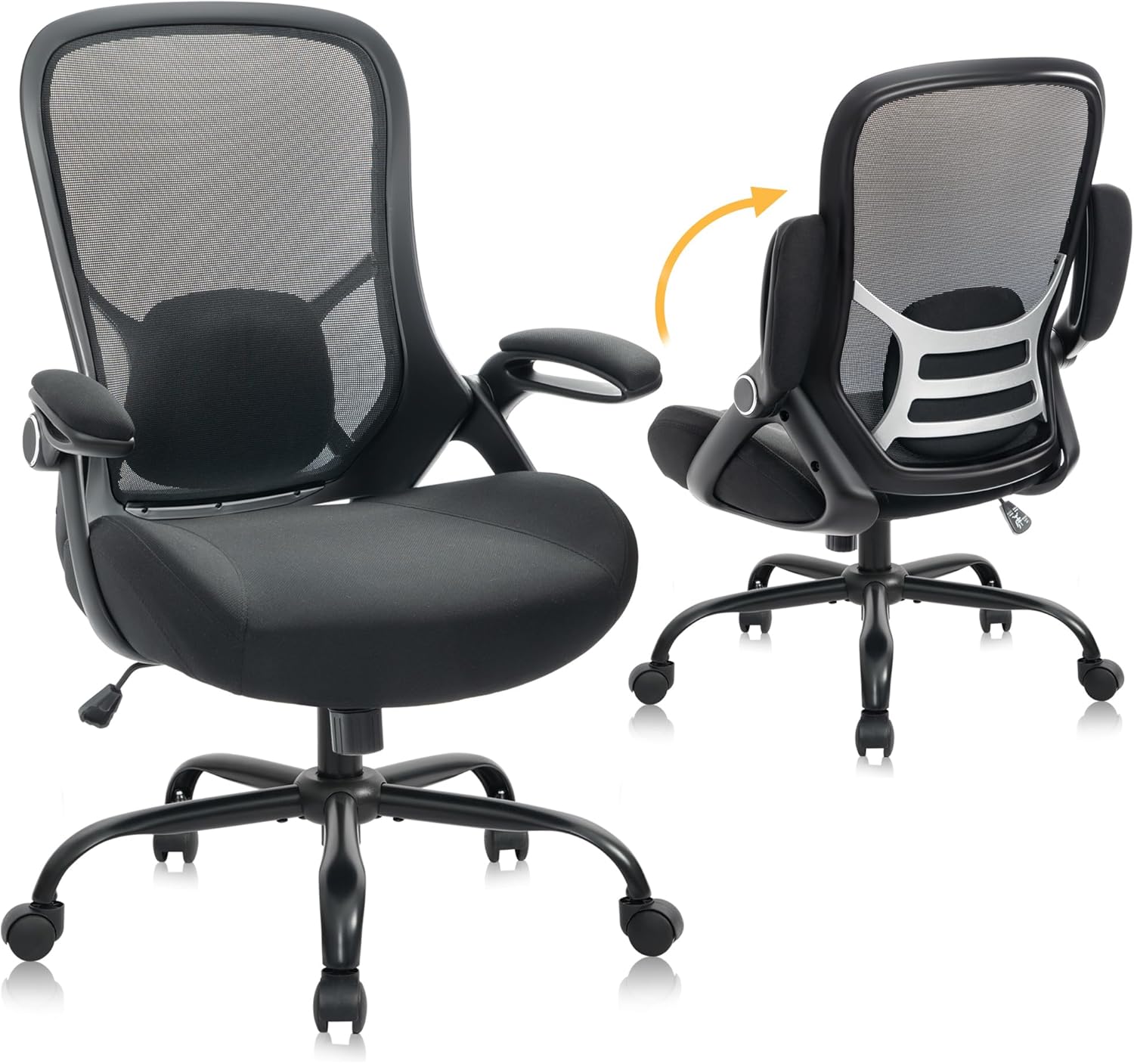

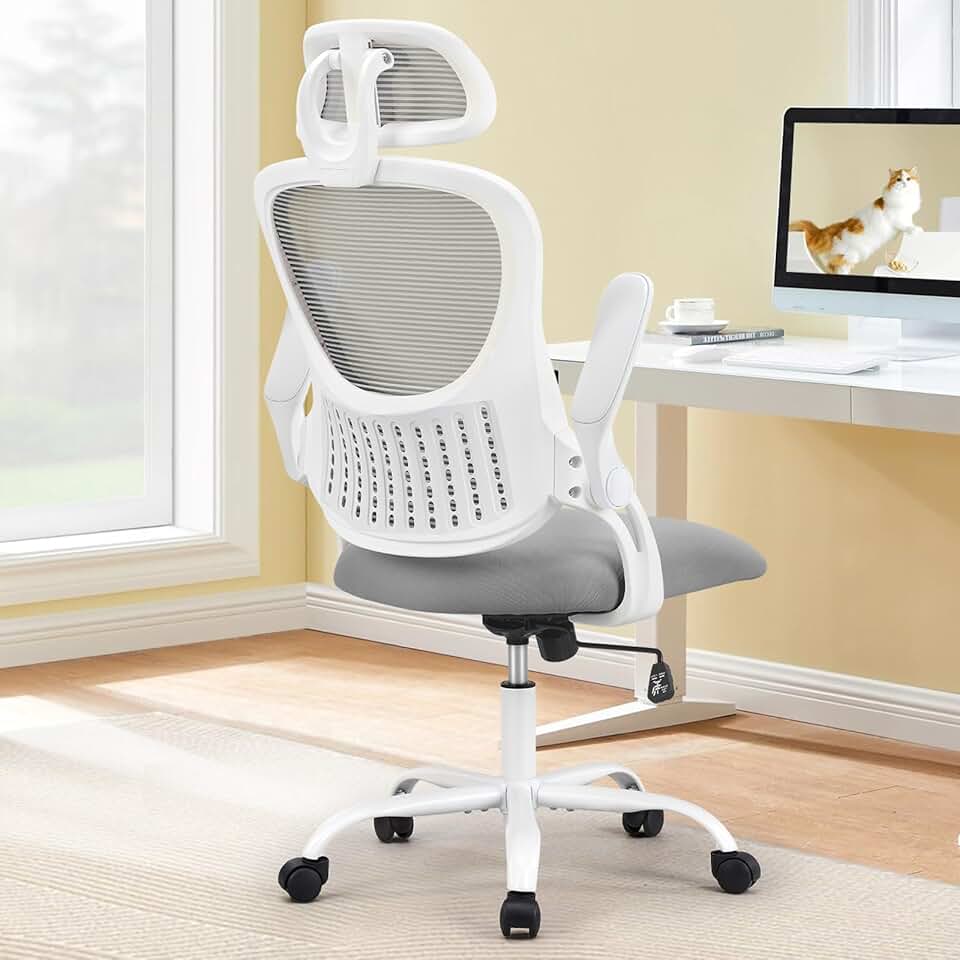


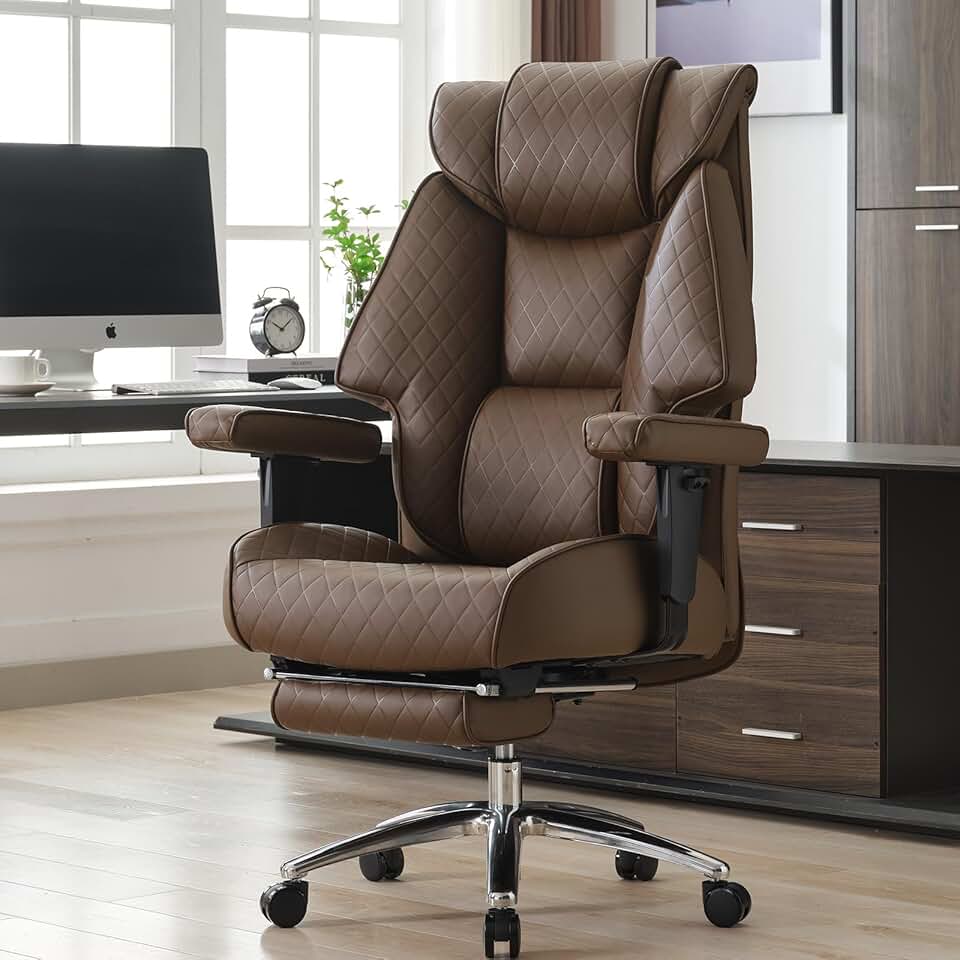


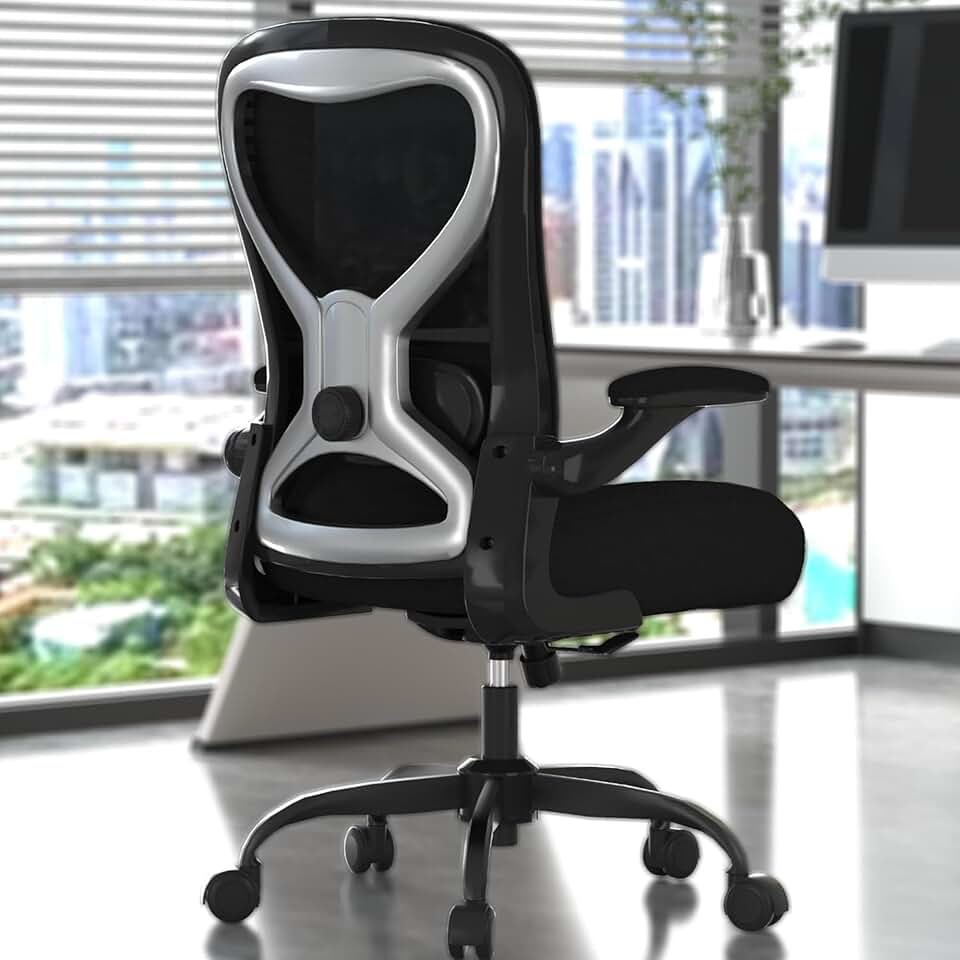

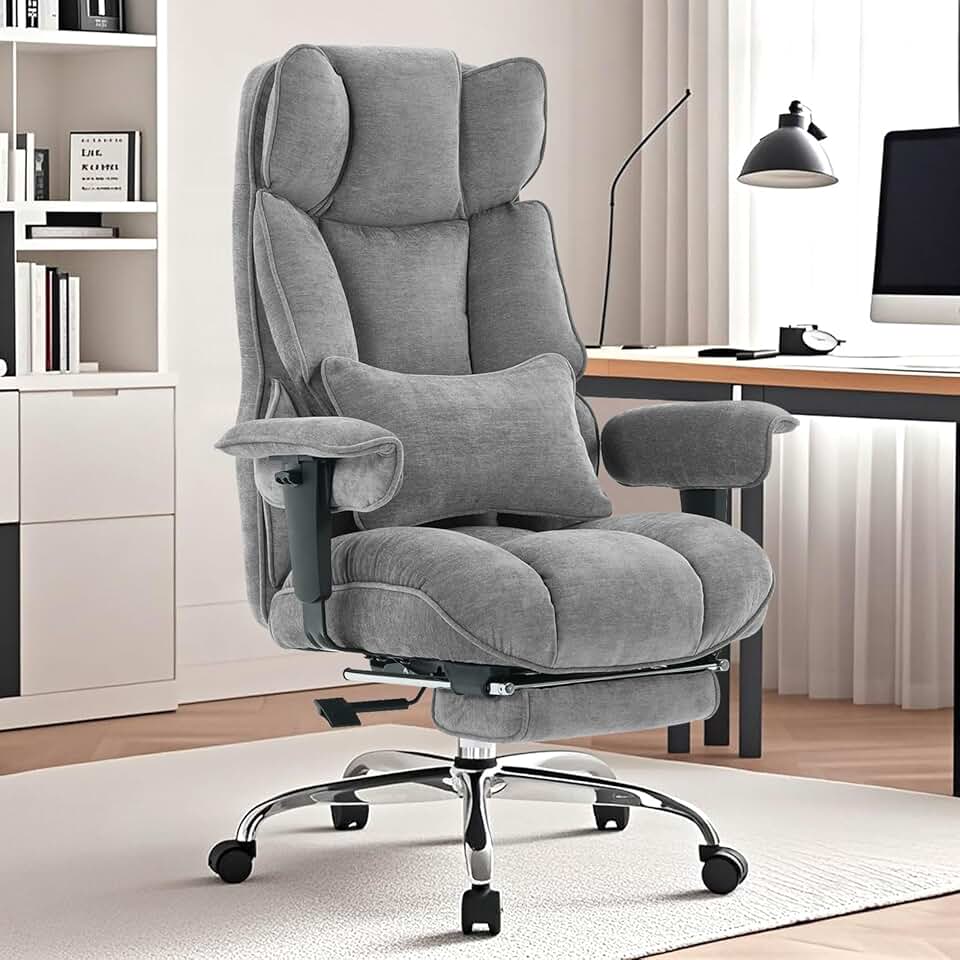

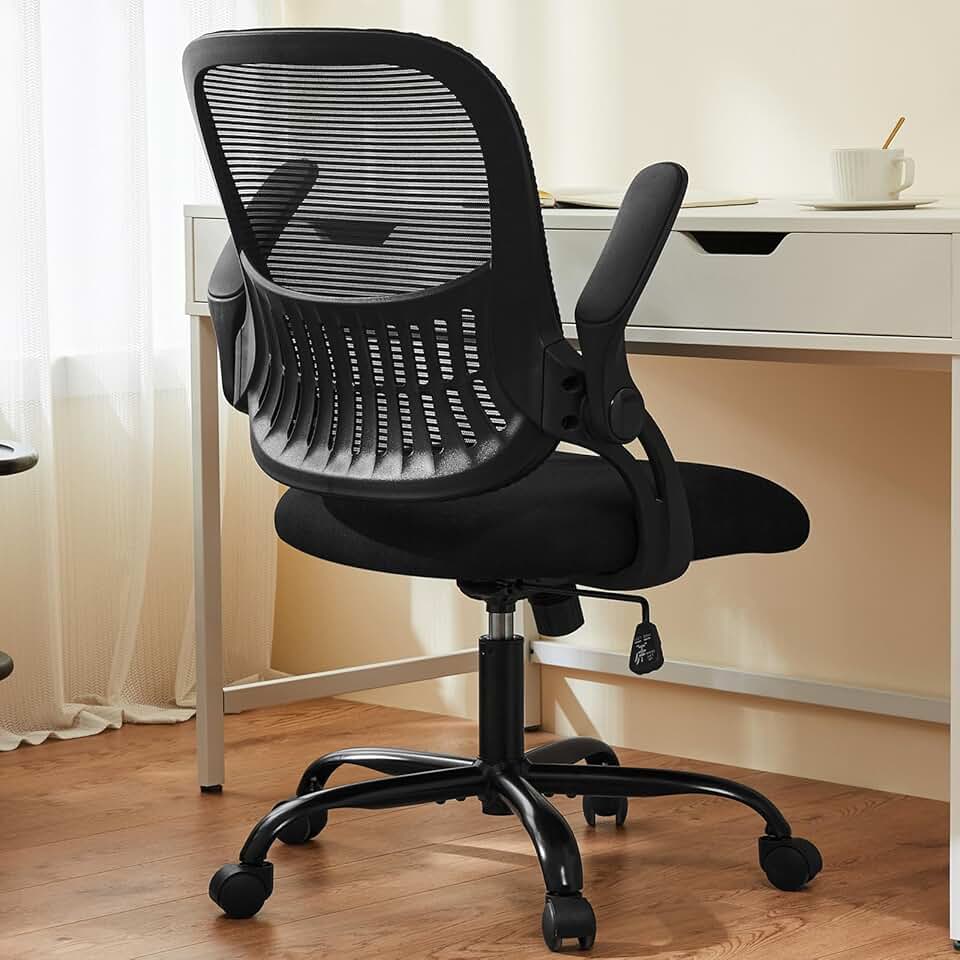


 Photo by
  Photo by
  Photo by