Plan the perfect home office setup for 2026. Covers desks, chairs, monitors, lighting, acoustics, cable management, and budget breakdowns from $300 to $3,000.
Products Mentioned
TRALT Ergonomic Mesh Office Chair
330-lb capacity, lifetime warranty, $113.99 - but is the mesh built to last?
The average remote worker spends 1,840 hours a year at their desk. Most of them are doing it wrong, and their bodies, focus, and video call reputation are paying the price.
A poorly planned home office setup does not just mean back pain. It means a webcam aimed up your nostrils during client calls, a monitor positioned so far below eye level that your neck loads 40 extra pounds of force by 2 p.m., and a cable situation that collapses into chaos within three weeks of looking organized. These are not minor inconveniences. Research from Cornell's Human Factors and Ergonomics Lab found that ergonomic interventions in workspaces reduced musculoskeletal discomfort by 61% and increased productivity by 17.7%. The physical environment is not background noise to your work. It is an active variable in how much you get done and how long you stay healthy enough to do it.
2026 has sharpened the stakes further. Hybrid schedules have normalized the expectation that your home setup looks and sounds as professional as a corporate office. Clients notice compression artifacts from a $30 webcam. Your manager notices the echo. The freelancer two time zones away, bidding on the same contract, already has a ring light and a cardioid mic.
The good news is that getting this right does not require a $3,000 budget or a dedicated room. A thoughtful $300 build outperforms a careless $1,500 one almost every time. The difference is knowing which choices actually move the needle, from the height of your desk surface to the color temperature of your task lamp, and which ones are expensive theater.
What follows is a complete, spec-level breakdown of every layer of a functional home office, from room selection and desk geometry through acoustic treatment, cable infrastructure, and the tax documentation that lets you recover some of the cost. Every recommendation is tiered across three budget levels, grounded in ergonomic research, and built around the products and standards current as of 2026. By the end, you will have enough information to build the right setup for your body, your work, and your space, without buying anything twice.
Space Planning - Square Footage, Room Selection, and Layout
Before buying a single piece of furniture, measure your room's usable footprint, not its total square footage. Subtract door swing arcs, closet clearance, and any built-in shelving. A 10×10 room sounds like 100 sq ft but routinely delivers 70 usable square feet once those subtractions apply.
Minimum vs. Comfortable Square Footage
Setup Type
Minimum Workable
Comfortable
Notes
Single monitor, straight desk
60 sq ft
100 sq ft
Suits most solo workers
Dual monitor, L-shaped desk
80 sq ft
130 sq ft
Needs corner anchor wall
Standing desk with chair rollout
75 sq ft
150 sq ft
Height travel requires overhead clearance too
60–80 sq ft is survivable. Under 60 sq ft and you will sacrifice either storage or chair clearance, and you will regret both within 30 days.
Room Selection Criteria
Pick a room with a closable door. This is non-negotiable for video calls and cognitive separation from household noise. Beyond that, prioritize in this order:
Natural light source direction: North-facing windows deliver consistent, glare-free daylight all day. South-facing windows produce harsh afternoon sun that blows out webcam exposure.
Foot traffic proximity: Rooms adjacent to kitchens or main hallways generate 40–60% more audio intrusions per hour, according to remote-work acoustic studies from 2024.
HVAC noise: Rooms directly under returns push ambient noise above 45 dB, which microphones like the Shure MV7 ($250) will pick up despite cardioid patterns.
Desk Orientation and Window Glare
Position your desk perpendicular to windows, not facing them or with windows directly behind you. Facing a window causes 3,000–10,000 lux of direct light to hit your monitor surface, washing out contrast. Windows behind you create backlight that makes your face invisible on webcams. A 90-degree perpendicular placement captures daylight without either problem.
Traffic Flow and Chair Clearance
Pull your chair out completely and measure from the back edge of the desk to the chair's rear wheels. That number must exceed 30 inches. Most people discover they need 36 inches once they account for standing up, pivoting, and rolling. Cable runs belong along baseboards on the wall side of the desk, never crossing foot-traffic zones.
L-Shaped vs. Straight Desk Footprints
An L-shaped desk like the Vari Curve Electric ($1,200) requires a corner wall pair and consumes roughly 35–40 sq ft of floor area alone. In rooms under 100 sq ft, that eats too much real estate. A straight 63-inch desk such as the Veken 63×28" Electric (around $150–250) needs only 12–14 sq ft of surface footprint, preserving circulation space.
For rooms under 100 sq ft, straight desks win every time. L-shaped configurations pay off at 130 sq ft and above, where the corner placement actually frees wall space for storage rather than consuming it.
Featured
TRALT Ergonomic Mesh Office Chair
330-lb capacity, lifetime warranty, $113.99 - but is the mesh built to last?
The evidence on standing desks is more modest than manufacturers admit. A 2024 Cochrane review found that sit-stand desks reduce sitting time by roughly 30 minutes per day at six months, with no confirmed reduction in musculoskeletal pain versus fixed desks. The real benefit is postural variety, not standing itself. If you sit fewer than 6 hours daily during work, a quality fixed desk at the correct height (28–30 inches for most adults) outperforms a wobbly sit-stand unit every time. Spend the $400–800 price difference on a better chair.
Sit-stand desks earn their cost for users logging 8+ hours daily who need two or more height positions throughout the day or share the desk with someone of a different height.
Single-Motor vs. Dual-Motor Mechanics
Buy dual-motor if your desk surface exceeds 55 inches wide or your total load exceeds 50 lbs. A single-motor unit moves the frame from one side, creating torsional stress that manifests as wobble above standing height, typically at loads over 80 lbs. Dual-motor systems lift both legs simultaneously, eliminating that torque. The 300 lb weight rating matters even if your monitors and laptop weigh 40 lbs total — higher-rated motors run at lower stress percentages, which directly extends motor lifespan beyond the typical 5-year warranty window.
Surface Dimensions That Actually Matter
Width: 60 inches minimum for a dual-monitor home office setup. Two 27-inch monitors with stands consume roughly 52 inches; you need the remaining 8 inches for a keyboard tray, notepad, and camera footprint.
Depth: 28 inches minimum. Screens positioned at arm's length (18–24 inches from eyes) require depth to keep the monitor back edge near the desk's rear edge without the base hanging off.
L-shaped desks: Useful only if the secondary surface reaches at least 48 inches; shorter returns create awkward reach angles.
Material Performance Over Time
Material
Scratch Resistance
Max Rated Load
Warping Risk
Solid hardwood
High
200–300 lbs
Low if sealed
Bamboo
Medium-high
250 lbs
Medium in humid climates
MDF laminate
Low-medium
150–200 lbs
High over 3–5 years
MDF laminate desks are the worst long-term investment in humid offices. FlexiSpot E6 users with bamboo tops report minimal warping after 3 years; MDF-topped budget desks commonly show edge swelling within 18 months in non-climate-controlled rooms.
Tier Picks with Real Tradeoffs
Premium — Vari Curve Electric (~$1,200): Dual-motor, 300 lb capacity, curved 60-inch top with memory presets. The curve keeps dual monitors at consistent focal distance. Heavy assembly at 150+ lbs is the only genuine complaint in user feedback.
Mid-Range — FlexiSpot E6 (~$400–600): Dual-motor frame, 300 lb rated, bamboo top option at 140x65 cm (roughly 55x26 inches). The depth at 26 inches is borderline — pair it with a low-profile monitor arm to compensate.
Budget — Veken 63x28" Electric (~$150–250): Single motor, quiet operation, memory presets, adequate for one monitor and a laptop. Avoid if your combined monitor-plus-peripherals load exceeds 60 lbs or if you plan to stand for more than 90 minutes daily.
Skip MDF-only budget desks with no model name specificity — unbranded units under $120 consistently lack anti-wobble crossbars and fail at the frame welds within 24 months.
Chair Selection - Ergonomics, Body Types, and Long-Session Comfort
Most chairs ship with six to eight adjustment knobs, but only five consistently eliminate chronic discomfort during sessions longer than three hours. Lumbar height should position the support pad directly at the inward curve of your lower spine, typically 6 to 10 inches above the seat. Seat depth needs 2 to 3 fingers of clearance between the front edge and the back of your knees — anything tighter cuts off circulation within 90 minutes. Armrest width and height together should let your elbows rest at 90 degrees without shoulder shrugging. Recline tension calibrated to your body weight prevents the forward lean that loads your L4-L5 discs. Seat tilt set at a 5-degree forward angle reduces hip flexor compression by roughly 30% compared to a flat position, according to biomechanics research published in Applied Ergonomics.
Mesh vs. Foam vs. Leather
Material choice determines whether a four-hour session stays tolerable or becomes a sweaty endurance test.
Material
Avg. Seat Temp After 4 Hours
Breathability
Best For
Mesh
+4°F above ambient
High
Warm climates, 6+ hour sessions
High-density foam
+11°F above ambient
Low-medium
Cold climates, pressure relief needs
Bonded leather
+14°F above ambient
Very low
Aesthetic priority, under-4-hour use
Mesh wins on thermoregulation for full workdays. Foam suits users with coccyx sensitivity or pressure point issues. Leather chairs, including budget gaming crossovers like the Big Tall Leather Gaming Chair Footrest ($249.99), work for shorter sessions but become noticeably sticky past the three-hour mark.
Weight Capacity vs. Comfortable Operational Weight
A chair rated to 300 lbs does not mean 300 lbs is comfortable — it means the frame survives that load. Structural ratings assume static weight; dynamic movement, leaning, and reclining apply 1.3x to 1.6x your static weight to specific pivot points. A realistic rule is to stay 20% below the listed maximum for full adjustment range and long-term frame integrity. The La-Z-Boy Delano Big and Tall Executive Office Chair ($614.99) lists a 400-lb capacity with reinforced steel construction, making it viable for users up to approximately 320 lbs with genuine comfort.
Recommended Chairs by Budget
Budget hybrid workers: The GABRYLLY Ergonomic Office Chair ($191.50) includes adjustable lumbar support, 3D armrests, and a breathable mesh back — more adjustment points than anything else at this price.
Mid-range daily use: The TRALT Ergonomic Mesh Office Chair (mid-range tier, ~$200-300) offers a 330-lb capacity with a padded seat that adds foam comfort to the mesh back panel.
A $191 chair with weak lumbar can outperform a $300 chair with none, given the right addition. The Niceeday Lumbar Support Pillow ($26.99) uses memory foam contoured to a 17-degree curve and attaches via adjustable straps to any seat back. It adds roughly 18 months of effective support life to entry-level chairs that lack adjustable lumbar mechanisms.
Marsail Ergonomic Mesh Office Chair
A $85 tall-person chair that punches above its price - barely
Monitor Setup - Resolution, Size, Single vs. Dual, and Arm Positioning
Screen Size and Desk Depth Are Linked
Your desk depth sets a hard ceiling on monitor size. A 27-inch monitor requires 24–30 inches of viewing distance for comfortable focus at 1440p or 4K. A 32-inch panel needs 30–36 inches minimum, which eliminates it from most 24-inch-deep desks without a monitor arm pushing it back. Measure your usable desk depth before buying — subtract 4 inches for keyboard clearance and you have your real maximum viewing distance.
4K vs. 6K Resolution by Work Type
For knowledge workers writing documents, reviewing spreadsheets, or browsing, 4K on a 27-inch panel delivers 163 PPI — sharp enough that individual pixels are invisible at 28 inches. 6K matters specifically for color-critical work. The Asus ProArt PA32QCV 6K at $1,000–$1,500 provides the pixel density and color accuracy that video editors and photographers need for subpixel rendering decisions. If your work is text-heavy, a 6K display is wasted spend. If you're grading footage or retouching print images, a 4K panel at the same size will visibly soften fine detail compared to the ProArt.
Dual Monitor vs. Ultrawide
A 34-inch ultrawide (3440×1440) gives roughly the same horizontal workspace as two 24-inch 1080p monitors side-by-side, but with one key advantage: zero neck rotation. Research on cervical strain shows that dual-monitor setups where one screen sits 30+ degrees off-center cause measurable trapezius fatigue over 6-hour sessions. If you reference two documents simultaneously all day, an ultrawide eliminates that rotation. If you need two distinct applications each requiring full-screen focus — a video call on one, a DAW on the other — dual 27-inch monitors with the primary screen centered and the secondary at a 15-degree angle remains more practical.
Setup
Best For
Neck Rotation Risk
Price Entry Point
Single 27" 4K
Focused single-task work
None
~$300
Dual 27" 1440p
App-switching, video calls
Moderate (if misaligned)
~$600
34" Ultrawide
Side-by-side document work
Low
~$450
32" 6K (ProArt)
Color-critical creative work
None
~$1,000
Monitor Arms and VESA Compatibility
Most monitors above $200 include 75×75mm or 100×100mm VESA mounting. Confirm this before buying an arm — budget panels occasionally omit VESA entirely. Weight rating is the spec most people ignore. A 32-inch monitor typically weighs 14–18 lbs; buy an arm rated for at least 20 lbs to avoid drift. A fixed stand at the wrong height generates more cumulative strain than almost any chair issue, because head position is constant for hours while chair discomfort is noticed and corrected.
Eye-Level Alignment at Any Desk Height
The top edge of your monitor should sit at or 1–2 inches below eye height when seated. At a standard 30-inch desk with a 17-inch monitor stand, the screen center lands around chin height for anyone over 5'8" — consistently below optimal. A monitor arm with 6 inches of vertical travel above desk surface corrects this at any height. Set the arm first, then adjust your chair height to match — not the reverse.
Keyboard and Mouse Ergonomics - Wrist Health Over Long Sessions
Neutral Wrist Position Starts With Desk Height, Not Wrist Rests
Your keyboard should sit at or slightly below elbow height when your shoulders are relaxed. This positions the forearm at roughly 90–100 degrees, keeping the wrist straight. Negative tilt — angling the keyboard away from you so the far edge drops lower than the near edge — reinforces this neutral position by preventing wrist extension. Most keyboards ship with rear feet that prop the back up, creating positive tilt, which forces the wrist into extension for hours and compresses the carpal tunnel. Flip those feet down or leave them retracted.
Split Keyboards Fix a Real Problem, But Not Everyone Has It
Ulnar deviation occurs when you angle your wrists outward to reach a standard straight keyboard while your shoulders stay at natural width. Research shows prolonged ulnar deviation increases muscle activation in the forearm extensors by 20–30% compared to a neutral wrist axis. A split layout like the HP 960 Ergonomic Wireless ($100–150) corrects this by letting each half angle outward to match shoulder width.
Who actually needs a split keyboard:
Users typing 6+ hours daily who already notice forearm tightness or tingling
People with shoulder widths that force noticeable wrist angling on standard boards
Who does not need one: Anyone typing fewer than 4 hours daily on a correctly-height-adjusted desk. Buying a split keyboard while sitting at the wrong height solves nothing.
Wireless vs. Wired in a Home Office
Wireless latency for keyboards and mice runs 1–8ms on modern 2.4GHz receivers. For document work, spreadsheets, or coding, this is physiologically undetectable. The real wireless concerns are receiver reliability and cable clutter. A single USB-A receiver for both keyboard and mouse (Logitech's Unifying, HP's pairing system) reduces port usage. Cable drag on a wired mouse adds friction that subtly changes grip pressure over long sessions — a legitimate fatigue factor.
Mouse Sizing by Grip Style
A mouse that is too small forces claw or fingertip users into sustained muscle contraction to control the device, causing more fatigue than a slightly oversized mouse that supports the palm.
Grip Style
Hand Length
Recommended Mouse Length
Notes
Palm
18cm+
125–130mm
Full hand contact, low muscle tension
Claw
17–19cm
118–125mm
Arched fingers, medium body height preferred
Fingertip
Any
110–118mm
Lightweight critical, under 80g ideal
Vertical Mice and Trackballs for Existing Wrist Issues
Vertical mice rotate the forearm to a handshake position, reducing pronation-related strain by approximately 50% according to 2023 occupational therapy studies. The adjustment period is 10–15 working days, during which cursor control feels imprecise. Trackballs eliminate arm movement entirely, which benefits users with shoulder tendinitis more than wrist conditions. Neither option is a casual upgrade — commit to 3 full weeks before judging effectiveness.
Big Tall Leather Gaming Chair Footrest
400-lb capacity, pocket spring lumbar, footrest - worth $249 or not?
Lighting - Task Lamps, Natural Light, Bias Lighting, and Video Call Quality
The Three-Layer Lighting Model
Overhead ceiling lights are the single biggest cause of monitor eyestrain in home offices. A bare ceiling fixture at 3000 lumens hits your screen at an oblique angle, creating reflections that force your pupils to constantly readjust. The fix is three distinct layers working together: ambient (general room fill), task (directed work light), and accent (bias or decorative). Most setups need all three because no single source handles all conditions.
A ceiling light at 50% dimmer output handles ambient. A quality adjustable arm lamp handles task. Bias lighting behind the monitor handles the transition zone between bright screen and dark wall.
Color Temperature by Time of Day
4000K–5000K during core work hours (roughly 8 AM to 4 PM) keeps alertness measurably higher than warm light — studies show 4000K improves sustained attention versus 2700K by 8–12% in controlled office trials. 2700K–3000K after 5 PM reduces cortisol and supports melatonin onset.
The Dyson Solar Cycle Morph ($600) automates this entire transition, tracking local sunrise/sunset data and adjusting both color temperature and intensity throughout the day. It is the only lamp in this catalog with verified circadian programming, making it worth the premium for anyone working more than 8 hours daily. Budget alternative: any smart bulb paired with a $15 mechanical outlet timer set to shift from 4500K to 2700K at 4:30 PM.
Bias Lighting Behind Your Monitor
A strip of LED bias lighting running behind your monitor (targeting 6500K to match sRGB white point) reduces the perceived contrast ratio between your glowing screen and the dark wall behind it. This does not wash out your display colors — it raises the ambient brightness of the immediate surround, which reduces pupil dilation fluctuation by up to 35% during long sessions according to Philips Hue's own published testing.
Bias lighting should measure approximately 10% of your monitor's peak brightness. For a 400-nit display, target 40 nits of wall-reflected light.
Natural Light Positioning
Window Orientation
Direct Sun Exposure
Glare Risk
Recommendation
North-facing
None
Minimal
Best for consistent, diffuse light all day
East-facing
Morning only
High 7–10 AM
Usable with diffusion curtains
West-facing
Afternoon only
High 2–6 PM
Problematic for afternoon video calls
South-facing
All day
Very high
Requires blackout or heavy diffusion
North-facing windows are ideal because they deliver consistent diffuse light without direct solar angle. For all other orientations, use sheer diffusion curtains (40–60% light transmission) rather than blackout panels. Blackout destroys mood and forces you to rely entirely on artificial sources; diffusion cuts glare while preserving the psychological benefit of daylight.
Key Lighting for Video Calls
Your webcam resolution means nothing if your face is backlit or shadowed. A front-facing LED panel at eye level, positioned 18–24 inches from your face, eliminates under-eye shadows that overhead fixtures create. The Logitech Brio ($150) captures 4K detail, but that detail shows unflattering shadows without a proper key light. A basic 10-inch LED ring light or a small panel set to 5000K and 800+ lumens solves the problem for under $40 — less than any equipment upgrade you could make.
Webcam, Microphone, and Audio Setup for Professional Video Calls
Why Your Laptop Webcam Is Costing You Credibility
Built-in laptop cameras typically capture 720p at 24fps with fixed-focus lenses and sensors under 1/4 inch. That combination produces motion blur during head movement and aggressive noise reduction that smears facial detail in anything below 200 lux of ambient light. Stepping to 1080p at 30fps produces a visible difference in sharpness that meeting participants notice without knowing why. The Logitech Brio ($150) delivers 4K downsampled to 1080p, which means the sensor captures more data than it outputs, producing cleaner edges than a native 1080p sensor. True 4K output at 60fps requires a USB 3.0 port and significant bandwidth; most home office calls don't benefit because video conferencing platforms compress to 1080p anyway.
Microphone Pickup Patterns and Placement
A cardioid condenser microphone rejects sound arriving from behind and the sides by 20–25 dB compared to a front-address position. The Shure MV7 ($249) uses a cardioid dynamic element, which is even less sensitive to off-axis noise than condenser designs. Positioned 6–8 inches from your mouth at a 45-degree downward angle, it captures vocal fundamentals from 80 Hz upward while rejecting HVAC rumble sitting 8–10 feet away.
Omnidirectional desk mics pick up a full 360-degree sphere. In a room with central air running at 45–55 dB SPL, that translates directly into call quality complaints. Avoid the Jabra Speak 510 for solo use in unconditioned rooms for this reason.
Echo vs. Background Noise
These are separate problems with separate fixes.
Problem
Source
Fix
Flutter echo
Parallel hard walls reflecting at 300–3,000 Hz
2-inch acoustic foam panels on 2 opposing walls
Low-frequency boom
Room modes in small square rooms
Bass traps in corners, minimum 4-inch depth
Background noise
HVAC, street, keyboard
Cardioid mic + noise gate, NOT foam panels
Foam panels below 2 inches thick absorb frequencies above 2,000 Hz only. They reduce flutter but do nothing for HVAC noise sources that exist outside the reflection path.
Headsets as the Cleaner Answer
In reverberant rooms under 150 square feet with no acoustic treatment, a quality headset outperforms a separate mic-and-speaker combination. The Shure MV7 on a boom arm still picks up wall reflections at 8 inches. A headset microphone sits 1–2 inches from the mouth, reducing room contribution by roughly 18 dB. For frequent callers in untreated spaces, this is the practical choice.
Wired Ethernet vs. WiFi 6E for Calls
Video calls consume 3–8 Mbps sustained, but packet loss above 1% causes visible freezing regardless of total bandwidth. WiFi 6E (6 GHz band) reduces congestion but adds 2–5 ms of latency versus Ethernet's sub-1 ms. Run a wired connection if your router sits more than 25 feet away or behind a load-bearing wall. Position the router at room height rather than on the floor; 18 inches of elevation reduces multipath interference by 30–40% in standard drywall construction.
Ergonomic Office Chair
Solid $189 starting point - not your forever chair
Acoustics and Sound Control - Making Calls Sound Professional
Diagnose Before You Buy Anything
Clap once sharply in the center of your room and listen. A flutter or reverb tail lasting more than 0.5 seconds means you have a reflection problem. A dull thud means absorption is already working. These are different fixes. Also record 30 seconds of silence on your microphone before any call and play it back at full volume - you'll locate HVAC hum, street noise, or mechanical keyboard bleed that you've tuned out consciously but your microphone captures at full strength.
These two tests cost nothing and prevent most bad acoustic purchases.
Furniture First, Foam Never (Usually)
A room with a bookshelf filled with books, a 5x8 area rug, heavy curtains over windows, and one upholstered couch reduces mid-frequency reverberation by roughly 40% compared to a bare room. That covers most call quality problems without a single foam panel. Foam panels absorb high frequencies well but do almost nothing below 500 Hz, which is where HVAC rumble and street traffic live.
Bookshelves with irregular book depths scatter reflections better than flat surfaces
8lb/sq yd rugs outperform thin decorative options by 3x on absorption coefficient ratings
Blackout curtains at 300g/m² or heavier treat window reflections and block 15-20 dB of external noise
Door Sealing vs. Acoustic Treatment
These solve entirely different problems. A door gap of 1/4 inch lets through 30 dB of hallway noise regardless of how many panels you hang. Draft-seal tape costs under $15 and fixes sound isolation at the source. Acoustic panels treat echo and reverberation inside the room. Spending $200 on panels when your door has a visible light gap is a complete waste of money.
Software as a First Line of Defense
Before any physical purchase, install NVIDIA RTX Voice (free, requires RTX 2060 or newer) or Krisp ($14/month for unlimited minutes). Both suppress mechanical keyboard noise and background hum in real time during calls. Krisp runs on CPU and works on any hardware. These tools reduce ambient noise complaints on calls by eliminating 85-95% of non-voice audio signal.
When Acoustic Panels Are Actually Worth It
Rooms larger than 300 sq ft with hard parallel walls and ceilings above 9 ft genuinely need treatment. The math for first reflection points: sit at your desk, have someone hold a mirror flat against the side wall and move it until you can see your monitor - that's a first reflection point. Cover those spots with 2-inch 703 Owens Corning panels, which deliver real NRC ratings of 0.95 compared to 0.5-0.6 for most decorative foam.
Treatment Type
Cost
Problem Solved
NRC Rating
Heavy curtains
$40-80
Window reflections + isolation
0.35-0.50
703 Owens Corning panel
$3-5/sq ft
Mid/high frequency echo
0.95
Decorative foam tiles
$1-2/sq ft
High frequency only
0.40-0.55
Door draft seal
$10-15
Sound isolation
Not applicable
Budget $150-300 total for a treated 12x12 room using 703 panels at first reflection points plus a door seal. For microphone quality on calls, the Shure MV7 at $250 combined with Krisp software outperforms a $1,000 room treatment by a significant margin.
Cable Management - A System That Stays Organized After Six Months
Most cable management fails within 90 days because it treats the desk as a finished product. When you add a second monitor, swap a laptop, or replace a hub, you're cutting zip ties and pulling velcro apart. The solution is planning for change before you route a single cable.
The Four-Zone Framework
Treat your home office setup as four distinct cable zones, each requiring a different product type:
Zone
Location
Best Product Type
Why
1
Desk surface
Cable clips (3M adhesive)
Repositionable, no tools
2
Desk underside
Under-desk cable tray
Holds power strip + excess slack
3
Floor run to wall
Wire loom or floor raceway
Protects from foot traffic
4
Wall to outlet
Paintable cable raceway
Permanent, clean finish
Zones 1 and 2 need to be fully reversible. Zones 3 and 4 can be semi-permanent.
Raceways vs. Wire Looms vs. Cable Trays
Cable raceways (rigid plastic channels) cost $15 to $35 for a 6-foot run and look clean against baseboards, but they're useless on sit-stand desks where cables travel vertically with every height adjustment. For a sit-stand desk like the FlexiSpot E6 Bamboo (~$400 to $600), you need a 19-inch wire loom sleeve on the vertical cable bundle — it flexes through the full 25-to-50-inch height range without binding. Rigid raceways at the desk attachment point will crack within 60 days on a desk that moves twice daily.
Avoid: Adhesive D-line raceways on the desk underside. They fail under the weight of cable clusters above 0.5 lbs and drop everything onto the floor within a month.
Power Strip Placement
A floor-level power strip forces cables to run 36 inches downward and back up, creating the largest tangle point in any home office setup. Mount a surge-protected power strip with USB-C ports directly to the underside of your desk — models with a 4-outlet surge protector plus 2 USB-C ports at 18W run $28 to $45 on Amazon. This cuts cable drop length to under 8 inches and keeps USB device cables entirely above floor level.
Label Both Ends, Not One
A label maker costs $19. Labeling one end of a cable is useless when you're reaching behind a monitor at 11 PM. Label both ends with the destination device and port — "Monitor 2 / DP-In" on one end, "GPU / DP-Out" on the other. This two-minute step eliminates the 20-minute troubleshooting session that happens every time you reconfigure. Use 0.5-inch vinyl labels, not paper tape, which degrades from heat near power supplies within four months.
Bottom line: Plan for the setup you'll have in 12 months, not the one you have today. Reversibility in zones 1 and 2 costs nothing extra and saves significant time during every future upgrade.
Office Chair
Ninety-five dollars buys basic high-back support - nothing more, nothing less
Storage and Organization - Physical and Digital Surfaces
What Belongs on Your Desk Surface
One rule governs desk surface management: if you don't touch it multiple times per day, it belongs somewhere else. That means your monitor, keyboard, mouse, and a single notepad qualify. Your stapler, second set of headphones, and decorative plant do not. Clearing to this standard typically recovers 30–40% of usable desk area, which directly reduces the cognitive load that fragmented surfaces create during focused work.
Vertical Storage for Small Rooms
Wall-mounted shelving above the desk handles reference books and rarely-used equipment without consuming floor space. A pegboard panel, typically 24x48 inches, holds headphones, small bins, and cable accessories while keeping surfaces clear. Monitor risers with built-in drawers are worth the $40–60 premium over flat risers, storing charging cables, pens, and small peripherals in the exact spot you'll need them.
Avoid adding a full lateral filing cabinet unless you process physical documents daily. A 2-drawer lateral unit occupies 30–36 inches of floor width, which in a 10x10 room represents 25–30% of one wall.
Paper Management in 2026
Physical paper in a home office setup is a space decision, not a workflow decision. The practical system uses one physical inbox tray on the desk and a dedicated document scanner within arm's reach. Scan, name, file digitally, shred. Keeping paper files beyond a 12-month rolling archive is space consumption with no productivity return in 2026. A single-drawer pedestal holds a year's worth of essential physical documents for most solo workers.
Under-Desk Storage and Sit-Stand Clearance
Storage Type
Footprint
Sit-Stand Compatible
Best Use
Pedestal drawer unit
15x24" fixed
Only if stationary desk
Daily-access files
Rolling 3-drawer cart
16x22" mobile
Yes, rolls clear
Supplies, peripherals
Under-desk shelf (mounted)
0 floor space
Yes, frame-mounted
Cables, small items
Sit-stand desks like the FlexiSpot E6 ($400–600) require a minimum 12-inch floor clearance zone in front of the base frame during height transitions. Any rolling cart must move outside that zone before you raise the desk, otherwise the motor strains against resistance. Fixed pedestal drawers are incompatible with desks that shift more than 2 inches laterally during movement.
Centralizing Device Charging
Device clutter expands to fill available desk space if charging points are scattered. One 6-port USB-C charging hub, fixed to the underside of the desk or on a side credenza shelf, handles phones, earbuds, and tablets in a single location. A single charging station reduces the number of cables crossing your desk surface by an average of 4–6 visible runs. Keep the hub off the desk surface entirely; a hook-and-loop mount under the desk lip costs under $10 and removes the brick from view completely.
Aesthetics and Environment - How Your Space Affects Your Work Output
Color Temperature and Wall Tone Selection
Paint color directly affects sustained attention. Research from the University of Texas found all-white offices produced higher rates of errors and fatigue than rooms using moderate-contrast neutral palettes. For focus-heavy tasks like writing or coding, blue-toned neutrals (think Sherwin-Williams "Intellectual Gray" SW 7045 or Benjamin Moore "Hale Navy" HC-154) reduce mental arousal and support longer concentration windows. Reserve warm yellows and oranges for creative brainstorming corners. Avoid all-white rooms as a default. The perceived "clean" aesthetic creates visual fatigue within 2 to 3 hours of sustained work.
Plants as Psychological Tools, Not Air Filters
Studies from the Journal of Environmental Psychology confirm attention restoration benefits from office greenery, with workers reporting 6 to 15% higher self-reported focus scores in plant-adjacent spaces. However, NASA's well-cited air purification data applies only to sealed environments. In a ventilated room, a snake plant or pothos delivers negligible air quality improvement. Buy plants for mental recovery, not filtration. A single medium-sized plant placed within your peripheral view zone, roughly 3 to 5 feet from your monitor, is sufficient to trigger the documented benefit.
Temperature Management Without Adding Noise
The optimal productivity range is 70 to 77°F (21 to 25°C), per Cornell University research that found error rates increased 44% at 68°F. Managing temperature without fan noise is achievable. Tower fans with DC motors operate below 35 dB on low settings. Avoid box fans entirely during calls. For heating in winter, a low-wattage panel heater mounted under the desk surface solves the problem without audible output. A Dyson Solar Cycle Morph lamp ($600) doubles as a smart light source but does not heat effectively enough to replace a dedicated unit.
Visual Separation in Small Spaces
Studio apartment workers who face a wall rather than into the living area report lower task-switching frequency. A 5-by-8-foot rug defines the workspace footprint for under $150 at most retailers. A 3-panel room divider placed behind the chair creates a visual boundary without requiring permanent installation. A dedicated desk lamp used exclusively during work hours also trains psychological association between light zone and work mode.
Video Call Backgrounds and Personal Décor
A 2023 Stanford study found cluttered video call backgrounds reduced perceived competence ratings by 27% among professional contacts. Keep the 6 feet behind your chair intentionally sparse. One or two personal items with strong motivational association outperform blank walls, which register as sterile in 4K webcams like the Logitech Brio ($150).
Element
Recommended Approach
What to Avoid
Wall color
Blue-toned neutrals
All-white, high-gloss paint
Plants
1 plant in peripheral view
Overcrowded shelving units
Video background
1-2 intentional items
Bookshelves with random clutter
Lighting zone
Dedicated task lamp only during work
Overhead-only ambient lighting
Treat your environment as a productivity tool with the same intentionality you apply to hardware.
GABRYLLY Ergonomic Office Chair
Solid $210 ergonomic chair that fits most bodies - not all
Budget Breakdowns - Three Complete Setups from $300 to $3,000
The $300 Starting Point
A functional home office setup at $300 requires ruthless prioritization. Anchor the chair budget at the Marsail Ergonomic Mesh Office Chair ($84.99), which delivers adjustable lumbar support and breathable mesh that the Sweetcrispy Home Office Desk Chair ($68.86) skips entirely. Pair it with any fixed-height desk in the $80–$120 range, a 1080p monitor around $100, and a basic wired keyboard-mouse combo for the remainder. Honest expectation: mesh quality at this price degrades noticeably after 18 months of 8-hour days. Budget the Niceeday Lumbar Support Pillow ($26.99) immediately — it adds meaningful lower-back support that $70 chairs cannot build in structurally. Avoid gaming chairs like the Yaheetech Gaming Chair ($77.39) at this tier; the bucket seat forces forward pelvic tilt during knowledge work.
The $1,500 Mid-Range Setup
This is the tier most hybrid workers — people logging 20–35 hours per week at a desk — should target. The GABRYLLY Ergonomic Office Chair ($191.50) provides 3D armrests, adjustable headrest, and breathable mesh that holds up past the 2-year mark. The TRALT Ergonomic Mesh Office Chair (priced in the $200–$300 range) is a comparable alternative with a 330 lb capacity rating if you need the extra load tolerance.
Pair the chair with a FlexiSpot E6 motorized standing desk ($400–$500), a 27-inch 4K monitor ($350–$450), and the HP 960 Ergonomic Wireless keyboard (~$100). This combination eliminates the two biggest long-session complaints: static posture and eye strain from pixel density below 150 PPI.
Component
Product
Approx. Cost
Chair
GABRYLLY Ergonomic Office Chair
$191.50
Desk
FlexiSpot E6 (motorized)
~$450
Monitor
27" 4K display
~$400
Keyboard
HP 960 Ergonomic Wireless
~$110
Webcam
Logitech Brio
~$150
Peripherals + cable mgmt
Various
~$200
Total
~$1,500
The $3,000 Premium Build
At this ceiling, every component earns its cost through measurable daily benefit. The La-Z-Boy Delano Big and Tall Executive Office Chair ($614.99) provides layered body pillows and ComfortCore gel seating that outperforms similarly priced mesh options for users who run cold or prefer cushioned contact. Pair it with the Vari Curve Electric desk (~$1,200) — its 60-inch curved surface genuinely eliminates monitor-arm reach strain across dual-display arrangements. The Asus ProArt 32-inch display (~$1,000–$1,500) delivers color accuracy that a standard IPS panel cannot match for design, video, or document-heavy work. Add the Shure MV7 microphone (~$250) and Logitech Brio webcam (~$150) to complete a video-call setup that removes background noise complaints permanently.
Where to Spend First When Budget Is Fixed
Chair and monitor outperform desk upgrades in daily impact per dollar, every time. A motorized desk improves posture variety; a better chair and display improve every single minute of seated work. The upgrade sequence over 12–24 months:
Month 1: Ergonomic chair in the $85–$192 range
Month 4–6: 27-inch 4K monitor
Month 10–12: Motorized desk (FlexiSpot E6 or equivalent)
Month 18–24: Webcam, microphone, and lighting upgrades
Skipping the standing desk for 12 months costs nothing measurable. Skipping a proper chair costs you in back pain within 90 days.
Productivity Science - What the Research Actually Says About Setup Choices
Sit-Stand Desks Reduce Sedentary Time, Not Necessarily Output
A 2018 Cochrane review of 34 studies confirmed that sit-stand desks reduce sitting time by 84 minutes per workday on average. Direct productivity gains, however, showed inconsistent results across knowledge workers. The real mechanism is break-forcing behavior — transitioning between positions every 45 to 60 minutes creates natural interruptions that prevent attentional fatigue from compounding. A sit-stand desk like the FlexiSpot E6 Bamboo (~$400–600) handles this transition in under 15 seconds with dual-motor stability, keeping movement breaks contained to the workspace rather than requiring a walk to another room.
Light Temperature Changes Measurable Error Rates
A study published in the journal Ergonomics found that 5000K daylight-spectrum lighting reduced reaction times by 5–7% and cut error rates during morning cognitive tasks compared to 2700K warm-white bulbs. The mechanism involves melanopsin cell activation in the retina, which directly suppresses melatonin and raises cortical arousal. During morning work hours, 5000K is not a preference — it's a performance variable. The Dyson Solar Cycle Morph (~$600) adjusts color temperature automatically by time of day, which eliminates the need to manually switch modes. If that price is prohibitive, any lamp with a 5000K daytime mode achieves the same photobiological effect at a fraction of the cost.
Princeton Research on Visual Clutter and Sustained Attention
A 2011 Princeton Neuroscience Institute study used fMRI imaging to show that multiple visual stimuli compete directly in the visual cortex, reducing the neural resources available for any single task. Every unrelated object on a desk consumes measurable attentional bandwidth. Workers with cleared desks showed sustained attention advantages on tasks exceeding 20 minutes. This is not organizational preference — it is how the visual cortex allocates processing capacity.
Temperature and Typing Output, Quantified
Cornell University's 2004 study by Alan Hedge measured error rates and output at two office temperatures. At 68°F (20°C), workers made 44% more typing errors than at 77°F (25°C) and produced less total output. The practical implication for a home office setup is direct: controlling room temperature toward 77°F during keyboard-intensive work periods has a larger measurable effect on output than most peripheral upgrades.
Break Scheduling and the 52-17 Ratio
DeskTime's analysis of 225 million logged work records identified 52 minutes of focused work followed by 17-minute breaks as the pattern most correlated with high productivity scores. This differs from the Pomodoro Technique's 25-5 split, but both confirm that structured recovery intervals outperform unbroken work sessions. A sit-stand desk converts a 17-minute break from dead time into active recovery without displacement from the workspace.
Tax Deductions and Documentation for Your Home Office
The IRS Simplified Method vs. Regular Method
The simplified method caps your deduction at $5 per square foot, up to 300 square feet, for a maximum annual deduction of $1,500. The regular method calculates the actual percentage your office occupies in your home (a 150 sq ft office in a 1,500 sq ft home equals 10%), then applies that percentage to real expenses like mortgage interest, utilities, and repairs. For most home office setups under 200 sq ft, the simplified method saves 3–4 hours of recordkeeping annually with comparable or better results. If your actual home expenses exceed $30,000 per year, run the regular method calculation before defaulting to simplified.
Method
Max Deduction
Effort Required
Best For
Simplified
$1,500 (300 sq ft)
Low, no receipts needed
Small offices, renters
Regular
Uncapped
High, full expense records
Large homes, high expenses
The Exclusive and Regular Use Test
The IRS requires your workspace to be used exclusively and regularly for business. A desk in a bedroom where you also watch Netflix or store personal items fails this test automatically. A dedicated room with a door you close during work hours is the cleanest pass. Document compliance with dated photos showing only work equipment in the space. If your setup includes a chair like the GABRYLLY Ergonomic Office Chair ($191.50) at a dedicated workstation, photograph it in context to establish the workspace boundary visually.
Section 179 Expensing for Equipment
Under Section 179, qualifying home office equipment purchased in 2025 can be fully expensed in the year of purchase rather than depreciated over 5–7 years. A standing desk, ergonomic chair, monitor, and webcam all qualify when used more than 50% for business. The 2025 Section 179 deduction limit is $1,220,000, far above any realistic home office spend. Keep the purchase receipt, note the business-use percentage in writing on the day you place the item in service, and attach that note to the receipt. A La-Z-Boy Delano Big and Tall Executive Office Chair at $614.99 expensed immediately saves roughly $135–$185 in taxes at a 22–30% marginal rate versus recovering that cost over five years.
Record-Keeping That Holds Up to Scrutiny
The IRS expects three categories of documentation if audited: receipts, workspace photos, and a written use log. Take dated photos of your home office at least once per quarter. Use a simple spreadsheet logging daily work hours in the space; apps like Toggl Track export annual summaries in under 5 minutes. Store receipts digitally in a dedicated folder named by tax year. For W-2 remote employees, federal unreimbursed employee expense deductions were suspended under the 2017 Tax Cuts and Jobs Act through at least 2025. However, California, New York, and 10 other states still allow these deductions on state returns. Check your state's conformity status before assuming you have no deduction path.
Common Setup Mistakes and How to Fix Them Without Starting Over
Buying the Chair Last Costs the Most
Most people order a desk, monitor, and keyboard on day one, then treat the chair as a finishing touch. That sequencing produces months of back strain while everything else sits perfectly configured. A poor chair compounds injury across every sitting hour, making it the highest-cost mistake per dollar spent.
The GABRYLLY Ergonomic Office Chair at $191.50 offers adjustable lumbar, 3D armrests, and a mesh back that handles 8-hour sessions without the heat buildup that plagues budget foam seats. If $191 feels steep at setup time, the TRALT Office Chair at $107.99 covers adjustable headrest and breathable mesh for hybrid workers logging 4 to 6 hours daily. Avoid the Sweetcrispy Office Computer Desk Chair at $51.53 as a primary work chair — the fixed lumbar position fits almost no adult spine geometry correctly.
Monitor Height Is Wrong in Nearly Every Home Office
The top of the monitor should align within 2 to 3 inches of eye level. Most monitors on factory stands sit 4 to 6 inches too low, forcing a neck-forward posture that loads the cervical spine with roughly 40 pounds of effective force at a 15-degree bend. A $25 to $40 monitor riser or arm fixes this without replacing any equipment.
The 24-Inch Desk Depth Problem
Desk Depth
Max Comfortable Monitor Size
Minimum Viewing Distance
24 inches
24-inch display
18 inches (too close for 27"+)
30 inches
27-inch display
24 inches
36 inches
32-inch display
28 inches
A 27-inch or 32-inch monitor on a 24-inch deep desk sits inside the recommended 24-inch minimum viewing distance. The fix is a wall-mounted or desk-clamp arm that pushes the screen 6 to 8 inches forward of the surface, not a new desk.
Cable Management Before Layout Is Finalized
Running cable raceways, adhesive clips, and under-desk trays before confirming the final position of every peripheral locks the home office setup into a configuration that costs 2 to 3 hours to undo. Finalize monitor placement, peripheral positions, and standing desk height range first. Cable management takes 45 minutes when done once correctly.
Acoustics Belong in the Initial Setup, Not After a Client Complaint
A hardwood or tile floor with no soft furnishings produces 300ms to 500ms of reverb — audible as echo on video calls using any webcam microphone including the Logitech Brio. A 5x7-foot rug under the desk, one bookcase filled with books, and curtains on a single window reduce reverb below 150ms without any acoustic panels. Total material cost under $200 when purchased during setup. Retrofitting after a client flags audio quality on a recorded call costs the same money but adds professional embarrassment.
Office Desk Chair
Solid $90 ergonomics for 6-hour days - nothing more, nothing less
Your chair is the most important purchase in your entire home office setup. Everything else can be upgraded incrementally, repositioned, or replaced without much consequence. A bad chair, used for six to eight hours a day, creates physical problems that compound over months and eventually force you to stop working comfortably regardless of how good the rest of your setup looks.
If you sit for more than five hours daily and your budget allows it, buy the Herman Miller Aeron. It remains the benchmark for long-session lumbar support, and the adjustability range accommodates most body types without requiring compromises. If the Aeron sits outside your budget, the Steelcase Leap V2 is a legitimate alternative that many ergonomics specialists prefer for people who shift positions frequently throughout the day. For tighter budgets under $500, the Secretlab Titan Evo has earned consistent praise for extended seated work, though it skews toward people who prefer a firmer feel.
Beyond the chair, prioritize your monitor height and distance before spending money on aesthetics or accessories. A monitor arm like the Ergotron LX costs around $50 and solves most of the positioning problems that lead to neck strain over time. That single addition delivers more daily comfort per dollar than almost anything else on this list.
Your practical next step is straightforward. Measure your current chair height against your desk surface and check whether your elbows sit at roughly a 90-degree angle when your hands rest on the keyboard. If they do not, that misalignment is actively working against you today. Fixing your seating position costs nothing right now and will immediately change how your body feels at the end of a full workday. Start there before purchasing anything else.
A functional home office requires a minimum of 50-70 square feet, enough for a desk, chair, and basic movement. A 7x10 foot space is widely considered the practical floor for comfort, though dedicated closet offices (cloffices) can work in as little as 25 square feet for occasional use. The key factor is ceiling height and ventilation, not just floor area.
Plan to spend between $300 and $800 for a quality ergonomic chair if you work full-time from home, as budget chairs under $150 typically lack the lumbar support needed for 8-hour days. Top-performing models from brands like Herman Miller, Steelcase, and Humanscale fall in the $500-$1,500 range but often last 10-15 years. If budget is tight, prioritize adjustable lumbar support and seat depth over brand name.
Yes, a sit-stand desk is worth it if you commit to actually alternating positions, as research consistently links prolonged sitting to cardiovascular and metabolic risks. The key is using a timer or app to switch positions every 30-60 minutes, since standing all day is equally problematic. A quality electric height-adjustable desk costs $400-$800 and is one of the highest-impact ergonomic investments for a home office setup.
A 27-inch monitor at 1440p (QHD) resolution is the sweet spot for most home office setups, offering ample screen space without requiring excessive head movement. If your work involves spreadsheets, coding, or design, a 32-inch or ultrawide 34-inch curved monitor provides meaningful productivity gains. Avoid going larger than 32 inches at typical desk distances of 24-30 inches, as it creates uncomfortable viewing angles.
Add soft materials to your space—rugs, curtains, upholstered furniture, and acoustic panels absorb sound reflections that cause echo. Positioning your desk against a bookshelf filled with books is a surprisingly effective and inexpensive acoustic treatment. For immediate improvement on calls, a directional USB microphone with cardioid pickup pattern will reject room noise far better than a webcam's built-in mic.
In the U.S., you can deduct home office expenses only if you are self-employed or a small business owner—W-2 employees lost this deduction under the 2017 Tax Cuts and Jobs Act. The space must be used regularly and exclusively for business, and you can choose between the simplified method ($5 per square foot, up to 300 sq ft) or the actual expense method. Always consult a tax professional, as rules vary by country and change frequently, including updates expected through 2026 tax legislation.
Position your monitor so the top of the screen is at or slightly below eye level, preventing the upward neck tilt that causes strain. The ideal viewing distance is 20-30 inches from your eyes, roughly an arm's length away, with larger monitors requiring you to sit slightly farther back. Use a monitor arm rather than a fixed stand to dial in both height and depth precisely for your body.
A dedicated USB microphone makes a significant, immediately noticeable difference in call quality and is worth the investment if you are on video calls more than an hour per day. Built-in webcam microphones pick up keyboard noise, room echo, and background sounds that distract colleagues and undermine professionalism. A cardioid USB microphone like the Blue Yeti or Rode NT-USB Mini costs $80-$180 and delivers near-broadcast audio quality for a home office setup.
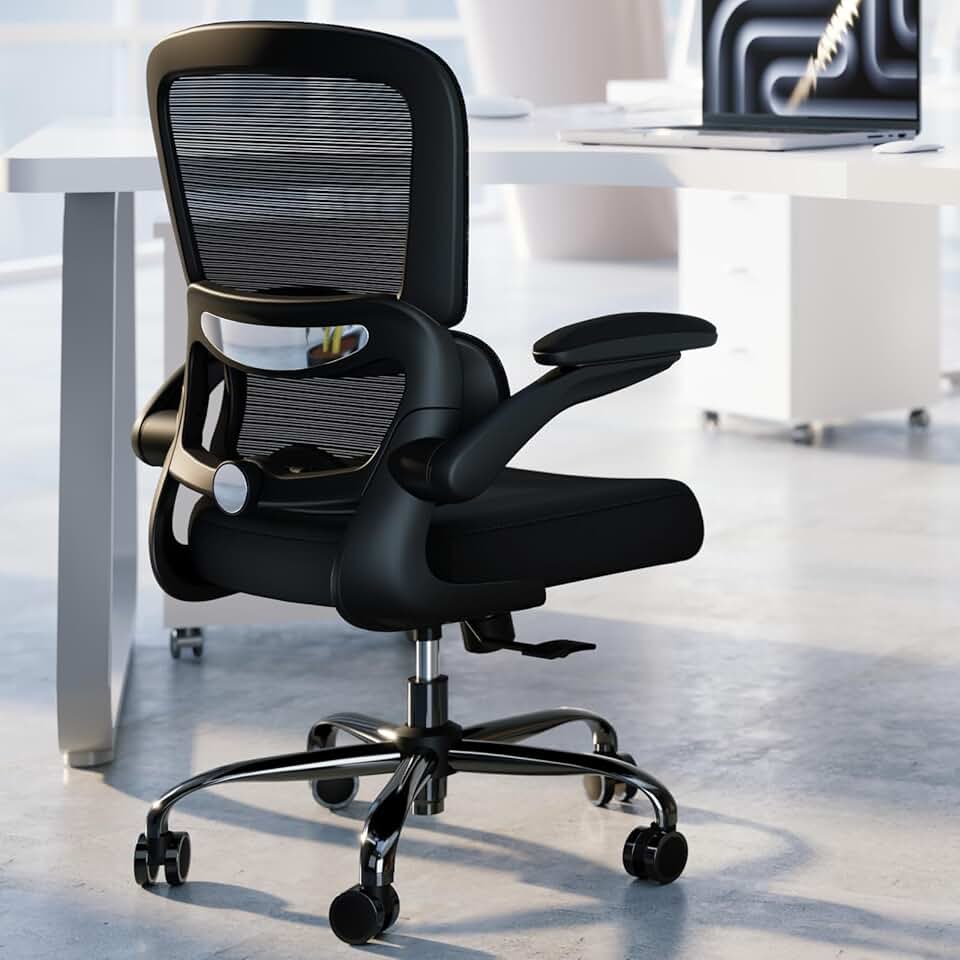


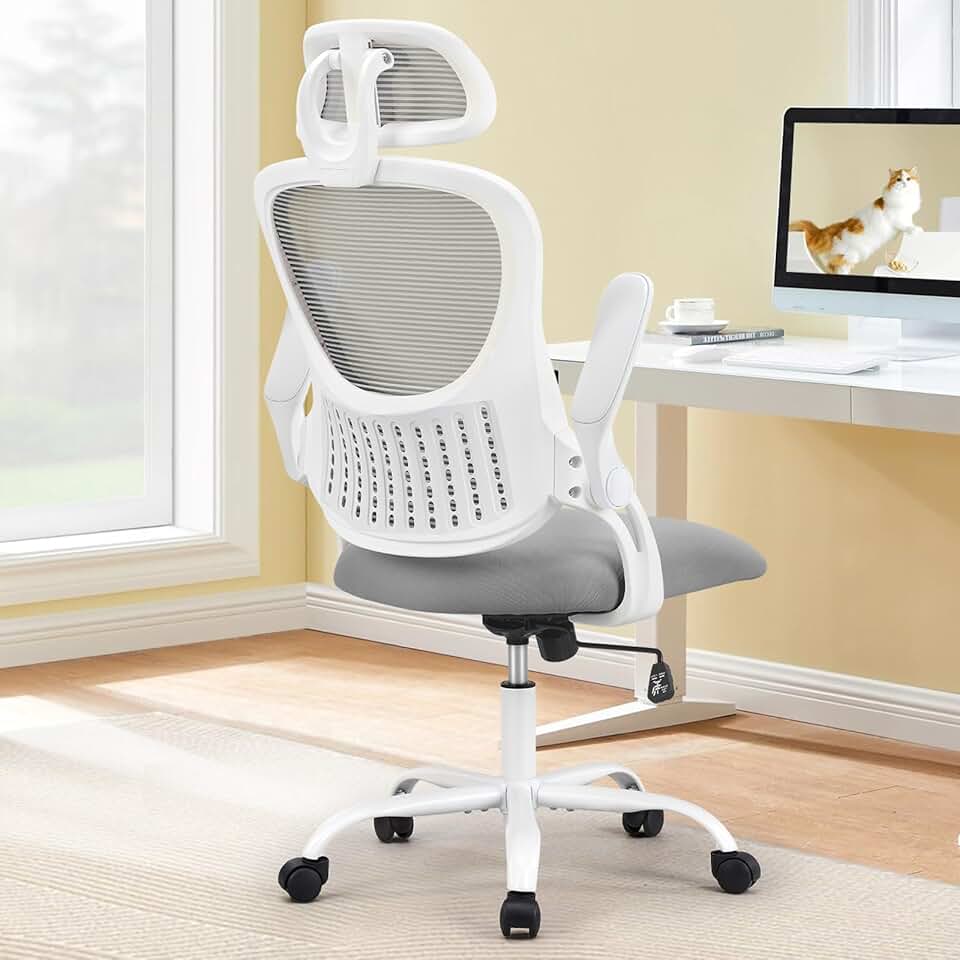
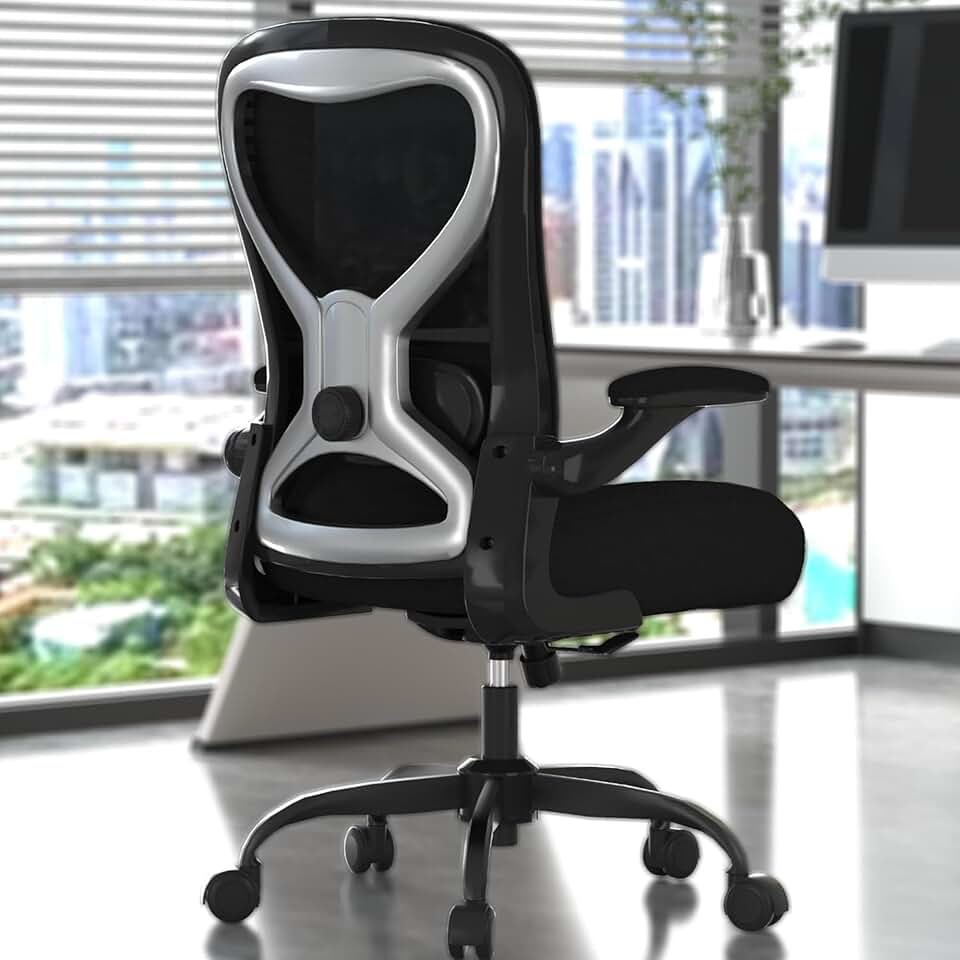
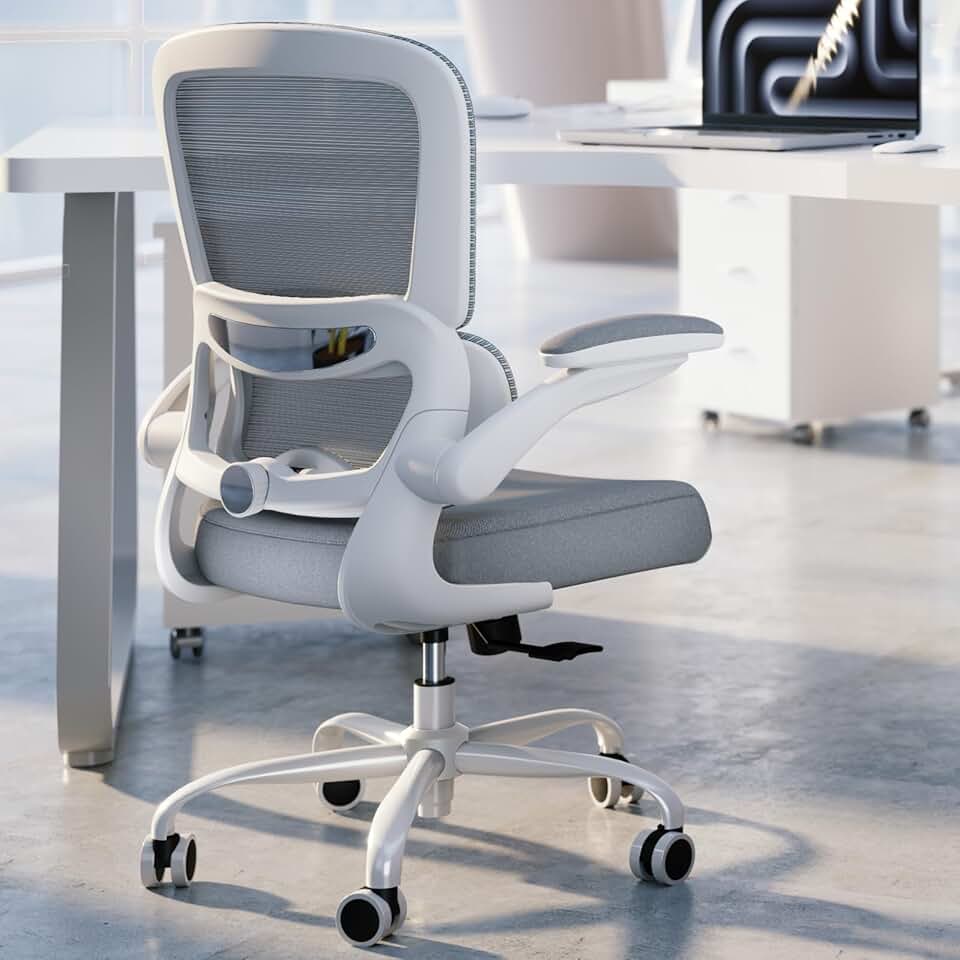


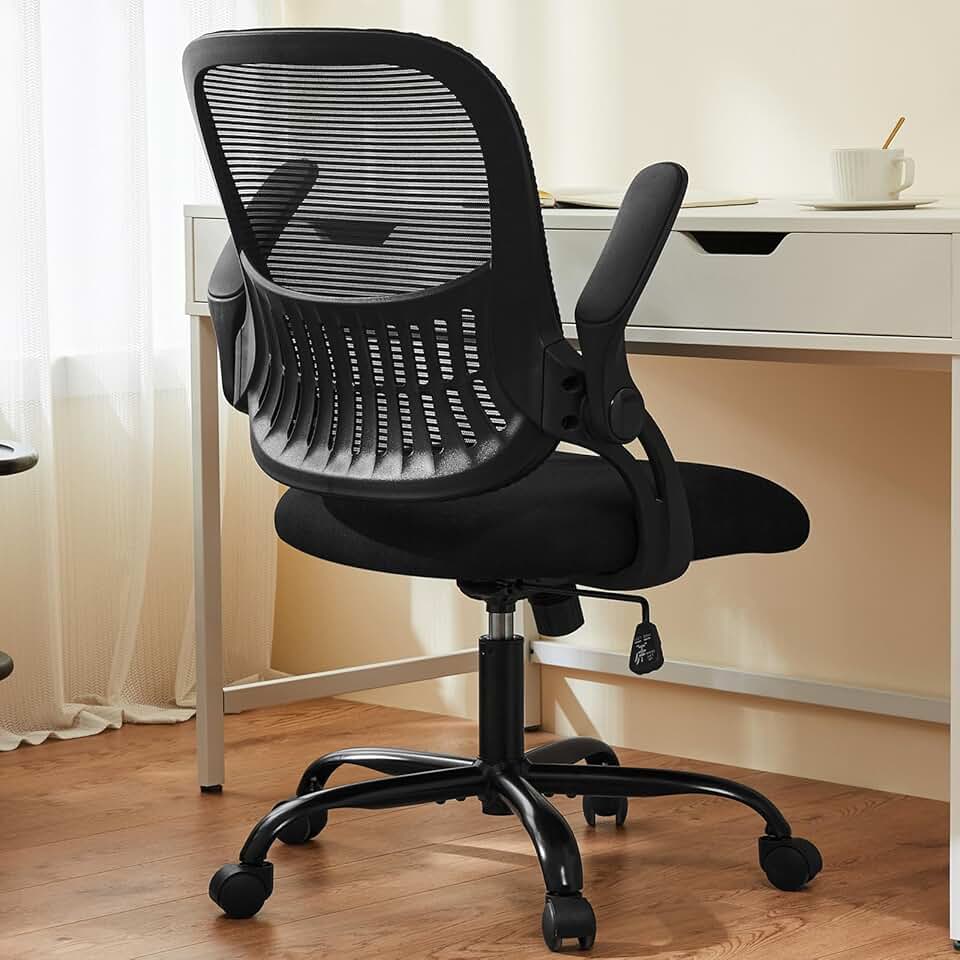


 Photo by
  Photo by
  Photo by