Learn how to sit in an office chair with proper posture in 2026. Step-by-step setup, lumbar tips, chair picks, and research-backed advice to prevent back pain.
Products Mentioned
GABRYLLY Ergonomic High Back Mesh Chair
A $188 mesh chair that handles 400 lbs without the Herman Miller invoice
How to Sit in an Office Chair Correctly - The Complete 2026 Ergonomics Guide
Most people spend 6-9 hours a day in an office chair without ever adjusting a single thing on it. Then they wonder why their lower back hurts by 2pm. The problem isn't usually the chair - it's that nobody showed them how to set it up or how to actually use it.
This guide covers the correct sitting posture from feet to neck, the exact sequence for adjusting any chair, what to do when your chair can't do what you need, and which products are actually worth buying in 2026.
Before getting into the mechanics of good posture, it helps to understand what goes wrong and why it matters.
When you slouch - which happens naturally as you fatigue - your lumbar curve flattens or reverses. This shifts load from your spinal discs' outer rings to their inner nuclei, increases pressure on vertebral endplates, and puts sustained stretch on the posterior ligaments and muscles. Over months and years, this contributes to disc degeneration and chronic musculoskeletal pain. NIOSH and OSHA both identify prolonged awkward posture as a primary risk factor for work-related musculoskeletal disorders, which cost U.S. employers over $20 billion annually in workers' compensation claims.
The fix isn't "sit up straight" - that's too vague and often leads to overcorrection. The fix is setting up your chair correctly once, then letting it do the work.
Featured
GABRYLLY Ergonomic High Back Mesh Chair
A $188 mesh chair that handles 400 lbs without the Herman Miller invoice
You've probably heard of the 90-90-90 rule. It refers to three joint angles that ergonomists target as a starting baseline:
Hips at roughly 90° - thighs parallel to the floor, pelvis in neutral (not tucked or arched)
Knees at roughly 90° - lower legs perpendicular to the floor, feet flat
Elbows at roughly 90° - forearms horizontal, wrists neutral on the desk
These are starting points, not hard rules. Research from Cornell University's Ergonomics Research Laboratory shows that a slight recline (100°-110°) actually reduces lumbar disc pressure compared to sitting bolt upright at 90°. So treat 90-90-90 as your setup baseline, then refine from there.
How to Set Up Your Chair - Step by Step
Do this in order. Each adjustment affects the ones that follow.
Step 1 - Set Seat Height First
Sit all the way back in the chair so your back touches the backrest. Now adjust the pneumatic lever (usually under the right side of the seat) until:
Your feet rest flat on the floor with no pressure on the back of your thighs
Your knees are at or slightly below hip level
Your thighs are roughly parallel to the ground
If your desk is too high once you've set the correct seat height, raise the desk or add a monitor arm - don't raise the chair and let your feet dangle. Dangling feet cut off circulation to your lower legs within minutes. If your chair is too high for your body and won't go lower, a footrest solves the problem immediately.
The test: Slide two fingers under your thigh at the seat edge. You should feel light contact, not pressure. If you can't fit two fingers, the seat is too high.
Step 2 - Adjust Seat Depth
The seat pan depth is the distance from the backrest to the front edge of the seat. When you're sitting fully back, you should have 1-2 inches (about two finger-widths) of clearance between the seat edge and the back of your knees.
If the gap is larger than 2 inches, the seat is too deep - you'll end up sliding forward to avoid pressure behind your knees, losing backrest contact and lumbar support. Many budget chairs have fixed seat depth, which is a genuine problem for people shorter than 5'6" or taller than 6'2".
Step 3 - Set Lumbar Support Position
Your lumbar region is the inward curve of your lower back, roughly between the bottom of your ribcage and the top of your pelvis. The lumbar support should press gently into this curve - not into your mid-back, not into your tailbone area.
On adjustable chairs, move the lumbar up or down until it contacts the small of your back when you're sitting fully upright. The pressure should feel like a gentle nudge, not a shove. If the lumbar is too firm or too far forward, you'll arch excessively and fatigue faster.
No built-in lumbar support? A dedicated lumbar pillow placed at the right height does the same job. The Lumbar Support Pillow (ASIN B074C9F45S, $26.99) and the Samsonite Memory Foam Lumbar Support Pillow (ASIN B072K59NYZ, $22.95) are both solid options that strap to the backrest and add the curve your chair is missing.
Step 4 - Set Backrest Angle
For most tasks, a backrest angle of 100°-110° from horizontal is better than the rigid 90° most people default to. This slight recline reduces compressive load on lumbar discs (supported by multiple peer-reviewed studies cited in OSHA's ergonomics guidelines) and lets your hip flexors relax.
If your chair has a tilt tension knob, adjust it so you can recline slightly with light pressure - it shouldn't require effort to stay upright, but it also shouldn't dump you backward.
Step 5 - Adjust Armrests
Armrests should support your forearms with your shoulders relaxed - not shrugged up, not dropped down. Correctly set armrests take weight off your neck and shoulder muscles for hours at a time.
Height: Elbows at roughly 90°, forearms horizontal or very slightly declined toward the keyboard
Width: Arms close to your body, not splayed out
Depth/angle: Forearms supported from elbow to about mid-forearm; wrists should float over the keyboard, not rest on the armrest while typing
Armrests that are too high force shoulder shrugging, which leads to trapezius and levator scapulae fatigue. Armrests that are too low give you nothing and encourage leaning. Non-adjustable armrests that interfere with desk clearance are one of the top reasons chairs get replaced.
Step 6 - Monitor Position
This is technically desk setup, but it determines whether your chair adjustments actually work. Place your monitor so:
The top of the screen is at or just below eye level
The screen is roughly arm's length away (20-24 inches for most people)
The screen is directly in front of you, not to one side
Looking down at a laptop screen more than 15° below horizontal is a common cause of neck strain even when everything else is set correctly.
1-2 inches of clearance between seat edge and back of knees
Lumbar curve supported, not flattened
Shoulders relaxed, not shrugged
Elbows near your sides at roughly 90°
Forearms horizontal, wrists neutral
Head balanced over your spine, not jutting forward
Monitor top at eye level, arm's length away
If you check all of these after proper adjustment and still feel discomfort within 30 minutes, the chair itself may be the wrong size or type for your body.
Movement Matters As Much As Posture
Even a perfect static posture becomes a problem if held for too long. Static muscle loading - holding the same position without movement - reduces blood flow to tissues and accelerates fatigue. Cornell's Ergonomics Lab recommends shifting position or standing every 60 minutes at minimum.
Practical movement habits:
Every 30-45 minutes, recline slightly and hold for 30 seconds
Lean side to side briefly to redistribute load
Stand up to take calls when possible
Cross your ankles briefly under the chair (fine short-term; crossing your knees twists the pelvis and is worse)
If you pair a well-adjusted chair with an electric standing desk, you can alternate between sitting and standing throughout the day without disrupting your workflow. A desk like the DUMOS 63 Inch Electric Standing Desk Height Adjustable (ASIN B0G3X3QGB8, $99.95) gives you programmable height memory so you're not manually cranking between positions.
SIHOO M18 Ergonomic Mesh Office Chair
126 degrees of recline, $160 - the budget ergonomic chair that earns its BIFMA cert
Here's what to actually buy based on your budget and needs. All prices current as of 2026.
Best Budget Option - Under $150
The GABRYLLY Ergonomic High Back Mesh Chair (ASIN B07Y8BXBX8, $192.50) sits at the top of the budget-to-mid range and earns its price with adjustable lumbar support, flip-up armrests, and a breathable mesh back that handles all-day use better than foam-padded alternatives. The mesh prevents the heat buildup that kills productivity in warm offices.
For tighter budgets, the [TRALT Ergonomic Mesh Office Chair Black](/chairs/tralt-ergonomic-mesh-office-chair-black) (ASIN B0CQD3K8PJ, $113.99) covers the basics - height adjustment, basic lumbar, adjustable armrests - without unnecessary extras. It won't win on seat depth adjustment, but for someone who fits a standard size and just needs a solid daily driver, it works.
The SIHOO M18 Ergonomic Mesh Office Chair (ASIN B07GNDDNMW, $139.99) is another strong contender in this range, offering a headrest and decent lumbar curve that suits people in the 5'5"-6'0" range particularly well.
Best Mid-Range Option - $150 to $300
The COLAMY Office Ergonomic Desk High Back Executive Chair (ASIN B0DGQFDVVV, $219.99) stands out for its combination of high-back support and executive-style padding with actual ergonomic adjustability. Good lumbar depth, recline lock, and armrest height adjustment make it a practical all-day chair without the stripped-down feel of ultra-budget mesh.
For bigger and taller users (up to 400 lbs), the EXCEBET Big and Tall Office Chair (ASIN B0DLSXLXKB, $284.98) provides the wider seat pan and higher weight rating that standard chairs don't accommodate. Cramming a larger frame into a standard seat destroys posture because the geometry is simply wrong.
Best For Active Sitting
If you find static sitting uncomfortable regardless of how well you set up a conventional chair, an alternative seating style may suit you better. Saddle-style chairs force your pelvis into a more forward-tilted, neutral position - similar to horseback riding - which naturally promotes lumbar lordosis without needing to think about it.
The Antlu Saddle Stool Chair (ASIN B0C7GTTJ41, $123.37) is a practical entry point. It won't replace a full ergonomic chair for everyone, but for people who rotate between desk tasks and standing, or who have chronic lower back issues with standard seating, it's worth trying.
Kneeling chairs are another option worth mentioning for variety. The NYPOT Ergonomic Kneeling Chair (ASIN B0F1Z34Z87, $149.99) uses a forward-tilted seat angle to open the hip angle past 90°, reducing lumbar flexion. These are not all-day solutions for most people - knee discomfort builds after 45-60 minutes - but they're effective posture-reset tools used in rotation with a conventional chair.
Lumbar Add-Ons For Chairs That Fall Short
If your current chair is structurally fine but lacks lumbar support, a $20-$30 pillow is a cheaper fix than a new chair. The Niceeday Lumbar Support Pillow (ASIN B0839BG29X, $26.99) has adjustable straps and firm enough foam to actually hold its shape through an eight-hour day - a problem cheaper cushions fail at within weeks.
Specs on paper don't mean much if the chair doesn't fit your body. Here's how to narrow it down:
Your height and weight matter more than brand. A person under 5'4" needs a seat height that goes low enough (typically below 17 inches) and a seat pan that isn't too deep. Many "standard" chairs are built for 5'8"-6'0" frames. If you're outside that range, prioritize seat depth adjustment and height range in the specs before anything else.
Seat width matters for comfort. Hips that spill over the seat edge or get compressed by narrow armrests will cause discomfort regardless of how good the lumbar is. If you're above 250 lbs or have a wider build, look at chairs explicitly rated for larger frames.
Mesh vs. foam is largely a temperature question. Mesh breathes significantly better - if you run warm or your office gets hot, foam-padded seats get sweaty and uncomfortable after a couple of hours. Mesh also tends to conform more naturally to your shape. The tradeoff is that foam can feel more cushioned initially.
How many hours do you sit? For under 4 hours a day, almost any chair with height adjustment will do. For 6-9 hours, adjustable lumbar and seat depth become non-negotiable. For 9+ hours, you want full adjustability including 3D armrests and recline tension.
Do you have existing back pain? If you have diagnosed disc issues or chronic lower back problems, a chair is not a substitute for medical treatment - but the right chair won't make things worse. Prioritize lumbar adjustment range and the ability to set a slight recline. Consider rotating between a conventional chair and a saddle stool to vary the load on your spine through the day.
One Chair to Avoid
The PayLessHere Office Computer Chair Ergonomic Cheap Desk Chair (ASIN B0CHNR8KJS, $19.99) illustrates exactly what you don't get when you go ultra-cheap. At this price point there is no meaningful lumbar support, no armrest adjustment, and the foam compresses flat within weeks. The "ergonomic" label is marketing. Sitting in a chair like this for 8 hours is worse than standing - you get the posture problems of sitting with none of the support that makes sitting acceptable. Spend at least $90-$100 if you're at a desk more than 3 hours a day. The delta in long-term back health far outweighs the $70 difference.
Office Chair
Ninety-five dollars buys basic high-back support - nothing more, nothing less
Setting the chair height to reach the desk instead of to fit your body. This is the most common error. If the desk is too high, raise the desk or use a monitor arm - don't compromise your seat height.
Never sitting fully back in the seat. If you perch at the front edge, the lumbar support contacts nothing and the seat depth adjustment is irrelevant. Start every session by sliding all the way back.
Armrests so high they lift your shoulders. This is almost universal in offices. Armrests should support relaxed arms, not push them up. If your armrests don't lower enough, flip them up or remove them entirely - that's genuinely better than having them set too high.
Ignoring monitor height after perfecting the chair. You can have a perfectly adjusted chair and still get neck pain from a laptop screen sitting flat on the desk. A monitor arm or stand that brings the screen to eye level completes the setup.
Treating setup as a one-time event. Different tasks warrant different positions. Intensive keyboard work differs from reading or video calls. Recline slightly during passive tasks, sit more upright during typing-intensive work.
When Your Chair Is the Problem, Not Your Posture
Some chairs simply cannot be set up correctly for your body, regardless of technique. Clear signs your chair is the problem:
The seat height range doesn't reach a position where your feet are flat AND your thighs are parallel to the floor
The seat is so deep that you can't sit fully back and still have knee clearance
The lumbar support is either absent or fixed in the wrong position
Armrests don't adjust or interfere with desk clearance
The pneumatic cylinder drops during the day (a real safety and posture issue)
If you're running into these problems on a chair under $80, you've reached the ceiling of what that chair can offer. The upgrade from a $50 chair to a $140 chair delivers far more ergonomic return per dollar than the jump from $200 to $400.
EXCEBET Big and Tall Office Chair
400-lb capacity executive chair that won't embarrass you mid-meeting
No sitting posture - however perfect - is a substitute for movement. Standing desks have become mainstream in 2026 precisely because alternating between sitting and standing eliminates prolonged static load better than any chair adjustment can.
The practical approach isn't to stand all day (that creates its own fatigue and lower limb issues) but to alternate every 60-90 minutes. Electric standing desks make this easy by memorizing height positions. If a full standing desk isn't in the budget, a desk converter like the VIVO DESK-V000S Desk Converter (ASIN B08B2L36HF, $99.99) sits on top of your existing desk and raises your monitor and keyboard to standing height without replacing the whole setup.
The combination of a properly adjusted ergonomic chair and the ability to stand for 2-3 hours across an 8-hour day gives most people significantly better outcomes than either approach alone.
Your chair should be high enough that your feet rest flat on the floor with your knees at roughly 90° and your thighs parallel to the ground. For most people, this means a seat height between 16 and 21 inches from the floor, depending on your leg length. If your feet dangle even slightly, raise the desk or add a footrest rather than raising the chair - dangling feet cut blood circulation to your lower legs within minutes.
Sit fully back so your back contacts the lumbar support, feet flat on the floor, knees at or slightly below hip level, and forearms horizontal with wrists neutral over the keyboard. Your shoulders should be relaxed - not shrugged or rounded forward - and the top of your monitor should be at or just below eye level at arm's length. A slight recline of 100°-110° is actually better than a rigid 90° for reducing lumbar disc pressure, according to research cited in OSHA's ergonomic guidelines.
Sit fully back in the chair and locate the natural inward curve of your lower back, between your ribcage bottom and the top of your pelvis. Move the lumbar support up or down until it gently fills that curve. The pressure should feel like a firm nudge, not a push - if it's forcing you to arch excessively, lower the firmness or height. If your chair has no adjustable lumbar, a $25-$30 strap-on lumbar pillow placed at the right height works just as well.
Yes - flat feet on the floor (or a footrest) are important for maintaining proper pelvic and lumbar alignment. Dangling feet or feet pushed up onto tiptoes both tilt the pelvis and flatten your lumbar curve. If your correct chair height leaves your feet off the ground, use a footrest at the right height rather than raising the chair. Crossing your legs at the knee should be avoided for prolonged periods because it rotates the pelvis and creates asymmetric strain on the lower back.
Cornell University's Ergonomics Research Laboratory recommends changing position or standing at least every 60 minutes. Even brief movement - 2-3 minutes of standing, walking to get water, or light stretching - restores blood flow and reduces static muscle load that builds up in any fixed sitting position. Setting a recurring 50-minute timer is one of the most effective and lowest-cost interventions for reducing work-related back and neck pain.
Prolonged unbroken sitting is associated with increased risk of musculoskeletal disorders, cardiovascular issues, and metabolic problems regardless of how ergonomically correct your posture is. The key word is "unbroken" - alternating between sitting and standing every 60-90 minutes significantly reduces these risks. A good ergonomic chair reduces injury risk from sitting, but it doesn't eliminate the need for movement. Pairing a well-adjusted chair with regular standing breaks or a sit-stand desk is the most effective combined approach.
The 90-90-90 rule refers to targeting roughly 90° angles at the hips, knees, and elbows as a starting baseline for ergonomic sitting. Hips at 90° means thighs parallel to the floor with the pelvis neutral, knees at 90° means feet flat with lower legs perpendicular to the floor, and elbows at 90° means forearms horizontal at desk height. These are starting points - most ergonomists actually recommend a slight hip and backrest angle of 100°-110° as more comfortable and less stressful on lumbar discs for extended sitting.
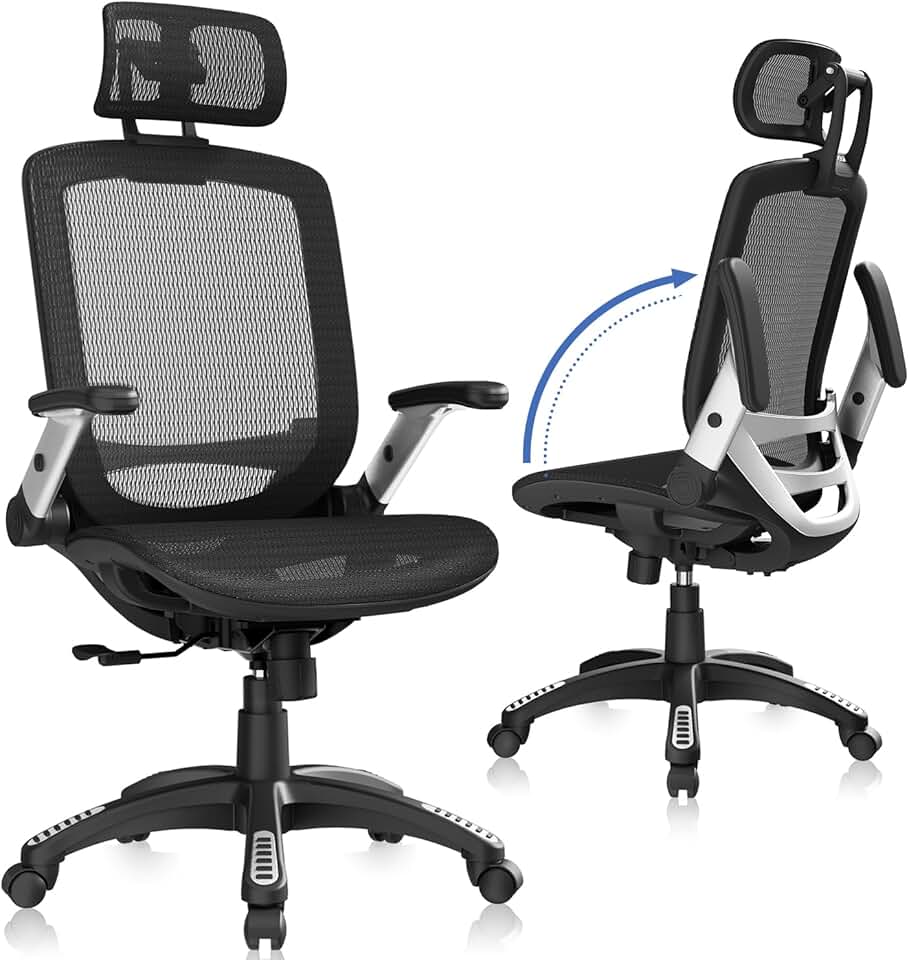
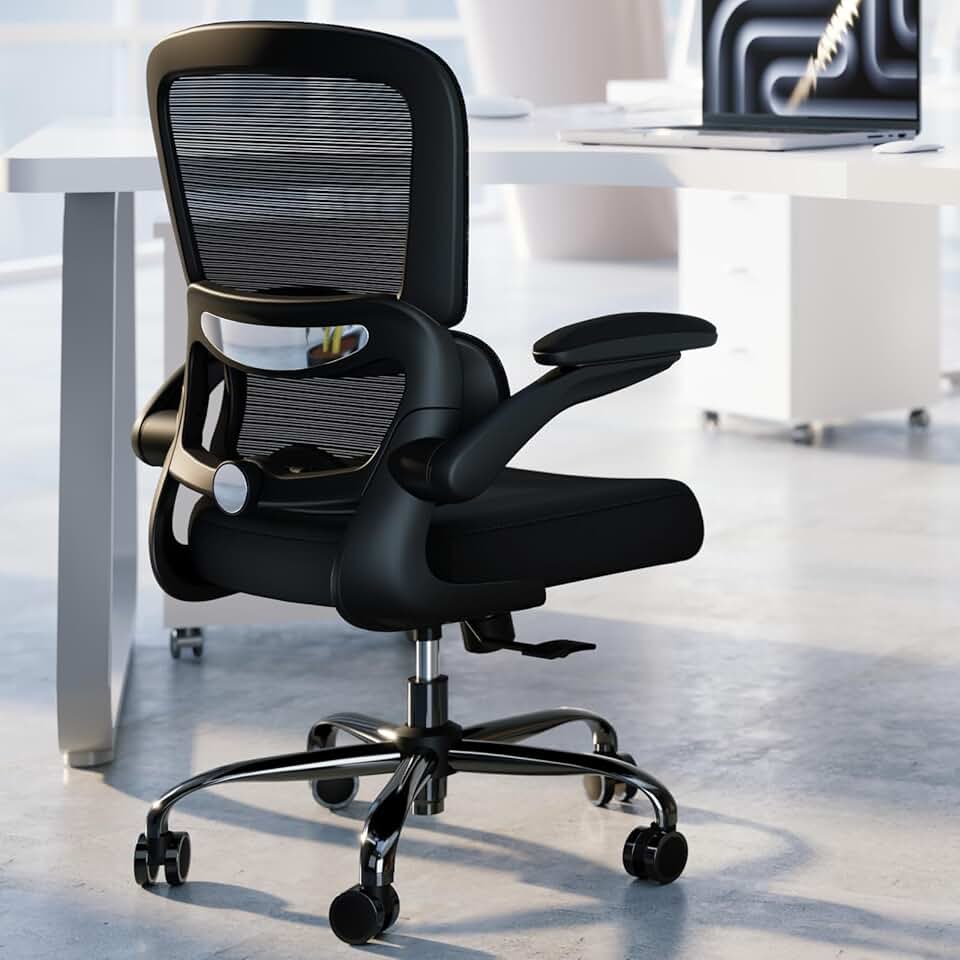


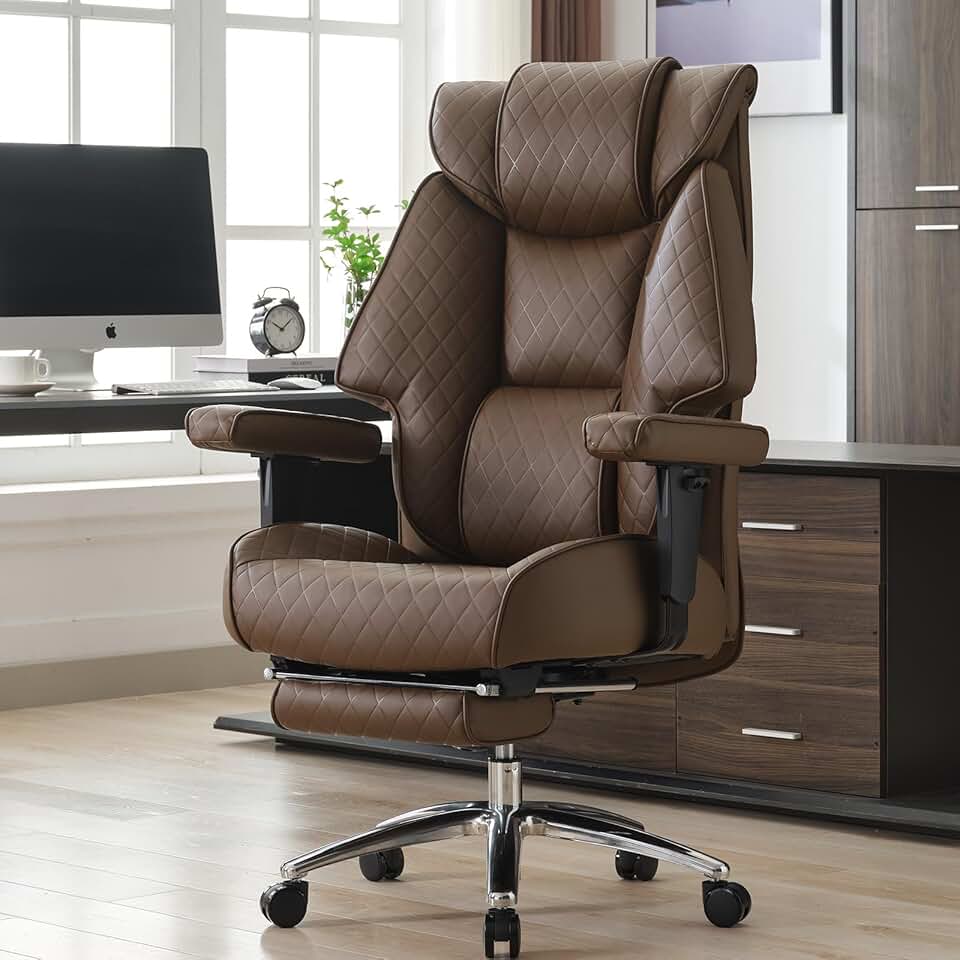
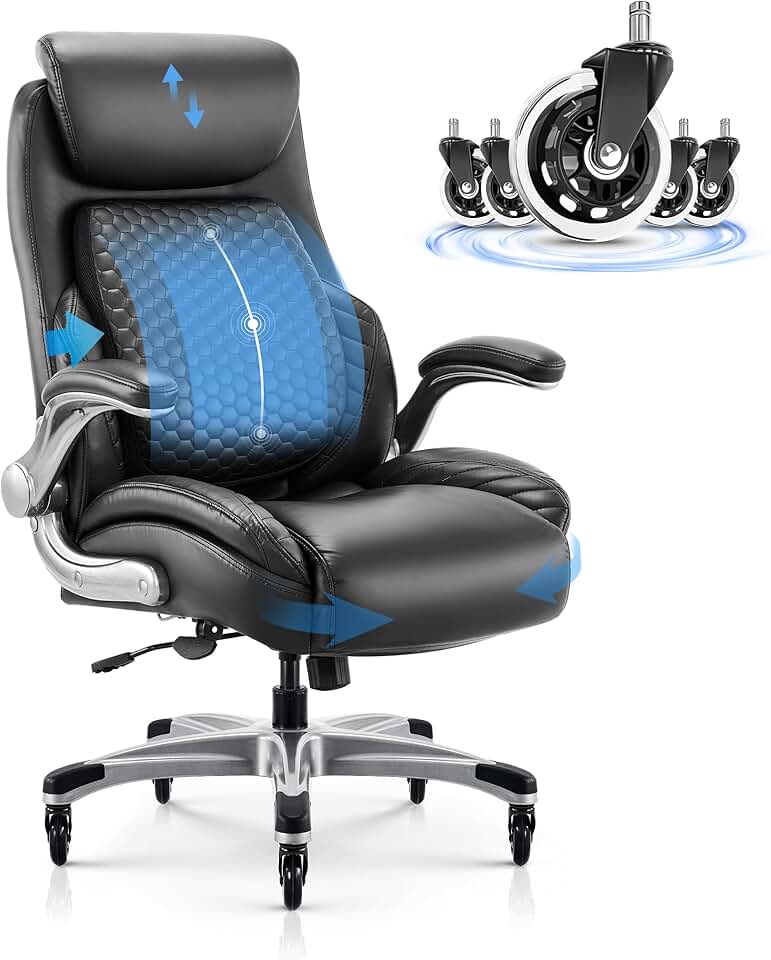


 Photo by
  Photo by